

ASRock X870E Taichi White Motherboard Review: A Taichi washed in white, now with 10 GbE
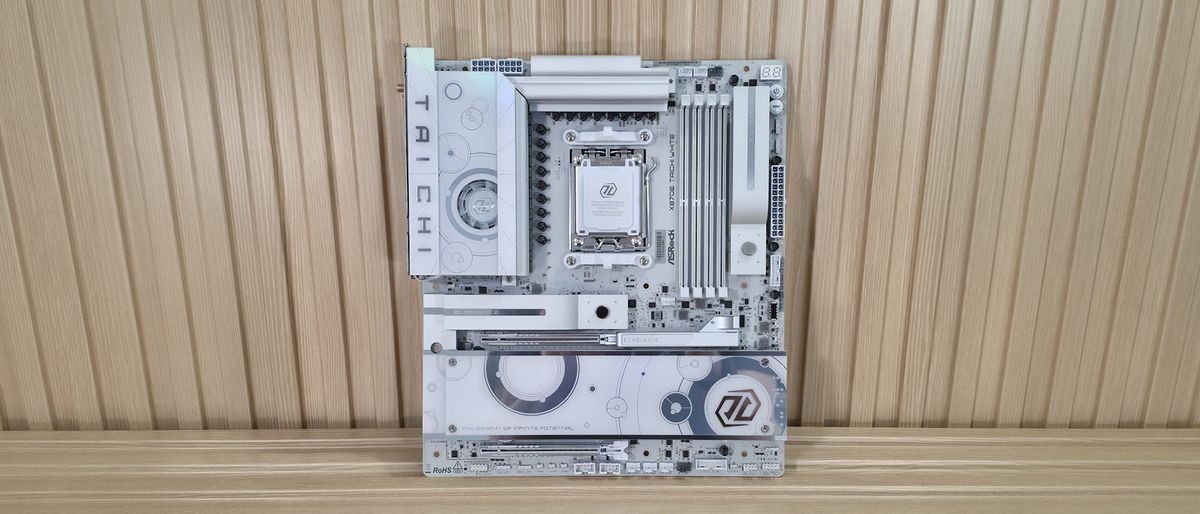
The X870E Taichi White wraps everything we liked about the original in a cleaner all-whiote look, adding 10 GbE, and still with active VRM cooling. It's pricey, handsomely equipped with the new aesthetic the real winner
Pros
- +
Improved aesthetics; looks great in white
- +
10 GbE
- +
Loads of USB ports on rear I/O (12)
- +
Active VRM cooling
- +
64MB BIOS
Cons
- -
BIOS still needs a refresh
- -
Slower 160 Hz Wi-Fi 7
- -
Only one PCIe 5.0 M.2 socket
- -
VRM fan requires software for full control
- -
Expensive compared to other white options
Why you can trust Tom's Hardware Our expert reviewers spend hours testing and comparing products and services so you can choose the best for you. Find out more about how we test.
In late 2024, we reviewed ASRock’s X870E Taichi motherboard and loved its feature set, DIY-friendly nature, and loads of USB ports on the rear IO. Fast-forward to today and we’re covering the newly released ASRock X870E Taichi White. In addition to the different colorway and updated aesthetics, it also receives some iterative feature updates. This includes native 9950X3D support, faster Ethernet, and it’s ASRock’s first motherboard to feature all-white components. But the biggest changes with are the board’s improved looks.
Priced at $449.99 (or $438.99 on Newegg), it’s not inexpensive. But ASRock’s Taichi lineup always delivered the goods, offering flagship-class hardware that cost less than the competition. It may not have a fancy LCD screen like others, but it doesn’t have that same flagship price. Still, it does come with high-end features, including overbuilt power delivery (now with active cooling), 10 GbE (up from 5 GbE), a flagship audio solution with an integrated DAC, and even support for multi-GPU (AMD CrossFire). You get the same M.2 count (four), but fewer SATA ports (three, from six), DIY-friendly features, and plenty of USB ports on the rear IO, including two USB4 (40 Gbps) and Lightning Gaming ports. In short, it’s handsomely equipped.
Performance testing proceeded without a hitch, and the results were average overall. The results showed it was not only a solid productivity machine, be it rendering, encoding, or office work, but also showed it’s a competent gamer too. While it didn’t set the world on fire performance-wise, it was relatively consistent across the board.
Below, we’ll examine the Taichi White’s performance and other features, and decide if it has a chance to make our list of the best motherboards. But before we share test results and discuss details, here are the specifications from the ASRock website:
Specifications of the Taichi White
Swipe to scroll horizontally
Socket |
AM5 (LGA 1718) |
Chipset |
X870E |
Form Factor |
E-ATX |
Voltage Regulator |
27 Phase (24x 110A SPS MOSFETs for Vcore) |
Video Ports |
(2) USB4 |
USB Ports |
(2) USB 4 (40 Gbps) Type-C (2) USB 2.0 (480 Mbps) |
Network Jacks |
(1) 10 GbE |
Audio Jacks |
(5) Analog and SPDIF |
Legacy Ports/Jacks |
✗ |
Other Ports/Jack |
✗ |
PCIe x16 |
(2) v5.0 (x16, x8/x8) |
PCIe x8 |
✗ |
PCIe x4 |
✗ |
PCIe x1 |
✗ |
CrossFire/SLI |
Crossfire |
DIMM Slots |
(4) DDR5-8200+(OC), 256GB Capacity |
M.2 Sockets |
(1) PCIe 5.0 x4 (128 Gbps) / PCIe (up to 80mm) |
SATA Ports |
(3) SATA3 6 Gbps |
USB Headers |
(1) USB v3.2 Gen 2x2 (20 Gbps) Type-C |
Fan/Pump Headers |
(8) 4-Pin (Accepts PWM and DC) |
RGB Headers |
(3) 3-pin ARGB Gen2 headers |
Diagnostics Panel |
2-character Dr. Debug |
Internal Button/Switch |
Power and Reset |
SATA Controllers |
✗ |
Ethernet Controller(s) |
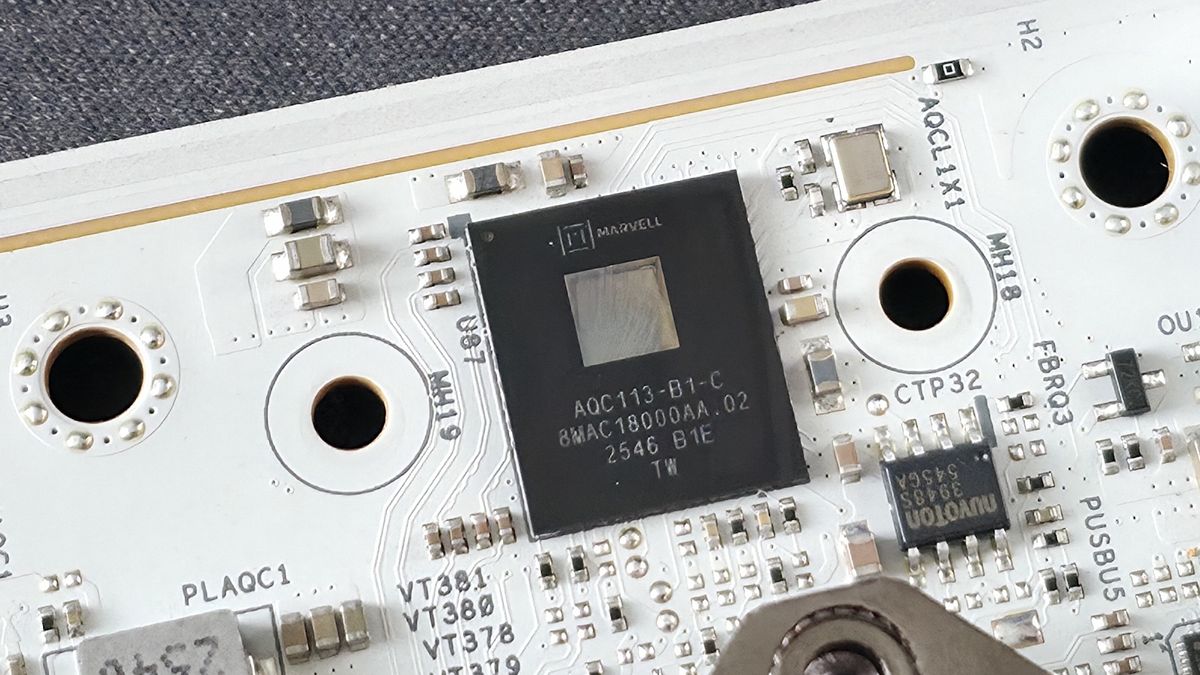
(1) Marvell (Aquantia AQC113) 10 GbE |
Wi-Fi / Bluetooth |
Mediatek MT7927 Wi-Fi 7 - 160 MHz, 6 GHz, BT 5.4 |
USB Controllers |
ASMedia ASM4242 |
HD Audio Codec |
Realtek ALC4082, ESS SABRE9219 DAC for rear panel audio |
DDL/DTS |
✗ / ✗ |
Warranty |
3 Years |
Inside the Box
Inside the box with the motherboard are a few accessories to get you started. You get four SATA cables (for three ports), three thermistor cables, an ARGB splitter cable, and last but not least, the Wi-Fi antenna. It’s not much, but it will at least get you a good wireless internet connection and let you attach SATA-based drives without a trip to the store.
Latest Videos FromTom's Hardware
Design and Features of the Taichi White
Image 1 of 7
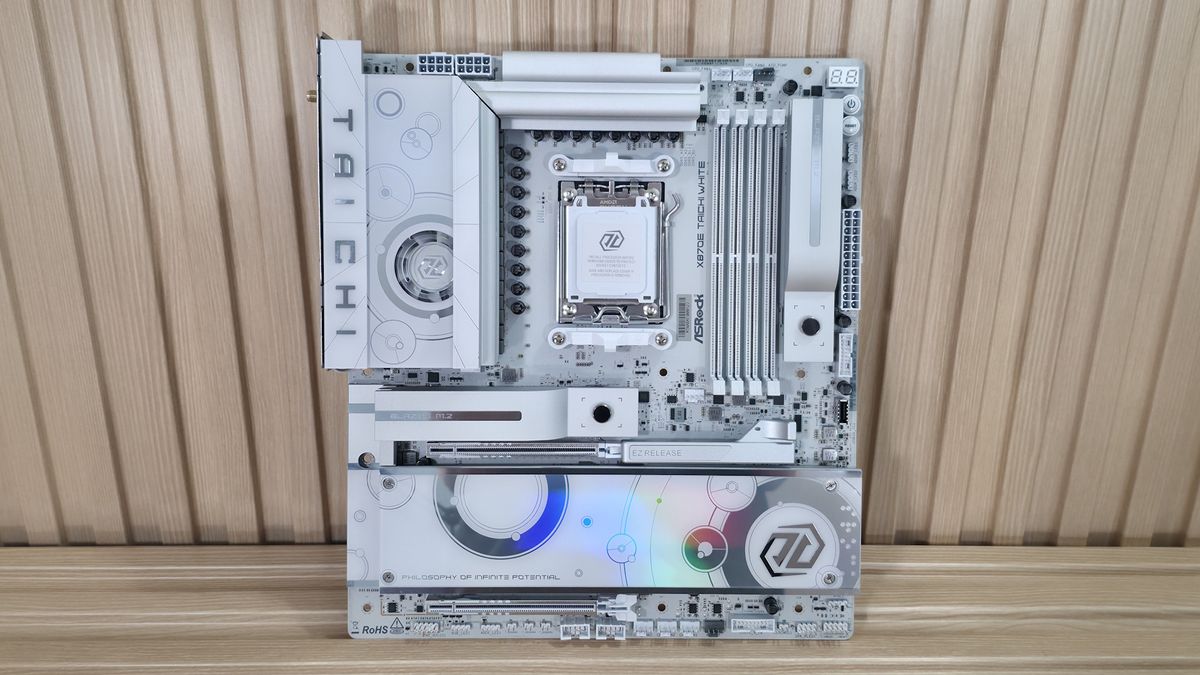
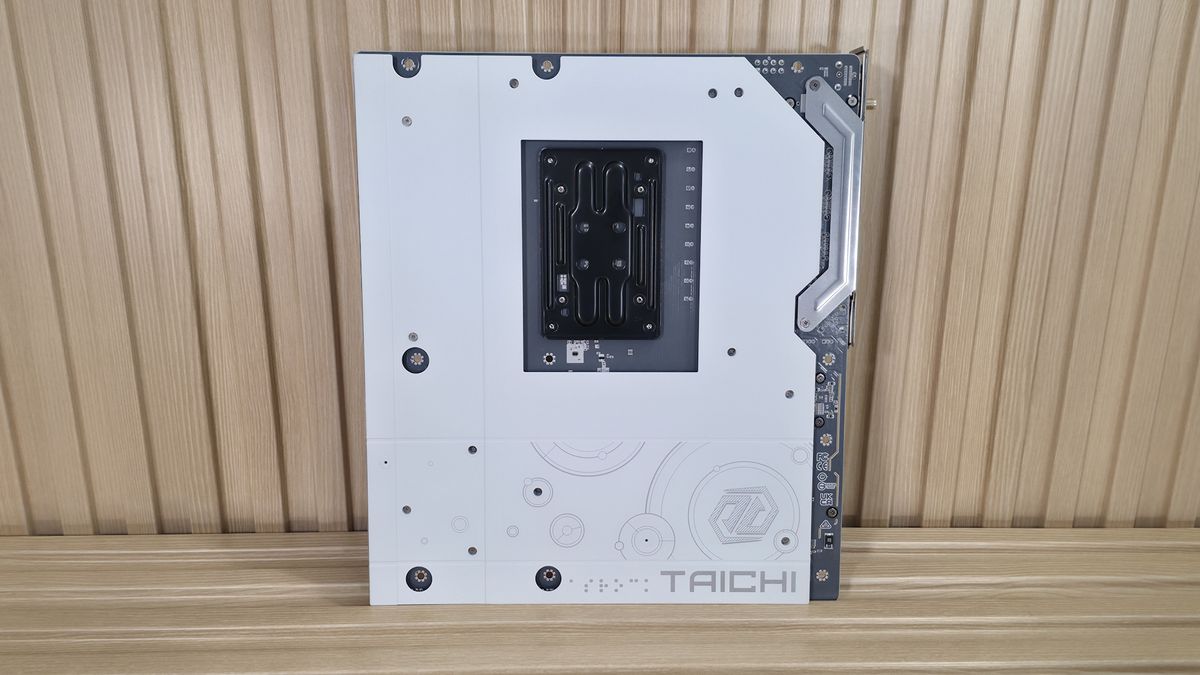
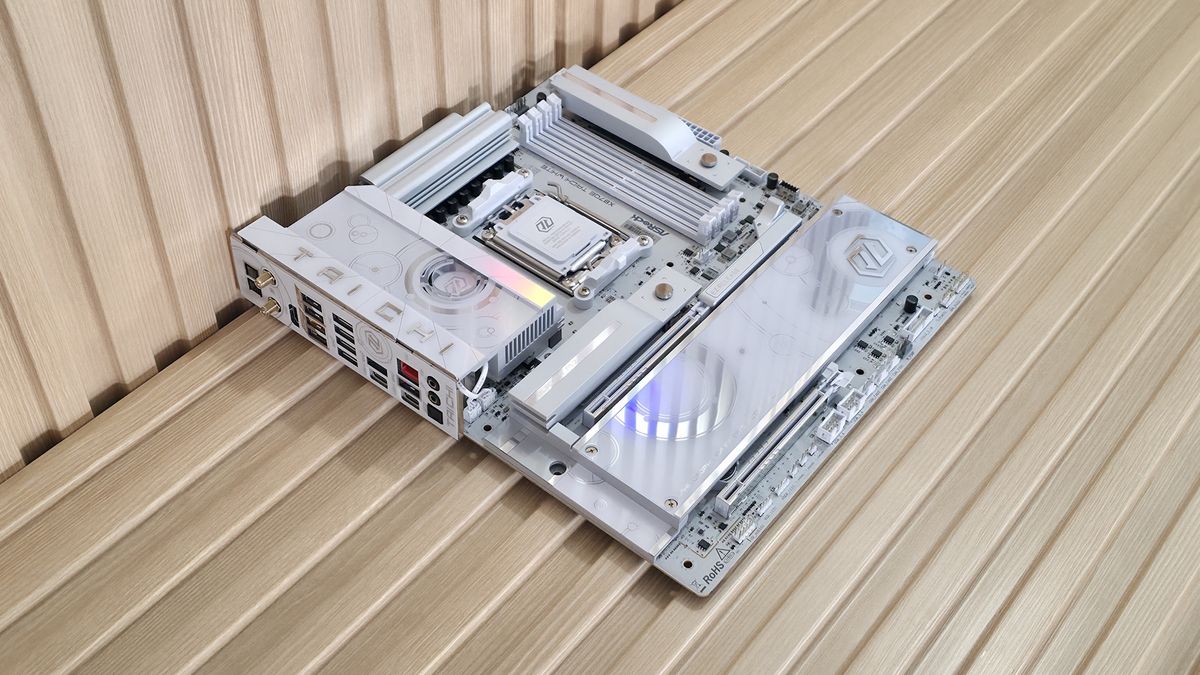
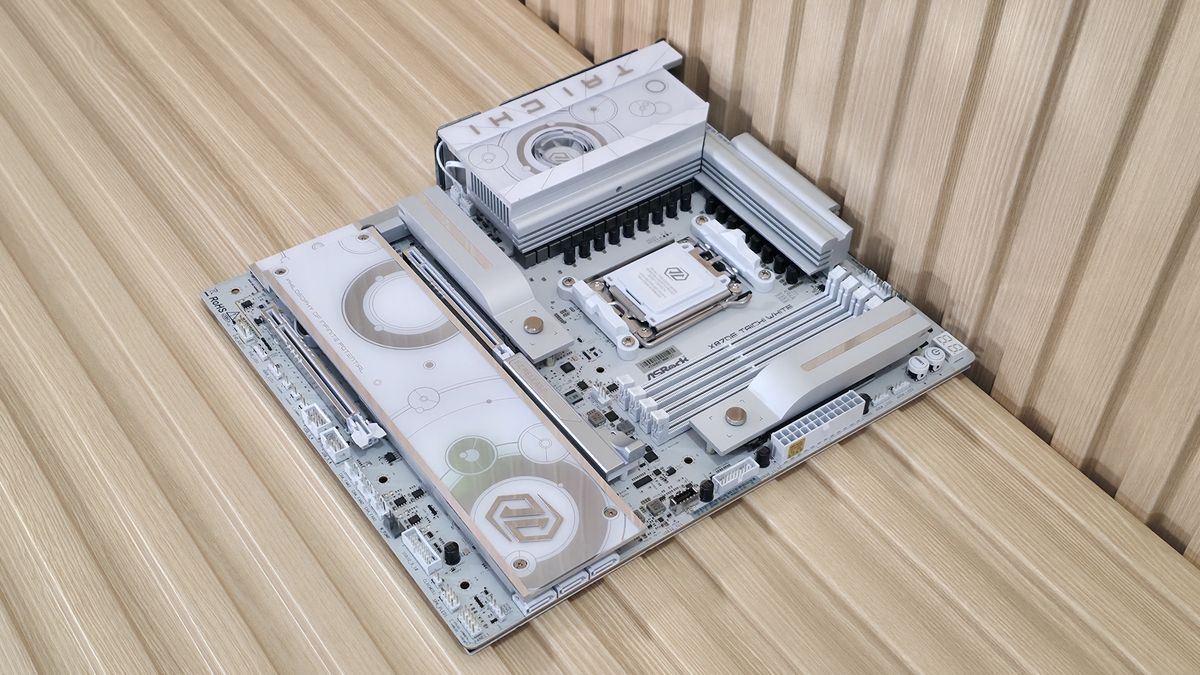
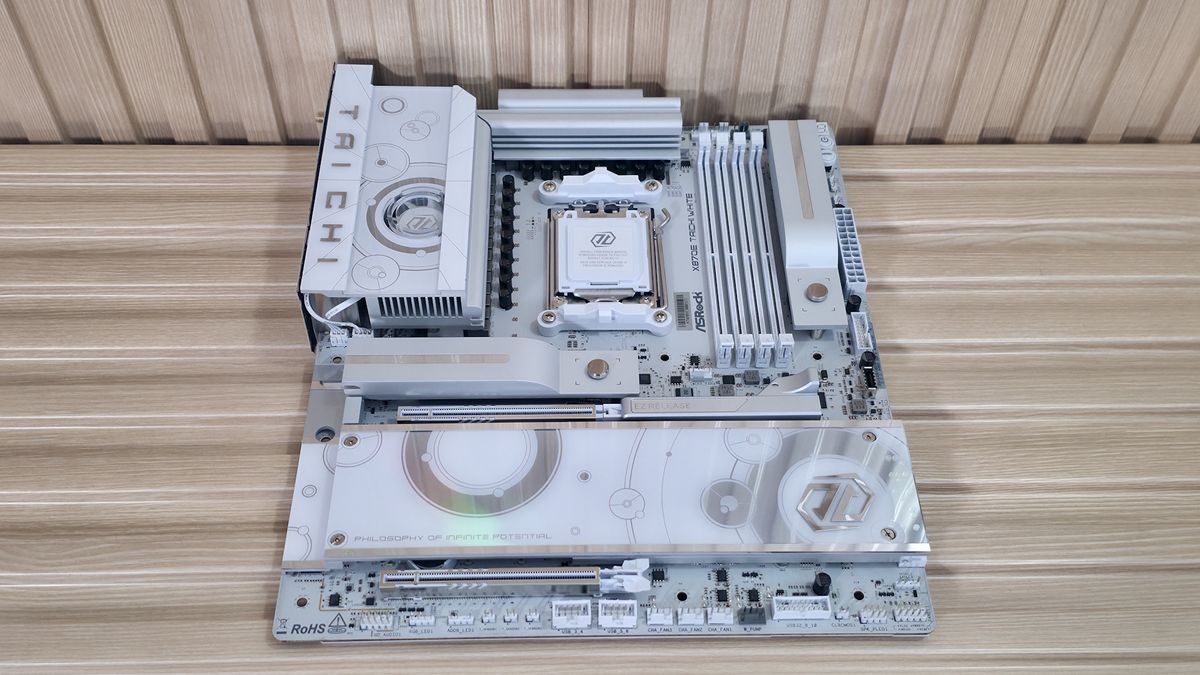
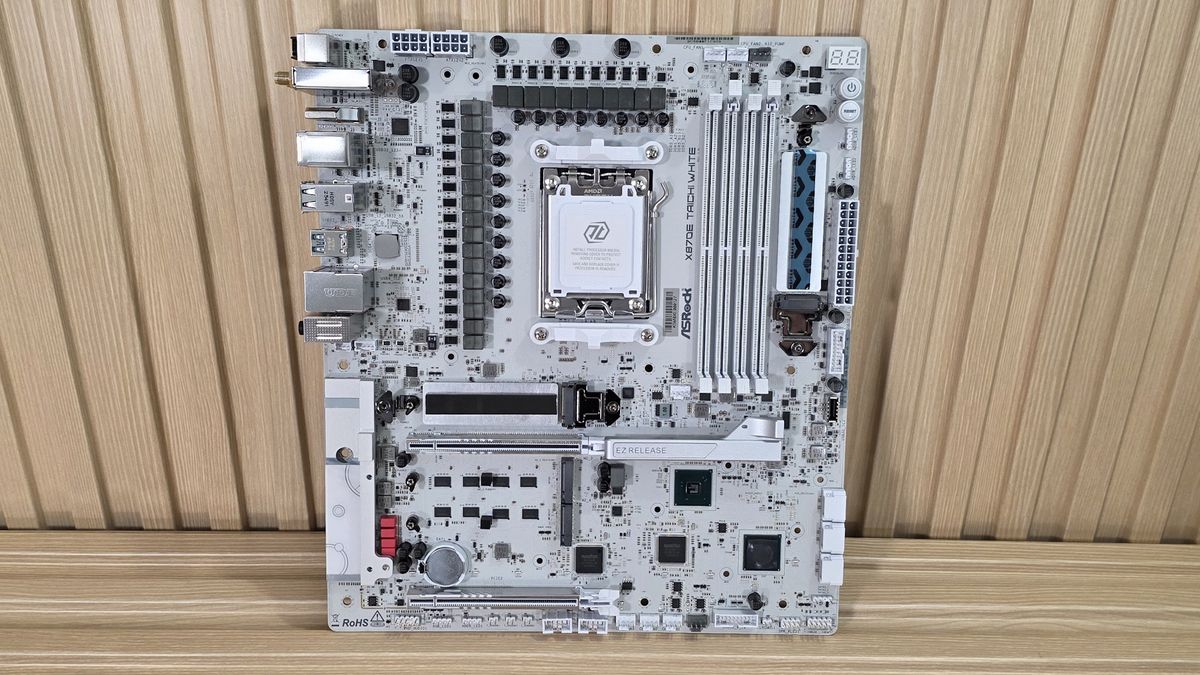
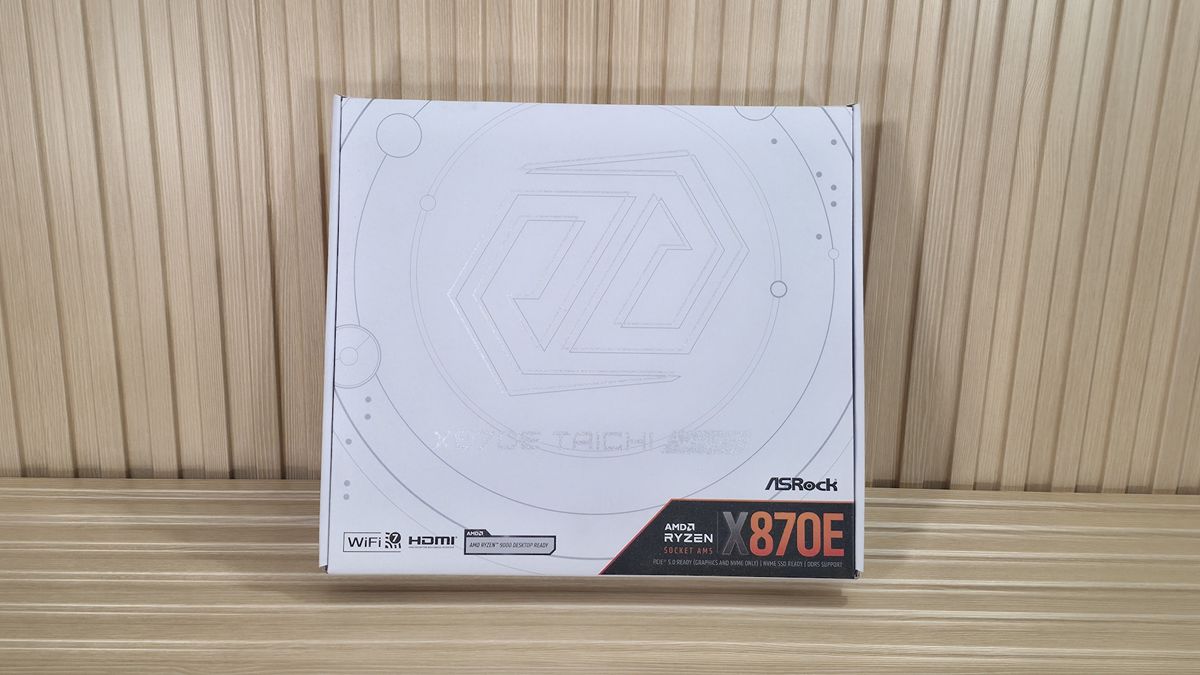
The Taichi White, like the original, keeps the same general design, with a vertical M.2 socket to the right of the RAM, and it uses a white, 8-layer PCB with beefy heatsinks covering the VRMs and two M.2 sockets, with the rest more of a plate-style cooling. Gone is the polarizing look of the original, with the gold dots and distinct cogs as the main design feature, moving to a more subtle look. We spy the Taichi branding on the left VRM heatsink, and you can see the small VRM fan, which is a unique look.
There are two RGB lighting zones: one hidden below the plate heatsink across the bottom and the other on the left VRM heatsink, which lights up the whole surface by the fan. ASRock’s Polychrome Sync software controls the lighting, with several canned light patterns, and most you can adjust (speed and color). The appearance is improved compared to the first X870E Taichi, but you’ll have to design an all-white build to take advantage of it.
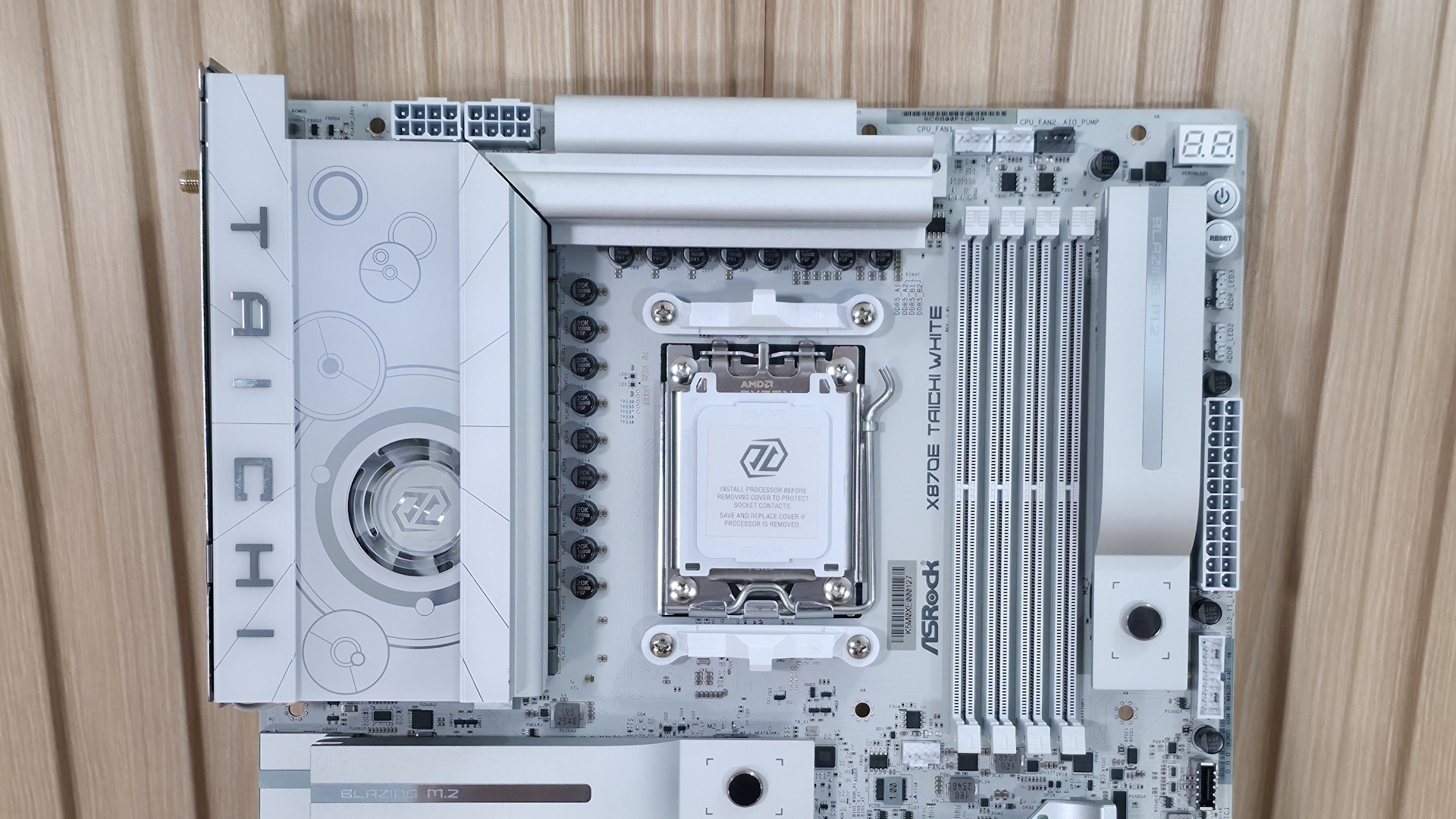
Looking at the top left corner, we see your typical configuration with two 8-pin EPS connectors (one required) and the VRM heatsink. The latter uses a heatpipe to connect the top portion of the VRMs to the main, actively cooled portion of the heatsink. The tiny little fan remains off at idle and ramps up under load. It was quieter than the AIO we use, so there are no worries about noise. You can control the device in the BIOS and through Windows software. However, there’s better control through the latter. Here we see a tamer version of the Taichi theme, with the Taichi branding written vertically in chrome.
To the right of the socket area, we see the four DRAM slots, with locking mechanisms on both sides. ASRock lists support up to DDR5-8200, which is well above AMD’s sweet spot for the platform, but still a bit lower than some other high-end boards. We didn’t have any issues with our kits, including the DDR5-8000 kit with our APU.
Stay On the Cutting Edge: Get the Tom's Hardware Newsletter
Get Tom's Hardware's best news and in-depth reviews, straight to your inbox.
Above the DRAM slots are the first three (of eight) 4-pin fan/pump headers. Each header supports PWM and DC-controlled devices through the BIOS. The lion's share of these headers (CPU_FAN2, CHA_FAN1-4, and both AIO_PUMP headers support a whopping 3W/36A each and also auto-detect 3-pin/4-pin, while the CPU_FAN1 supports up to 1A/12W. There’s plenty of output available.
To the right of the DRAM slots is a vertically oriented M.2 socket that uses ASRock’s M.2 Key Latch to hold the device down and the M.2 heatsink quick release to attach and detach quickly—this socket, M.2_2, is a PCIe 4.0 (64 Gbps) M.2 socket. Don’t let the heatsink fool you. It’s labeled as “Blazing” M.2 (typically reserved for PCIe 5.0-capable sockets), but it’s PCIe 4.0 (what ASRock calls “Hyper”).
Along the right edge, starting in the top-right corner, we spy the two-character Dr. Debug diagnostic panel that displays POST codes in bright white, and below that are LED-backlit Power and Reset buttons. Below those are the first two 3-pin ARGB headers, followed by the 24-pin ATX power lead for the board, a 19-pin USB 3.2 Gen 1 (5 Gbps), and finally a front panel USB 3.2 Gen 2x2 (20 Gbps) Type-C connector.
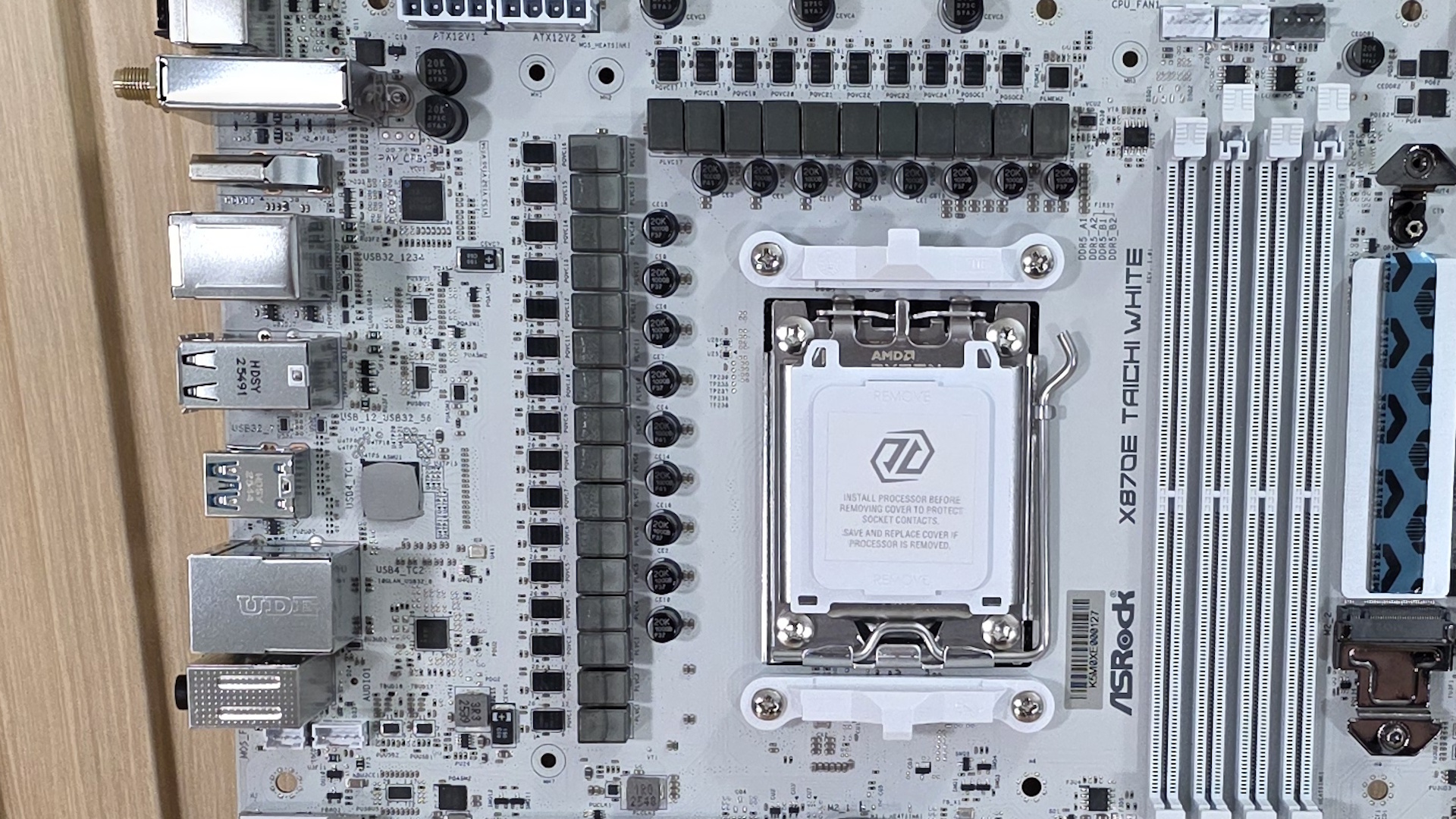
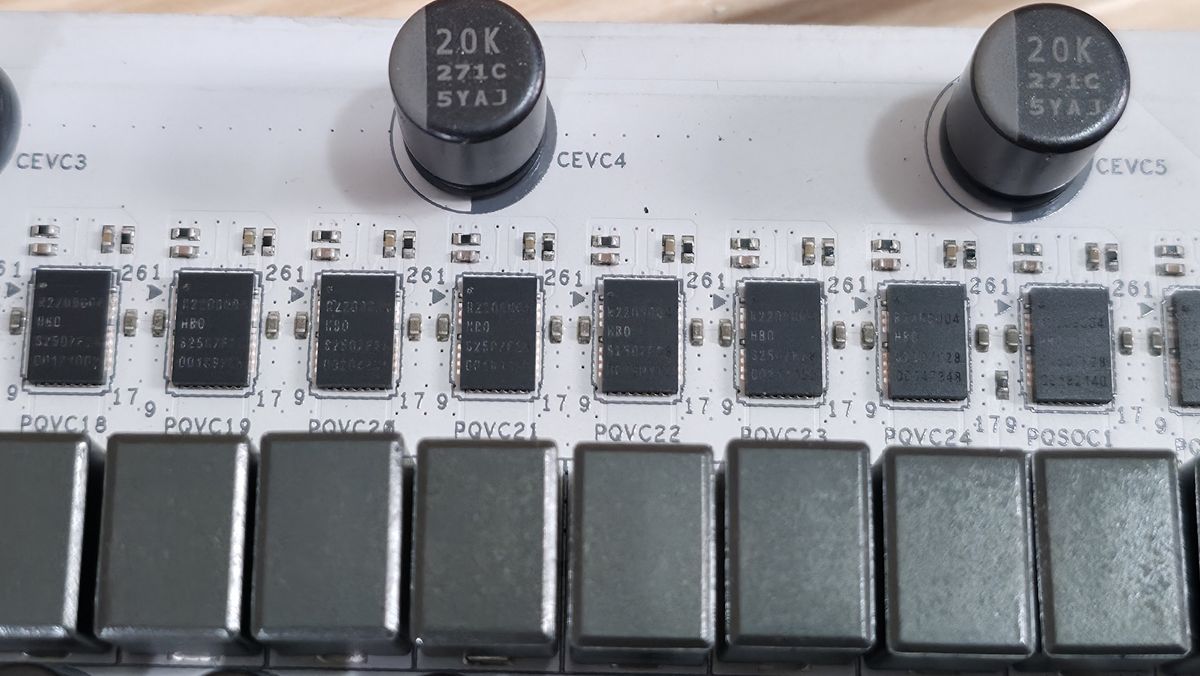
Power delivery on the X870E Taichi White uses the same robust configuration as the original. There are 25 phases total, with an incredible 22 dedicated to Vcore. Power flows from the 8-pin EPS connectors to the Renesas RA229628 controller (there’s a second controller for the SOC, etc.). From there, power goes to the Renesas R2209004 110A SPS MOSFETs. The 2,420A available will handle any processor you throw at it with aplomb. Be it stock, overclocked, or even extreme overclocking, the power bits and active VRM cooler won’t have any issues, even with a Ryzen 9 9950X or the Ryzen 9 9950X3D2.
On the bottom half of the board, starting on the left and hidden under a shroud, is the audio section. ASRock uses the flagship Realtek ALC4082 codec (along with several dedicated audio capacitors) and the ESS SABRE9219 DAC for real panel audio. It also supports direct-drive technology on the front headphone port, supporting up to 600 Ohm headsets. This combination of codec and DAC is one of the best native audio solutions on motherboards.
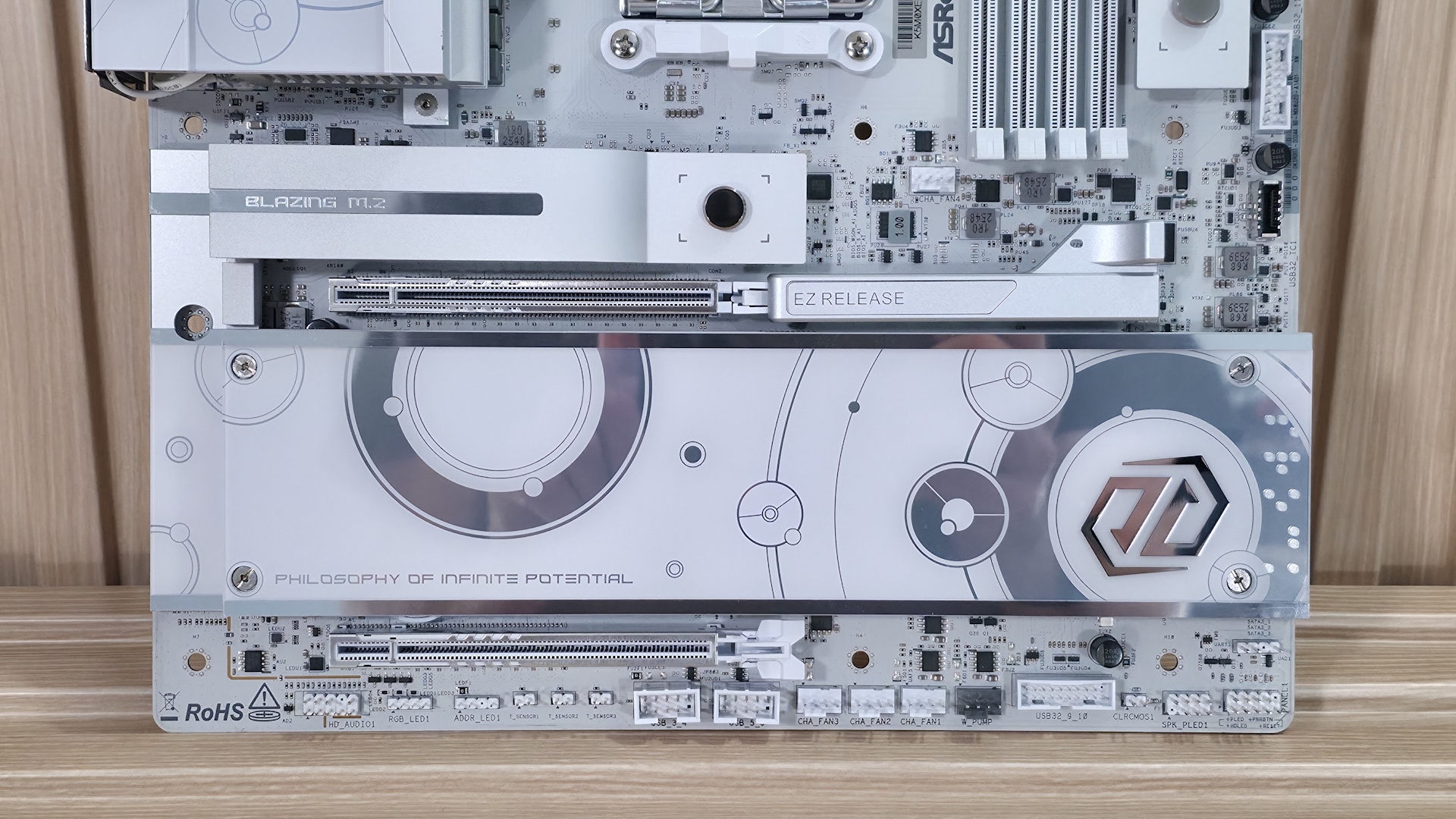
In the middle of the board are two full-length slots, both of which connect through the CPU and split up x16 PCIe 5.0 lanes. The top slot supports up to x16 while the bottom is up to x8. When both are in use, it’s x8/x8.
Mixed in and around the PCIe slots are three M.2 sockets. Above the PCIe slot is the one and only PCIe 5.0 x4 (128 Gbps)-capable M.2 socket hidden under a significant heatsink. Recently, we tested
motherboard heatsink contact on the primary M.2 heatsink(also with a quick release) and found that a majority do NOT make good contact with the devices they’re supposed to cool. The good news is the Taichi White was one (of six) that made adequate contact on both sides. The other two M.2 sockets in this area, both PCIe 4.0 x4 (64 Gbps), reside under the plate heatsink. Note: The Taichi White doesn’t share bandwidth with PCIe slots, USB ports, or anything. So feel free to stuff this board like a Thanksgiving turkey and get everything possible out of your USB, M.2, and PCIe slots.
Moving right, past the chipset to the edge are your three SATA ports. This is one place where ASRock cut back (from six), but these days, most people can get by with three SATA ports and four M.2 sockets. If you’re into RAID configurations, the SATA ports support RAID 0/1 modes while NVMe supports RAID 0/1/10. Finally, we've included a few images of the board's active ICs. ASRock uses a mix of Realtek (PWM controller, audio, MOSFETs) and Marvell ICs.
Image 1 of 3
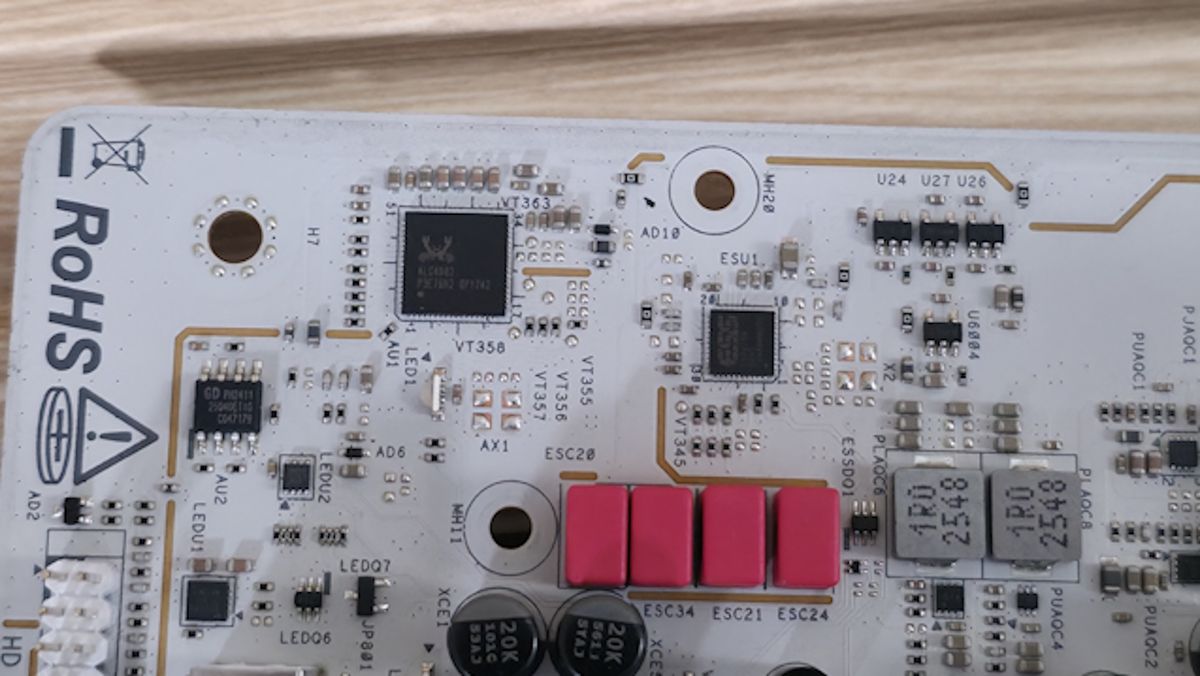
At the bottom are several headers, including front-panel audio and USB ports. A complete list of connectivity is listed below (from L to R):
- Front panel audio
- 4-pin RGB
- 3-pin ARGB
- (3) 2-pin Thermistor headers
- (2) USB 2.0 headers
- (4) 4-pin fan headers
- 19-pin USB 3.2 Gen 1 header
- 2-pin Clear CMOS jumper
- Speaker
- Front panel
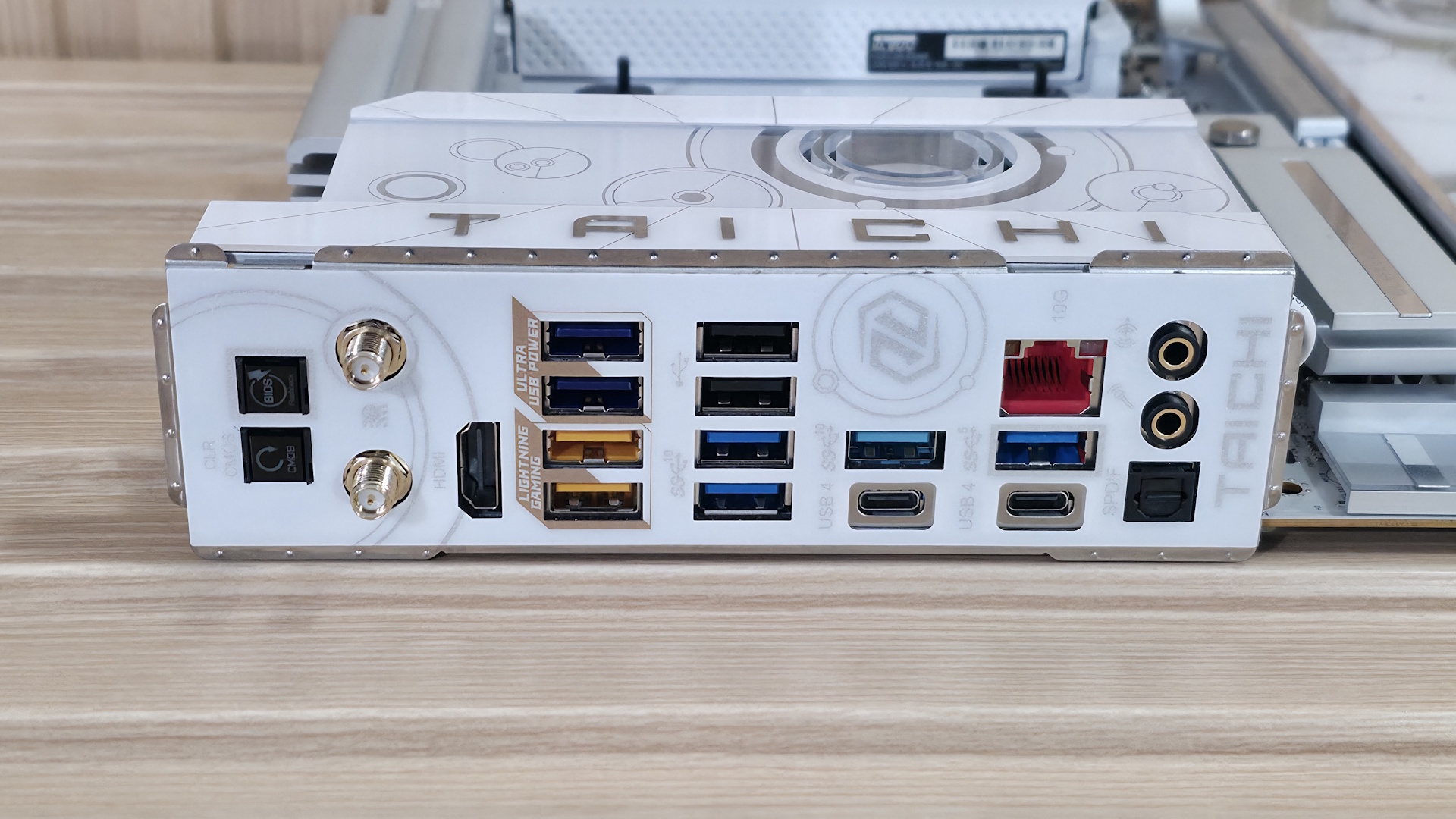
Flipping the board around to the rear IO, you can see it’s chock-full of colorful USB and other ports. On the left are Clear CMOS and BIOS Flashback buttons. Next to those are the Wi-Fi 7 (remember, it’s ‘only’ 160 Hz) antenna connections and the HDMI (v2.1) port. Next to that are stacks of colored USB ports. In total, there are 12: two USB 4 (40 Gbps) Type-C ports that double as video outputs; five USB 3.2 Gen 2 (10 Gbps), two of which are the Lightning USB ports (yellow - designed to reduce latency by using different controllers). Three USB 3.2 Gen 1 (5 Gbps) ports (purple) support USB PD 3.0 charging up to 5V@3A (15W). Lastly, there are two USB 2.0 ports in black. Above one of the Type-C ports is the Marvell (Aquantia) 10 GbE, and finally, on the right end, is the audio stack with two 3.5mm and SPDIF outputs.
If you’re an esports gamer where every millisecond counts, the lighting gaming ports could come in handy. Otherwise, it’s not really something that adds value to the average user.

Joe Shields is a staff writer at Tom’s Hardware. He reviews motherboards and PC components.
What's Your Reaction?
 Like
0
Like
0
 Dislike
0
Dislike
0
 Love
0
Love
0
 Funny
0
Funny
0
 Wow
0
Wow
0
 Sad
0
Sad
0
 Angry
0
Angry
0








Comments (0)