

HP Smart Tank 210 review: The company's cheapest ink tank printer is basic, but I can’t fault the quality at this price
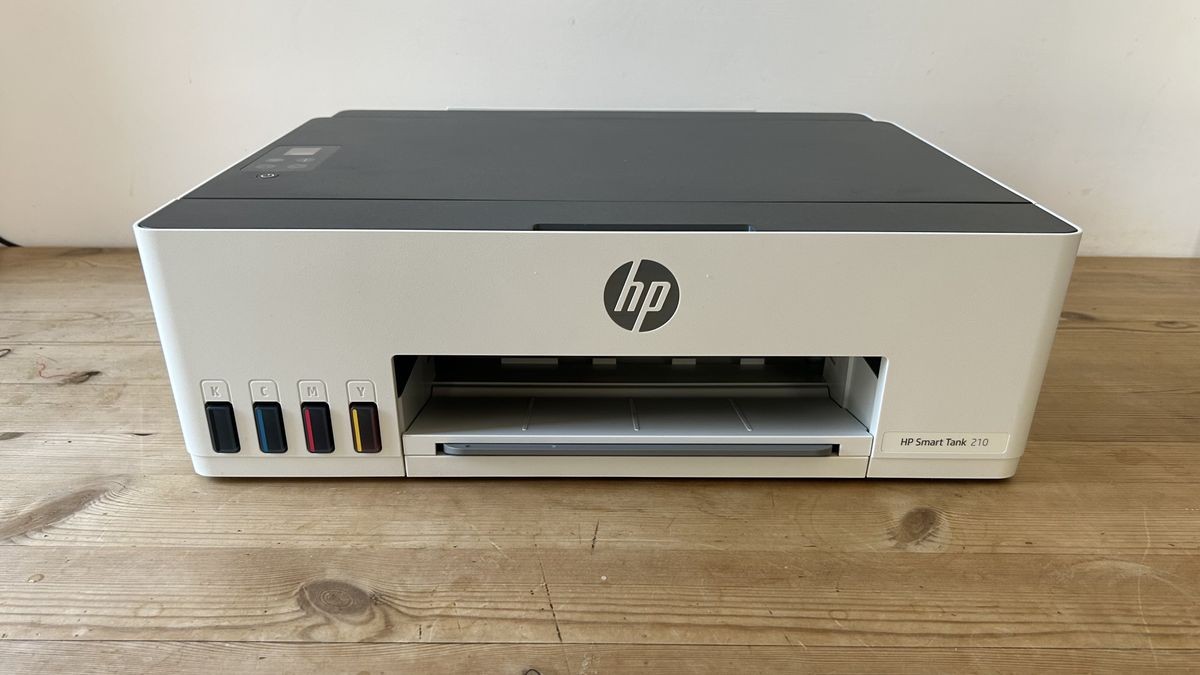
It can’t auto-duplex, there’s no scanner, the display is tiny and it’s slow to print, but this stripped-back tank printer is the cheapest way to achieve vibrant color prints at volume in the micro office, or at home.
Pros
- +
Compact and affordable
- +
Economical color prints
- +
Vibrant photo printing
- +
Neat and considered design
Cons
- -
Manual duplex only
- -
No scanner bed
- -
Tiny display
- -
Slow to print
Why you can trust TechRadar We spend hours testing every product or service we review, so you can be sure you're buying the best. Find out more about how we test.
Specs
Type: color inkjet tank printer
Functions: Print only
Connectivity: USB, Wi-Fi
Data storage slots: None
Max print speed: 22ppm (draft mode)
Max paper size: Letter/A4
Print quality: 600x600dpi; 4800x1200dpi (enhanced)
Memory: 64MB
Apple AirPrint: yes
Consumables included: 4 x bottled ink (6,000 black or color pages)
Dimensions/Weight: 434 x 360 x 134 mm (WxDxH)/8.3lb/3.75kg
Meet the smallest and cheapest member of HP’s Smart Tank family, lowering the entry point for cartridge-free printing in the home or home office.
It’s a severely stripped-back print-only device with no auto-duplex mode, no ethernet port or paper drawer and a very basic display. but the print engine is the same as that of the more expensive HP Smart Tank 5100, so I’m hoping for decent prints with an unbeatable cost-per-page.
If you can live without the extras, this could be the lowest total cost of ownership of any home printer.
Latest Videos FromTechRadar
HP Smart Tank 210: Design and build
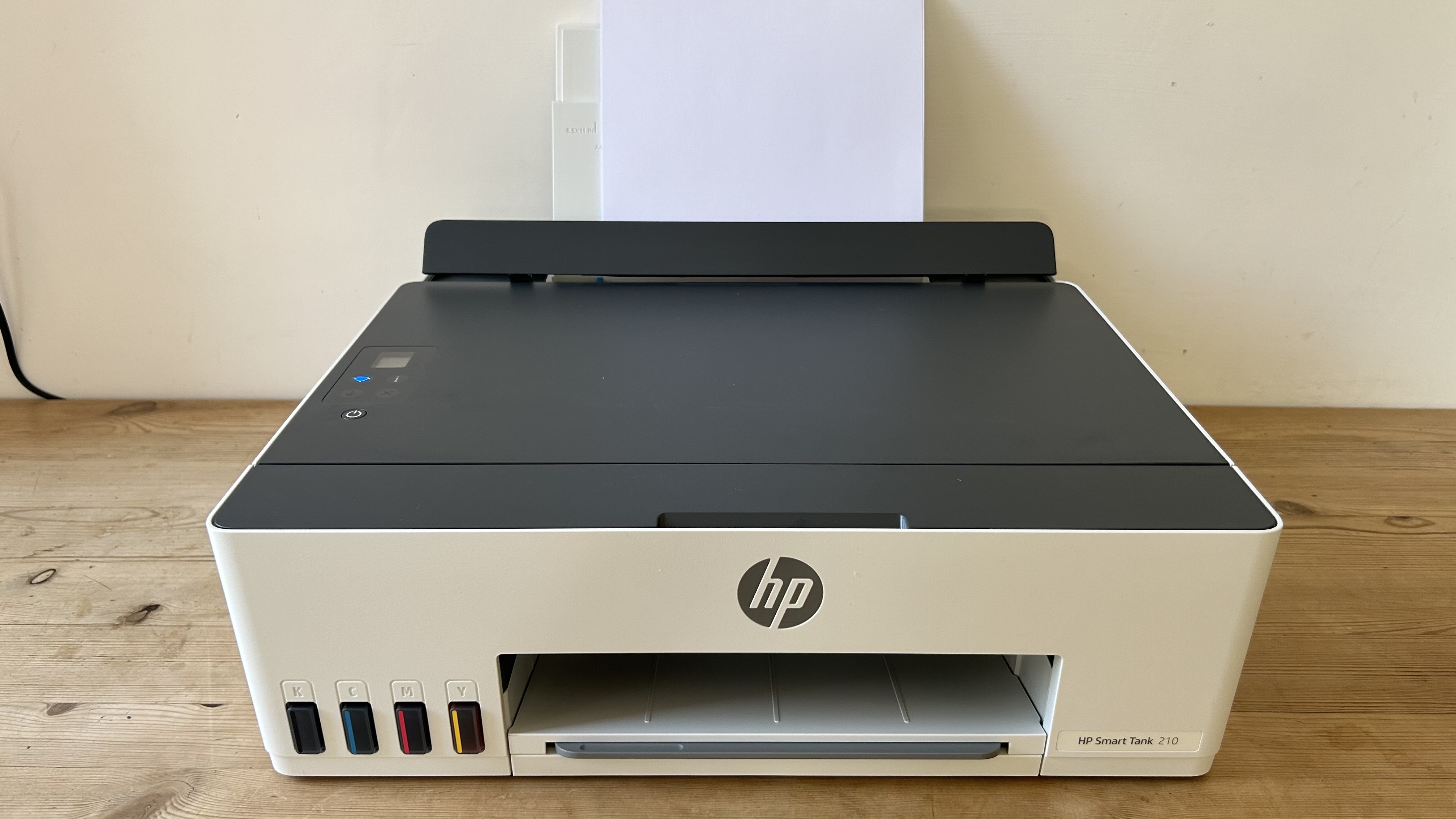
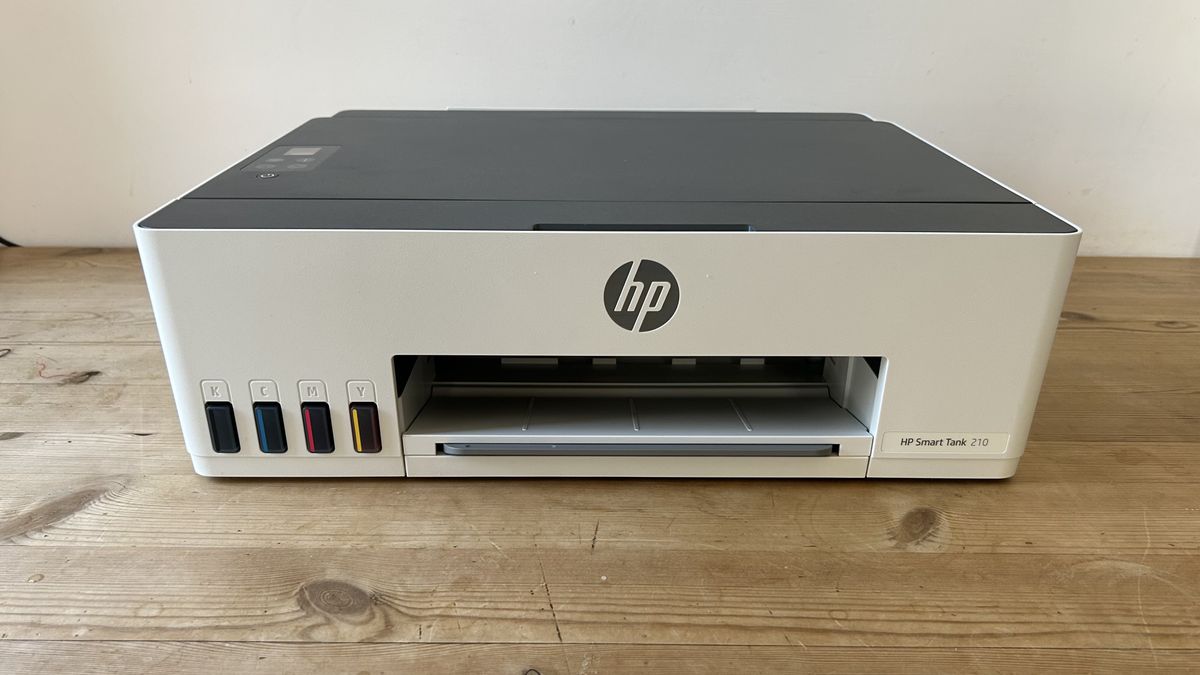
From its sustainable packaging and neat design, to its seamlessly integrated ink tanks, this is a very well-designed product. As well as being the cheapest ink tank printer I’ve tested, it’s also the smallest.
The footprint is the same as the average Letter/A4 printer, but the height is just 134cm, so no bigger than a cartridge inkjet, and I think it looks pretty smart in HP’s off-white livery.
With no integrated scanner, the lid is just a fixed steel panel, and with no front media tray either, your paper must be loaded via the rear input tray. This will hold up to 100 sheets, while the output tray will take up to 30. The display is a postage stamp-sized affair to let you know when it’s connected to the network and not much else.
The HP Smart Tank 210 weighs just eight pounds, but despite that, it feels well made and it’s using 45% recycled plastic. I’m glad to see the packaging is all cardboard too.
Are you a pro? Subscribe to our newsletter
Sign up to the TechRadar Pro newsletter to get all the top news, opinion, features and guidance your business needs to succeed!
HP Smart Tank 210: Features & specifications
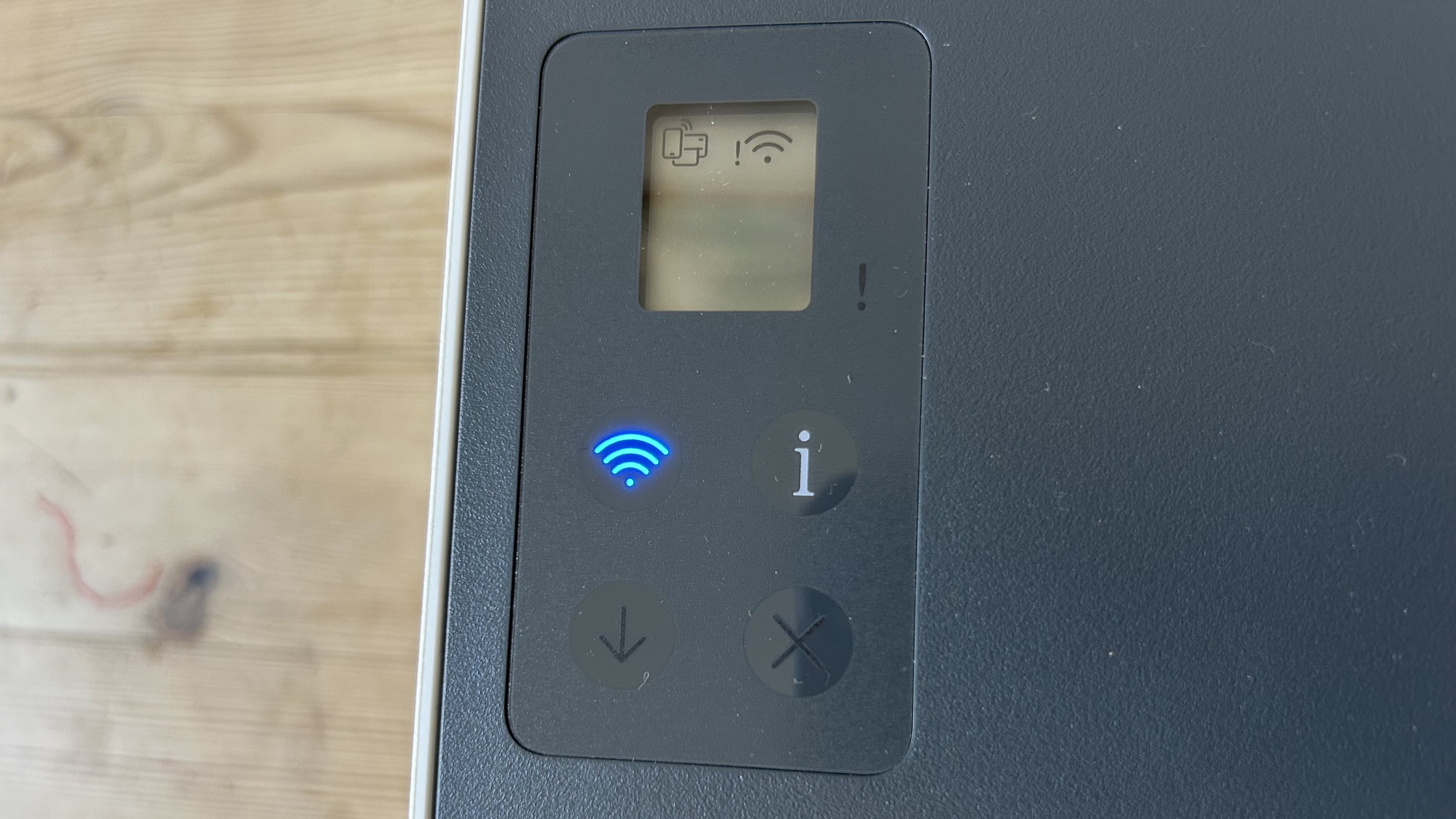
To keep costs down, the HP Smart Tank 210 dispenses with all unnecessary features. There’s no Ethernet port or USB Host port and the display is small and basic. There’s no scanner bed, which is available on the step-up HP Smart Tank 5100.
These are all features I can live without, but limiting it to manual duplex seriously slows down your workflow and encourages wasteful one-sided printing. So, think carefully before springing for this model. I think it’s a step too far.
Printing is for the most part slow at just 5ppm (pages per minute) for color pages and 12ppm for black, but thankfully, there is a draft mode for when speed is more important than quality and that cranks it up to 22ppm for black pages.
HP Smart Tank 210: Setup and operation
HPs printers tend to be the quickest to get up and running thanks to their integrated Bluetooth and I’m glad to see it’s included on this entry-level model. With the HP Smart app on your phone, you can quickly connect it to the printer via Bluetooth, so you can then let the app get your printer onto your local wi-fi network. Dual-band Wi-Fi, AirPrint and Chromebook ensure it’s quick to connect and the app makes it quite easy to print wirelessly.
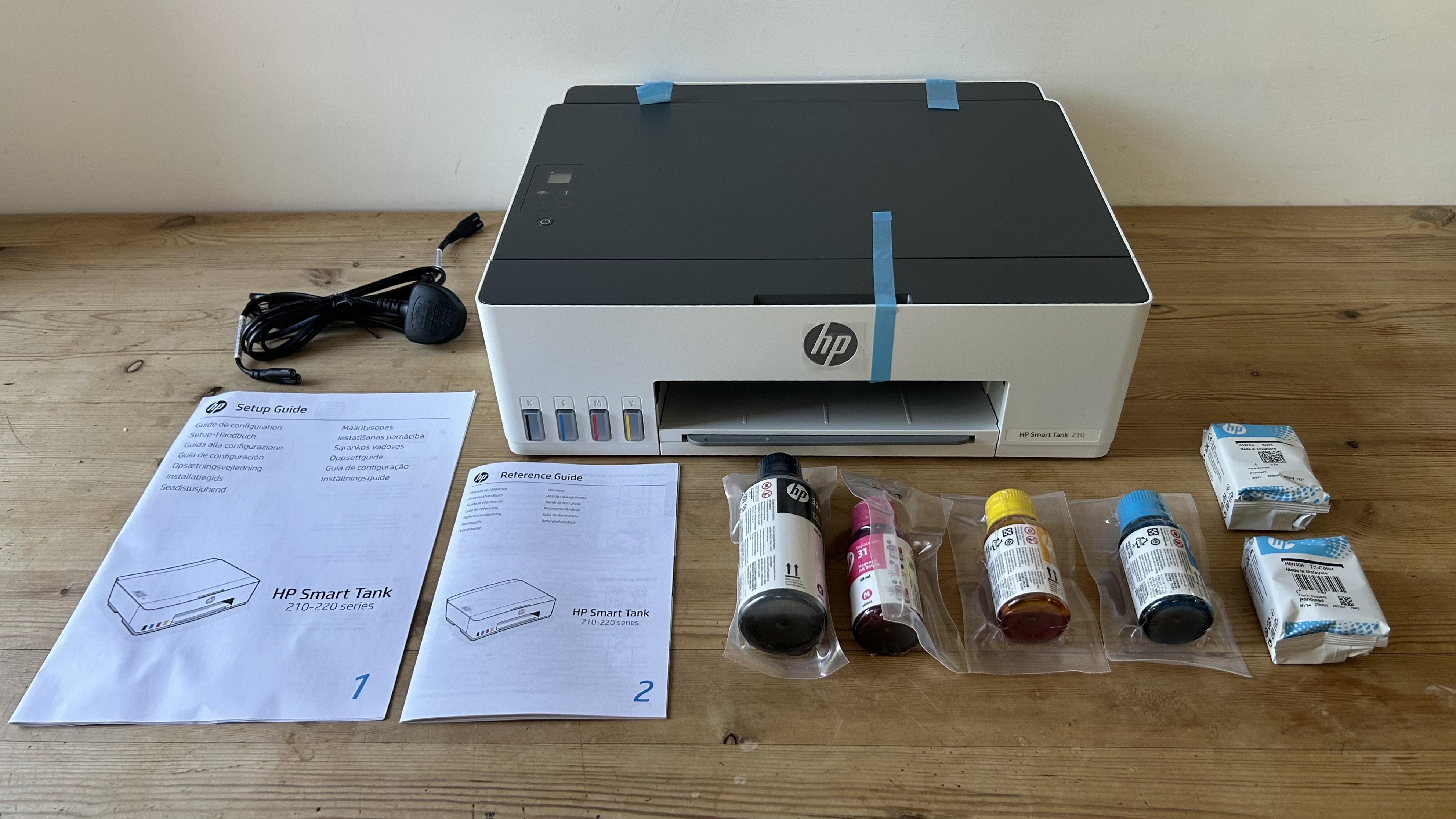
Things get fiddlier when it comes to installing the two printhead cartridges that distribute the black and tri-color inks to the ink jets. Yes, there are still cartridges, but don’t worry, they’re not the kind that need replacing. The only way to get at them is through the front panel, so you need quite long fingers.
That done, you’re ready to pour in the ink, and that’s much easier. The individually shaped bottle necks means there’s no danger of getting the colors the wrong way around and for three of the tanks, the bottle capacity matches that of the reservoirs. The black bottle holds more, but the tank stops filling automatically when full. I did it quite hurriedly and didn’t spill a drop.
HP Smart Tank 210: Performance
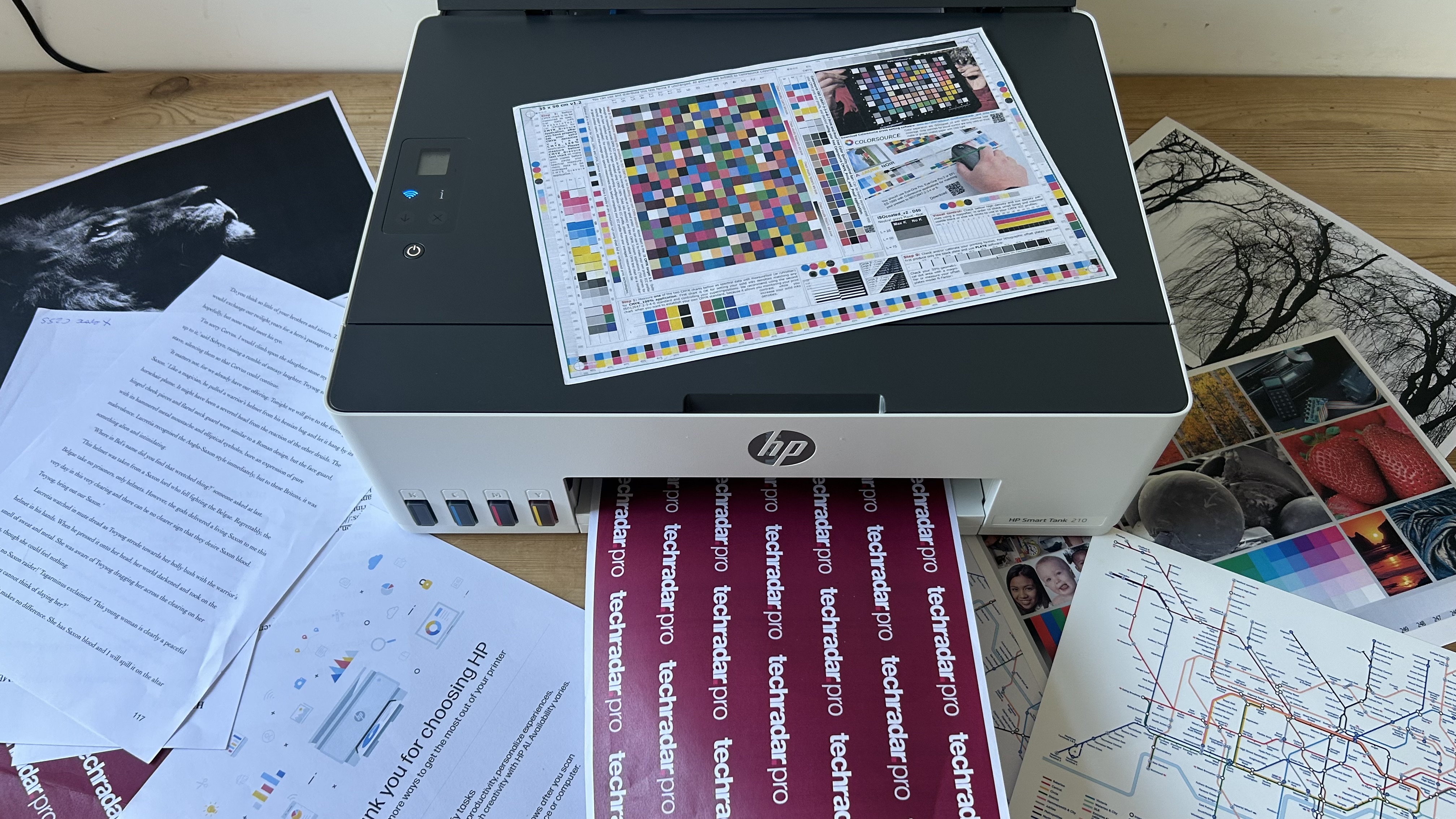
The HP Smart Tank 210 turned out crisp and colorful test pages without any crashes or paper jams throughout the test. It prints slowly, especially in color, but the pages are worth waiting for. HP’s dye-based C/M/Y inks are bold and bright, so the colors are pleasingly vivid.
As with most business inkjet printers, the black ink is pigment based because that tends to give quick drying and robust prints that are good for handouts. Black text on plain paper looks sharp enough and it passed the finger smudge test. However, it began to lose clarity when printing characters as small as point 3 print size.
Print resolution is the standard 600x600dpi resolution, but this is enhanced when printing on photo paper at fine quality to 4800x1200dpi. It means the HP Smart Tank 210 makes a reasonable photo printer. and the results are on par with more expensive printers like the Brother DCP-T580DW.
HP Smart Tank 210: Consumables
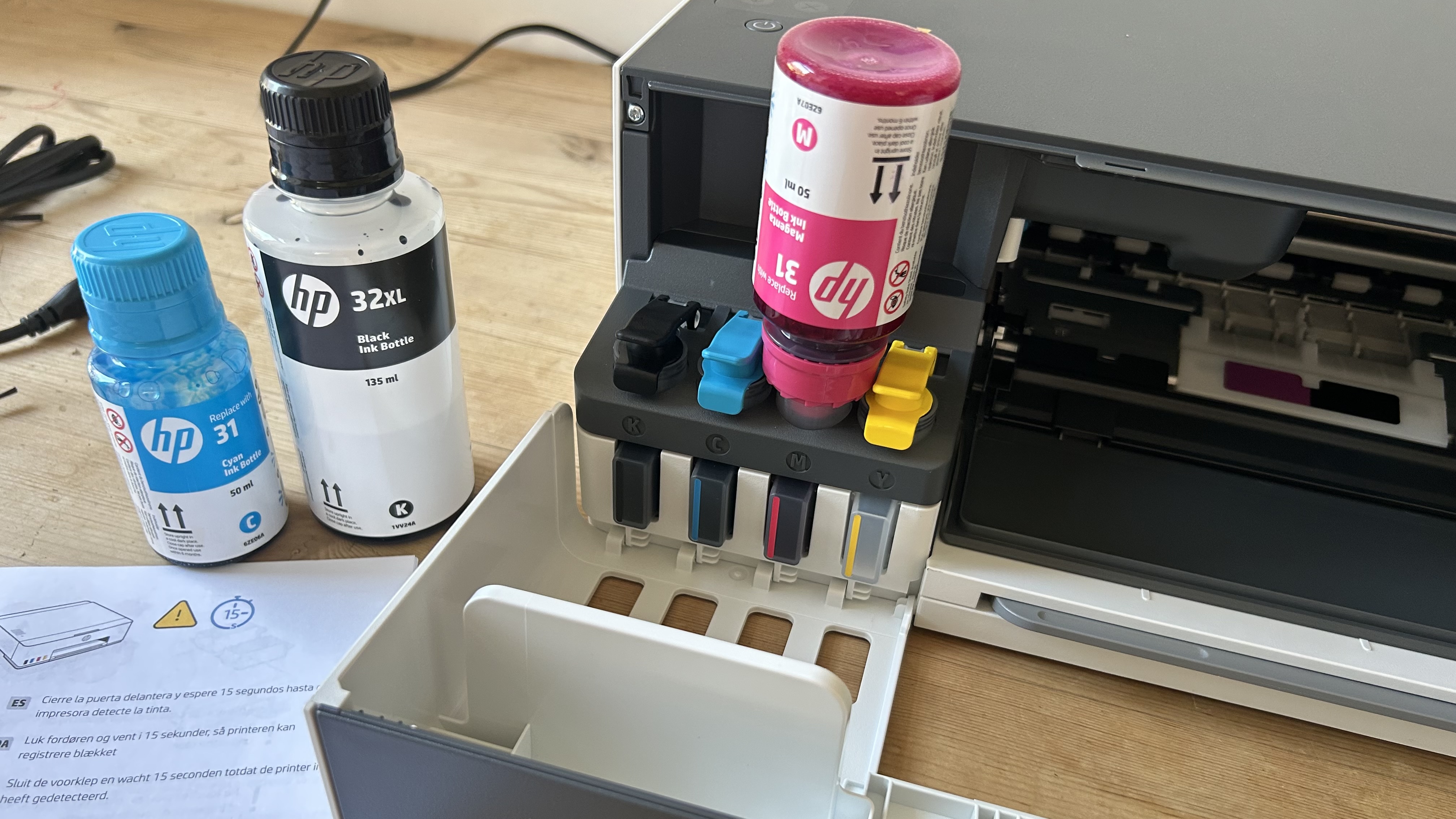
The HP Smart Tank 210 ships with three years of ink according to HP. To be precise, that’s three 50ml bottles of colored ink and one 375ml bottle of black ink, which should yield up to 6,000 black or color pages.
Compared with cartridge printers like the HP Envy 6530e which comes with ink for 120 black pages and just 75 color, the advantage of bulk tank printing is clear. The difference in price between cartridge and bottled ink is equally dramatic, with cartridge ink costing around 36 times as much for what’s essentially the exact same stuff.
HP Smart Tank 210: Maintenance
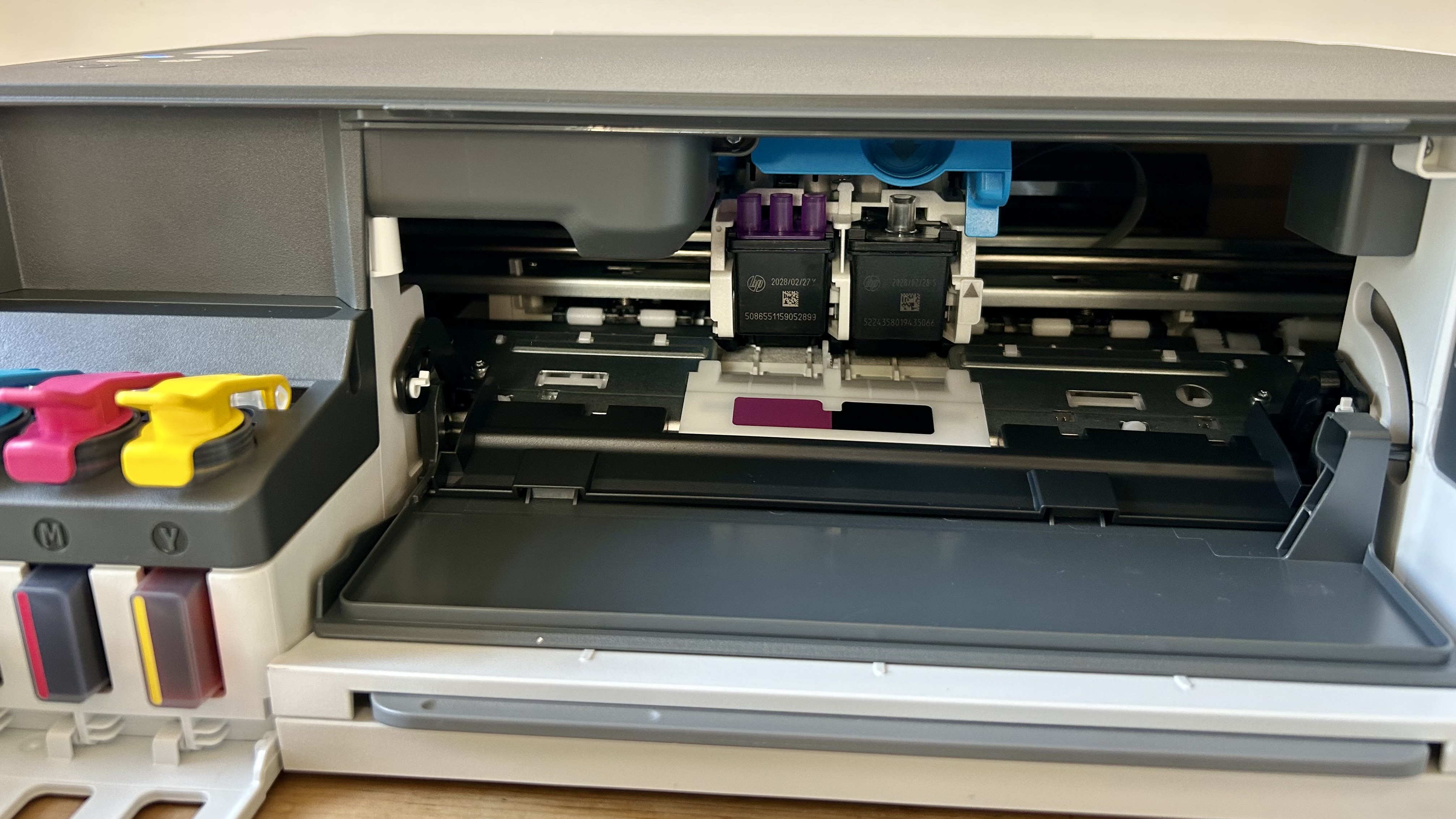
Like any inkjet printer, the printheads are liable to clog if the ink is allowed to dry when left unused for a length of time. It’s easily solved by running a maintenance cycle.
There are three to choose from with the most thorough using the largest amount ink to flush the printheads. If this were a cartridge inkjet, you’d be reluctant to choose that option, but with bottled ink being relatively cheap, it’s not an issue.
If even this doesn’t solve the problem, you can replace the print head cartridges easily, but it’s unlikely you’ll need to do this in the printer’s lifetime.
HP Smart Tank 210: Final verdict
Image 1 of 3
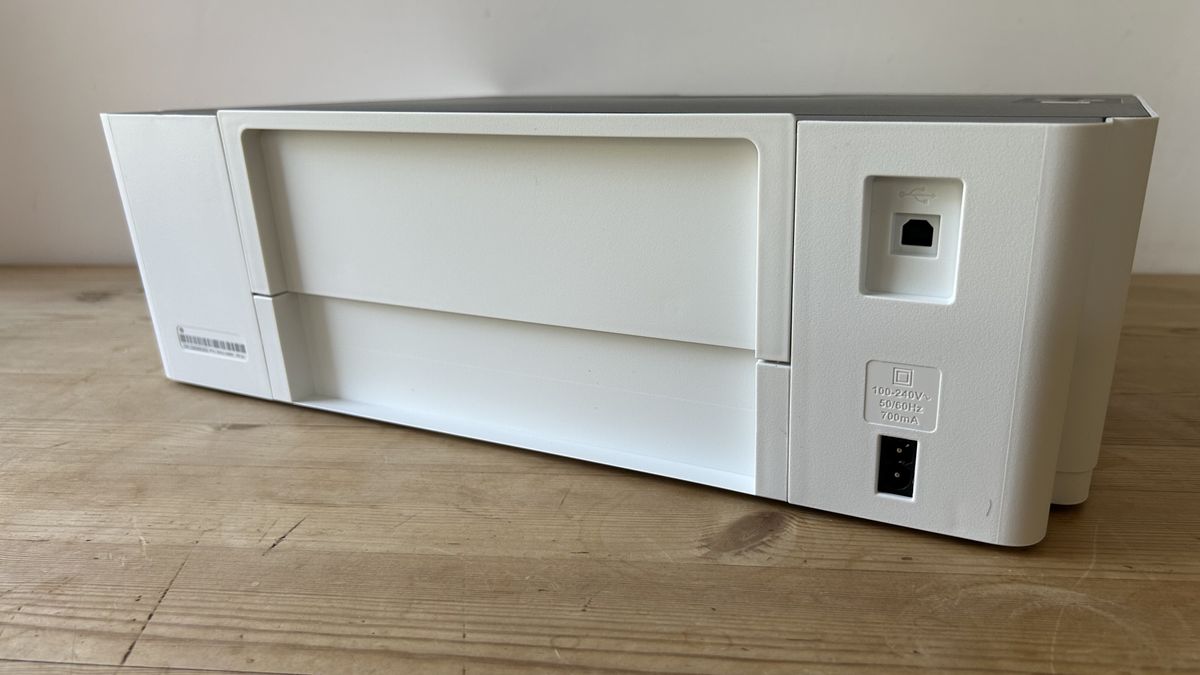
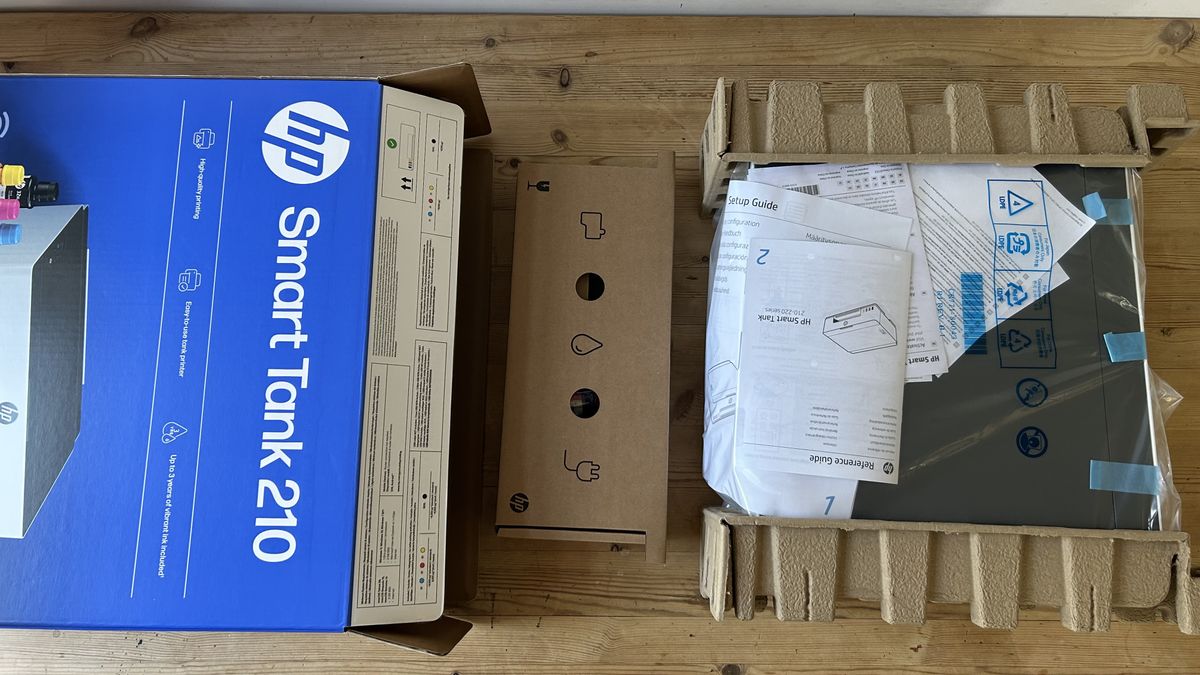
I’m delighted to see the entry point for cartridge-free printing lowered by this innovative budget solution. Admittedly, a lot of features have been cut to get here - there’s no scanner, ethernet port, touchscreen, paper tray or auto-duplex.
However, the print quality is the same as the HP Smart Tank 5100 and comparable with HP’s more expensive HP Smart Tank 7001, which is very good news. Text pages look just as sharp while photos have vivid color and clarity.
It has the same crisp design and easy setup as HP’s other printers too, thanks to its inbuilt Bluetooth and seamlessly integrated ink tanks. There’s plenty of ink in the box and the low cost of HP’s bottled refills means you won’t find another printer with a lower cost of ownership.
For me, auto-duplex is a must-have feature, but if you can live with manual duplex this stripped back ink tank is a bargain.
For more options, I've tested out the best home printers and the best ink tank printers.

Jim has been evaluating printers for more than twenty years and has, to date, written over a hundred reviews for TechRadar Pro. From pocket printers to industrial dye sublimation, Jim has been there, run the tests and printed the t-shirt. His expertise extends to consumables (paper, ink, toner) and his printer buying guides make it easy to compare these essential peripherals.
You must confirm your public display name before commenting
Please logout and then login again, you will then be prompted to enter your display name.
What's Your Reaction?
 Like
0
Like
0
 Dislike
0
Dislike
0
 Love
0
Love
0
 Funny
0
Funny
0
 Wow
0
Wow
0
 Sad
0
Sad
0
 Angry
0
Angry
0










Comments (0)