

Is leasing an iPhone right for you? How Apple's Upgrade Program works and who it's for

Follow ZDNET: Add us as a preferred source on Google.
ZDNET's key takeaways
- The Apple Upgrade Program lets you lease devices through Klarna for 24 or 36 months.
- The device isn't yours to keep at the end of the term, unless you pay an additional fee.
- The program benefits serial upgraders rather than people trying to save money.
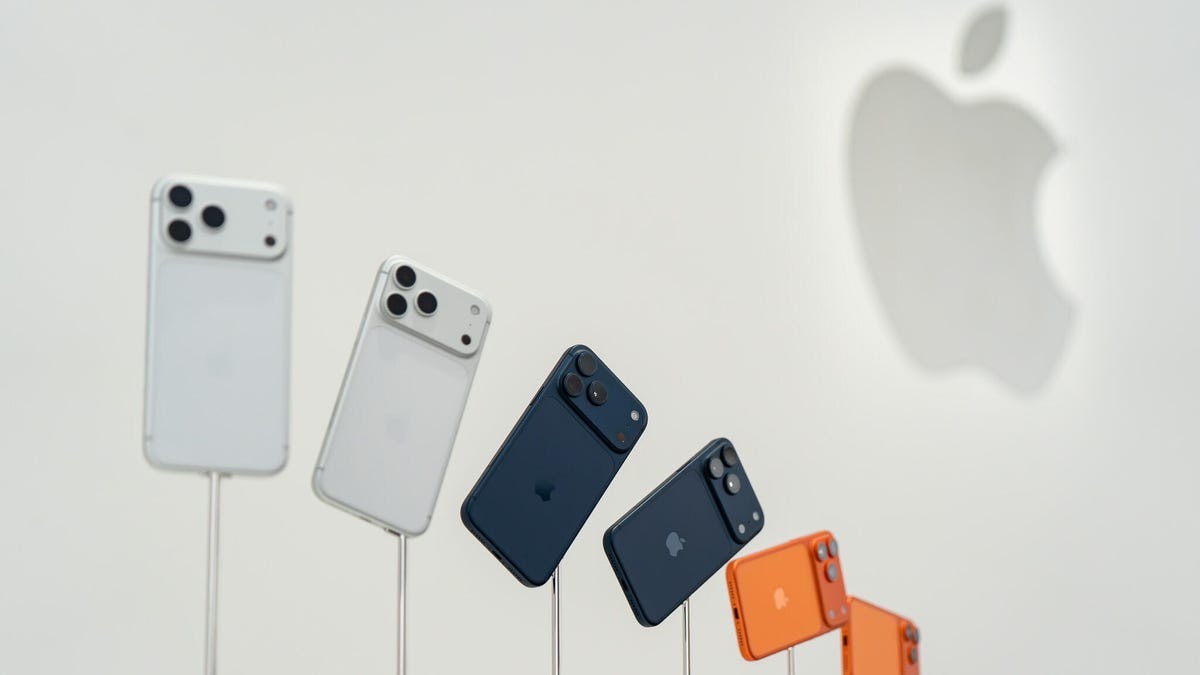
Whether you've gotten a new phone through your mobile service carrier or directly from the manufacturer, you've probably heard about or even used a payment plan for it. The Apple Upgrade Program is an example of one company's attempt to make it easier for you to get a new phone, but how good a deal is it, really?
Also: Can you guess Apple's next move? Last chance to win big in ZDNET's Big Guessing Game
I'll break down how the new Apple Upgrade Program works, how it compares to the older version, and when it makes sense (and when it doesn't).
What is the Apple Upgrade Program?
The Apple Upgrade Program is essentially a leasing program that lets you lease a qualifying Apple device for a predetermined period with a monthly fee lower than the cost of financing it. When the lease ends, you can either return the device in good working condition and get a new lease or keep it for an additional fee. The program includes iPhones, iPads, Macs, and Apple Watches.
This new program is managed by Klarna, a financial technology company that offers "buy now, pay later" (BNPL) payment options for short-term credit. Klarna's leasing terms with the Apple Upgrade Program don't incur extra interest, and it's not a financing option, only a lease.
Also: Stop paying for smartphone storage you don't need - here's a better approach
Carriers and manufacturers want to get a phone in your pocket, and they'll do anything to get you to buy one. Add in the fact that we're on track to having an "own nothing and be happy" economy, and plans like this Apple Upgrade Program work as a sort of subscription to an Apple device.
Similar to a car lease, the Apple Upgrade Program requires you to return your Apple device in good working condition. The consumer is responsible for any damaged, lost, or stolen devices, as the program doesn't include AppleCare. Consumers will incur fees if the device is damaged upon return.
Once the lease is set up, you can add AppleCare to your program to help protect your device against damage from drops and spills.
Do you pay extra for the device if you decide to keep it?
Once your Apple Upgrade Program term ends, you can pay a purchase fee to keep the device. Apple is clear that this purchase fee won't exceed the full price of the device at the time of the lease signing, minus the total of lease payments you've already made in your plan.
Also: This $50 power bank is safer than my lithium-ion battery - and it's coming on my next flight
You can also end your lease early to upgrade to a new device or simply get out of the lease, but you'll have to return the device and pay a termination fee that may be equal to the remaining lease payments. If you have five months remaining in your lease, for example, you'll likely have to pay the remaining five payments in a lump sum.
How much does it cost to lease an Apple device versus buying one?
The important thing to remember when comparing the total cost of leasing an Apple device versus buying it is that you're paying to use it temporarily instead of owning it. With this program, Apple isn't giving you a bargain buyout price at the end of your lease.
Below is a list of the starting lease payments announced by Apple as part of the Upgrade Program, though keep in mind that prices are subject to change. Storage capacity, sizes, taxes, add-ons, and network variations will change the lease payment.
Qualifying device | Starting price | Lease term | Monthly payment | Total paid at the end of the lease | Unpaid amount |
iPhone 17 Pro | $1,100 | 24 months | $32 | $768 | -$332 |
Apple Watch Series 11 | $400 | 24 months | $12 | $288 | -$112 |
iPad Pro | $1,200 | 36 months | $25 | $900 | -$300 |
MacBook Pro 16-inch | $2,000 | 36 months | $39 | $1,404 | -$596 |
The monthly lease payment is less than financing it, but you have to ensure you take good care of the device and either return it or pay a fee to keep it at the end of the lease.
Also: You're charging your phone all wrong: 6 common myths, debunked
In the examples above, the iPhone 17 Pro starts at $1,100 and costs $32 per month with a 24-month Apple Upgrade Program term. At the end of the two years, you'll have paid 70% of the phone's cost and can return it to Apple to upgrade to a new device.
This means that you'd spend about $332 less than if you'd bought it outright, but you don't have an iPhone at the end of the two years -- unless you pay the remaining balance.
Is leasing an Apple device cheaper than financing one?
As another purchasing alternative, you can buy the same iPhone 17 Pro used in the example above with 24-month financing at 0% interest on an Apple Card, which would put you at around $46 per month. In this plan, you would own the iPhone at the end of two years.
After two years, you'd own the iPhone outright, so you could continue using it, sell it, or trade it in for a discount on a new phone, but it's your phone.
Other financing options, like Affirm, end up costing more than what you'd pay with Apple's interest-free financing and the leasing option. As a BNPL option, Affirm offers financing terms of up to 48 months with APRs ranging from 0% to 36%. These programs can help you make a purchase by breaking it up into smaller payments.
Also: Your iPhone's built-in magnifier does way more than help you see the fine print - how to use it
However, people often misuse them by making too many purchases, which add up to a large combined monthly payment that can become unaffordable.
I've used Affirm for Apple products before, including a MacBook Neo and MacBook Air, and then paid off the loan well before the end of the financing term. The best way to use Affirm is to pay off your loan in four payments, which you can do with 0% APR.
What devices are included in the Apple Upgrade Program?
Getting a fresh, new device is the big focus of the Apple Upgrade Program. That, combined with the fact that you go through the Apple Store to get devices with the program, means that you can only get certain devices with the plan.
Also: You can turn an old Android into a Raspberry Pi alternative - but know this first
Here are the devices currently available with an Apple Upgrade Program:
- iPhone 17 lineup (including 17e)
- iPhone Air
- Apple Watch Series 11
- Apple Watch Ultra 3
- MacBook Air with M5, M5 Pro, and M5 Max
- iMac with M4
- Mac Studio with M3 Ultra and M4 Max
- iPad Air with M4
- iPad Pro with M5
- iPad Mini with A17 Pro
Notably, you cannot lease an Apple Vision Pro, AirPods, Apple TV 4K, HomePod, or accessories.
What is the advantage of the Apple Upgrade Program?
The Apple Upgrade Program is designed for people who like to upgrade to a new device every two or three years without having to buy one outright. One of the biggest advantages of the Apple Upgrade Program is cash flow, since you'd spend less each month on a device than if you financed it.
Also: How Apple, Google, and Microsoft can save us from AI deepfakes
The program doesn't offer better long-term value for consumers, since it doesn't lower the cost of ownership, and you're forfeiting resale or trade-in benefits. Instead, Apple is focused on offering upgrade flexibility with low monthly payments.
Who shouldn't use the Apple Upgrade Program?
Consumers looking to save money on a device or upgrade to a new one each year shouldn't buy into the Apple Upgrade Program.
The bottom line is that the new Apple Upgrade Program won't save you money on a phone lease if you decide to keep it at the end of your lease. You still have to pay the outstanding balance on the device to keep it, which, depending on the device, can result in a sizable buyout. For this reason, I see the Upgrade Program as more for serial upgraders than for people trying to save money on a device.
Also: Add photos to your iMessages with one tap - how to skip that annoying iOS menu
In the example of a MacBook Pro outlined in the table above, this means you'd spend 36 months paying $39 per month and then have to pay close to $600 for a three-year-old device if you decide to keep it. After making payments for years, you still don't own anything.
With the new changes, the program offers 24- and 36-month lease terms, unlike the iPhone Upgrade Program, which lets you upgrade after 12 months. This means you can't expect to upgrade to the latest iPhone or Apple Watch, which are released each year, unless you're willing to pay the remaining lease payments as a single, sizable fee.
What is different about the new Apple Upgrade Program?
Compared to the previous iPhone Upgrade Program, the new plan includes more device categories, offers longer 24- and 36-month terms, and no longer covers AppleCare.
The old iPhone Upgrade Program was a 0%, 24-month financing option run by Citizens One Bank that let you upgrade to a new iPhone after 12 payments. The monthly payment was higher, around $60 for a Pro Max-level iPhone, and included Apple Care, but you had the option to upgrade to a new iPhone each year or skip a release and own your iPhone by the time the next one came out.
Also: You can lease an iPhone through Klarna now - but should you? I did the math
The Apple Upgrade Program is a true lease, not a loan or credit line, and incurs a soft credit inquiry. You're not financing the purchase price, and by default you're not including AppleCare with the program, so your monthly payments are considerably lower. But you also don't own the device and have to pay a larger fee to upgrade early.
What's Your Reaction?
 Like
0
Like
0
 Dislike
0
Dislike
0
 Love
0
Love
0
 Funny
0
Funny
0
 Wow
0
Wow
0
 Sad
0
Sad
0
 Angry
0
Angry
0






Comments (0)