

LinkedIn (2026) review
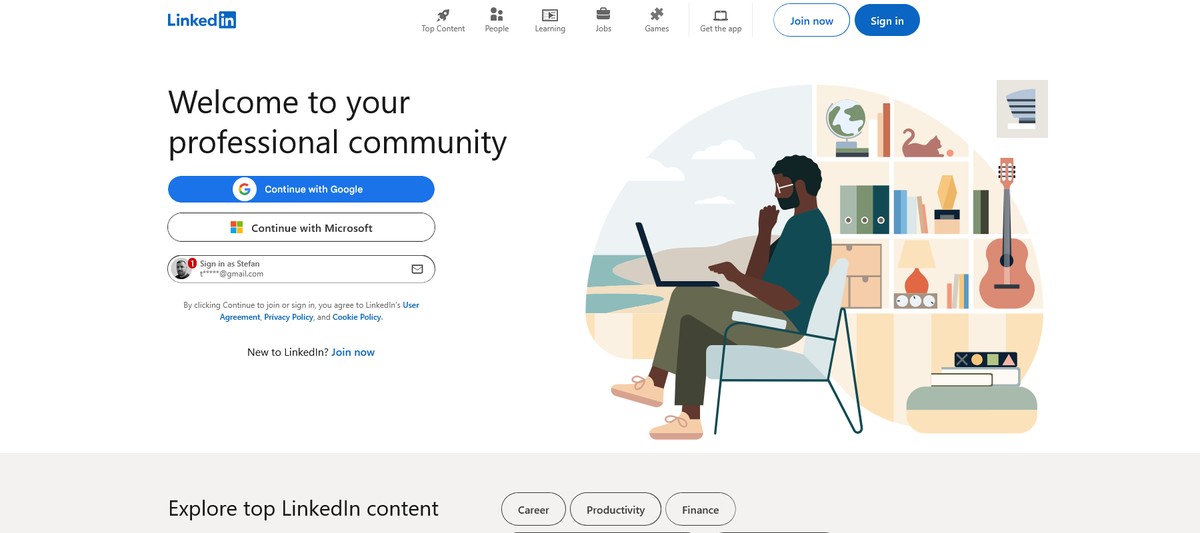
LinkedIn is first-in-class for professional networking. I also found it good for seeking job opportunities, although it has formidable competition in this aspect compared to many in this arena.
Pros
- +
Vast user base
- +
Broad job opportunities
- +
Access to in-depth industry insights
Cons
- -
Some key features are paywalled
- -
Expensive subscription plans
Why you can trust TechRadar We spend hours testing every product or service we review, so you can be sure you're buying the best. Find out more about how we test.
With more than 1 billion registered members, calling LinkedIn popular might be an understatement. Virtually all business professionals know LinkedIn, and chances are they have an account.
What exactly is LinkedIn? It’s partly a business-oriented social networking platform and partly a job search platform. Users create profiles to showcase their professional acumen, connect with fellow industry professionals, and find job opportunities.
What are the pros and cons of using LinkedIn? What are its core features, and how does it fare against competitors? I’ve extensively tested the platform to answer these questions.
Latest Videos FromTechRadar
Read on to learn what LinkedIn offers and whether it’s your best choice for networking and job-hunting.
LinkedIn: Plans and pricing
LinkedIn is free for most users. Anyone can create an account, refine their profile, and connect with other professionals for free. However, LinkedIn offers premium subscriptions that unlock advanced features for individuals and businesses.
For individuals, LinkedIn Premium unlocks the ability to send direct messages to people you haven't yet connected with, see a complete list of accounts that view your profile, use extra search filters to find professionals, and get unlimited access to the LinkedIn Learning collection of video courses to build new skills.
There are four Premium tiers: Career, Business, All-in-One, and Company Page. For $40 per month, the Career plan lets you message 5 people you aren't yet connected with each month, see a complete list of who've viewed your profile, identify jobs your profile matches with, and unlock access to 25,000+ LinkedIn Learning video courses.
Are you a pro? Subscribe to our newsletter
Sign up to the TechRadar Pro newsletter to get all the top news, opinion, features and guidance your business needs to succeed!
For $70 per month, Premium Business allows 15 monthly messages, unlimited LinkedIn profile browsing, and unlocks enhanced profile tools (e.g., a custom call-to-action button), plus everything available under the Career tier.
For $90 per month, Premium All-in-One takes things a step further with 30 monthly messages to accounts you aren’t yet connected with, run unlimited searches with custom filters, monthly ad credits, an AI assistant to help generate posts, and daily AI-driven recommendations to find potential clients.
For a pricey $100 per month, Premium Company Page offers specialized tools for businesses running dedicated LinkedIn pages. For instance, it unlocks the ability to add a call-to-action button (e.g., Contact Us) to a business page, use a dynamic cover image or add a slideshow at the top of your page, display client testimonials and certifications, and add a verification badge with a gold LinkedIn logo to build credibility.
LinkedIn also offers business prospecting and relationship-building tools for businesses under the Sales Navigator package. There are three Sales Navigator tiers: Core, Advanced, and Advanced Plus.
The Core plan, for $120 per month, is designed for individual sellers. It unlocks unlimited LinkedIn searches with 50+ search filters to pinpoint ideal business prospects, 50 messages to accounts outside your network per month, and the ability to save up to 10,000 leads and custom filter setups.
For $160 per month, Sales Navigator Advanced unlocks team collaboration with saved searches, shared custom lists, and insights; aggregated engagement data; AI-powered insights to improve buyer conversations; and the ability to import target account lists via CSV files, alongside everything in the Core plan.
The Sales Navigator Advanced Plus plan takes things further with enterprise-grade security features (e.g., Single Sign-On) and direct integration with CRM platforms like Salesforce. This tier has no standard pricing, so you’ll need to contact the sales team for a quote.
If you pay annually, LinkedIn offers discounts of up to 25% compared to paying month-to-month. Yet, that doesn’t change the fact that LinkedIn’s plans are pricey. Although the premium plans offer valuable features, you’ll need some clear justification for spending upwards of $40 per month, so I’ll advise only subscribing if you’re dedicated to using LinkedIn as a career advancement tool, not just a casual networking site.
LinkedIn: Setup
LinkedIn’s setup process is as simple as it gets. Anyone can create an account and fill out their profile.
Anyone can also create a business page and fill it out with details. Similarly, getting a subscription is easy: choose a plan, pay, and access the newly unlocked features.
LinkedIn: Features
For an average user, LinkedIn is a simple professional networking site, but there’s much more under the hood.
Sure, it’s important to create a profile and fill it out with details like your current and past professional roles, educational background, and core skills.
LinkedIn uses these details to suggest like-minded professionals to connect with, and connections can help you snag valuable professional opportunities.
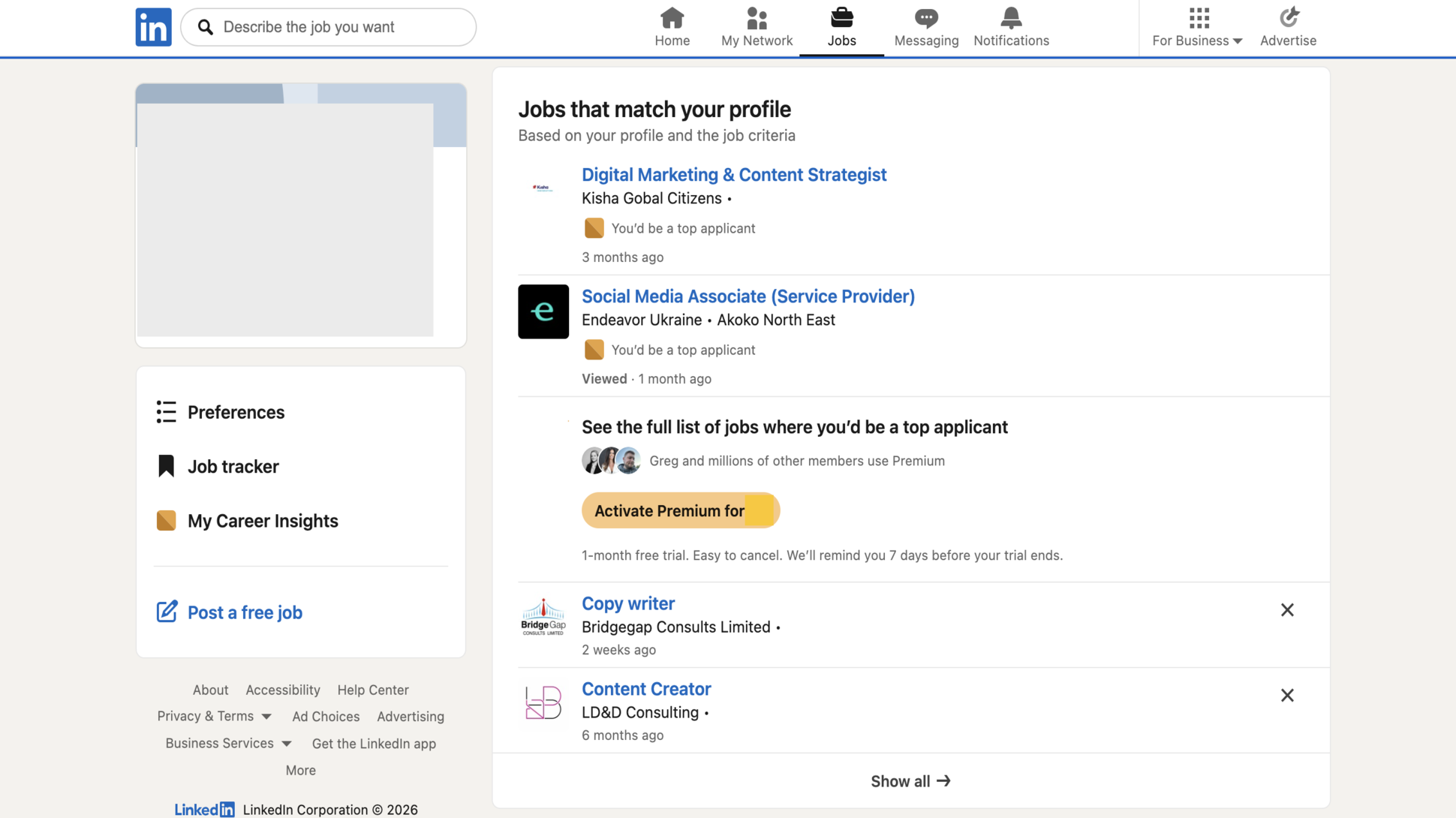
There’s a news feed where you can scroll through posts from your network. People often share professional milestones like new jobs, new certifications, and academic achievements. The news feed is also where many users post valuable opportunities that you can snag.
Just like on other social media platforms, you get notified about posts and mentions from your network. LinkedIn also notifies you about jobs you may be interested in.
You can send connection requests to other profiles and, if accepted, you’ll see their posts and can message the profiles without limits. But for profiles you aren’t connected to, messaging is restricted.
A premium subscription lets you message such profiles, varying from 5 messages per month under Premium Career to 30 per month under Premium All-in-One. People often use LinkedIn to pitch products to potentially interested parties, and a Premium subscription comes in handy in this case.
LinkedIn also restricts the number of profiles you can view, but a Premium subscription removes the restrictions. Note that LinkedIn often alerts people when you view their profile, so they’ll often know if you did that. Similarly, you’ll get notified about who views your profile, although not the complete list unless you’re a Premium subscriber.
A Premium plan has other benefits, like unlocking an AI assistant that helps you write posts, refine your LinkedIn profile, and find opportunities. It also provides full access to LinkedIn Learning, a suite of 25,000 video courses on broad topics like data science, data analysis, product development, web design, creative writing, and cybersecurity. For professionals looking to upskill and broaden their knowledge, LinkedIn Learning is a goldmine.
Under a Sales Navigator subscription, LinkedIn offers advanced tools for businesses seeking potential customers. It lets you find ideal customer profiles with comprehensive search filters, provides AI-powered recommendations to improve buyer conversations, and integrates directly with customer relationship management (CRM) platforms like Salesforce. These are valuable tools for businesses, albeit pricey.
LinkedIn: Ease of use
LinkedIn is quite easy to navigate when focused on its core features. From creating an account to filling out your profile, building connections, and interacting with your network, these basic parts work easily.
However, navigation can get complex when using advanced features like search filters, ad management, and page analytics. These advanced features have a substantial learning curve, but you can get used to them with time.
I like that LinkedIn offers both a web interface, a native desktop app, and mobile apps on iOS and Android. I could access it from whichever medium was most convenient at specific times, and the same applies to other users.
LinkedIn: Support
LinkedIn offers extensive support resources for both free and paid users. The LinkedIn Help Center contains detailed guides and info for every feature you’ll encounter on LinkedIn. Feel free to use the search button to find a solution to your problem in this Help Center.
For direct support, you can contact LinkedIn’s support team via live chat or fill out a support ticket and wait for an email response. LinkedIn offers phone support only for Premium or Sales Navigator subscribers, understandably because of the steep fees they pay for subscriptions.
This phone support is available only in English, while live chat support is available in English, French, German, Portuguese, Spanish, Dutch, and Italian.
LinkedIn: The competition
When it comes to professional networking, LinkedIn easily dominates the competition. No other site offers the widespread user base and potential business connections you can get on LinkedIn. It’s the golden spot where professionals create profiles, promote their services, and build connections.
However, LinkedIn has serious competition when it comes to finding jobs. Rival platforms like ZipRecruiter and Indeed also help everyday job-seekers find the best opportunities in their industries.
There’s also Glassdoor, which facilitates recruitment and also offers a platform for job-seekers to learn major details about companies (like salary data, interview processes, benefits, and even workplace photos).
LinkedIn: Final verdict
Do you want to expand your professional network and meet the right people that’ll connect you to better opportunities? LinkedIn is unbeatable here. You’ll find the broadest network on LinkedIn and can snag opportunities or sell products to professionals.
In terms of the job searches, it's very easy to use, and the ability to upload your CV and use Easy Apply is a nice - if occasionally impersonal - touch. I found broad job opportunities on the platform. However, I do think it faces stiff competition from the likes of Indeed and Glassdoor in this area.
Subscriptions cost also more than I'd like. Premium plans are quite pricey, but LinkedIn still offers great value even for free users.
For more picks, we've tested the best recruitment platforms and the best job sites.

Stefan has always been a lover of tech. He graduated with an MSc in geological engineering but soon discovered he had a knack for writing instead. So he decided to combine his newfound and life-long passions to become a technology writer. As a freelance content writer, Stefan can break down complex technological topics, making them easily digestible for the lay audience.
You must confirm your public display name before commenting
Please logout and then login again, you will then be prompted to enter your display name.
What's Your Reaction?
 Like
0
Like
0
 Dislike
0
Dislike
0
 Love
0
Love
0
 Funny
0
Funny
0
 Wow
0
Wow
0
 Sad
0
Sad
0
 Angry
0
Angry
0











Comments (0)