

NetBSD 11 lands with RISC-V support and lightning-fast VM boots
OS PLATFORMS
Venerable Unix-like remains reassuringly old-school, if you're willing to put in the work
NetBSD's 19th major release adds 64-bit RISC-V support, improved Linux compatibility, and a MICROVM kernel that can boot in milliseconds.
NetBSD 11.0 arrived at the end of July, a little over two years after the project celebrated its 30th birthday with the release of version 10.0. We looked at what was coming last year. After multiple release candidates, the final version is here, and we tried it.

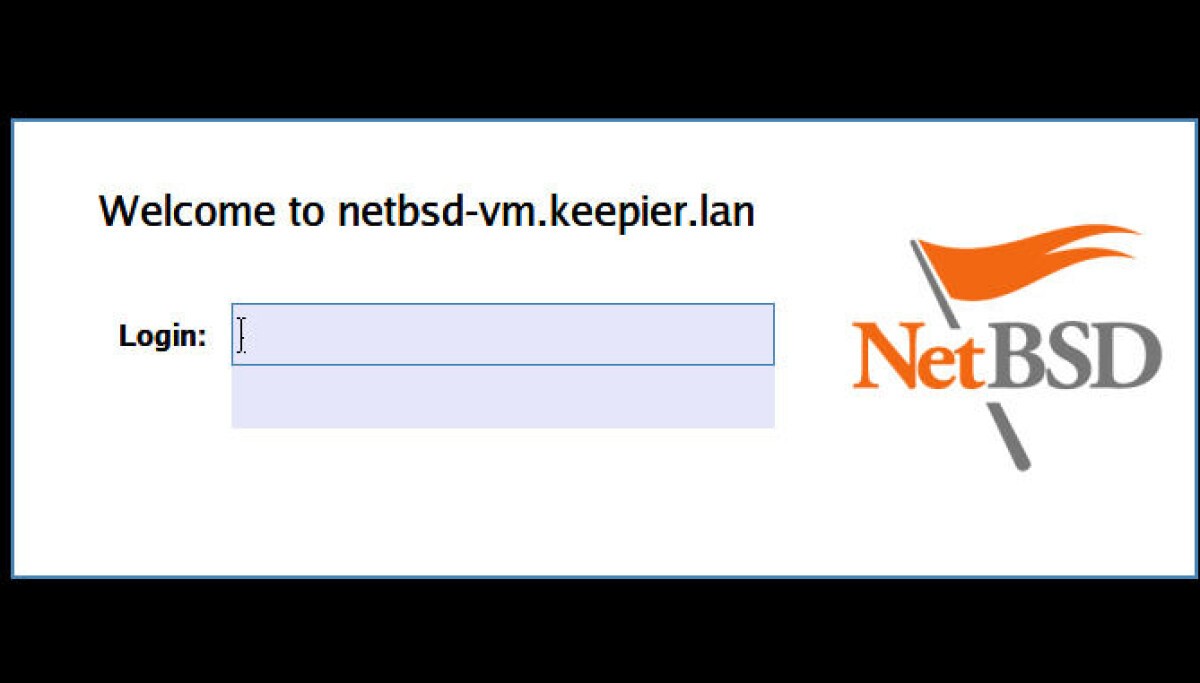
Even the login screen is minimal. NetBSD 11 is not welcoming to newbies, but it's a great way to learn Liam Proven
NetBSD is a stable, somewhat minimalist, and relatively slow-moving project. If you're willing to put some work in, this arguably makes it a refreshing change from the ever-accelerating techbro world of Linux. As The Register noted of Linux 7.2 earlier this week, it is a huge release: the increasingly AI-assisted development process is rapidly adding features and expanding Rust support while shedding compatibility with older hardware.
NetBSD is not static, though. Version 11.0 nonetheless brings some significant additions. In addition to nine platforms with Tier I support, including x86-32 and x86-64, Arm32, Arm64, MIPS, and PowerPC, it also has an impressive 52 platforms with Tier II support. Version 11 brings support for 64-bit RISC-V, greater compliance with POSIX.1-2024 and C23, improved Linux system-call compatibility, and better operation under Xen and QEMU. A new dedicated MICROVM kernel supports both 32-bit and 64-bit x86 guests and can boot in about 10 milliseconds on 2020-era processors, according to the project. The new RISC-V port supports QEMU, while the new virt68k port runs the Motorola 68000 version of NetBSD under QEMU using paravirtualized devices. There's preliminary support for Qualcomm Snapdragon X Elite, meaning PC-like Arm64 systems, and the npf firewall has been improved.
NetBSD is a general-purpose OS. It tends not to attract as much attention as the other BSDs, perhaps partly because they have more clearly defined roles. FreeBSD is a server-oriented OS with ZFS and rich container support, including Linux OCI containers… but even the latest version has a text-only installer. If you want a GUI on FreeBSD, you must install it yourself. DragonflyBSD is the x86-64-only experimental research OS. OpenBSD is the extremely minimalist, very portable, and very secure OS, to the extent that it doesn't even support Bluetooth.
NetBSD's strength is that it is not confined to any one of these roles. It can run as a Xen host or guest, and its new MICROVM kernel is designed for lightweight, fast-starting x86 VMs. The external SmolBSD project can also help users build customized NetBSD VM images. It's a capable server OS: the SDF public-access Unix system mostly runs on NetBSD.

NetBSD 11 includes the classic lightweight LXDE desktop Liam Proven
It can run Linux binaries, and as the compat_linux manual page describes, the NetBSD repositories contain cut-down sets of openSUSE libraries to help build a Linux environment. The repos also have packages of many of the usual FOSS suspects, such as Firefox and even WINE. There is a choice of desktop environments, including LXDE, LXQt, KDE Plasma, MATE, and GNOME, along with numerous more minimal window managers. Since NetBSD 11.0 was released, for instance, it got a newer version of Enlightenment. The packaged versions often lag behind the latest upstream releases, but they do the job. The classic Common Desktop Environment is there, but despite multiple helpful posts on the NetBSD-users mailing list, we were unable to get it working.
However, NetBSD requires more manual work than a typical 21st-century Linux distribution. Its base package tools include pkg_add, but users wanting higher-level features such as repository searches and convenient upgrades may prefer to install pkgin. Handily, the text-mode installer, called sysinst, is installed with the rest of the OS. You can run it after installation to do any steps you might have forgotten or skipped, such as configuring your network connection, adding user accounts, or indeed, installing the package manager. You need to become comfortable editing configuration files and scripts, including enabling services manually in /etc/rc.conf.
You will also have to rely on FOSS drivers, as very few vendors produce proprietary drivers for NetBSD. If you have a high-end graphics card and want the latest PC games, forget about it – this is not the OS for you. But if you want to build your Unix muscles and really learn your way around a Unix box, this is a good option. This will teach you a lot more than getting Arch Linux installed and tweaking its desktop settings. If you want to learn about contributing code and patches, it also has one of the most welcoming communities we've encountered in years. ®
What's Your Reaction?
 Like
0
Like
0
 Dislike
0
Dislike
0
 Love
0
Love
0
 Funny
0
Funny
0
 Wow
0
Wow
0
 Sad
0
Sad
0
 Angry
0
Angry
0










Comments (0)