Steam adds low-latency Pyrowave codec to Remote Play — new codec offers better game streaming on local networks but costs '5-10 times' more bandwidth
Sep 28, 2026 - 22:03
00
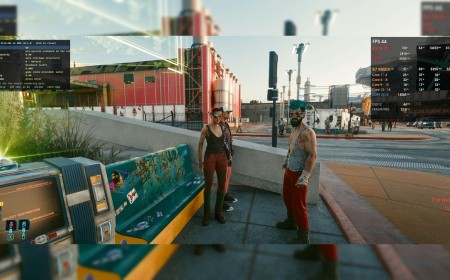
(Image credit: Valve)
Game streaming over your local area network is cool, but game streaming as typically implemented is basically a hack. It borrows video streaming technology and applies it to interactive games, which isn't actually a great fit, like so many cases of using a tool for a task it wasn't really designed for. Legendary open-source dev Hans-Kristian "TheMaister" Arntzen (known for the libretro framework and Retroarch frontend), decided to tackle this problem by making a video codec called Pyrowave specifically designed for in-home game streaming, and now, that exact codec is implemented in the Steam beta client.
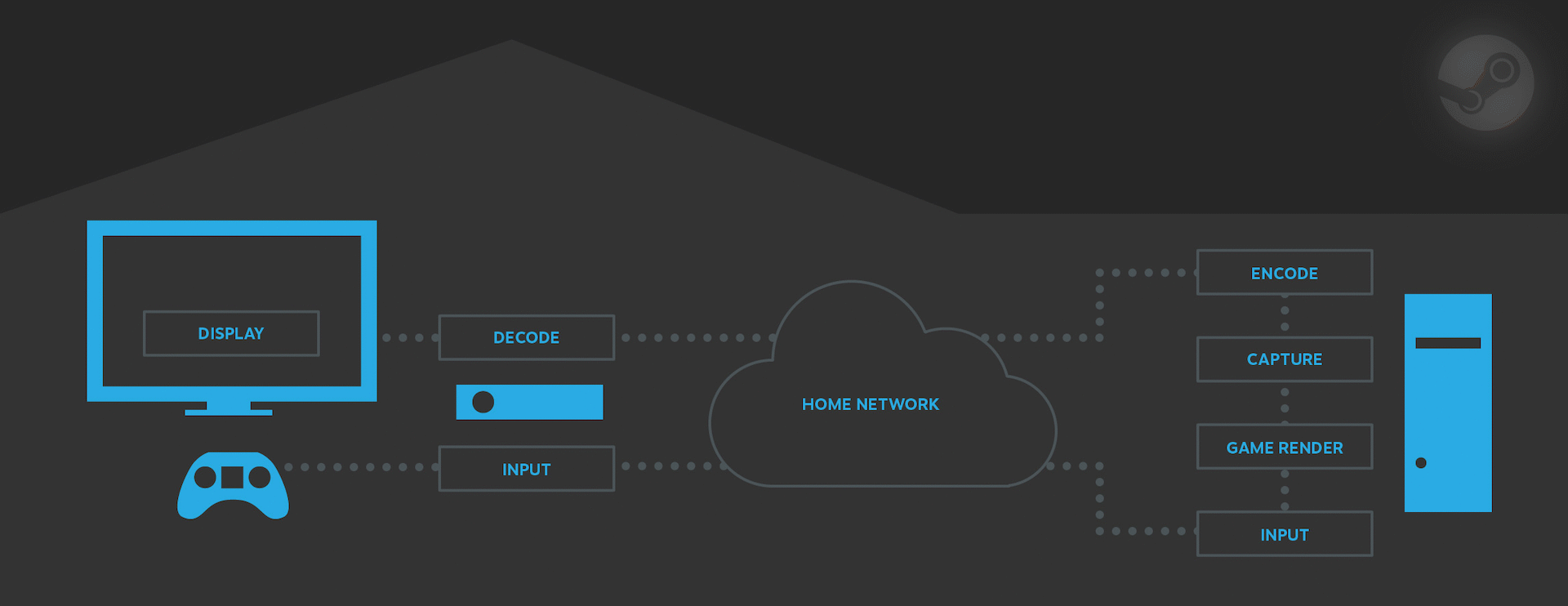
Your LAN has less than 10 milliseconds of latency; less than one millisecond if it's wired. However, in-home game streaming rarely achieves latency anywhere close to that because the process of rendering the game, encoding a video, sending it over the network, and then decoding it (before you can even see the new frame and react) usually takes upwards of tens of milliseconds, meaning that even on a LAN it's possible to have noticeable input lag when streaming.
PyroWave seriously cuts down the delay at the "Decode" and "Encode" portions of this process. (Image credit: Valve)
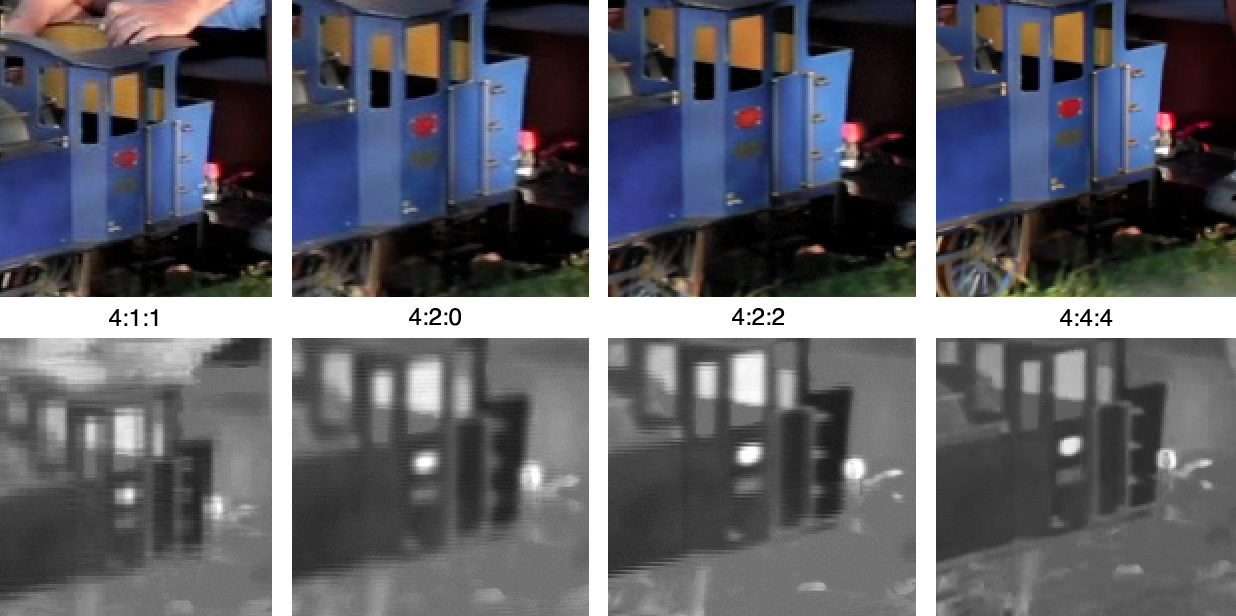
There are also possible compromises on image quality for in-home streaming. Typical video codecs like AVC and AV1 rely on a lot of "tricks" to reduce how much real data they need to use to encode a video stream; one of the most common is chroma subsampling, where a video uses less data to represent the colors in a scene, because human vision is much less sensitive to brightness than color. This is fine for a lot of games, but it can cause problems on the desktop as well as in games with lots of text (or similar fine elements), because the text develops nasty fringing that makes it hard to read. You can solve this by using 4:4:4 video, but that's actually not very well supported by common video codec hardware.
This image shows the lost chroma resolution with subsampling in black and white. (View full size to see the difference more clearly.) (Image credit: Janke at English Wikipedia (CC BY-SA 3.0))
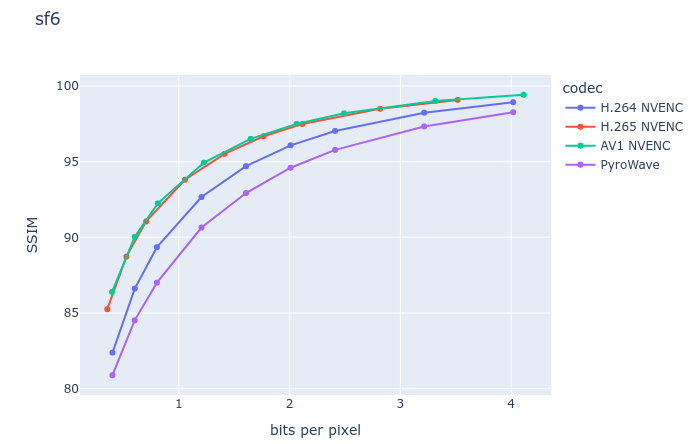
Arntzen's Pyrowave solves both of these problems (latency and quality) by working in a fundamentally different way from other video codecs. Instead of using Discrete Cosine Transforms and inter-frame encoding, Pyrowave is similar to Motion JPEG2000 and uses Discrete Wavelet Transforms along with intra-frame encoding. There are a lot of downsides to this approach, but a lot of upsides, too. You get very consistent quality from frame to frame (making it perfect for constant bitrate applications) and you also get excellent error resilience. Because Pyrowave is very simple and computed on the GPU's shader array rather than the video engine, which doesn't understand it, you also get insanely low latency, and there are no concerns about the capabilities of fixed-function hardware.
The downside? Well, it's in the headline: bandwidth. In the Steam beta client patch notes where Valve announced the addition of this feature, Valve notes that the codec uses "5-10 times the amount of bandwidth of other streaming codecs." So how much bandwidth is that, really? In a brief test of Phantasy Star Online 2: New Genesis, streaming to a Lenovo Legion Go S from a desktop, we clocked Pyrowave on default settings at about 210 megabits per second. That's over 26 megabytes per second of video going down the line, which is an incredible amount of data to be sending over a network so you can play a video game in bed without sacrificing visual quality or frame rate.
But most notably, it was tangibly more responsive than the usual Remote Play experience, and best of all, the image quality was quite exceptional, especially once we ticked on the 4:4:4 mode. Unfortunately, we weren't able to see if the GPU overhead was overbearing with an RTX 5070 Ti and frame rates capped at 120 FPS for streaming.
Just for clarity's sake, while it's possible that Pyrowave streaming could cause service interruptions for other people on your LAN (and thus isn't suitable for high-traffic networks like at a company or large business), it is strictly intended to be used over your local network, not the Internet. As a result, your internet connection doesn't matter at all, so if you were worried about ripping through your data allotment on a metered connection, there's no need for alarm; all of the data sent is between devices on your network. Even the over-200 megabits-per-second of Pyrowave is peanuts compared to the tens of gigabytes per second your graphics card is sending to your display via DisplayPort or HDMI, after all.
Get Tom's Hardware's best news and in-depth reviews, straight to your inbox.
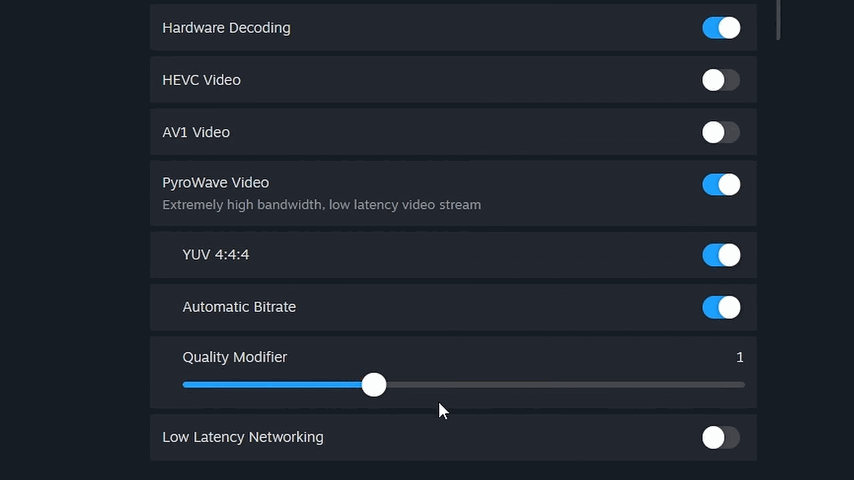
Note that "hardware decoding" doesn't actually do anything with PyroWave enabled. (Image credit: Zak Killian/Future)
If you'd like to test out the Pyrowave codec yourself with Steam Remote Play, you'll need to be on the Steam beta client first. After you swap to the beta client, go into the Remote Play settings and you should see the option for Pyrowave. It's currently only available for standard games (i.e. not VR) on macOS, Windows, and Linux, although Valve says it's coming soon to the Steam Link app for mobile devices as well. You'll need "at least Gigabit Ethernet", although user reports in the Steam discussions say that it works fine on a solid Wi-Fi 6E or Wi-Fi 7 connection, too.
Zak is a freelance contributor to Tom's Hardware with decades of PC benchmarking experience who has also written for HotHardware and The Tech Report. A modern-day Renaissance man, he may not be an expert on anything, but he knows just a little about nearly everything.



 (Image credit: Valve)

 Like
0
Like
0
 Dislike
0
Dislike
0
 Love
0
Love
0
 Funny
0
Funny
0
 Wow
0
Wow
0
 Sad
0
Sad
0
 Angry
0
Angry
0






Comments (0)