

The Fitbit Air is a good wearable weighed down by a chatty AI "coach"
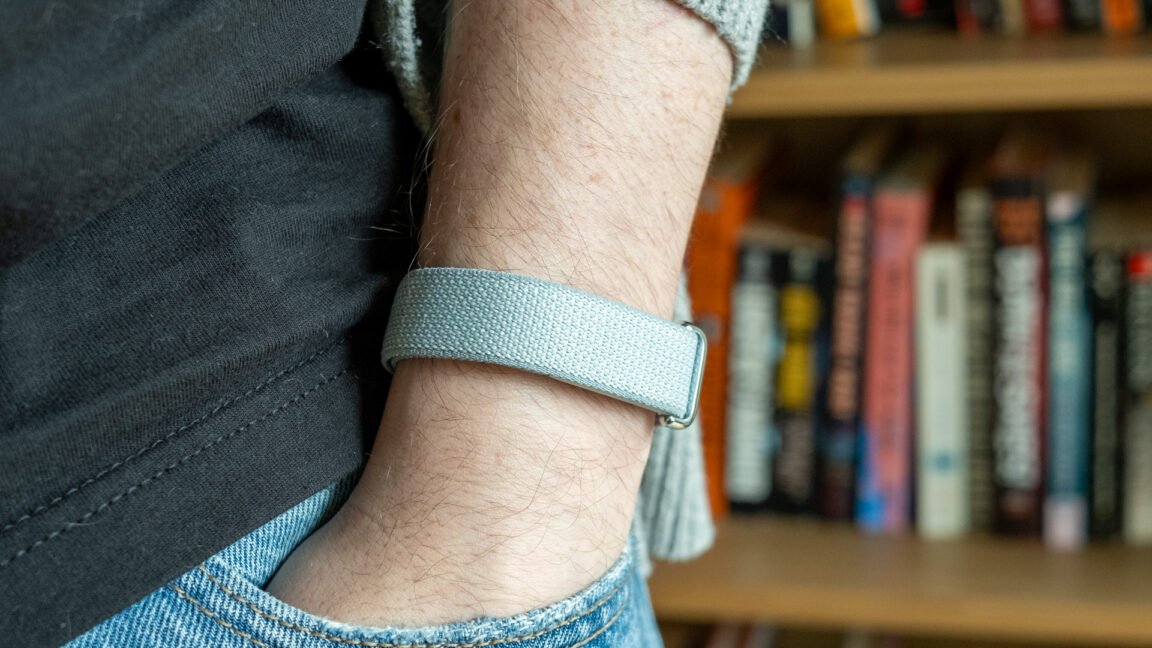
The Air succeeds as a minimalist, reliable fitness tracker, but Google’s AI Health Coach feels unnecessary.
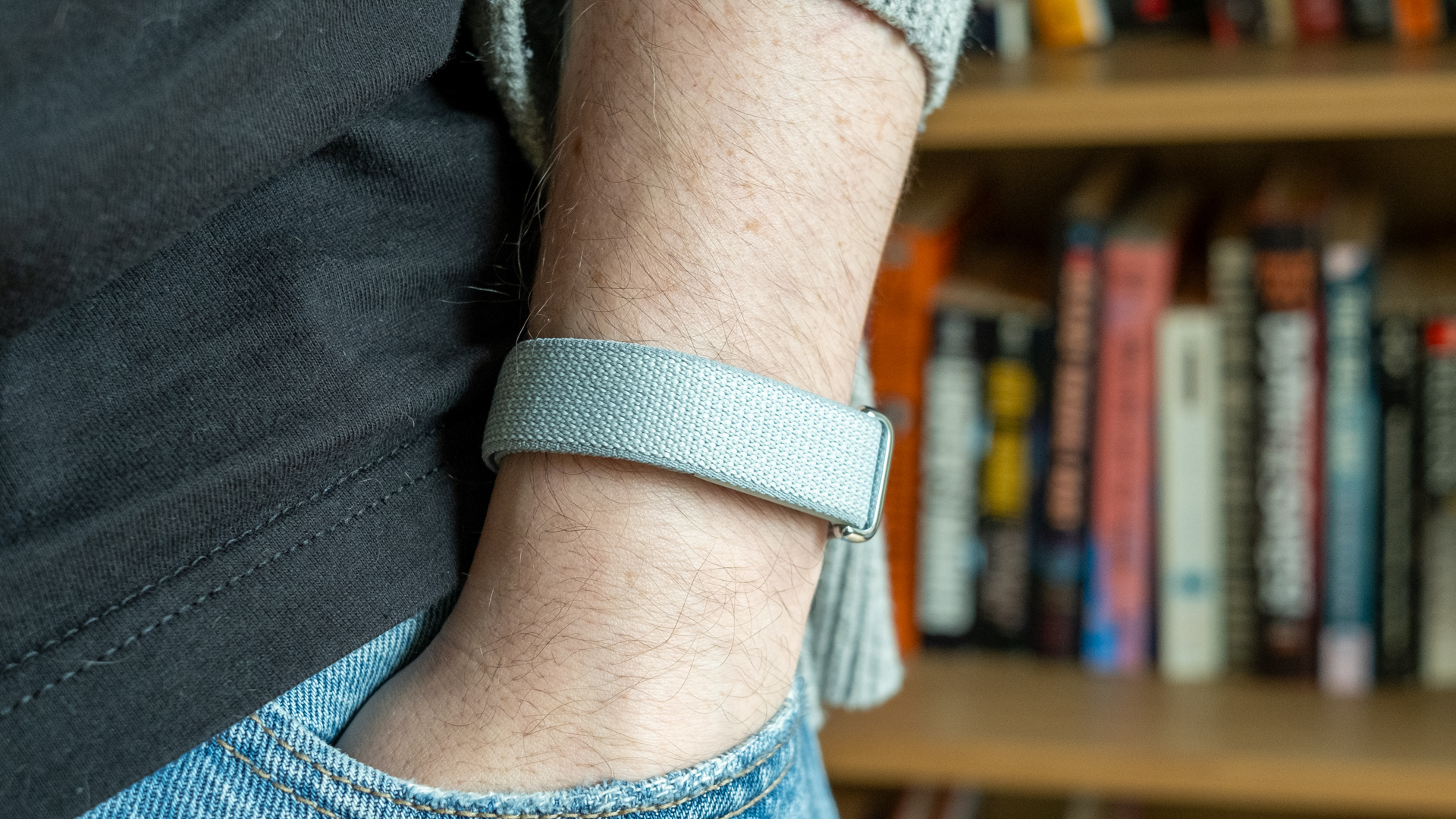
The Fitbit Air is much more comfortable than a smartwatch. Credit: Ryan Whitwam
The Fitbit Air is much more comfortable than a smartwatch. Credit: Ryan Whitwam
Smartwatches can track your health stats, but they also do a lot of other things you might not always want or need. The $100 Fitbit Air tracker ditches the screens that have become common on people’s wrists, leaving behind a tiny puck of health sensors you can often forget you’re wearing. You will not, however, forget that Google’s new health platform is built around AI.
The Air has no speaker, and there’s only one LED on the side to indicate battery level. You can double-tap the tracker to check the level, and that’s about the end of on-device features. The vibration motor is only for alarms—it can’t sync with notifications on your phone. That makes sense, given there is no screen to tell you what that buzz was all about.
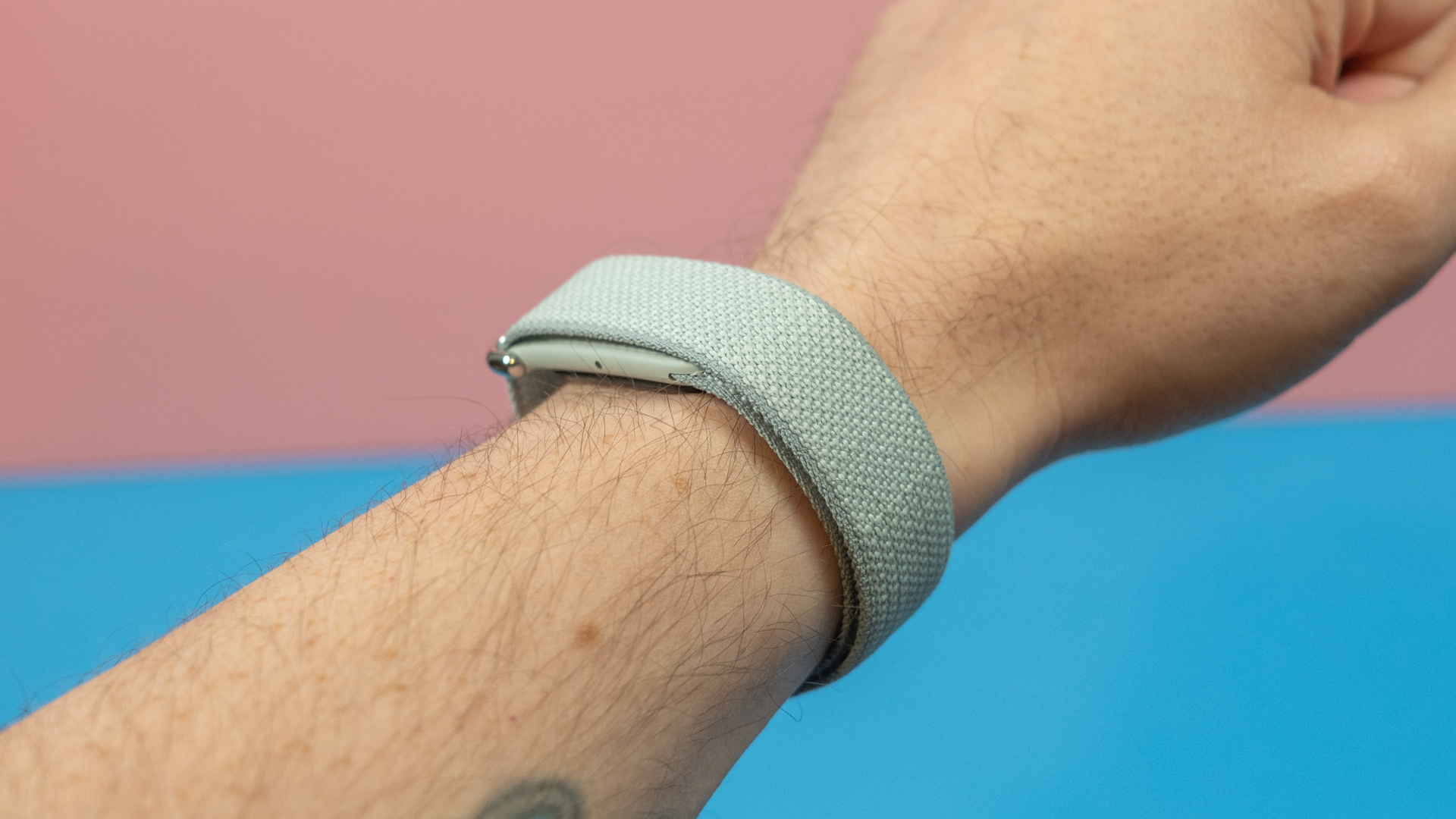
The Fitbit Air doesn’t have a display or buttons—just a small LED on the side for battery status.
Credit: Ryan Whitwam
The Fitbit Air doesn’t have a display or buttons—just a small LED on the side for battery status. Credit: Ryan Whitwam
The stock Performance Band is simple, consisting of a smooth polyester yarn with small velcro pads and a metal loop. It’s durable but does seem to absorb a bit of moisture. For swimming or heavy workouts, you’ll probably want the silicone active band. This one hides the Air puck a bit more effectively, and it looks good in a sporty way.
While $35 for a bit of silicone is rather spendy, that’s nothing compared to the $50 Elevated band, which is a more understated polyurethane option. However, it doesn’t make sense to pay half the cost of the tracker just for a band that looks marginally better.
The Active Band hides the Air puck a bit better.
Third-party bands for the Pixel Watches have been mediocre and rare despite Google’s Apple-like commitment to its proprietary connector over the past four generations. The Fitbit Air is much simpler. The device just has to snap into a loop or frame to stay put. I’m hopeful that more band options will become available in the future because Google’s options are far too expensive.
Unlike the simplistic fitness trackers of the past, the Fitbit Air has most of the sensors you’d find in a high-end smartwatch. It tracks your steps (obviously), heart rate, blood oxygen, and skin temperature—no ECG, though. These stats and their history are available in the app, but they also feed into various secondary metrics and evaluations like your “readiness score” and sleep phases.
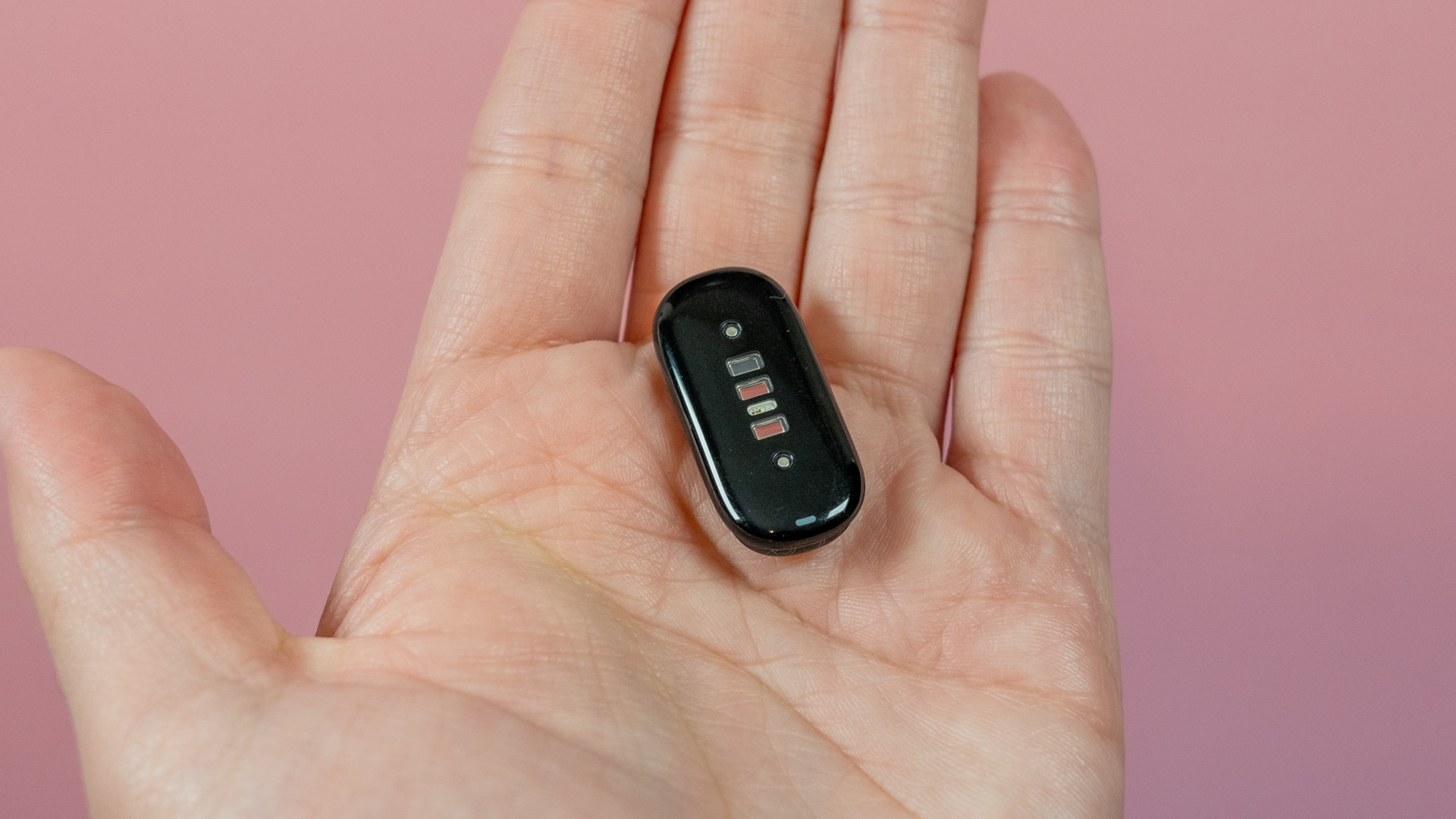
The Fitbit Air itself is a small puck barely larger than the sensor cluster.
Credit: Ryan Whitwam
The Fitbit Air itself is a small puck barely larger than the sensor cluster. Credit: Ryan Whitwam
There’s not really anything else to say about the device itself—the minimalism is one of its main selling points. You’ll barely notice the Air on your wrist, so it’s easy to wear all the time, and I can confirm it lasts a full week on a charge. Even fussy sleepers should have no problem wearing the Fitbit Air all night.
The Air also uses its array of sensors to detect workouts, and it logs everything in the new Google Health app. Unfortunately, fitness buffs may find themselves too dependent on the app. You’ll have to go to the app for live stats during a workout because there’s no screen on the Air.
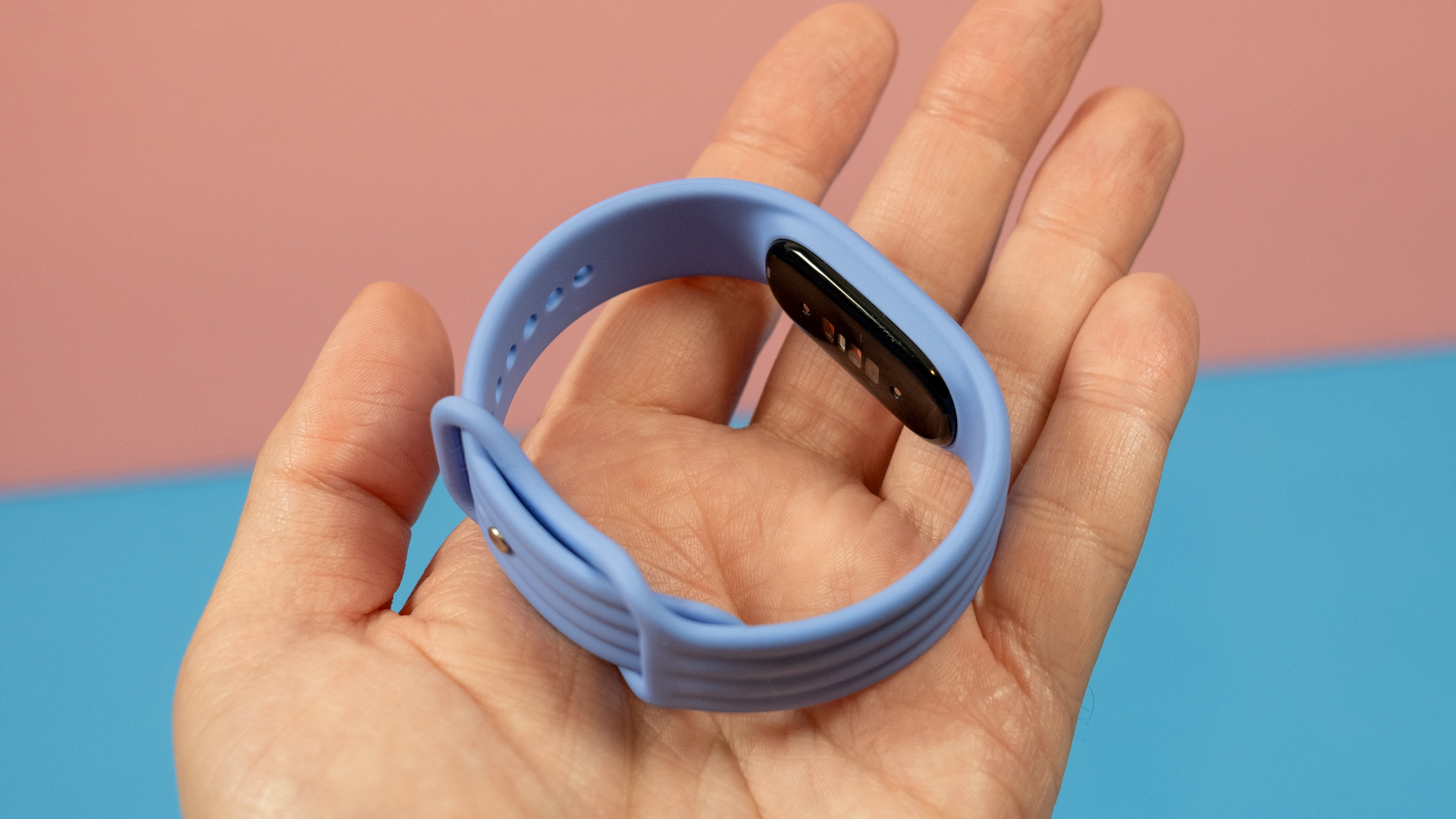
The Active Band is ideal for heavy workouts, but it costs another $35.
Credit: Ryan Whitwam
The Active Band is ideal for heavy workouts, but it costs another $35. Credit: Ryan Whitwam
The revamped app is decent and has most of the features you’d expect. If you’re a new user or someone who doesn’t spend much time nerding out over Fitbit data, you’ll probably be happy with the data logging and features. For long-time Fitbit users, the loss of features like blood pressure tracking or custom meal creation will be irksome. It’s also missing some basic layout customization options. Google says updates are on the way to address some of these concerns, though.
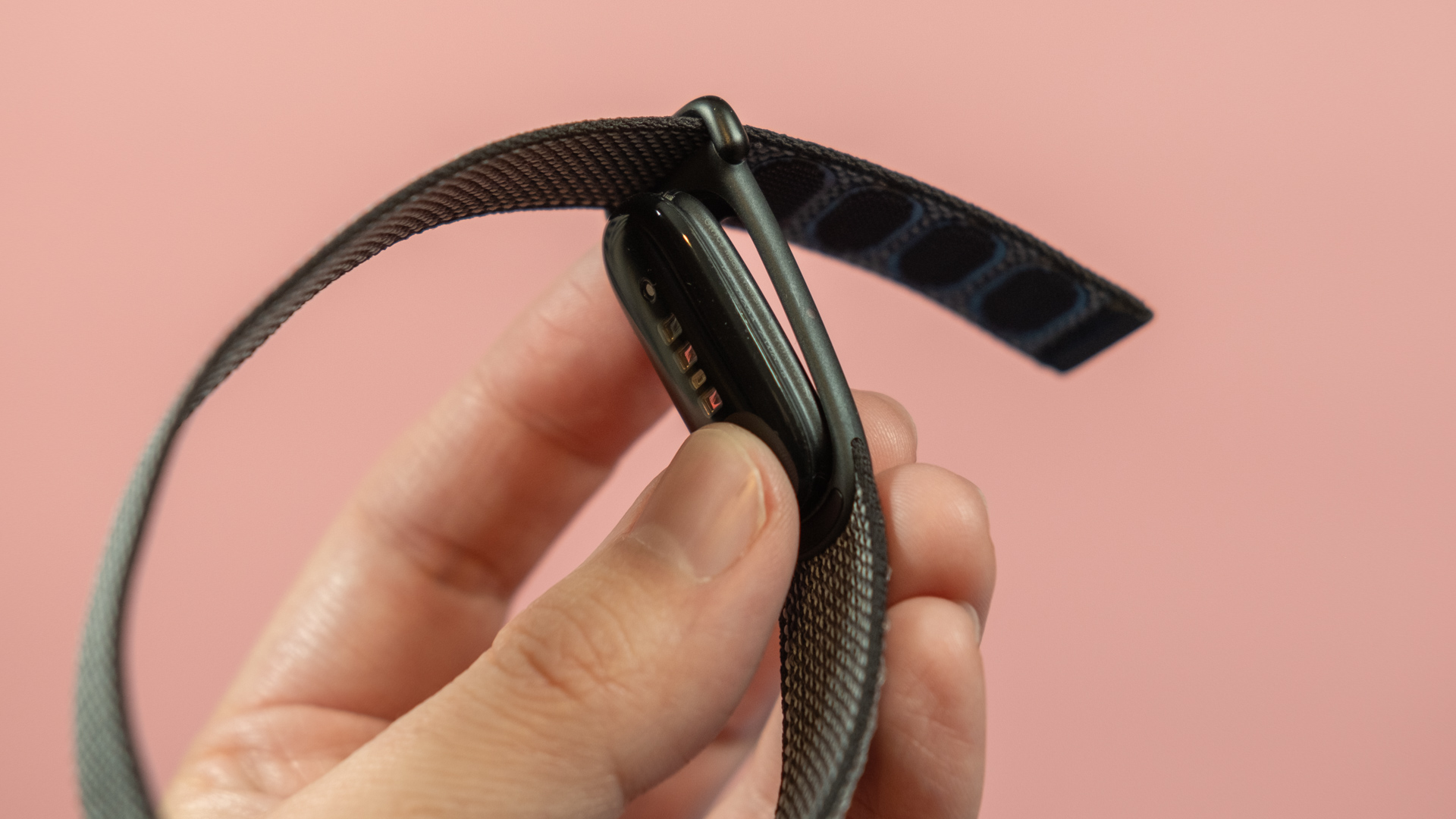
The Fitbit Air snaps easily into the bands.
Credit: Ryan Whitwam
The Fitbit Air snaps easily into the bands. Credit: Ryan Whitwam
The quality of data seems good to me, a mostly casual Fitbit user. Sleep tracking accurately detects my perceived timing, and the smart alarm works great. The readiness score often is a reliable predictor of how “good” I felt on a given day, too. I’ve been skeptical of the extreme datafication of health enabled by wearables, but Google does seem to be making progress.
Your friend the coach
The Fitbit Air is a good fitness tracker, but Google’s new health AI has ramifications beyond this one wearable. If you’re a premium user, Google Health (which replaces Fitbit) includes the AI-powered Health Coach, and you won’t forget it’s available. The Air comes with three months of Premium, so this is the default experience. This AI model is woven through the app, presenting you with summaries, suggestions, and words of affirmation, whether you want them or not.
In some ways, Health Coach is a good application for generative AI. The Gemini-based model running the show is not a generalist—it was tuned specifically for this one task, and it’s grounded by the data your wearable collects. The Coach offers basic rundowns of your health and physical activities based on the metrics it tracks.
But no amount of health-focused tuning will change the fundamental issues with generative AI. I’ve encountered a few minor hallucinations, mostly related to inventing workouts that didn’t happen based on some extra steps or a brief increase in heart rate. It also just misses things sometimes, claiming that a particular piece of data doesn’t exist when it’s plainly visible in another tab.
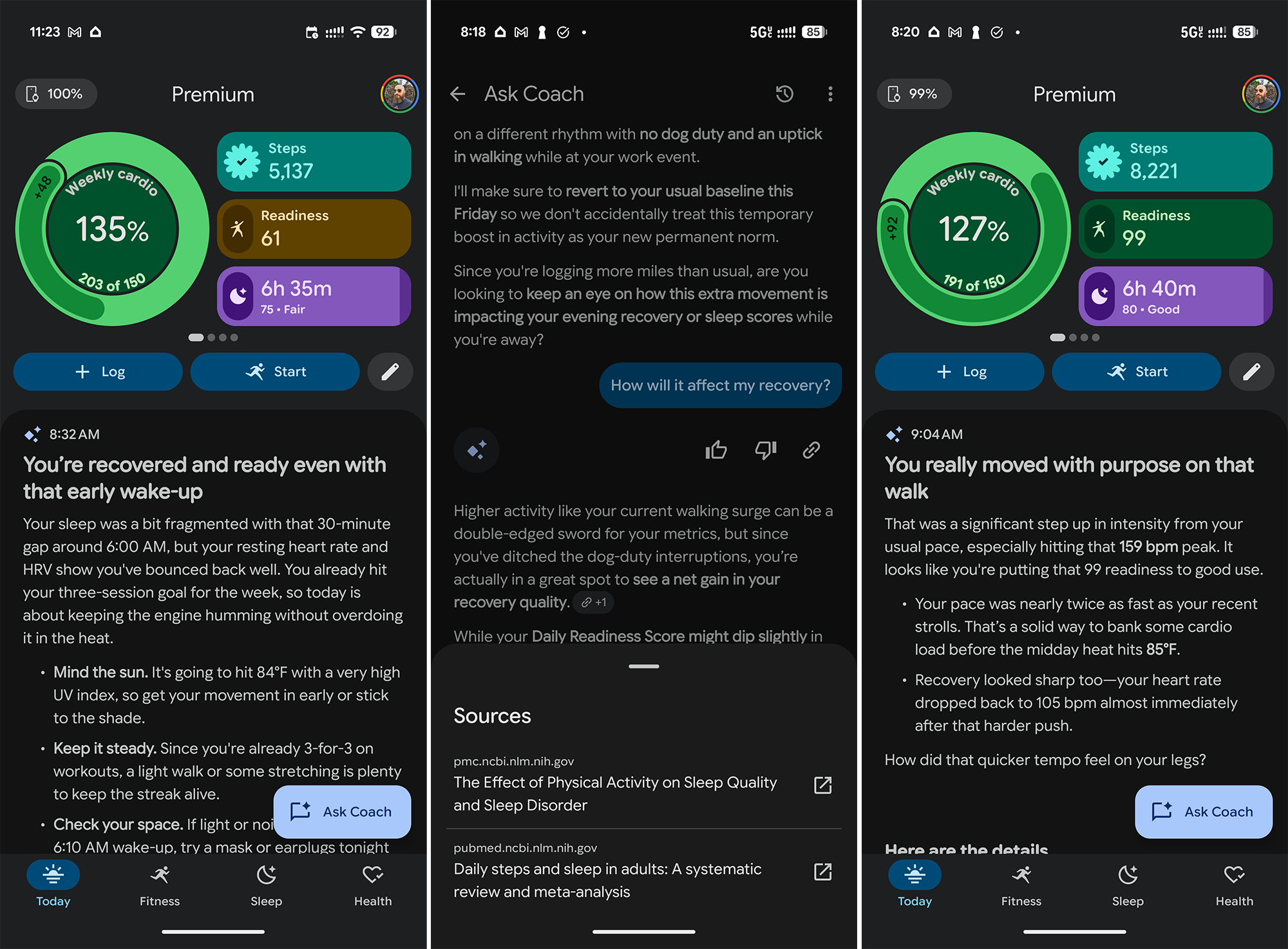
Health Coach goes on at length about anything and everything, but at least it cites its sources.
Credit: Ryan Whitwam
Health Coach goes on at length about anything and everything, but at least it cites its sources. Credit: Ryan Whitwam
Like all of Google’s chatbots, you can tell the coach you want it to behave differently or provide it with background information. For example, the coach might suggest ways to eliminate awakenings after a night of spotty sleep, but maybe you’ve got a young child to feed or a dog that insists on going out at 5 am every day. Adding this information to the token shuffle produces more accurate summaries.
At one point, I told Coach I would be traveling, and it factored that in when generating “Proactive insights,” as Google likes to call them. It knew when to take my schedule changes into account for its analysis of my data and when to stop. It follows instructions very well, in AI prompting parlance.
But do you need an AI summarizing your health data? If you’re not doing a lot of focused training with specific goals and tedious manual food tracking, the insights amount to: “Make sure to rest after a big workout. Maybe go for a light walk or something.”
Thanks, robot.
Part of the problem may be that Health Coach is primed to be your pal, and it always has something to say. Gemini is tuned, to some degree, to produce outputs that users “like,” sometimes called vibemarking. You get a lot of grandiose, somewhat cringey praise when you hit a goal and a spirited pep talk when you don’t. It’s always there, always talking.
You don’t necessarily want a virtual health coach that yells at you, but Health Coach could be a bit more straightforward and less wordy—the summaries of workouts, sleep, and simply existing take up a ton of space in the app. And for what? “Maybe go for a light walk or something, I don’t know,” it says again, but in far too many words.
Google clearly wants the Coach front and center to get more people using Gemini, but it’s often detrimental to the experience. Free users actually get a more useful, information-dense interface instead of the wordy AI. You can simply choose not to subscribe to Premium, and you don’t lose much aside from the AI. However, several Google One plans include Health Premium, giving you the AI experience by default. You can turn all this off, but in usual Google fashion, the option is buried.
To banish the chatty Health Coach from your app, go to your profile and tap Your data in Google Health > Feature Control > Google Health Coach, and flip the switch. This will remove the summaries and proactive suggestions from the app UI, but in another classic Google move, the Ask Coach button remains in the app. Tapping that will offer to reactivate the Coach.
The bottom line
The Fitbit Air is a worthwhile investment if you want a no-nonsense fitness tracker without the complication of a smartwatch. It’s reasonably priced and extremely comfortable, and it looks pretty good. The Air $100 comes with one of three standard Performance Bands, or you can pay $130 for the Stephen Curry special edition. If you want a screenless tracker, the Air is much easier to justify than a Whoop, which requires a minimum $200 annual subscription.
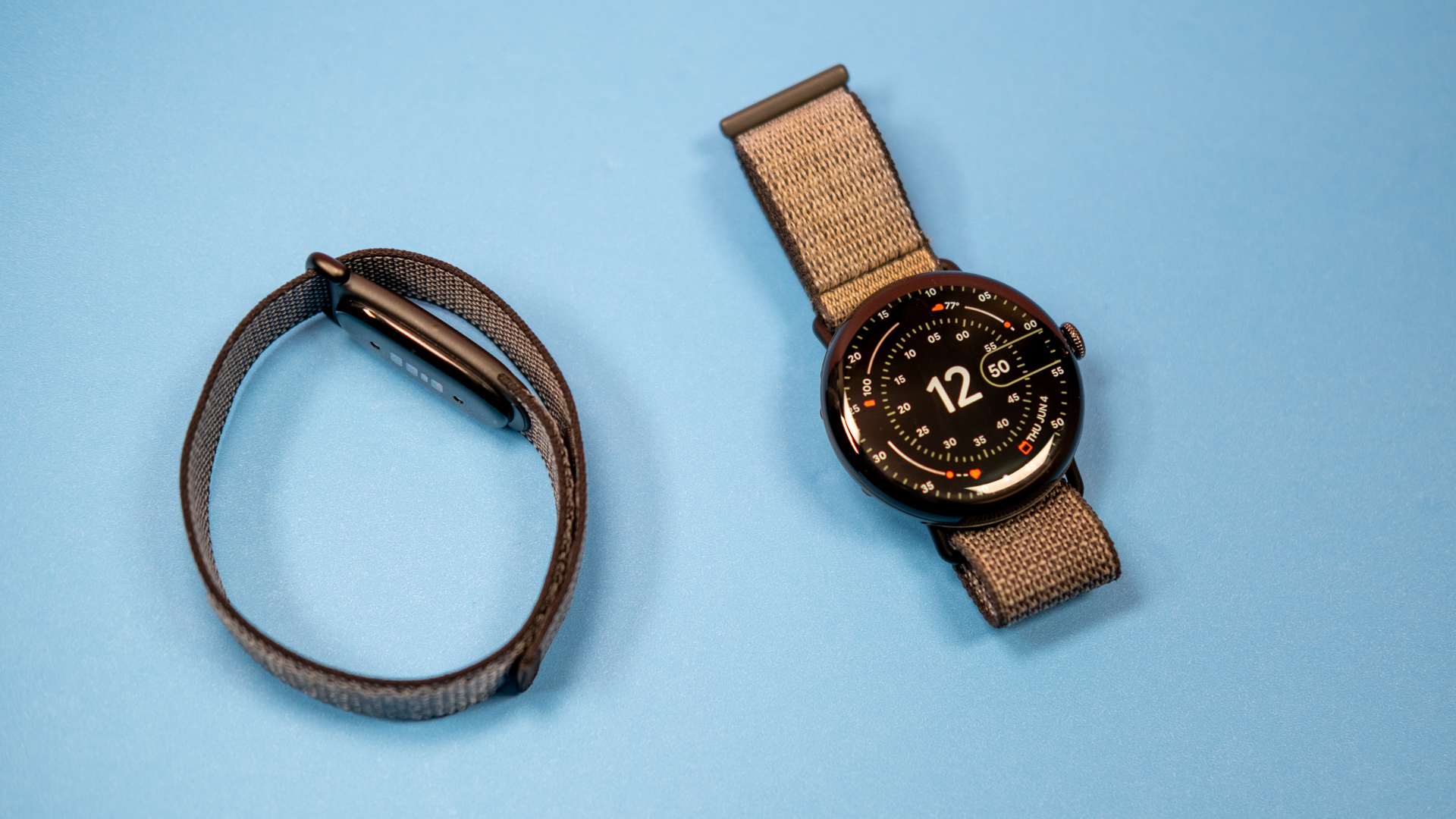
Left: Fitbit Air, Right: Pixel Watch 4 45 mm.
Left: Fitbit Air, Right: Pixel Watch 4 45 mm.
Health Coach is supposed to be the centerpiece of Google’s new personal health subscription, but it’s hard to see anyone upgrading specifically for this feature. The best use case is probably conversationally logging activities or meals, but the lengthy, cloying explanations of your sleep and heart rate variability don’t add much value—you can just look at the graphs and data logs yourself. They’re pretty easy to understand.
The good
- Looks nice
- Extremely lightweight and comfy
- Long battery life
- Accurate tracking
- Coexists with Pixel Watch in the app
The bad
- No ECG
- Bands are too expensive
The ugly
- The chipper, long-winded Health Coach isn’t very useful

Ryan Whitwam is a senior technology reporter at Ars Technica, covering the ways Google, AI, and mobile technology continue to change the world. Over his 20-year career, he's written for Android Police, ExtremeTech, Wirecutter, NY Times, and more. He has reviewed more phones than most people will ever own. You can follow him on Bluesky, where you will see photos of his dozens of mechanical keyboards.
What's Your Reaction?
 Like
0
Like
0
 Dislike
0
Dislike
0
 Love
0
Love
0
 Funny
0
Funny
0
 Wow
0
Wow
0
 Sad
0
Sad
0
 Angry
0
Angry
0










Comments (0)