We tested 13 power banks to help you choose the best one
Sep 29, 2026 - 19:12
00
For many of us, the tech we carry to keep our other devices powered while on the go doesn’t get much consideration. Buy a power bank with enough ports, capacity, and output, and you’re good to go, right? And generally, that is right, though a few small things can make a big difference. Of the dozen-plus chargers we've tested so far, a couple take four to six hours to charge, which may be fine for some, but could be a deal breaker for anyone who needs a quicker turnaround on a fully charged power bank.
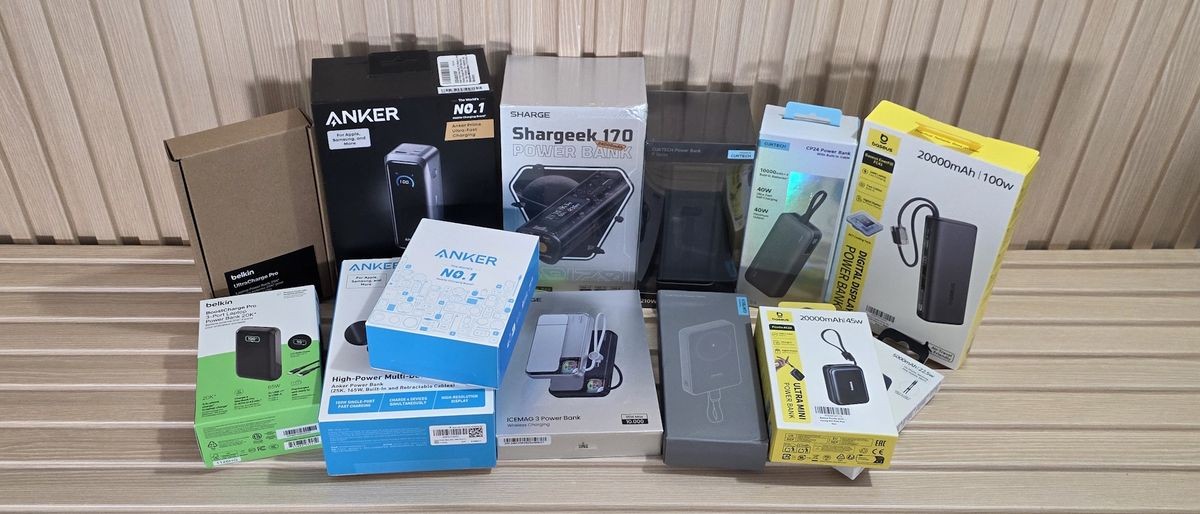
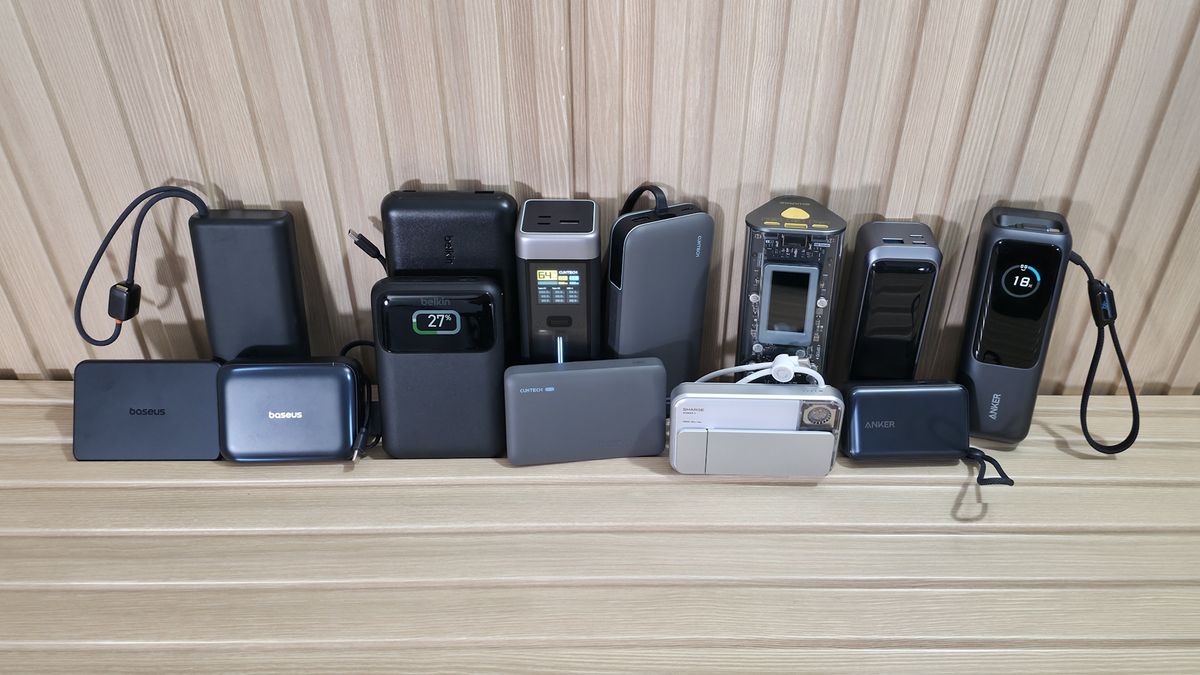
We’ve compiled 13 power banks, ranging from slim, single-port 5,000 mAh units outputting 22W to monster multi-port 25,000 mAh bricks capable of delivering 220W across multiple ports. Prices range from around $24.99 for the Cuktech CP12 (10K/20W) to $129.99 for the most powerful unit we’re testing, the high-end Anker Prime (A110B) 20K/220W. Some include integrated USB-C cables; some include a removable USB-C cable; and some include nothing else in the box.
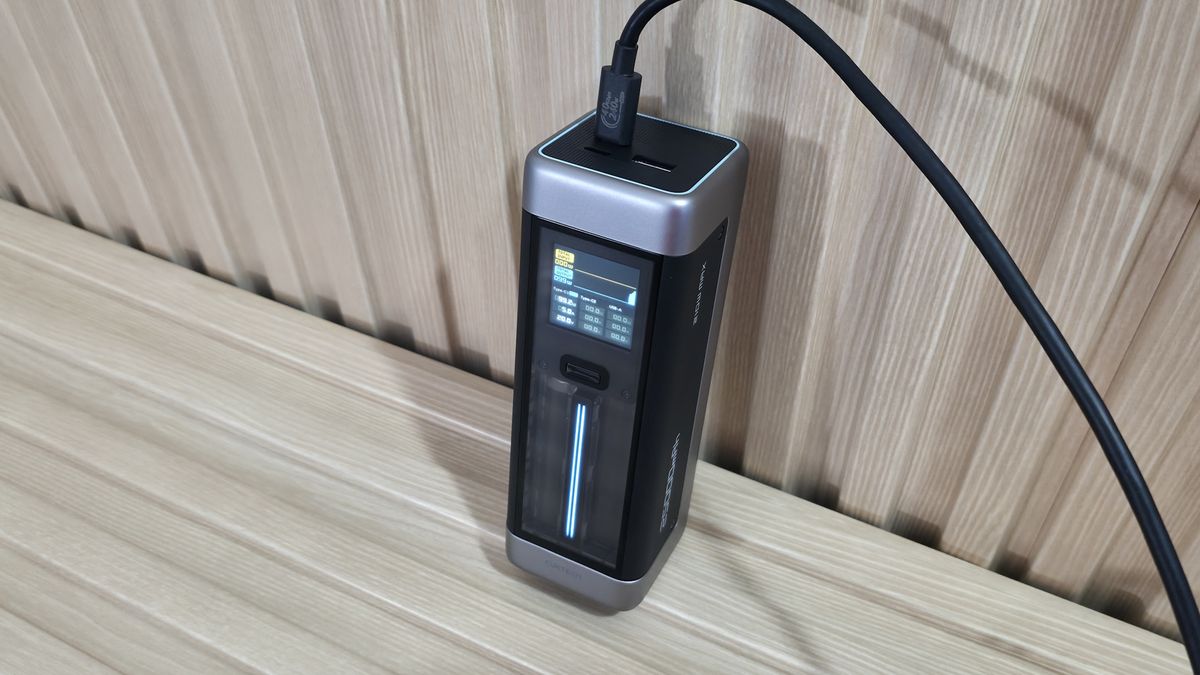
Others have fancy displays that show charging and temperature information, while some use simple LEDs that flash or change color to show charging status. Looks and size matter, too. The designs of the banks we tested range from simple grey boxes barely thicker than a deck of playing cards to larger stand-up units, and even see-through chassis.
What’s right for you depends on your needs, budget, and to some degree taste. In general, the higher the output and capacity, the more the device costs. How many ports do you want or need? Do you need to fly with it? Capacity and output are, of course, key deciding factors. But price, size, and safety features also matter. So there’s a lot to consider if you want the best power bank for you, and there are plenty of feature, design, and performance differences between our tested devices that we’ll share below to help with your buying decision.
What makes a power bank good or bad?
What makes a power bank good or bad?
The answer depends on who's buying the device and how they plan to use it. For example, if you need more than one charging port or an integrated cable, certain models just won’t work for you. Make sure it supports modern charging standards like USB-PD (Power Delivery) and/or Qualcomm Quick Charge so it can fast-charge your device (all tested devices below have PD3.0 or above).
Having the proper output to fast-charge your device is another important consideration. Buying a 10K, 25W charger for your Asus Zenbook Duo, for example, isn’t the best idea, since the device can use around 90W (@ 20V) to fast-charge and run. For that, you’d want something with more listed capacity and more wattage output. If you’re only buying a bank for your phone, that same 10K/25W charger can easily give your phone or a small tablet lots of extra run time away from a wall charger.
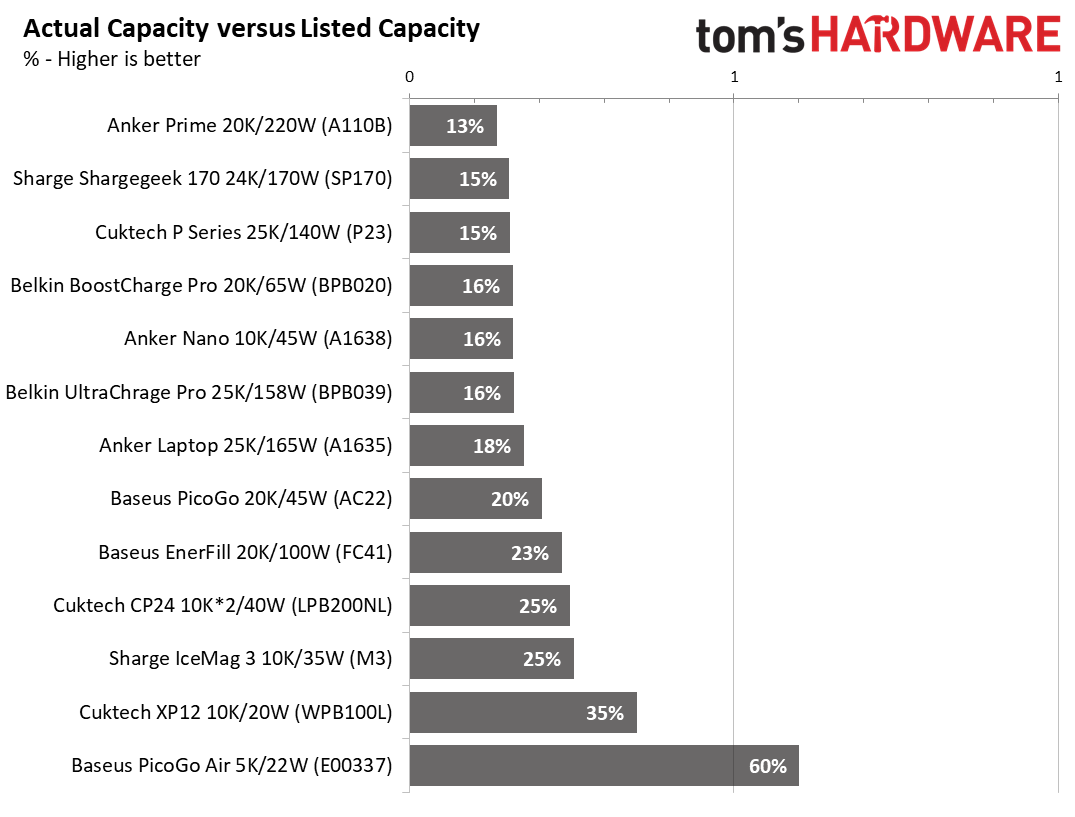
Rated capacity versus actual capacity is another issue, but marketing materials don’t clearly state it. The main thing to know is that the rating you see on the box is based on the battery's 3.7V rating. So the actual capacity varies depending on the voltage your device needs. The higher the voltage and output used for charging, the lower the actual capacity is. With 20V laptop charging, usable capacity can drop to around 20% of listed capacity, whereas with simple 5V charging it’s closer to 60% or more.
Get Tom's Hardware's best news and in-depth reviews, straight to your inbox.
(Image credit: Future)
Another worthwhile feature for power banks is pass-through charging, or the ability to charge the bank and output power to your device(s) at the same time. Most do support this feature, though we couldn’t find anything concrete on the Cuktech CP12 or Baseus PicoGo Air (though every current Baseus PicoGo series does support it). Belkin’s Ultracharge limits output to 15W while charging, however.
Name-brand devices from Anker, Sharge, Cuktech, Belkin, and Baseus, like the ones we’re covering here, typically have multiple safety features, including protection against overcharging, over-current/voltage, over-temperature, and more, to prevent premature device failure (or worse). You’ll get an assortment of these features from popular brands, but be careful with off-brand ones, as they may not support some (or any) of them, and could therefore be a hazard. If you see a no-name power bank, make sure it is at least UL/CE (or CCC if in China) certified and has some or all of these safety features before buying.
Test Equipment and Setup
Test Equipment and Setup
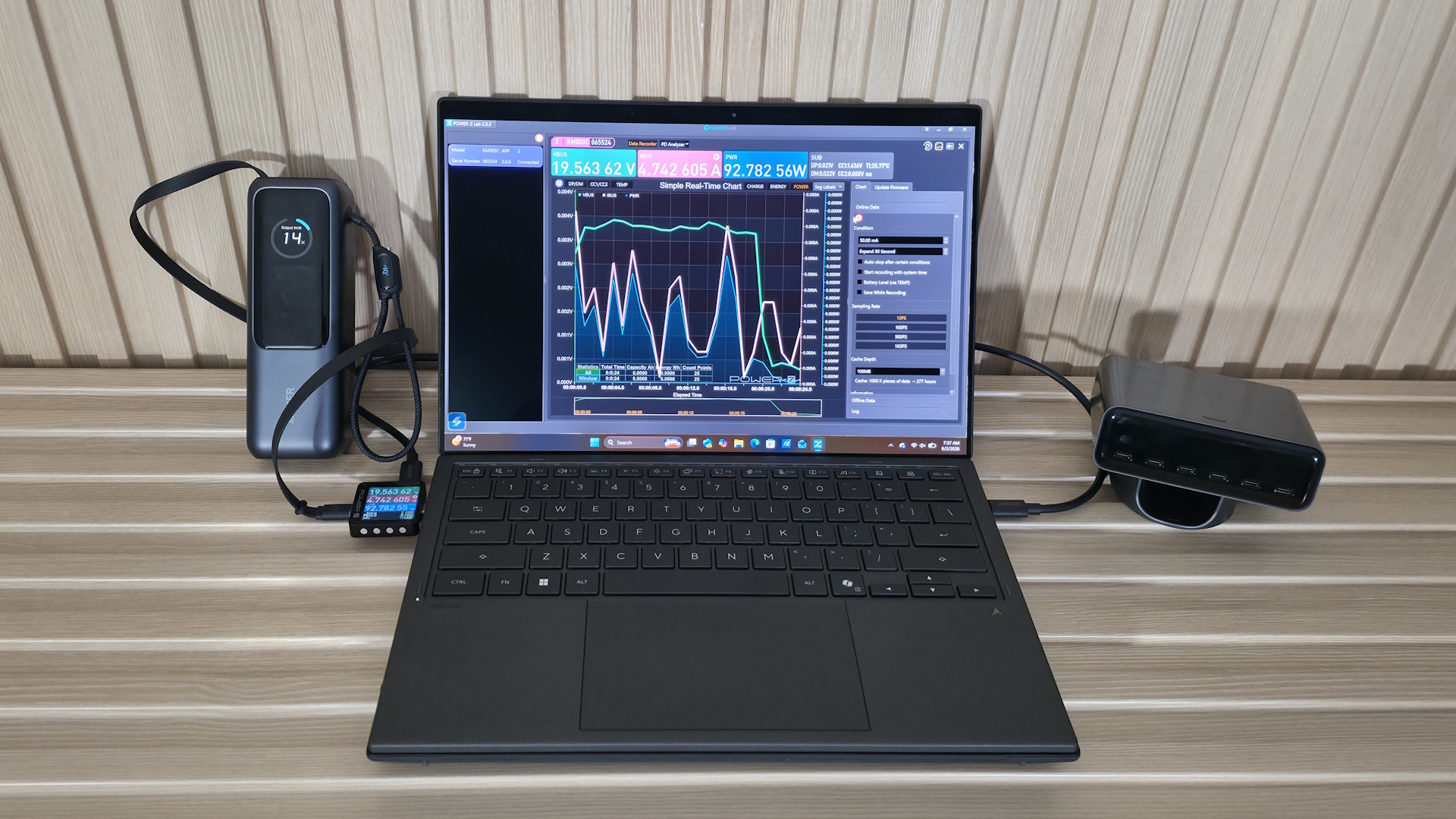
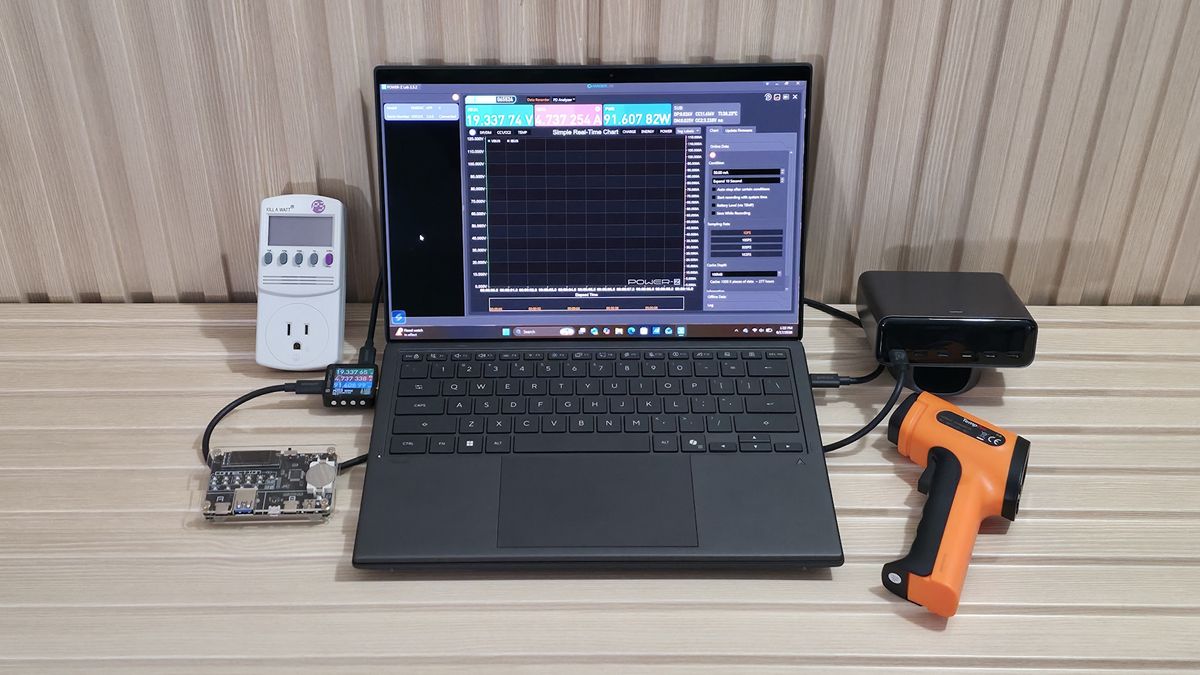
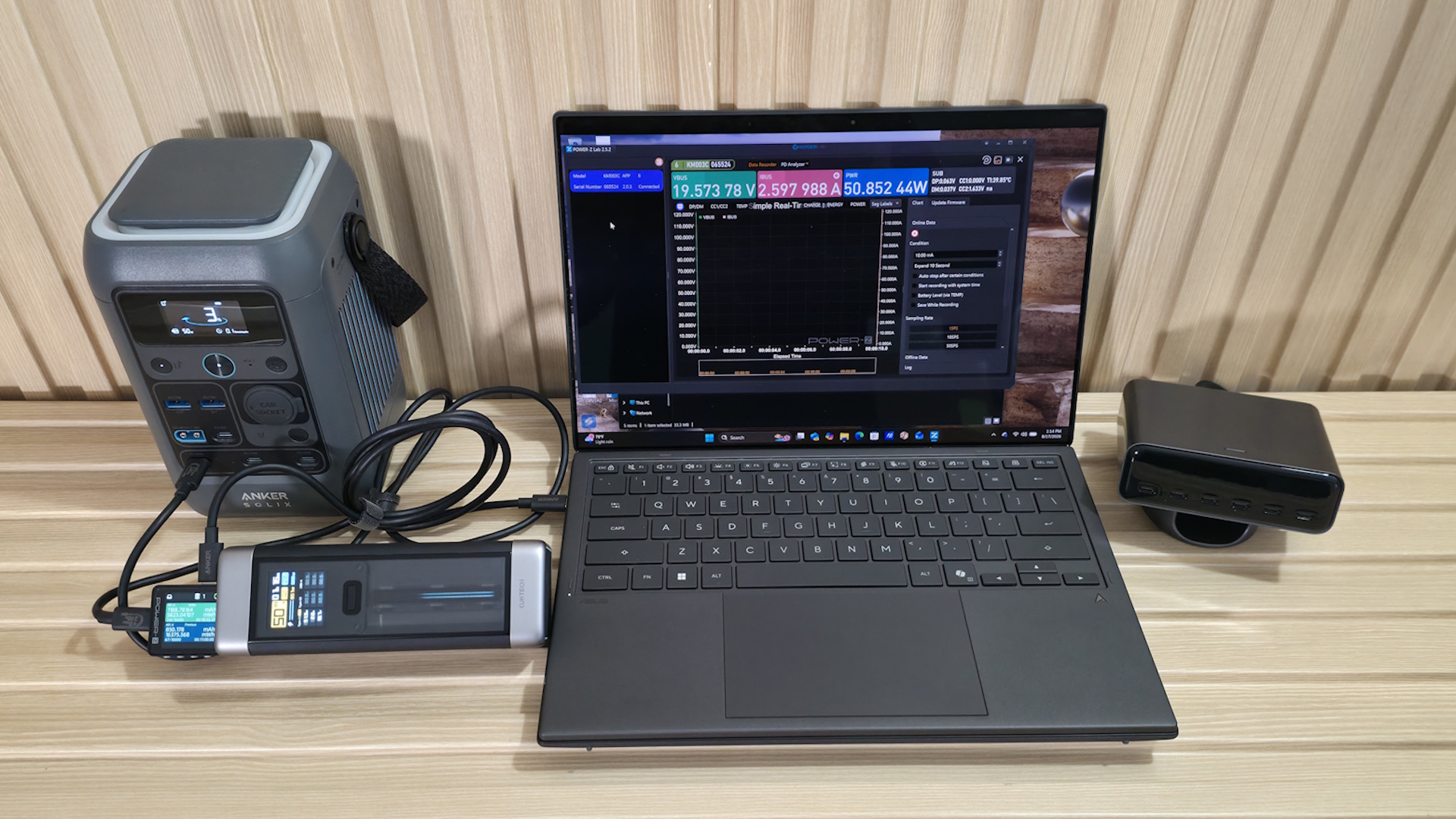
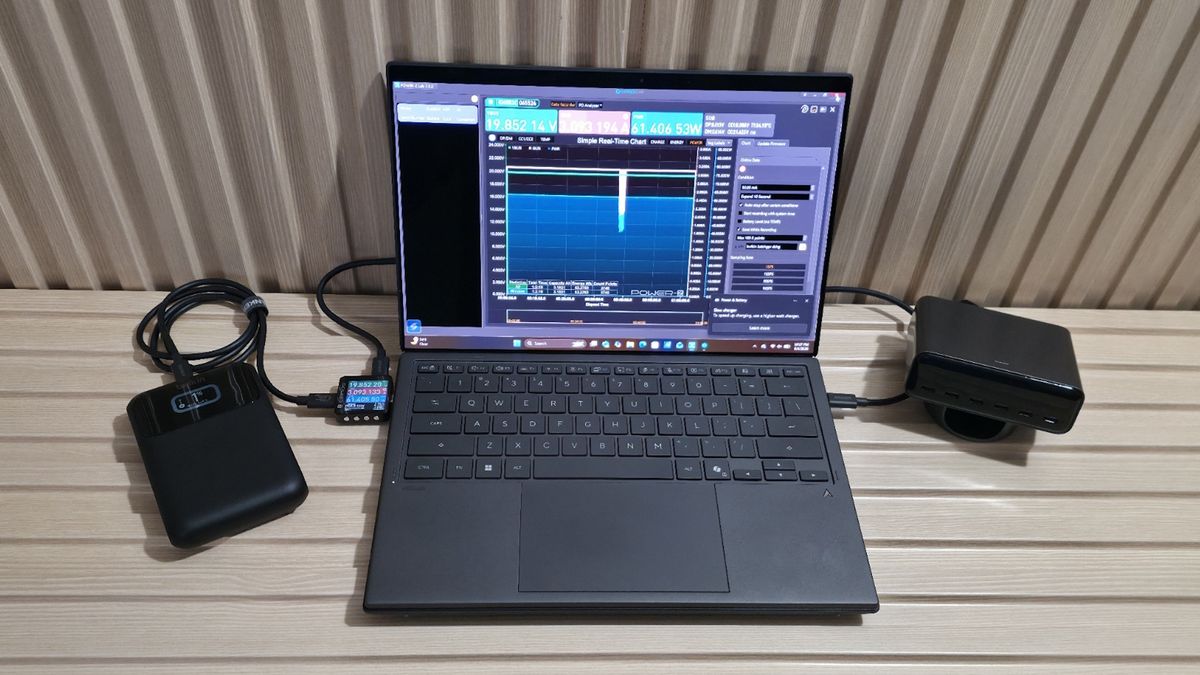
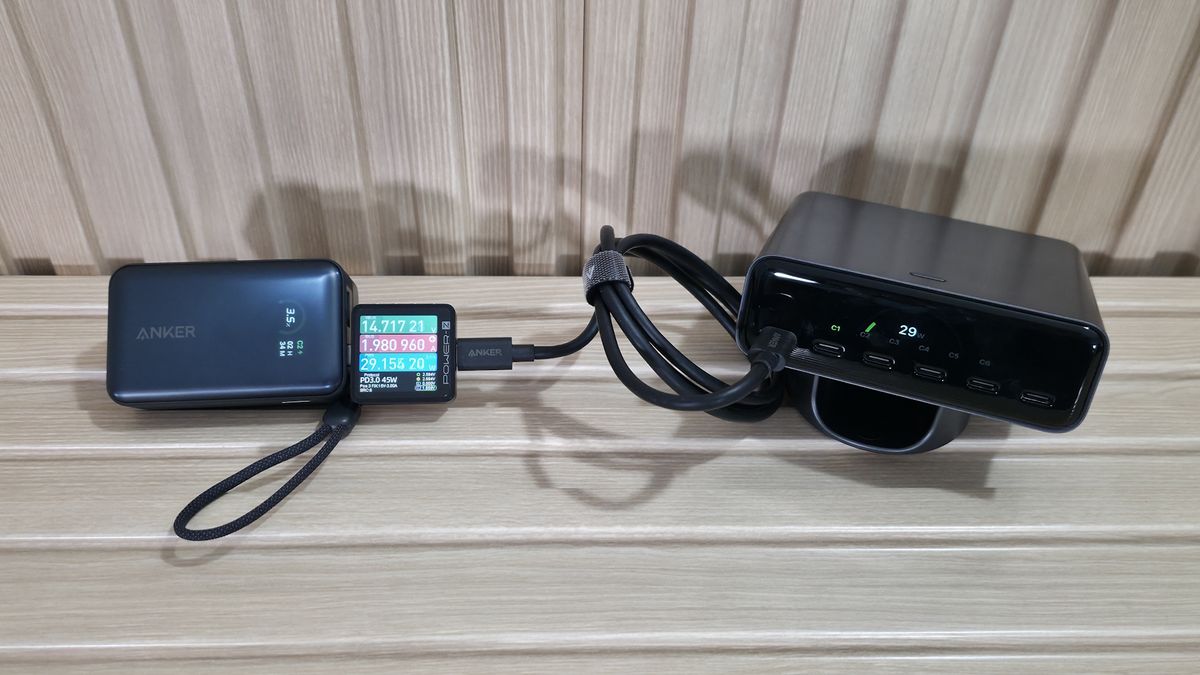
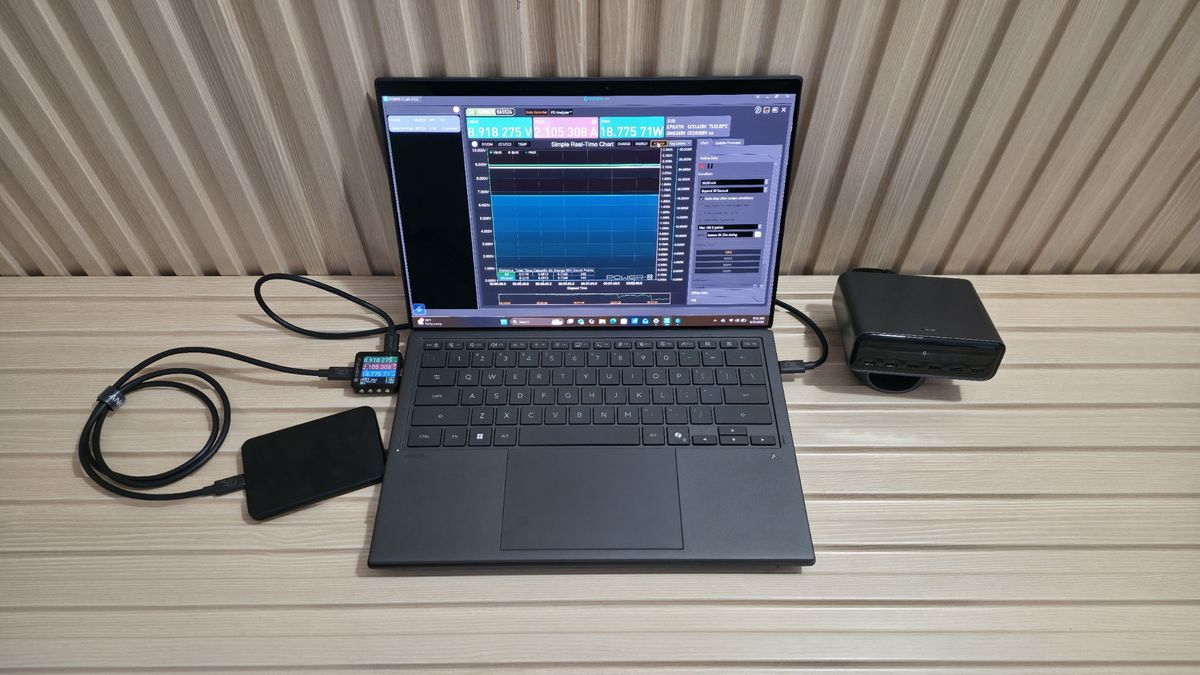
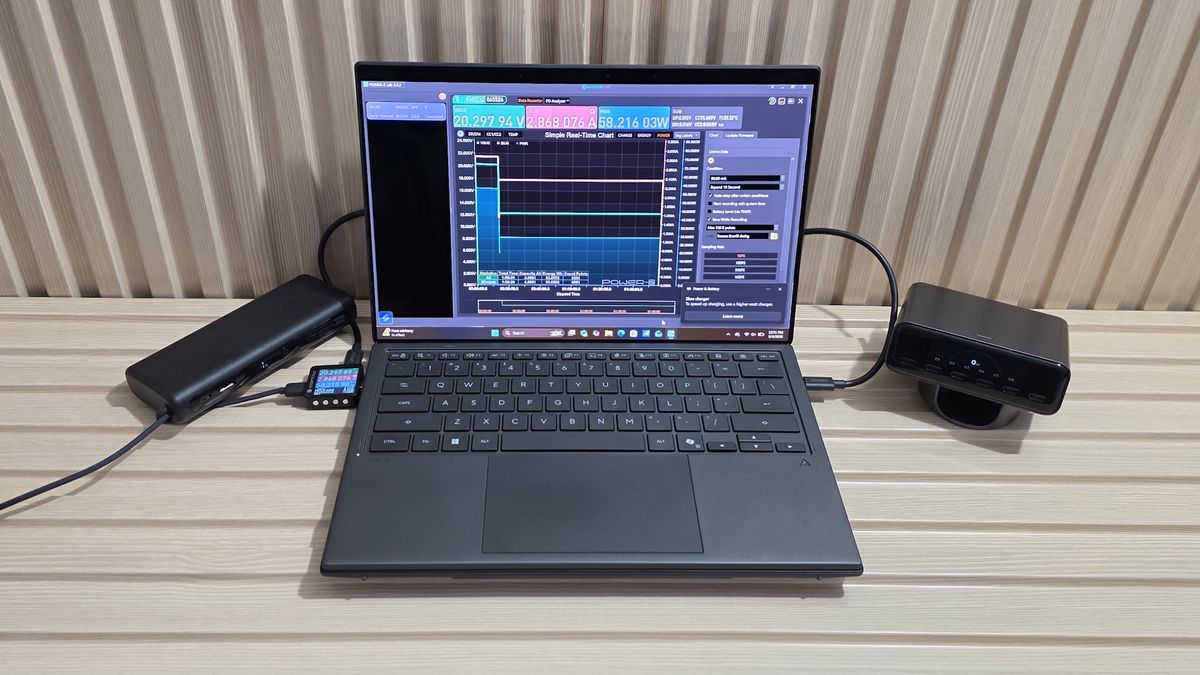
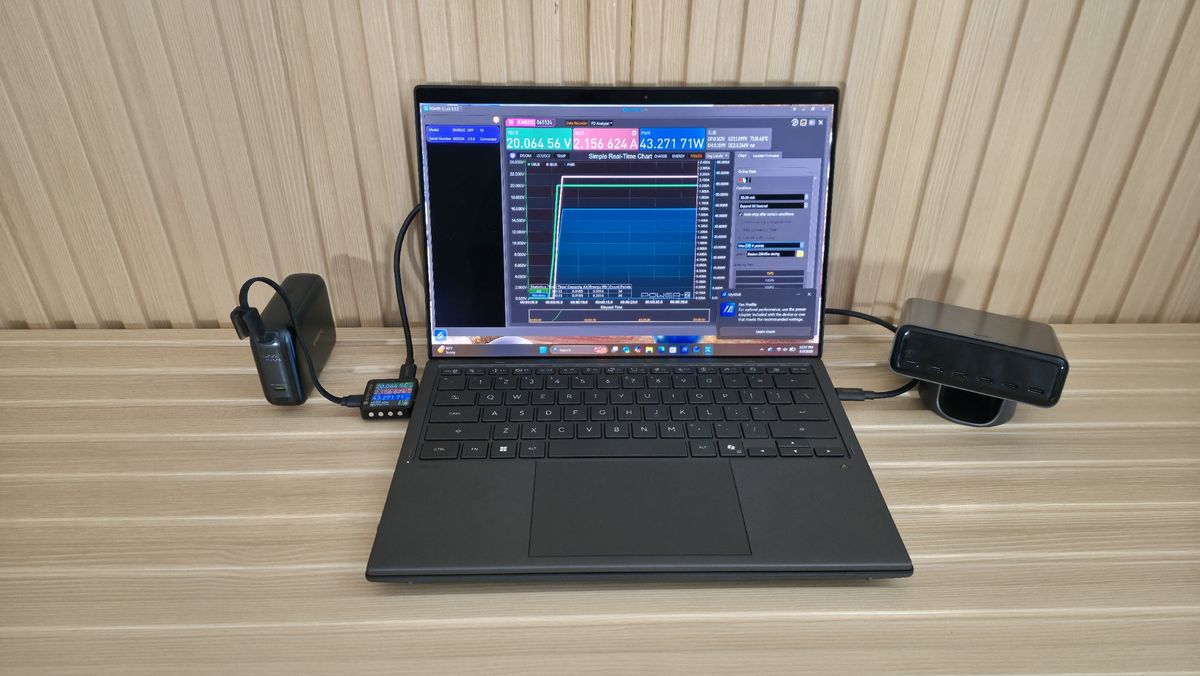
To gather our power bank testing data, we need several items to ensure we’re getting the right information. Our test setup includes a wall charger to charge the empty power bank, an Asus Zenbook Duo and an Anker portable power station to charge and get output from, a USB tester that shows the output voltage, amperage, and watts, along with the charging protocol, mAh, and Wh, and an IR thermometer to record the device's surface temperature. We also need a high-quality cable that won’t limit the output (we chose one rated at 240W). To test the cable, we used a USB Cable Checker2 to verify its capability. Below is a list of all the parts we use in power bank testing.
Before we plug the device in, we inspect build quality (does it feel like cheap plastic or metal), size, weight, and port count/type. We also look at capacity and output ratings, fast-charging capabilities (think PD, etc.), and any certifications (UL/CE) or safety features. From this information, we can get a good idea of the pros and cons, including cost/mAh, actual versus listed capacity, port count, temperature, protections, and more.
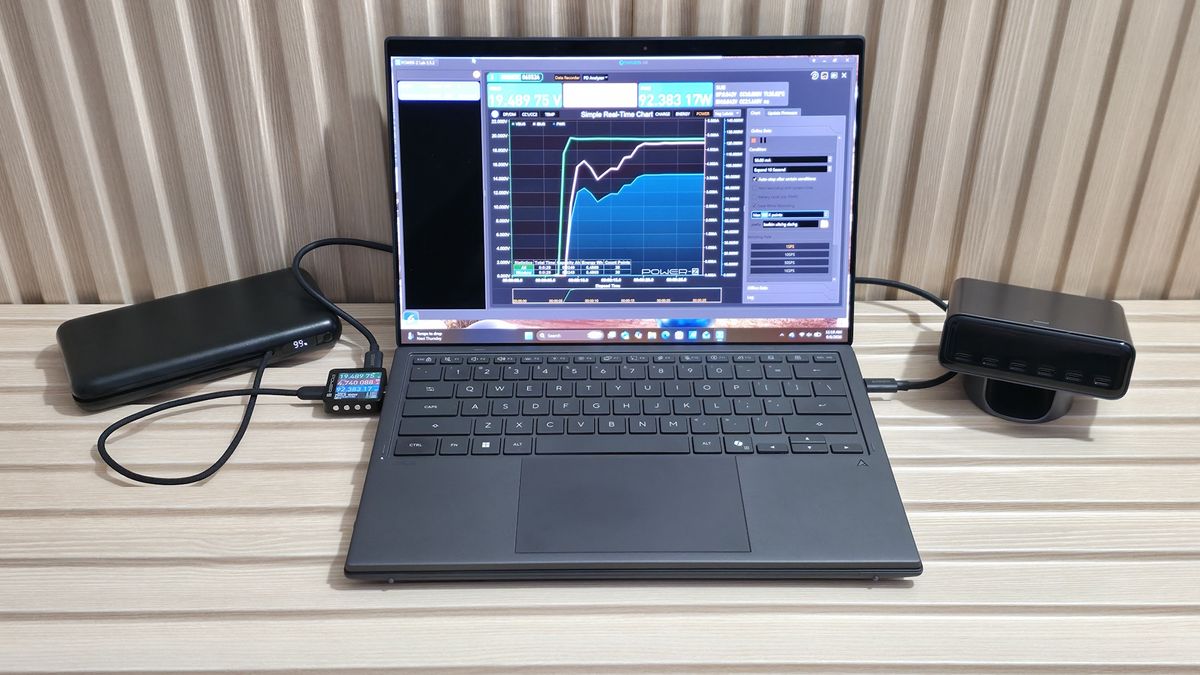
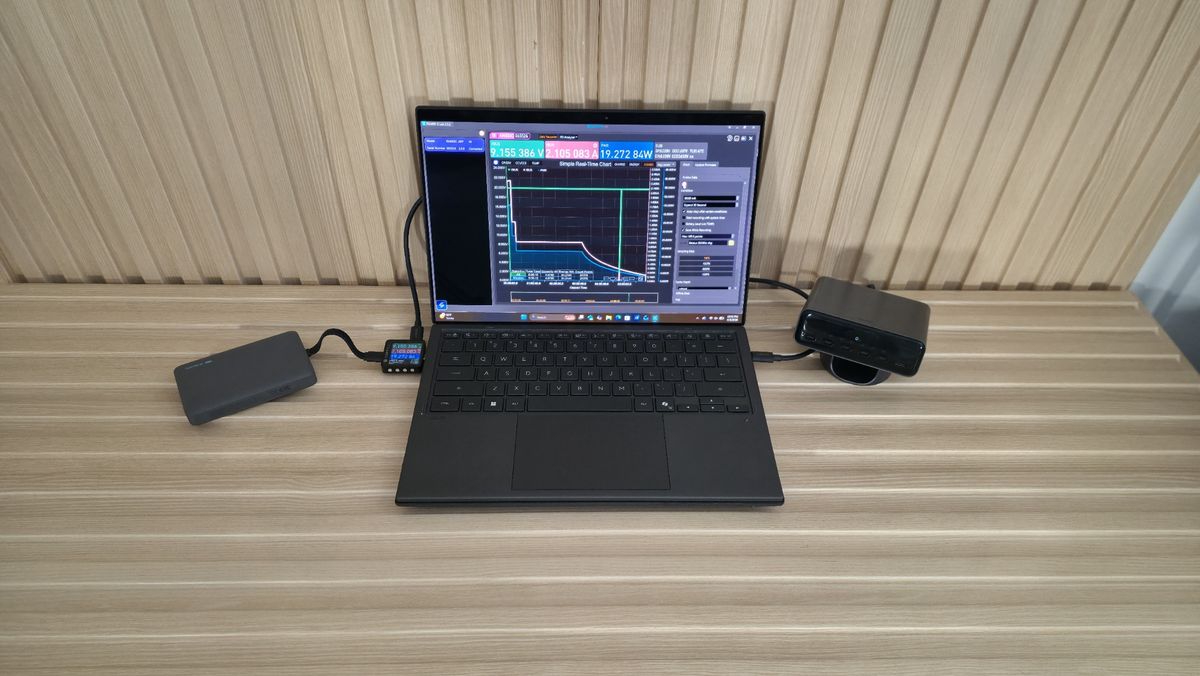
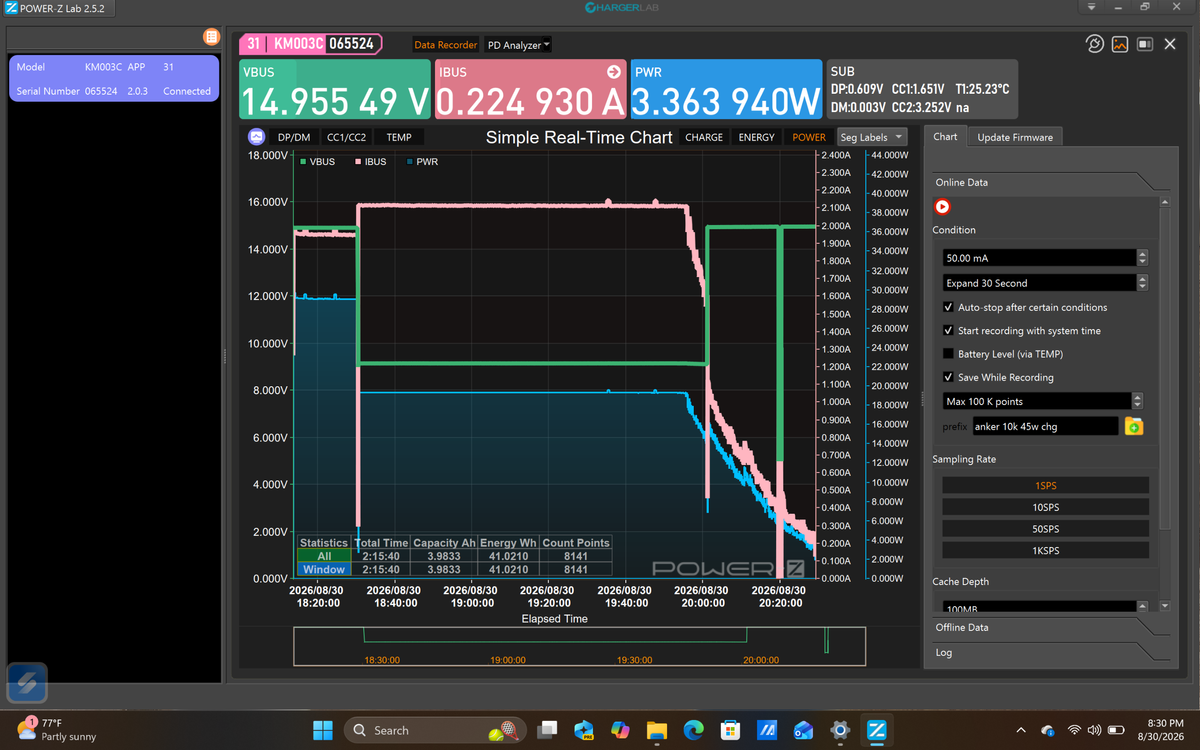
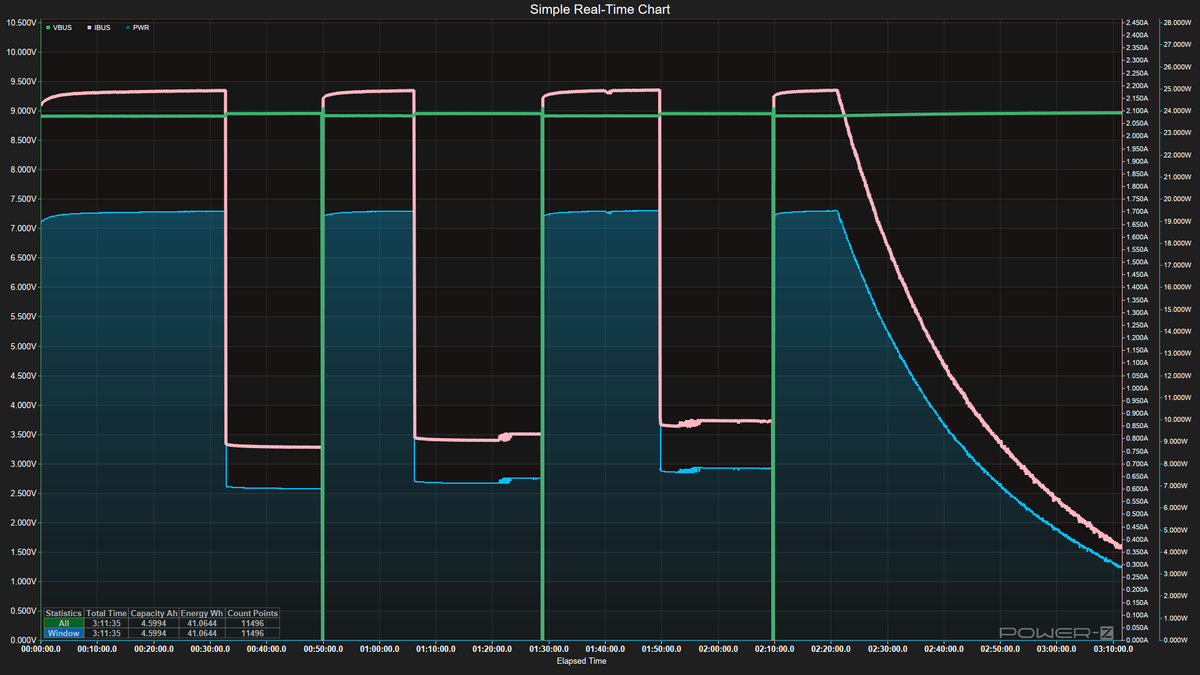
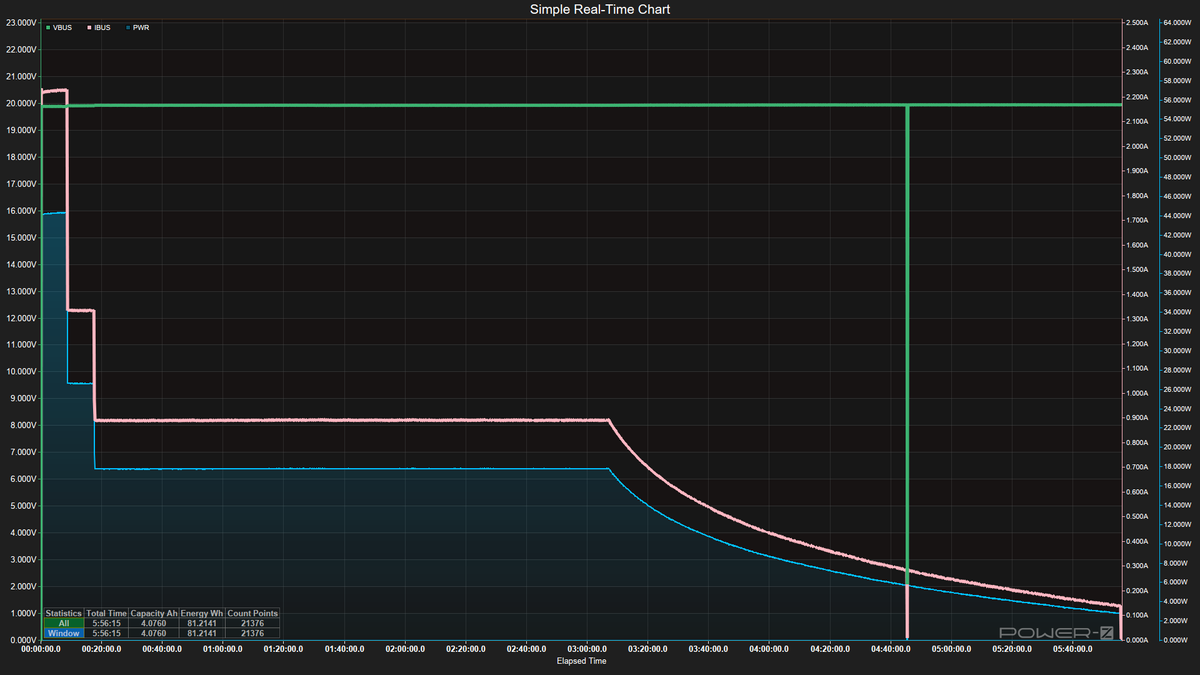
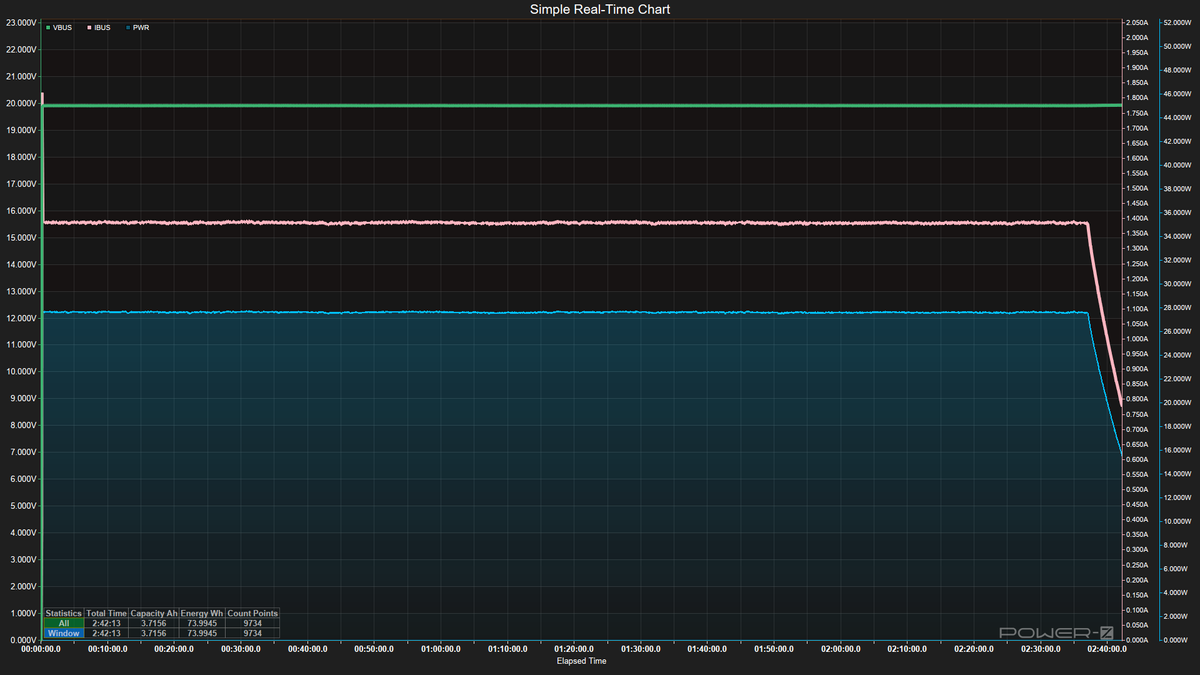
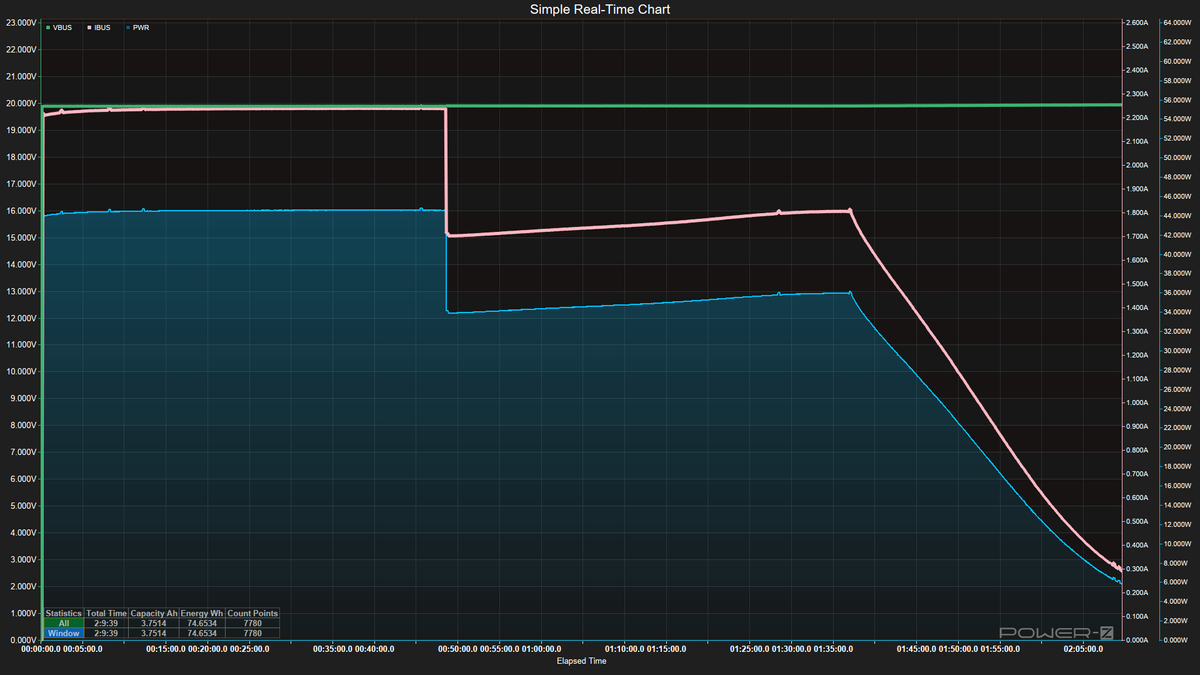
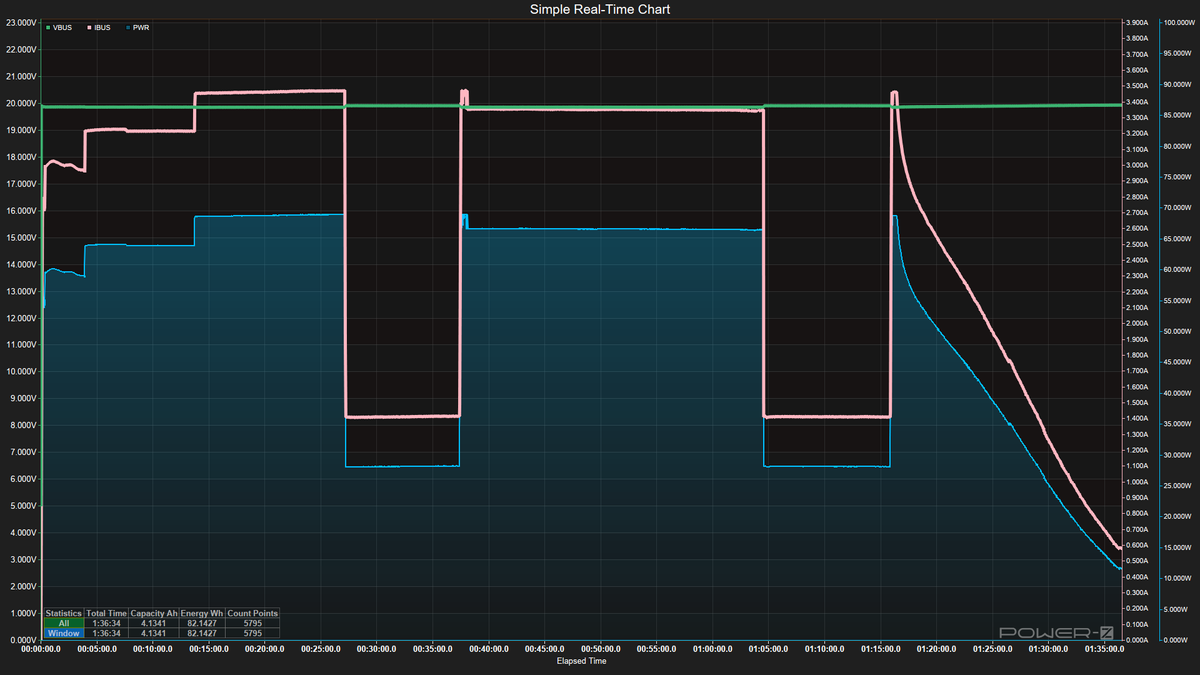
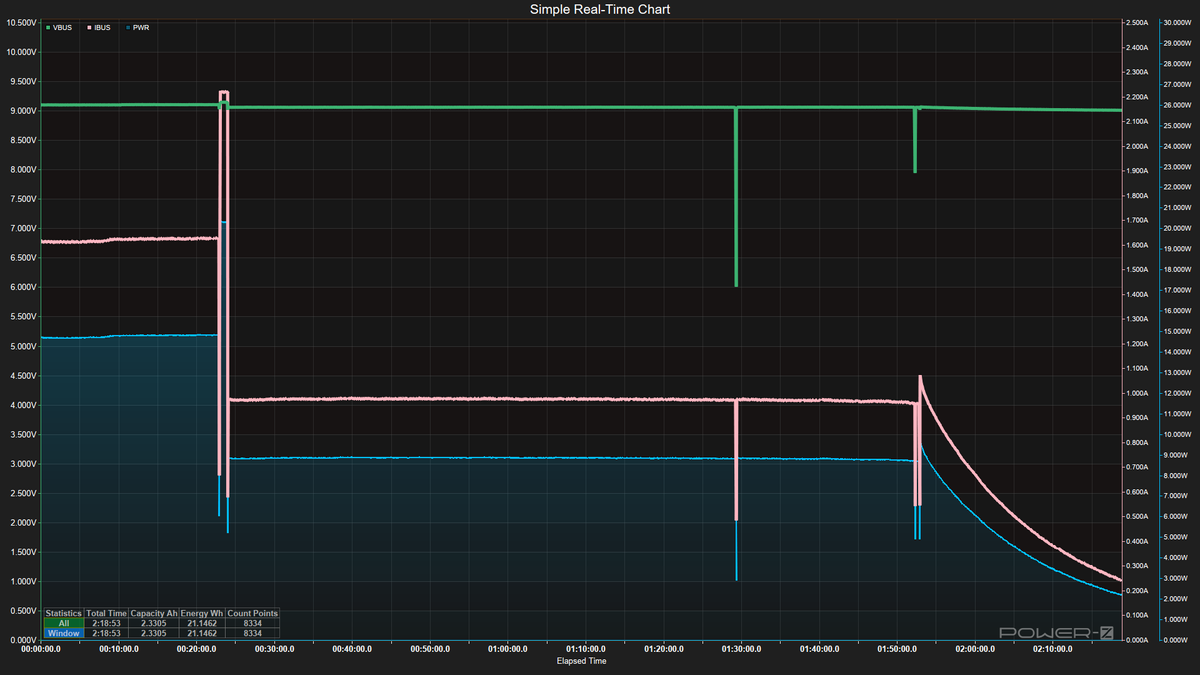
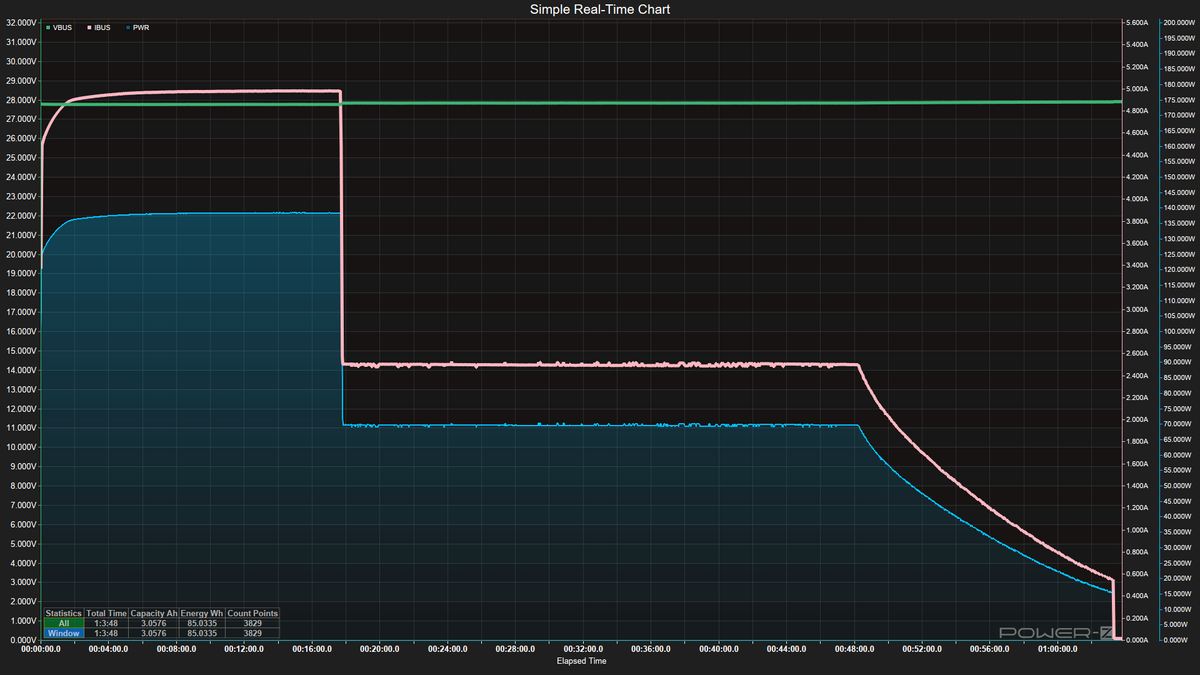
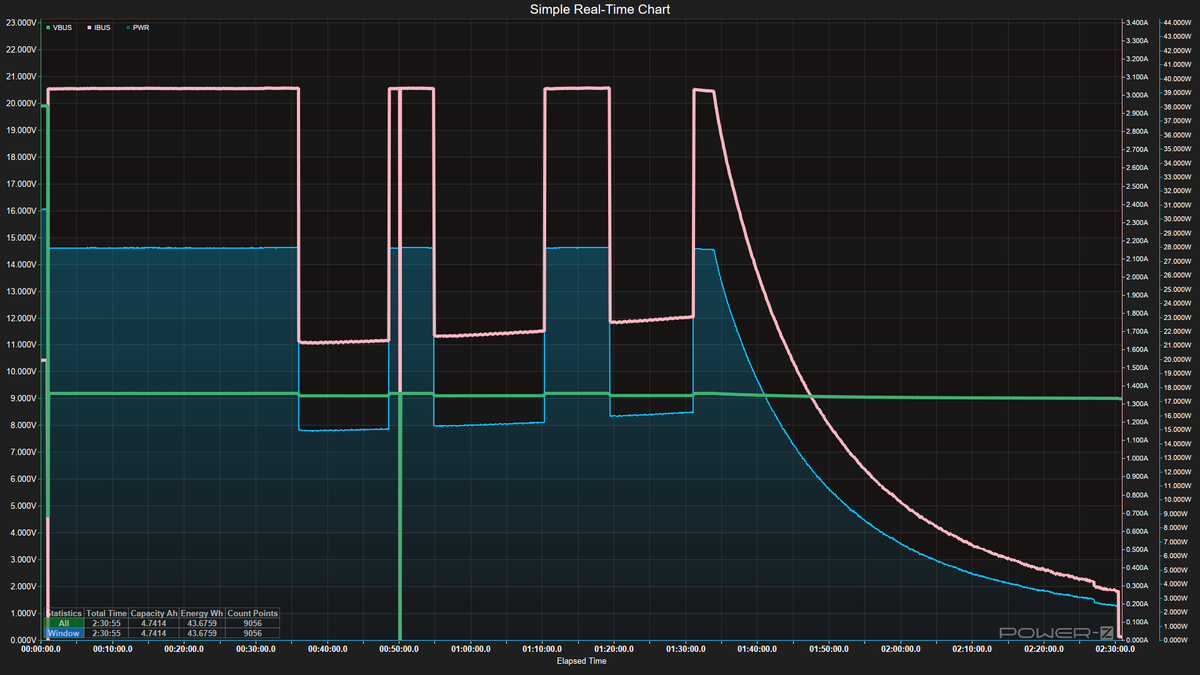
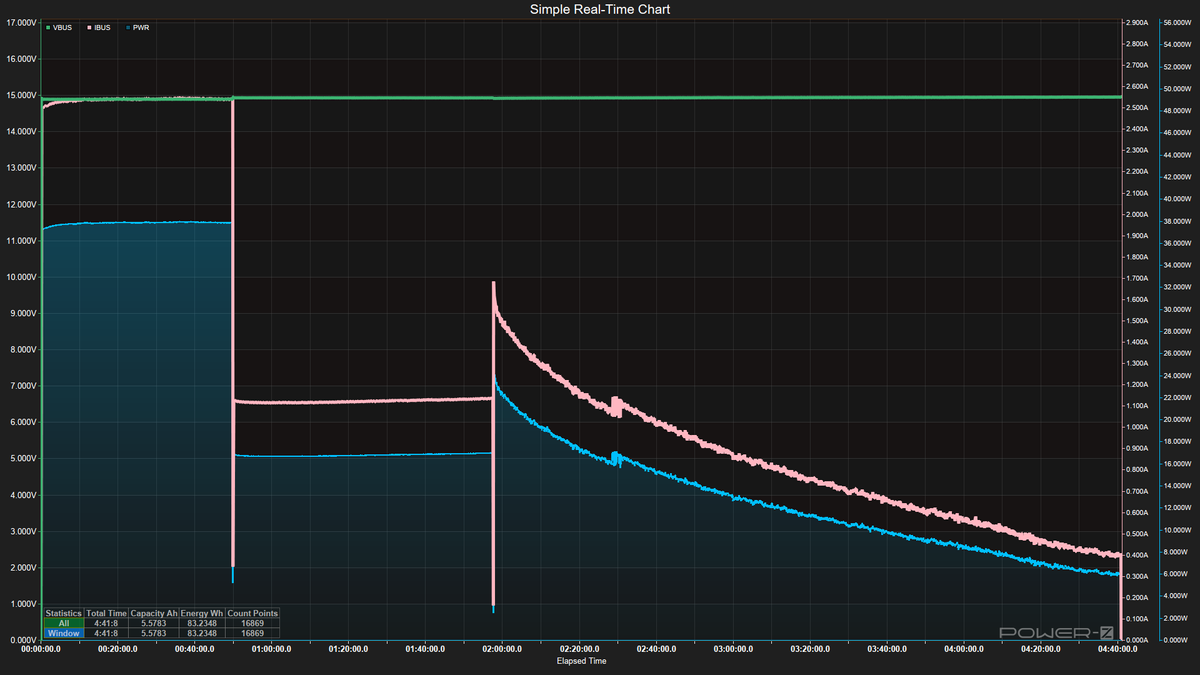
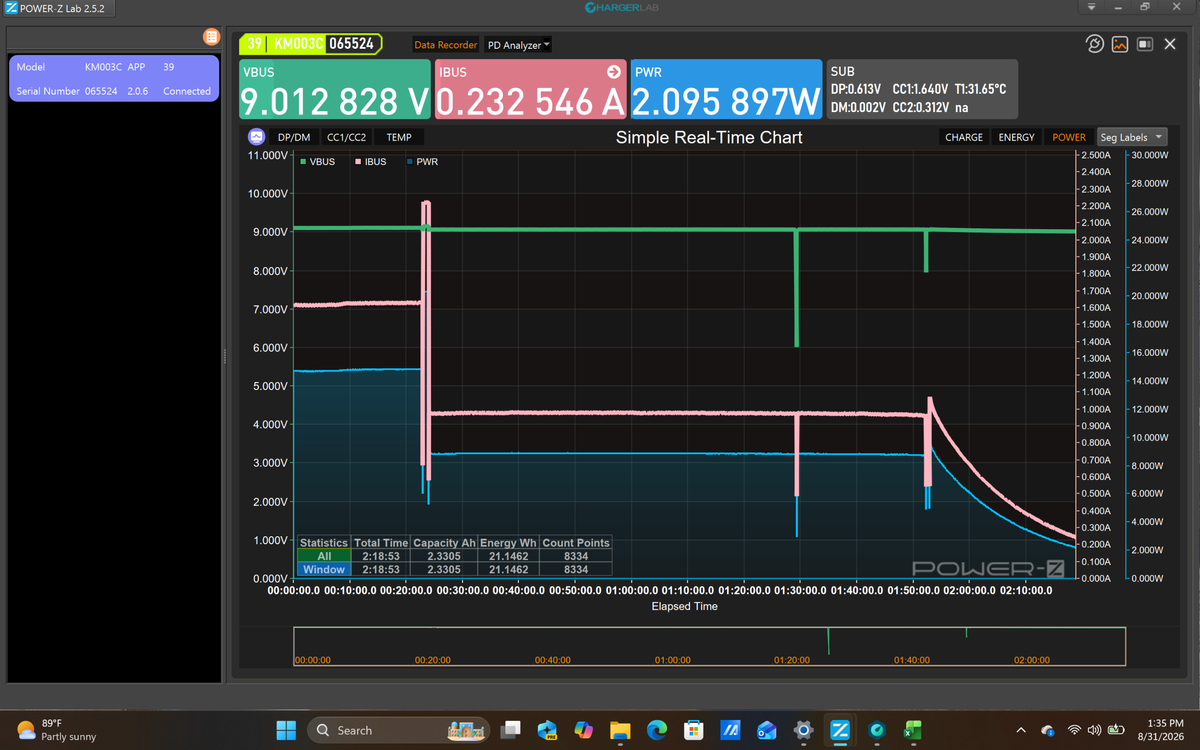
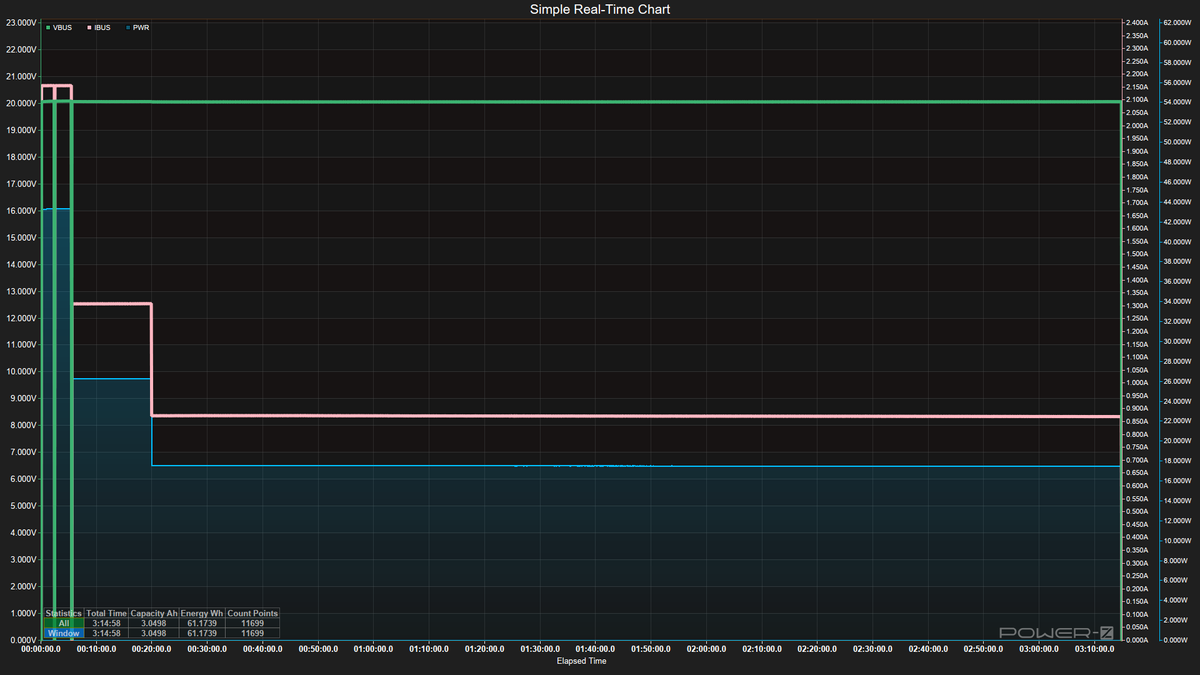
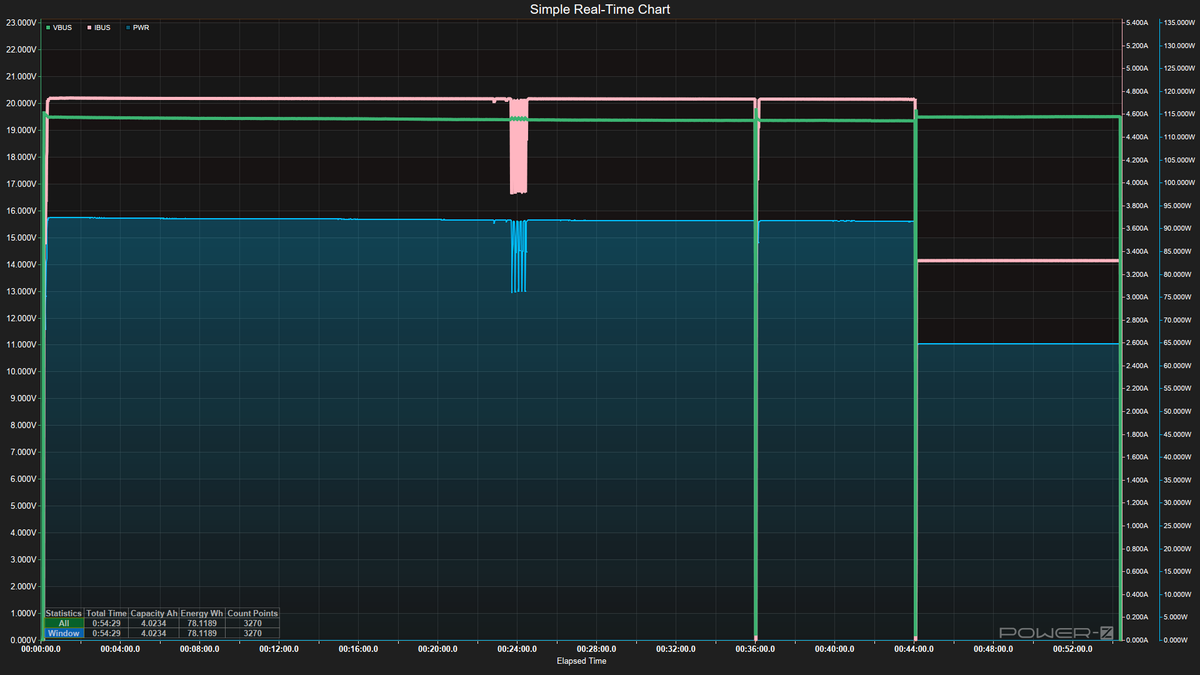
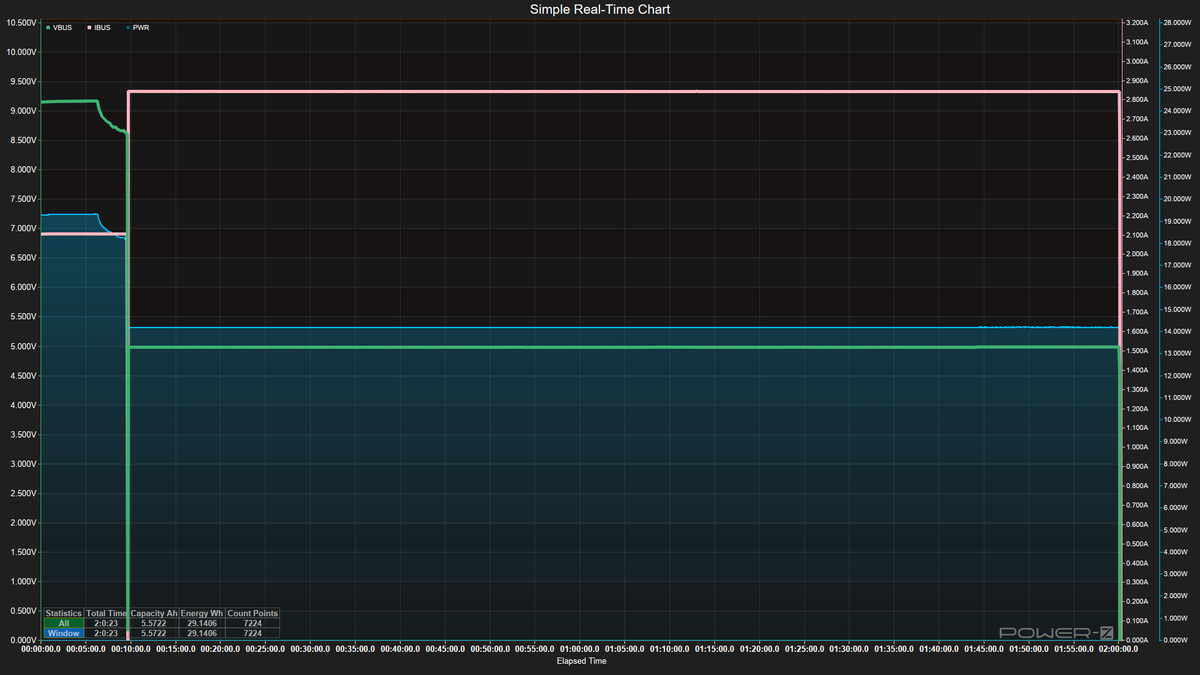
For testing, we first make sure the power banks are fully discharged before we begin. Next, we take the chassis temperature with the IR thermometer and connect the power bank to the Satechi desktop charger via a certified 240W USB-C cable, along with the Power-Z device. From there, we record the time to fully charge the device and the maximum sustained input wattage (which, as you’ll see, tends to drop due to temperature or at a point in charging where it slowly lowers the amperage/wattage, and sometimes voltage). We also record the maximum chassis temperature using the IR Thermometer.
(Image credit: Future)
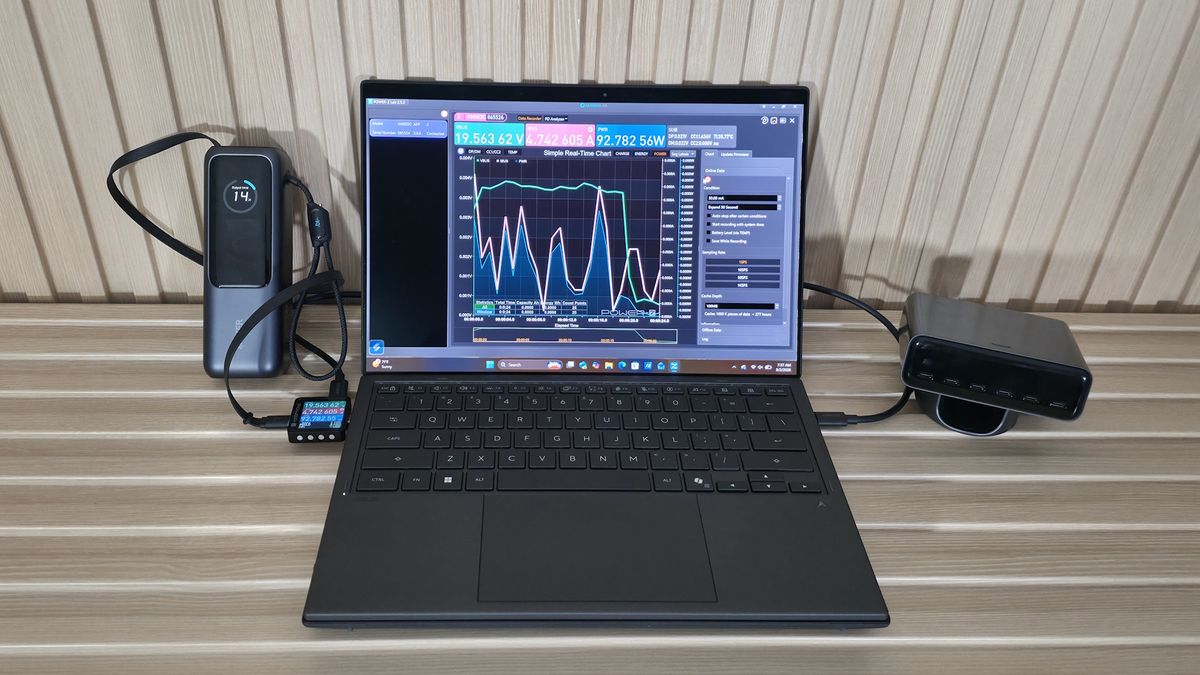
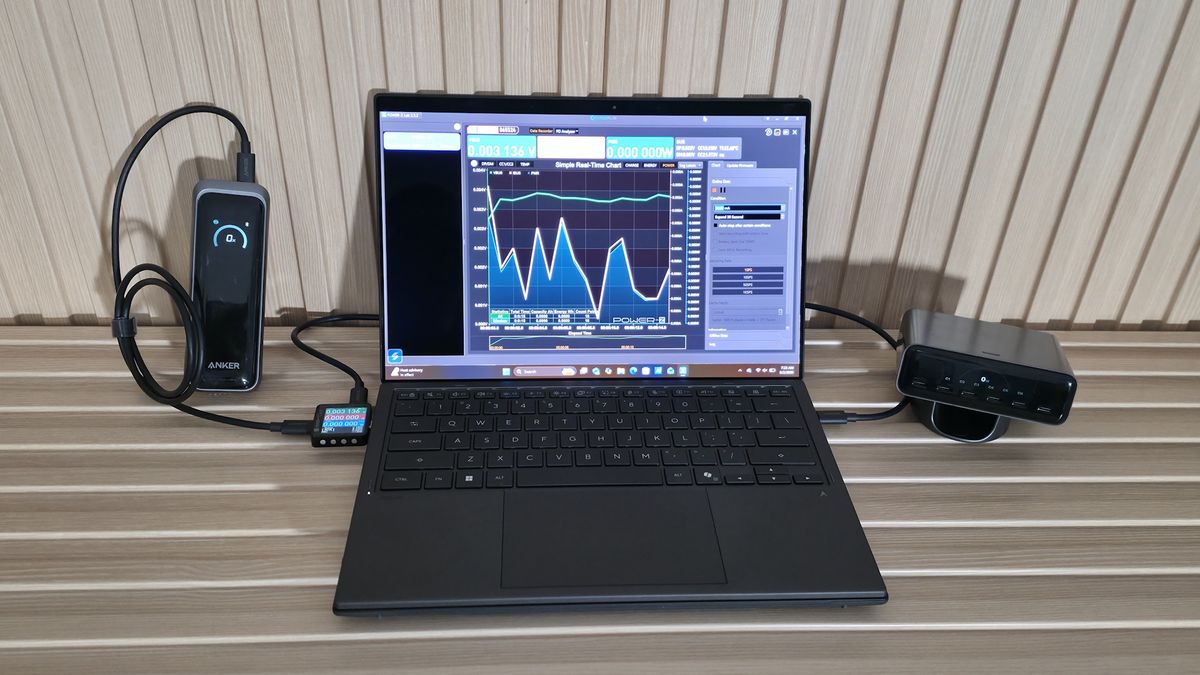
After fully charging a power bank, the next step is to discharge it using a constant load. In this case, we use the Asus Zenbook Duo as a real-world load up to ~93 W while running Cinebench for the CPU and FurMark to stress the integrated Intel Arc B390 graphics. This isn’t your basic budget laptop. At over $2,200, it packs an Intel Core Ultra X9 388H (5.1 GHz turbo, up to 80W), dual 14-inch Lumina Pro OLED touchscreens, and a 99 Wh charger.
Here, we test maximum and minimum output in watts and determine watt-hours (Wh) and milliamp-hours (mAh), with data gathered from the Power-Z device while discharging. We also record temperature readings at the start and at the maximum.
Once we have that data, we can determine the device's capacity efficiency, at least for testing the laptop and higher-voltage charges. As we mentioned earlier, mAh ratings on packages are inflated by voltage-conversion losses and are based on the internal battery cells' 3.7V voltage. The higher the voltage (and, of course, amperage/watts), the less mAh capacity a battery bank provides.
In our testing, the Zenbook Duo accepts 20V and up to 93W when it can, which is a worst-case scenario for smaller-output chargers, normal for higher-output chargers, and typical for laptops and higher-powered devices. If you’re only charging a smartphone or small tablet at lower volts, the value will be closer to the listed specifications. But it will differ when your smartphone charges at a lower voltage, often 9V for fast charging. Remember, output wattage (and voltage) determines charging speed, and for some people (or in some instances), that matters more than capacity.
After testing all of the power banks, we compiled all the data into the charts below.
Tested Power Banks
Tested Power Banks
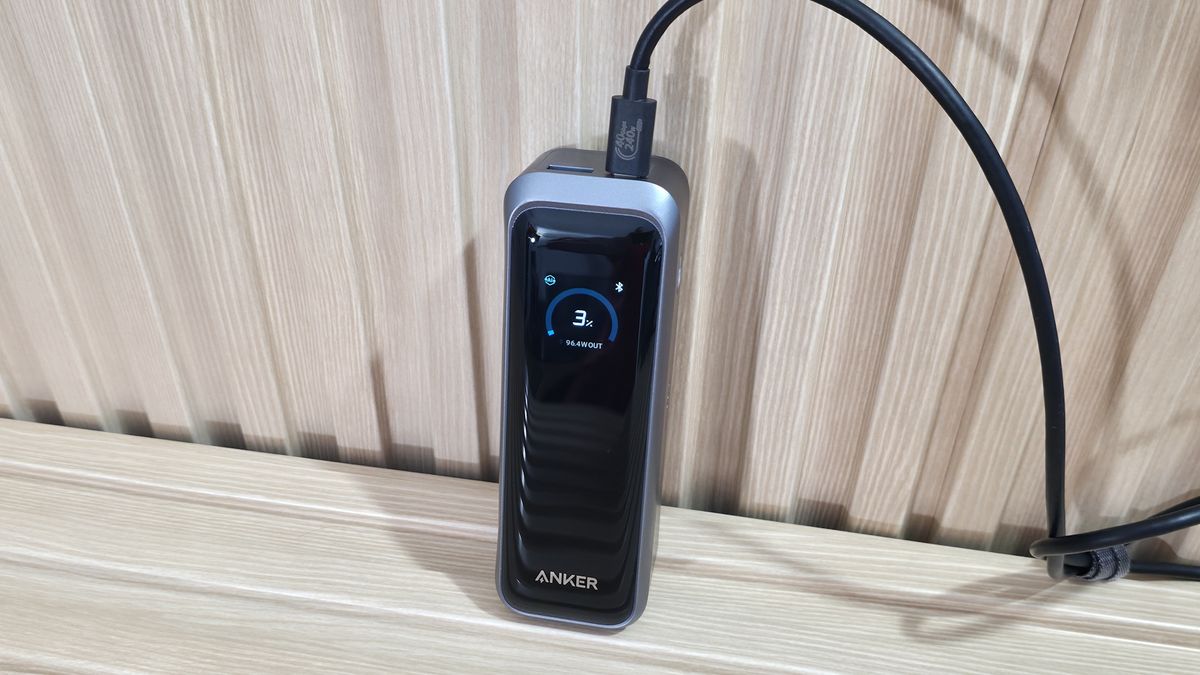
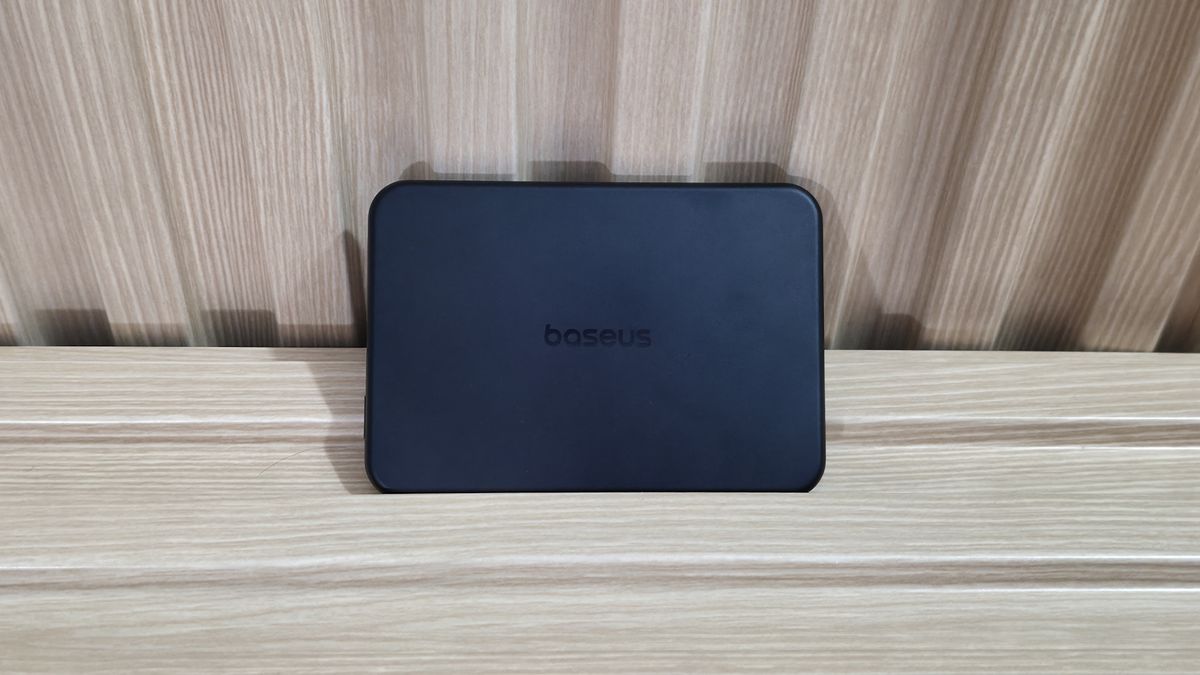
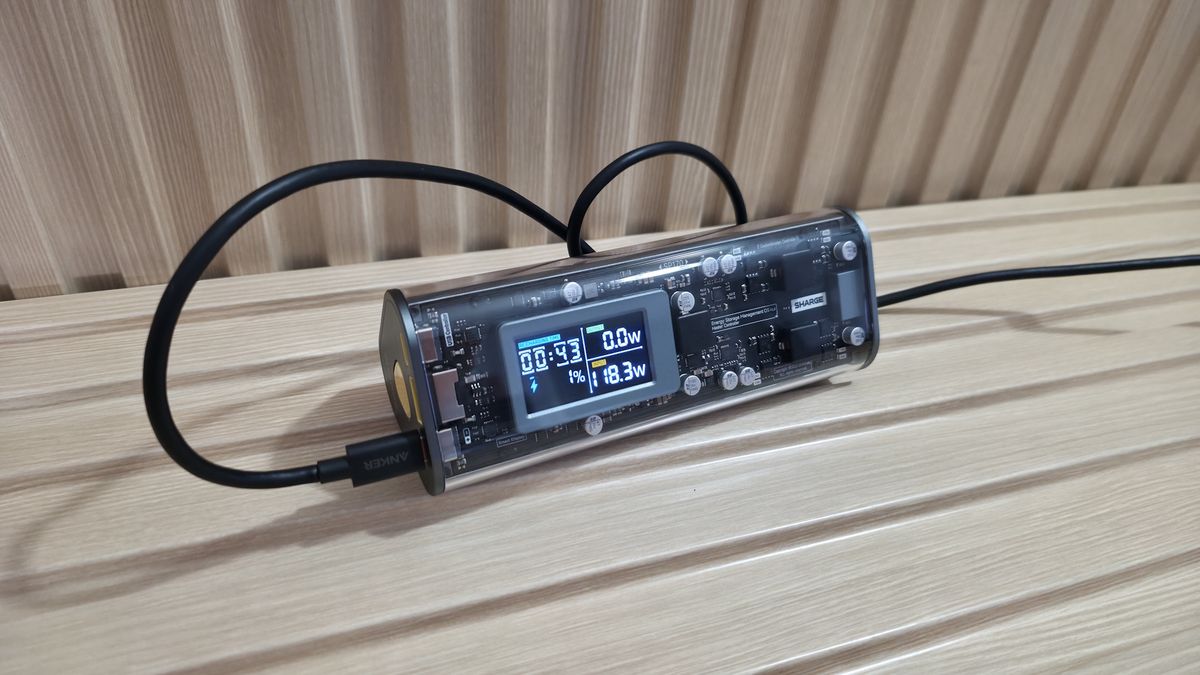
We captured some images of all the chargers during the test below. We also included a simple chart listing all the power banks tested, along with capacity, wattage, port/count type, safety features, and the current price (at the time of publication).
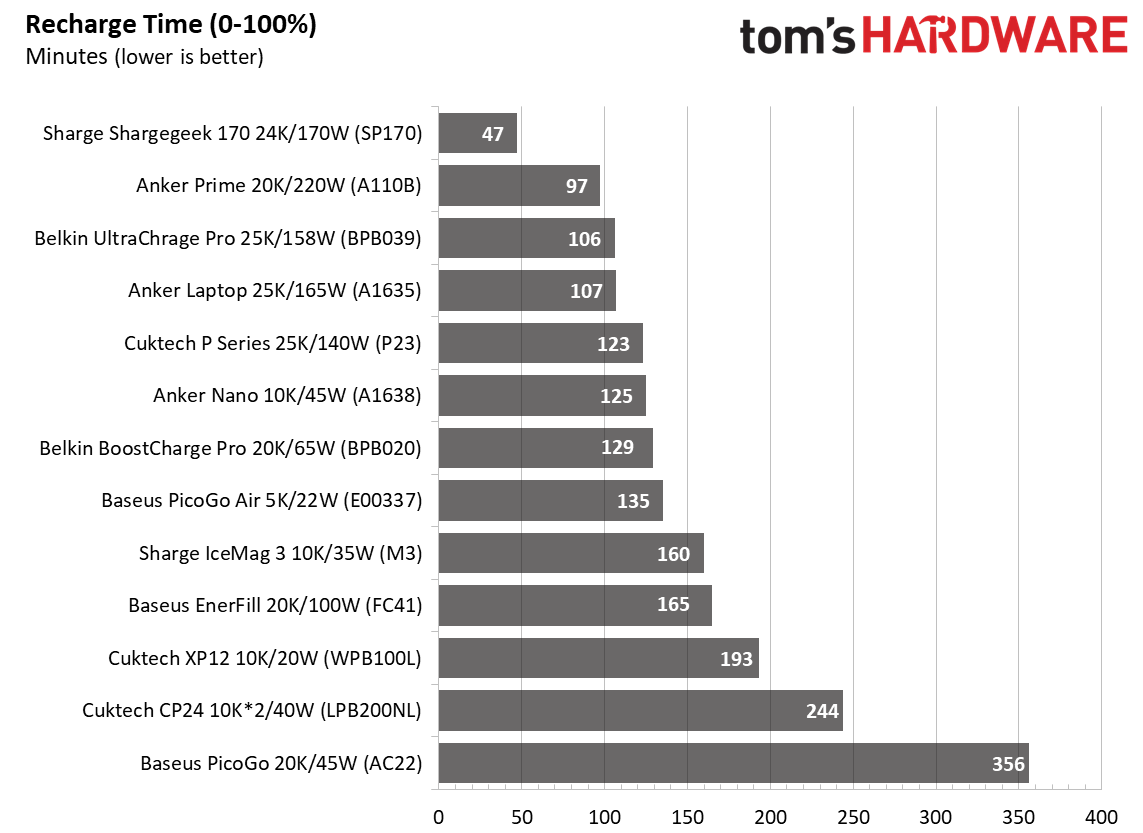
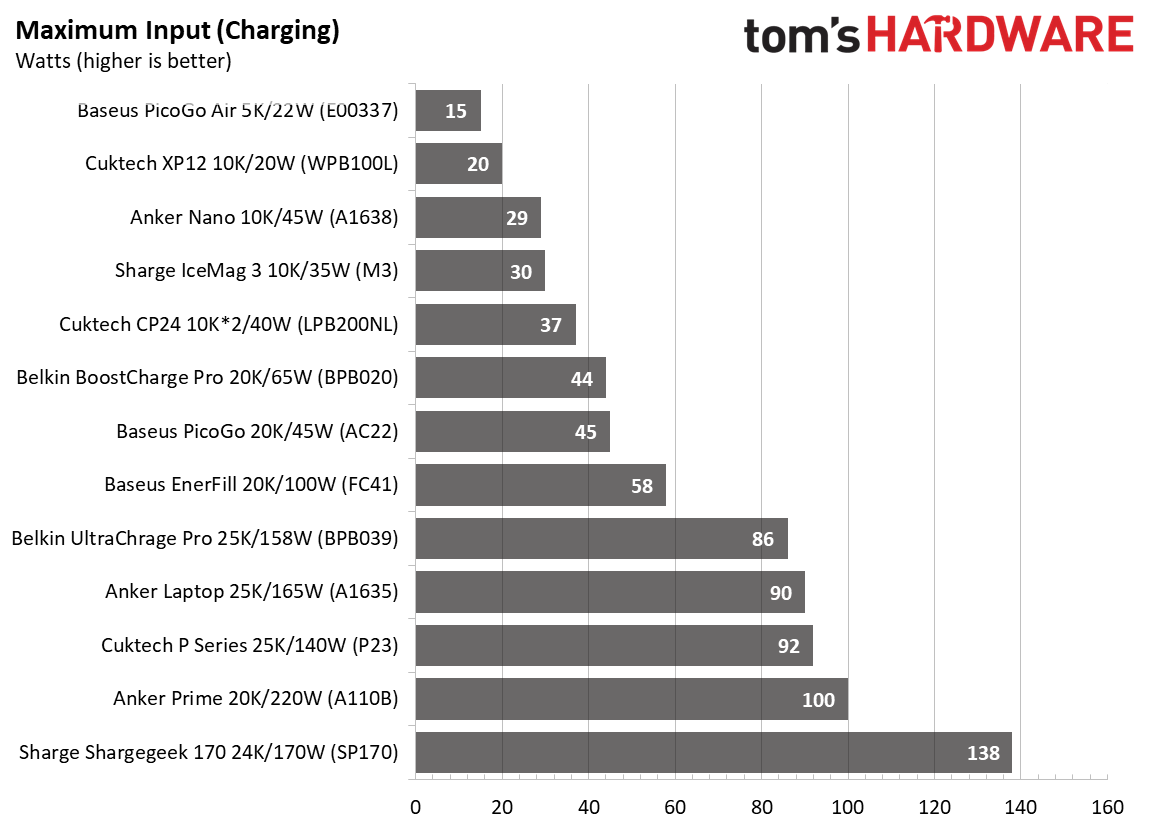
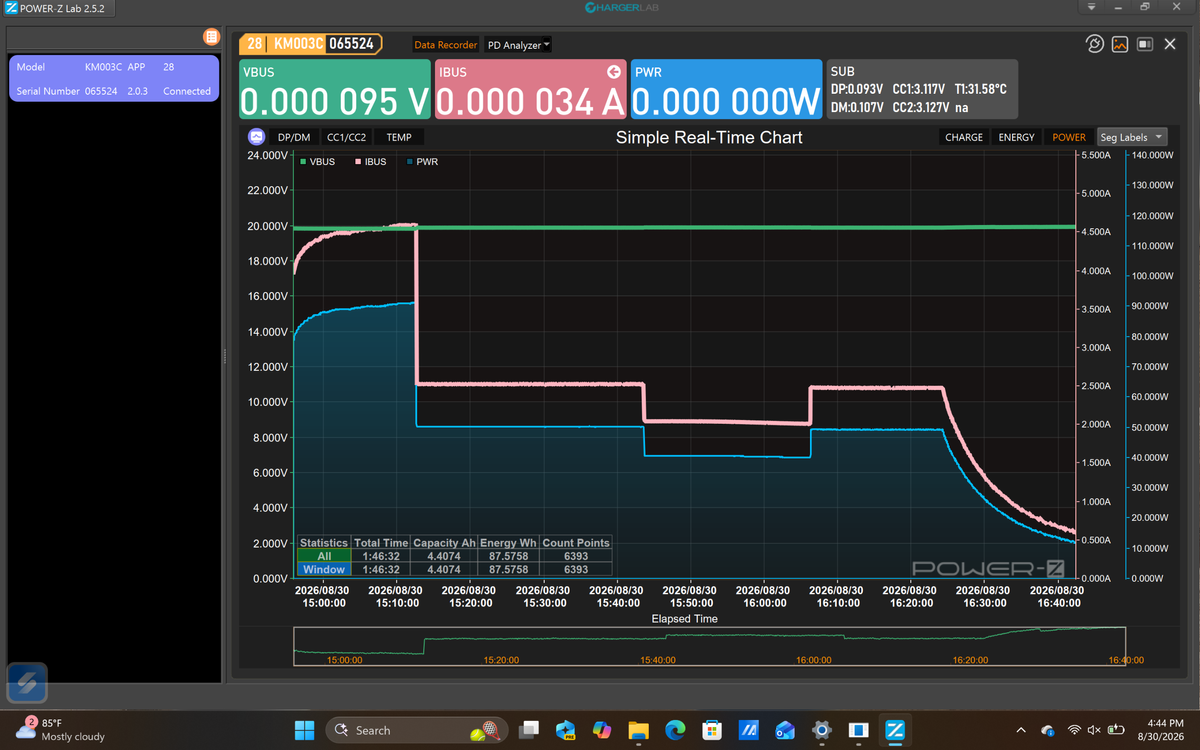
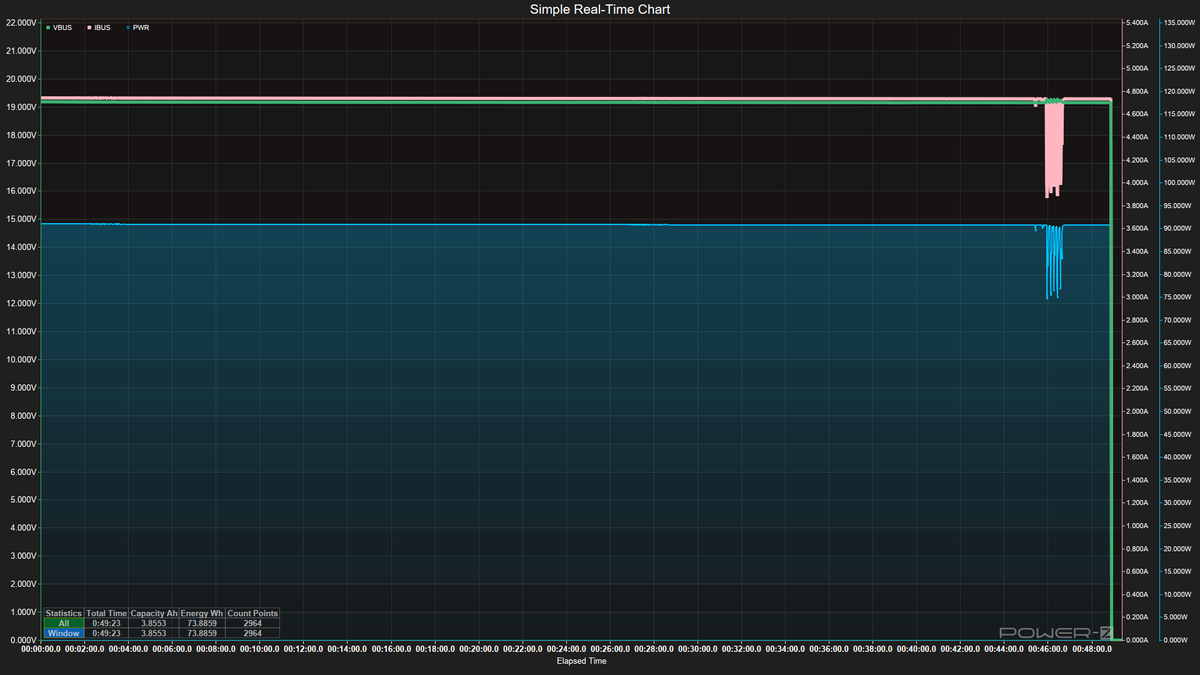
What surprised me most was how long a couple of these devices took to completely charge from empty. Cuktech’s CP12 and CP24 models and the Baseus PicoGo AC22 took over 2.5, 4, and 6 hours, respectively, to reach 100%. This is partly due to lower input wattage and/or how the device accepts power over time. Whether it's the voltage used, temperatures and potential throttling, or battery health and safety features, each handles the activity a bit differently. Others, like the Anker Prime or Shargegeek 170, offer much higher output and charge even higher-capacity devices much faster. In fact, the Shargegeek took under an hour to fill its 24K mAh coffers, accepting the most power (almost 140W peak) from our charger. Again, charging may not be a major concern for many people, but it’s good to know how long to expect your bank to reach full, since some are notably faster than others at the same capacity.
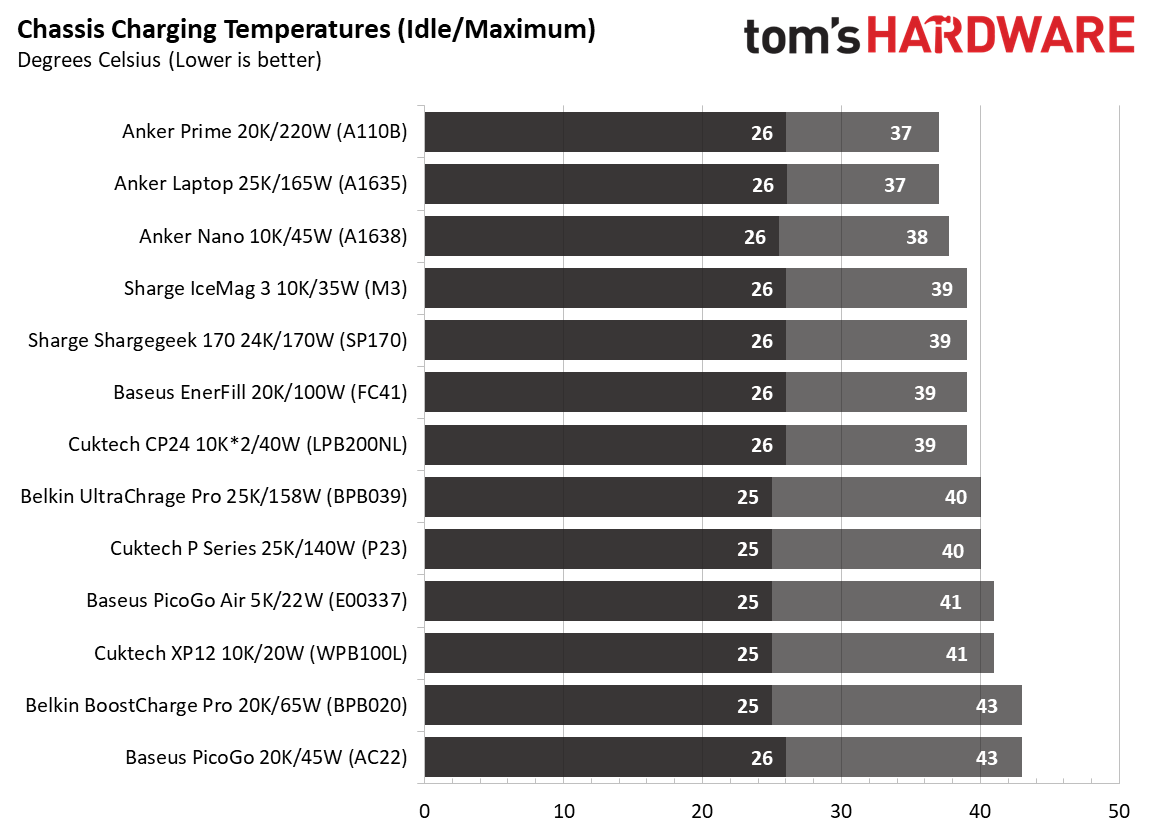
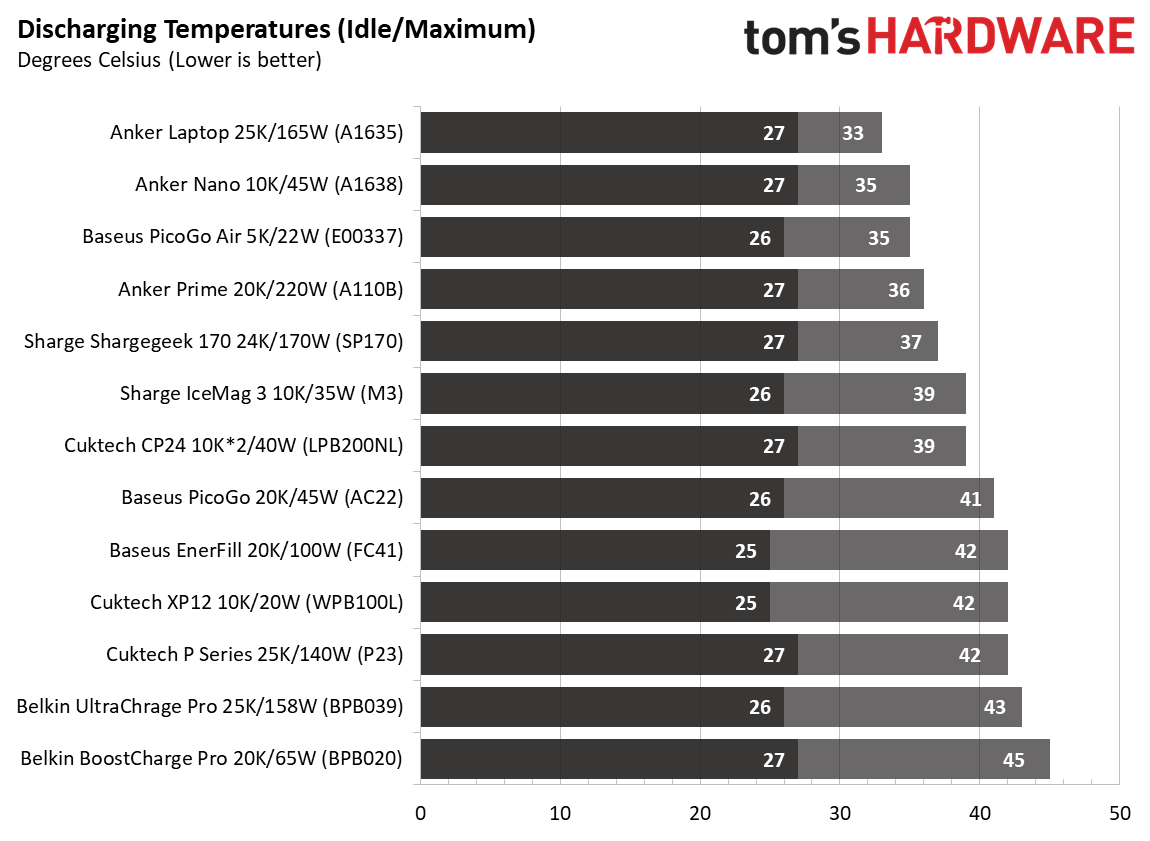
Temperatures didn’t play as obvious a role as they did in our charger testing. Lithium batteries perform best between 20 and 30 degrees Celsius, and the hottest device we covered was the Baseus PicoGo, which reached a peak chassis temperature of 43 degrees. The coolest of the bunch were the Anker Prime and Anker Laptop chargers, peaking at 37 degrees externally. These are all warm to the touch, but not hot — not something I would be particularly concerned about leaving out on a desk or table, in your purse or backpack, or even just sitting on the couch or a bed while charging your device(s).
But of course, it’s always good to keep charging devices somewhere you can see them regularly. Because batteries can, of course, be dangerous when things go very wrong, and there are at least two batteries cycling when you’re using a power bank.
Image 1 of 15
(Image credit: Future)
(Image credit: Future)
(Image credit: Future)
(Image credit: Future)
(Image credit: Future)
(Image credit: Future)
(Image credit: Future)
(Image credit: Future)
(Image credit: Future)
(Image credit: Future)
(Image credit: Future)
(Image credit: Future)
(Image credit: Future)
(Image credit: Future)
(Image credit: Future)
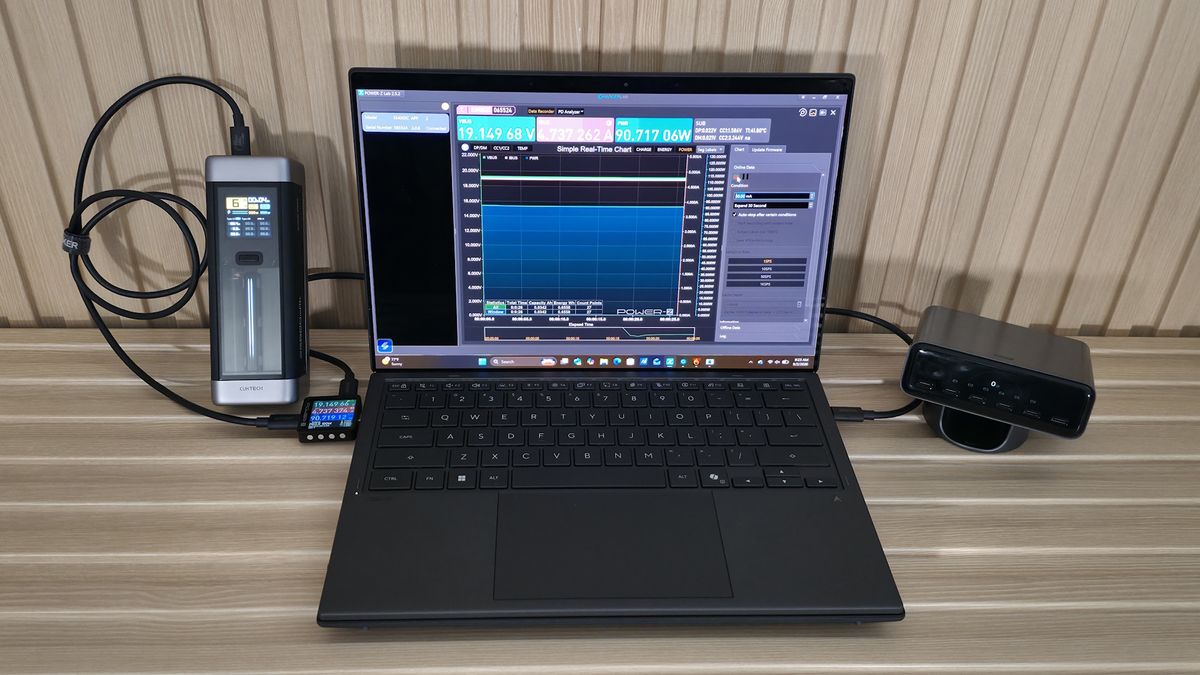
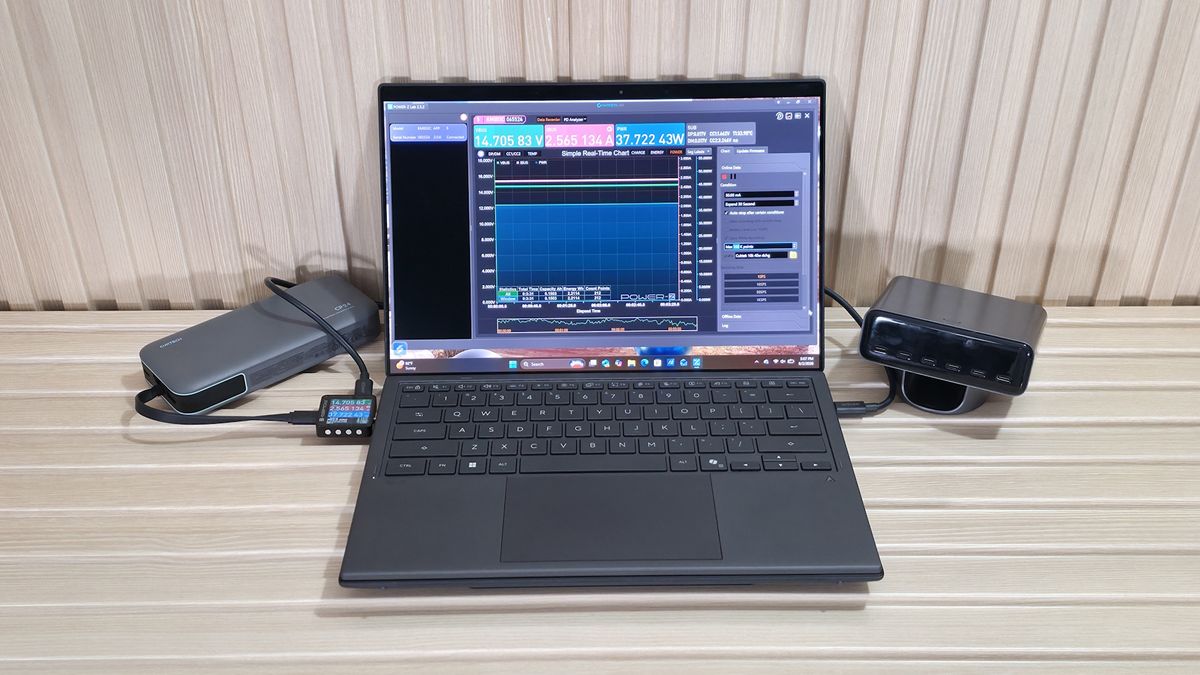
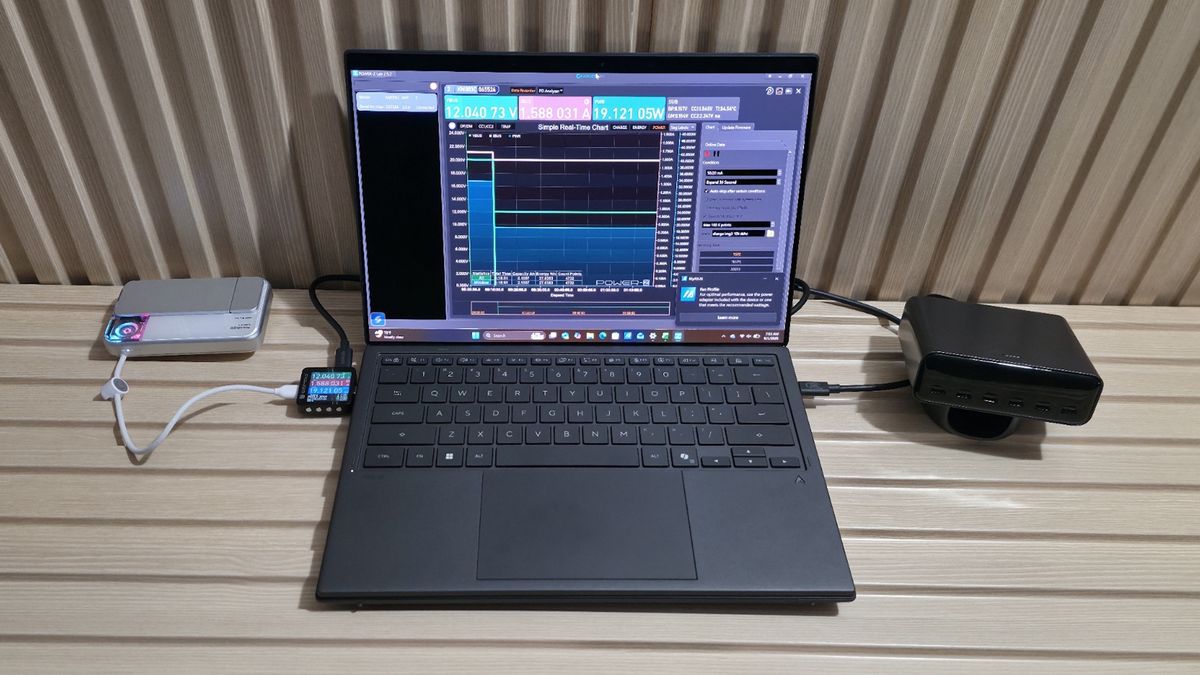
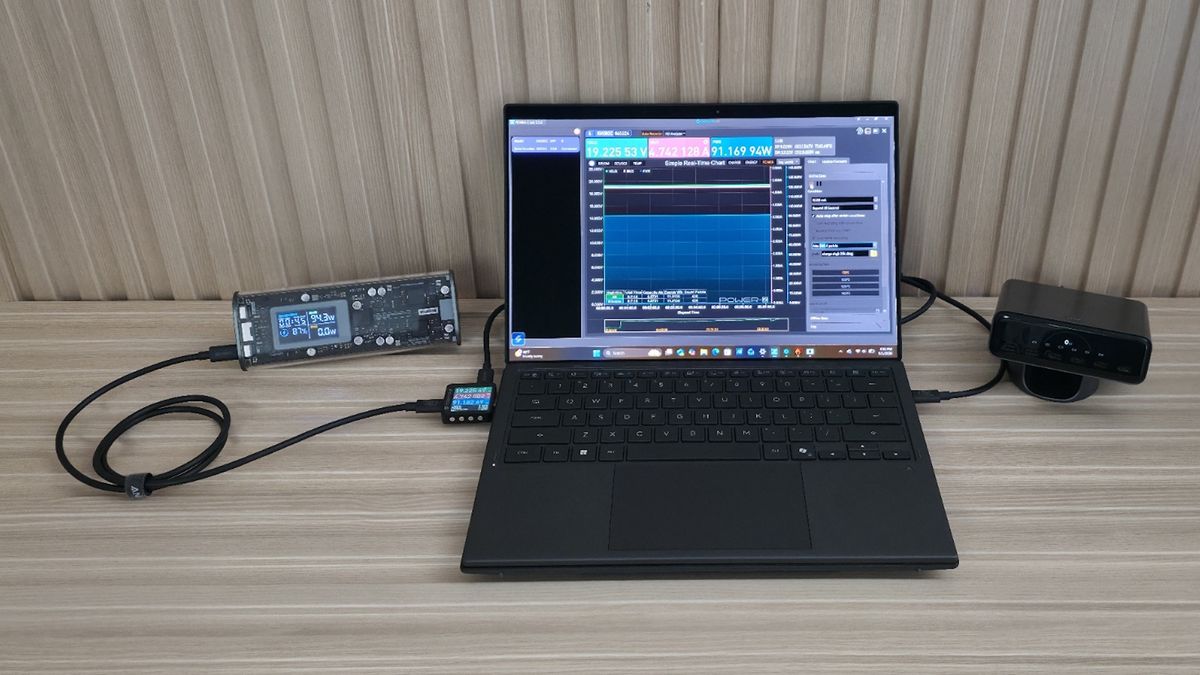
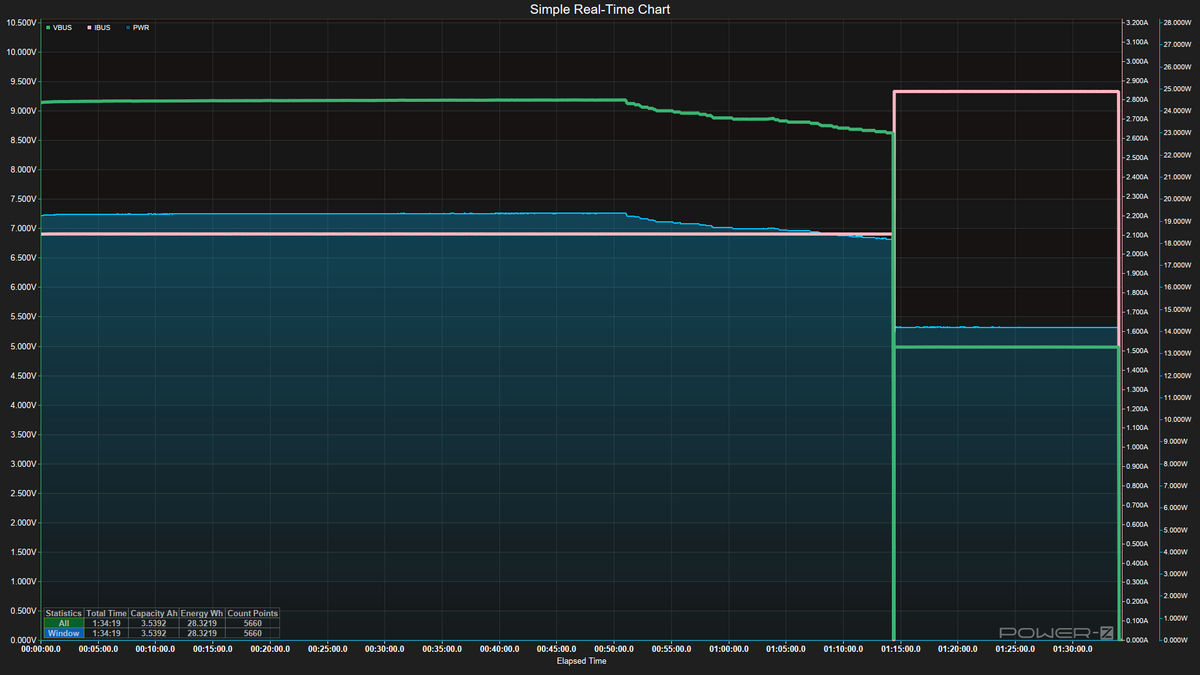
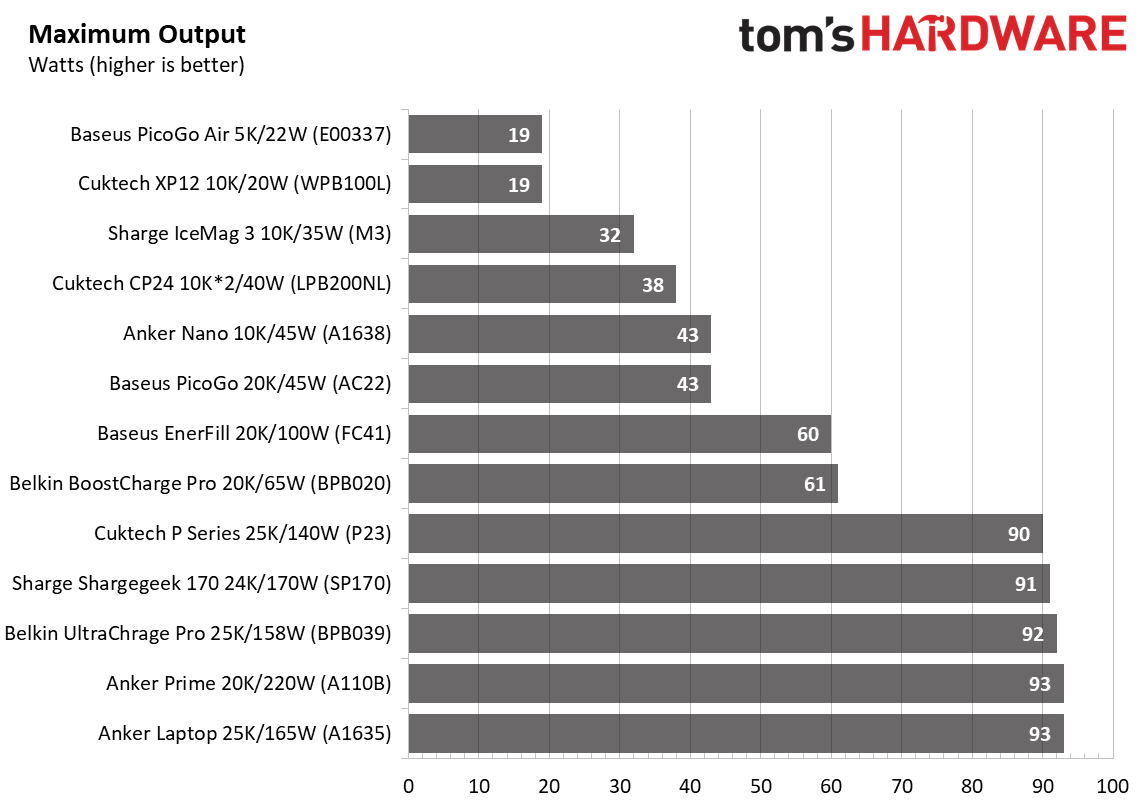
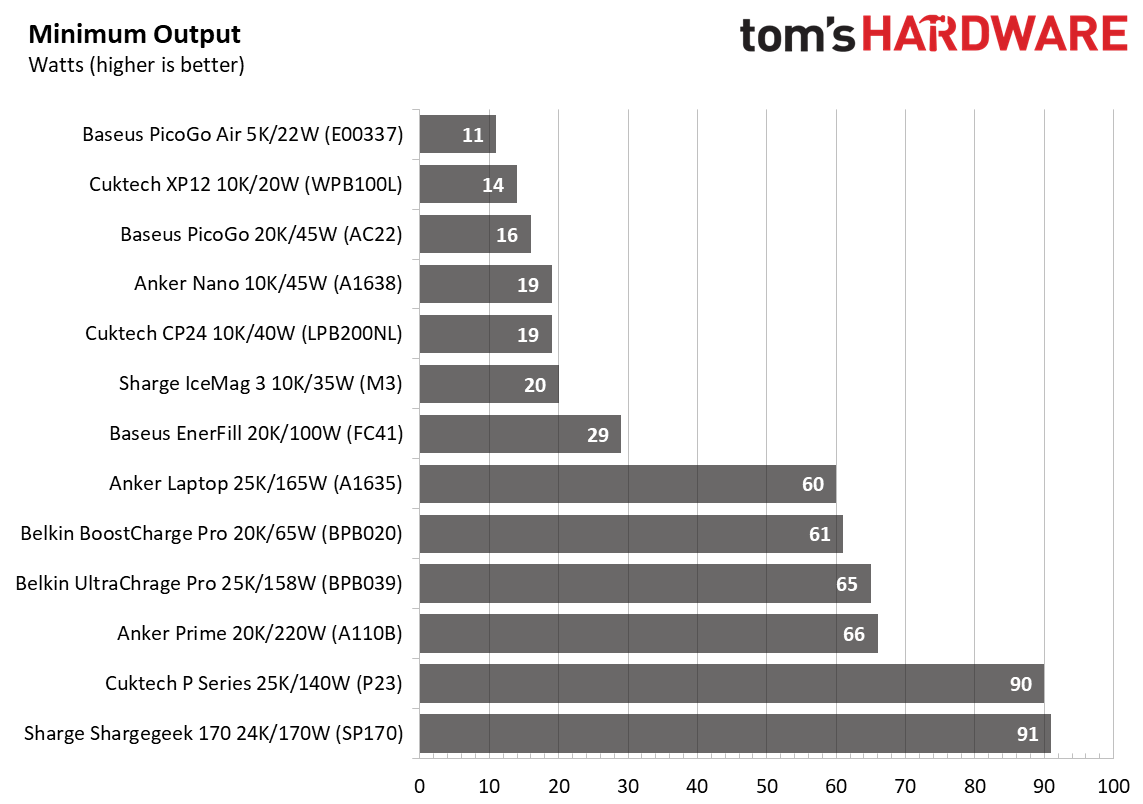
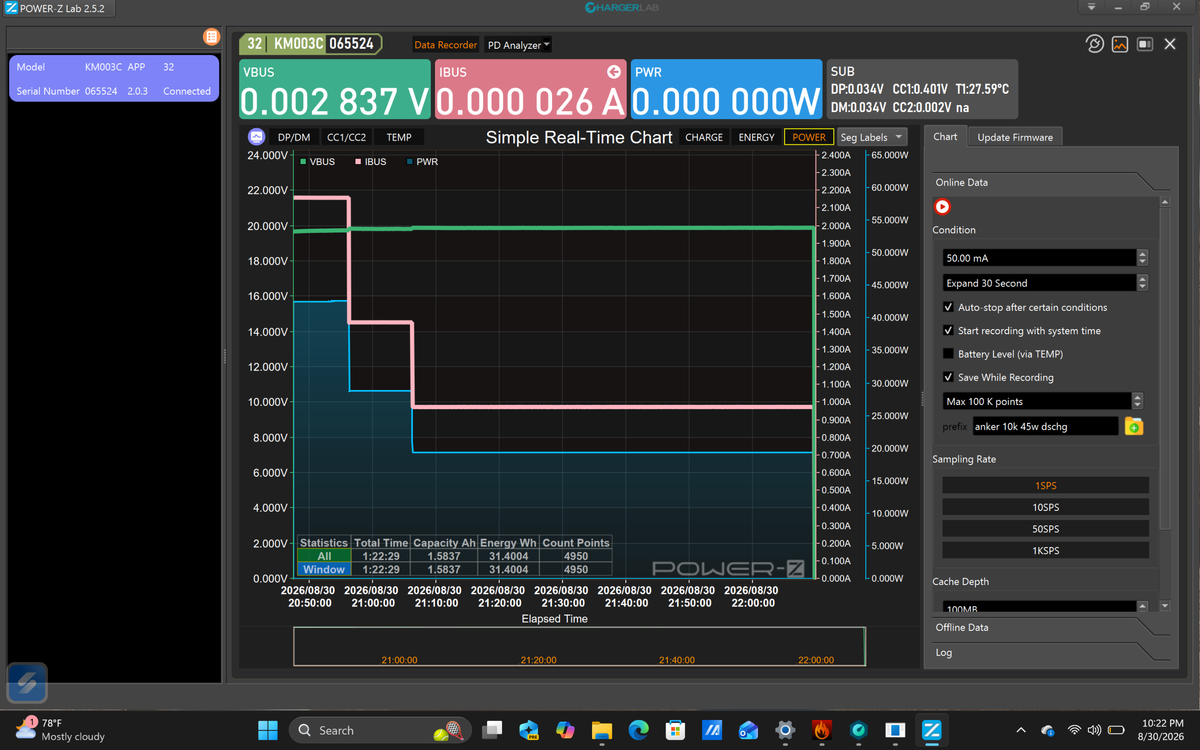
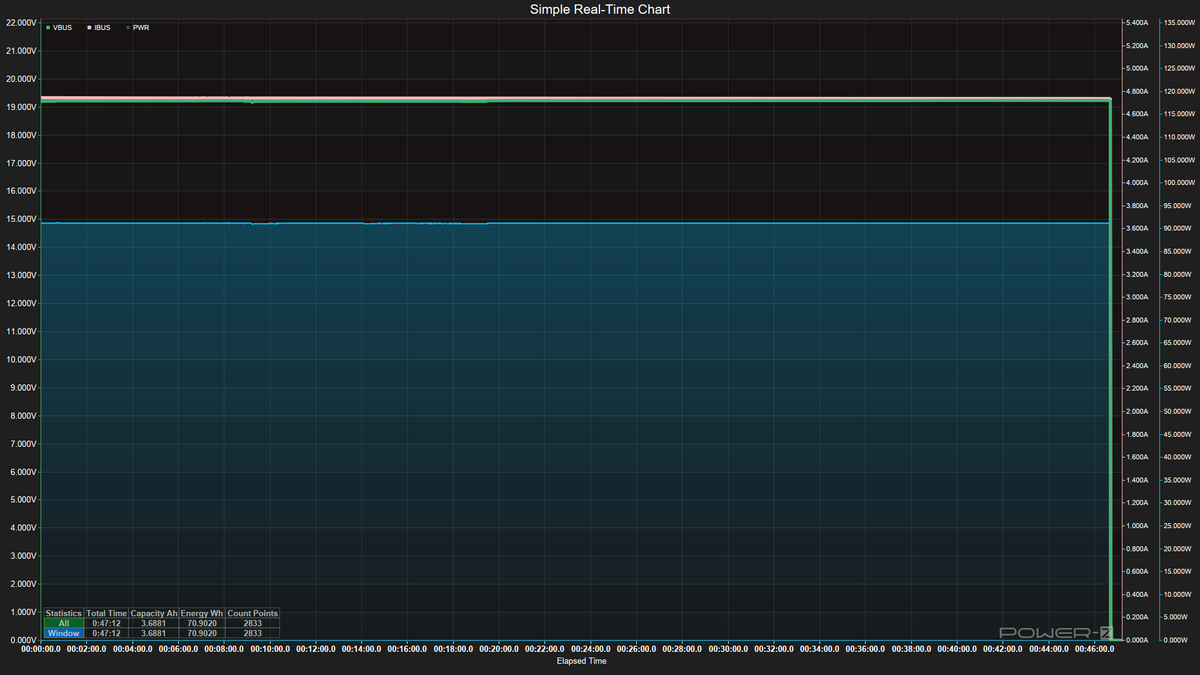
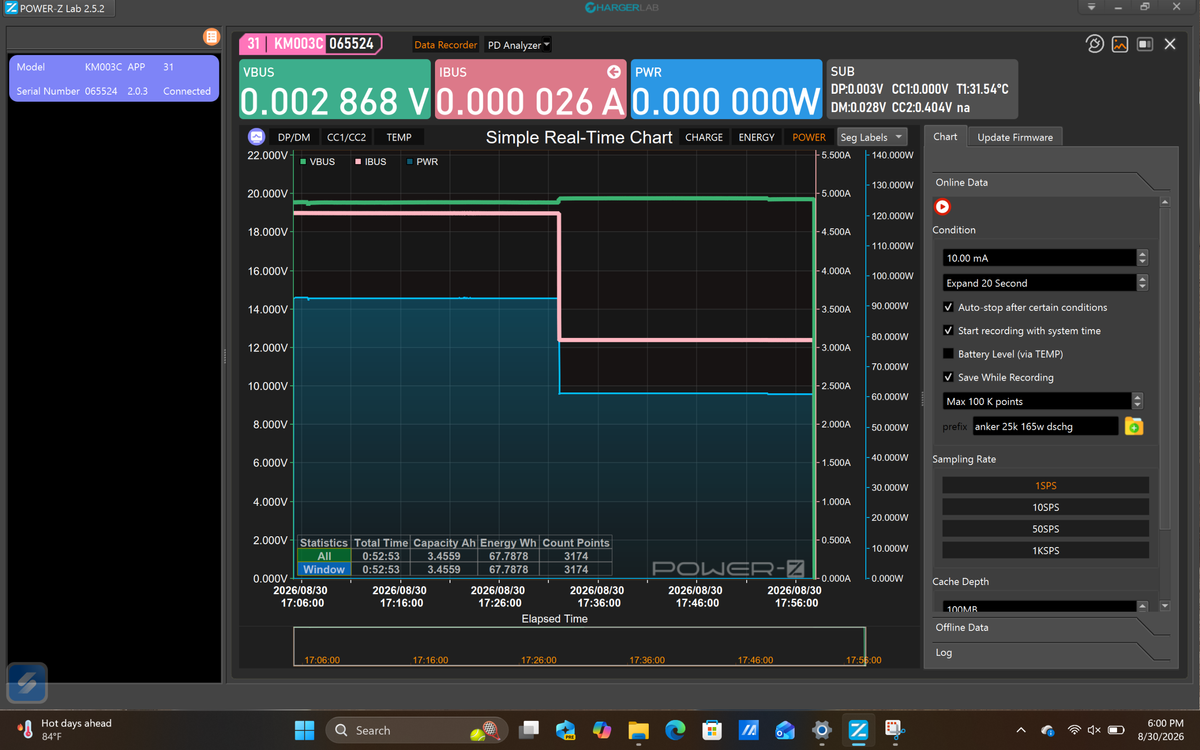
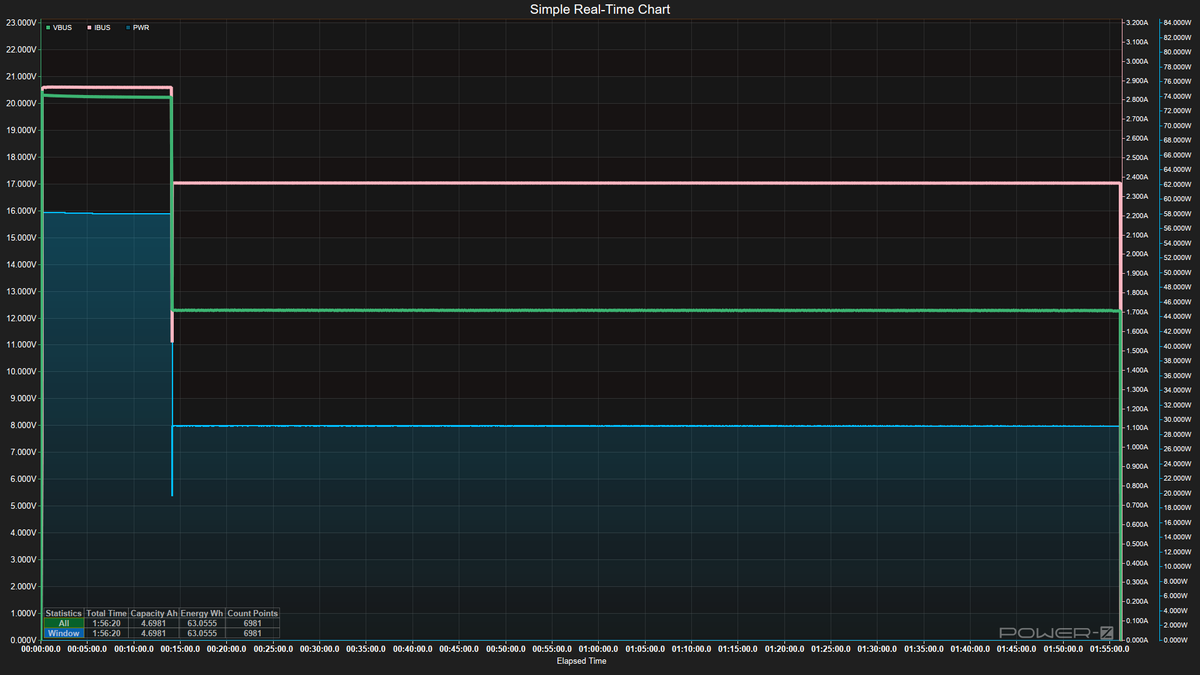
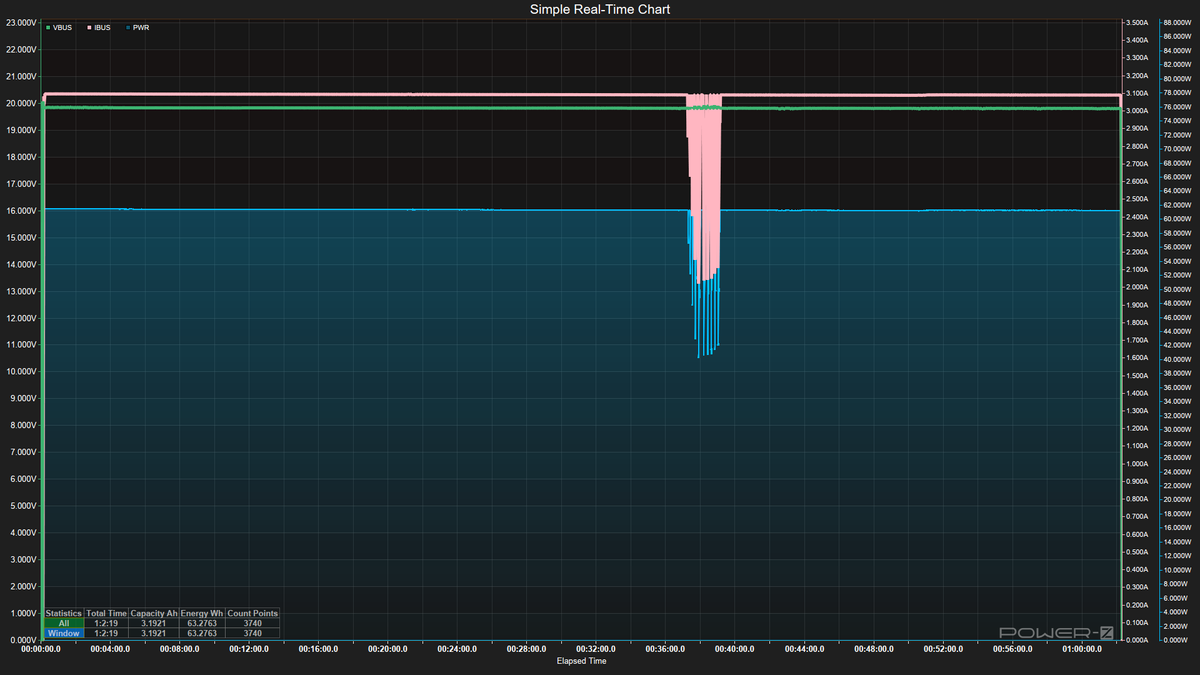
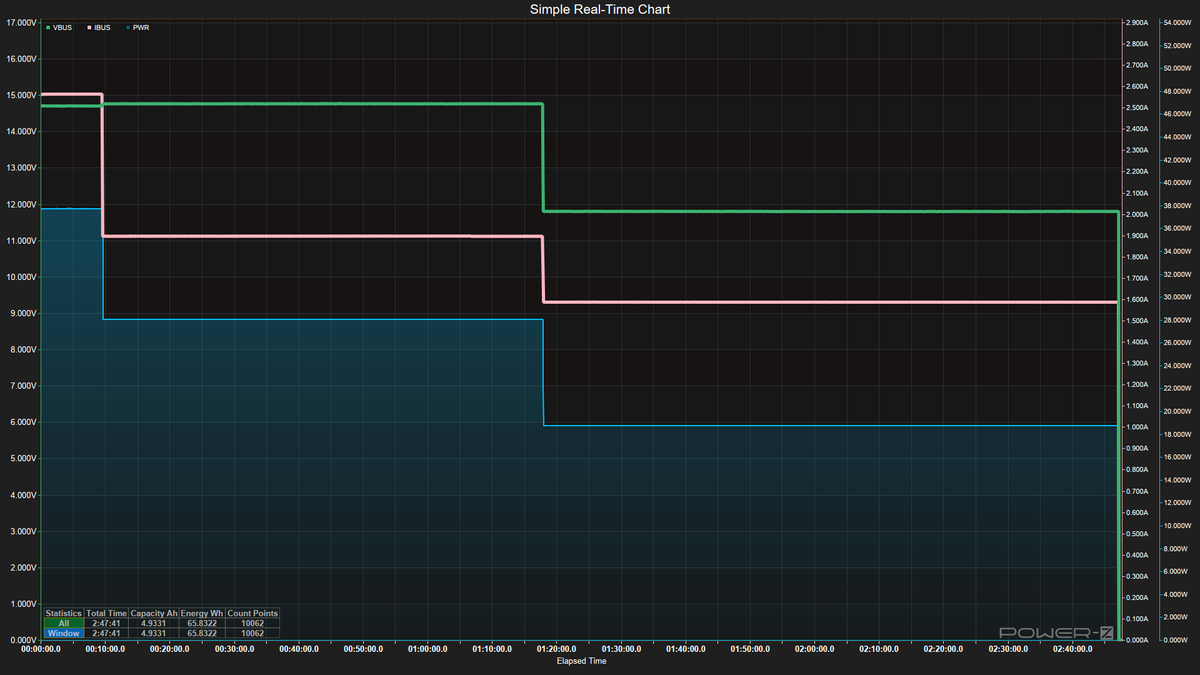
Discharging didn’t bring too many surprises. A rare couple, like the Shargegeek 170 and Cuktech P23, maintained output throughout the entire discharge tests, while most others dropped voltage, amperage/wattage, or both. This matches how many devices charge: they use a lot of power/voltage initially, then drop to lower values to protect battery health (or due to thermal throttling).
We see a lot of ads about charging X device to Y% in Z minutes, and the higher the sustained output (assuming your device can take it), the faster it charges. For those that did drop, the differences were somewhere between 33% and 50% of the peak output.
Image 1 of 4
(Image credit: Future)
(Image credit: Future)
(Image credit: Future)
(Image credit: Future)
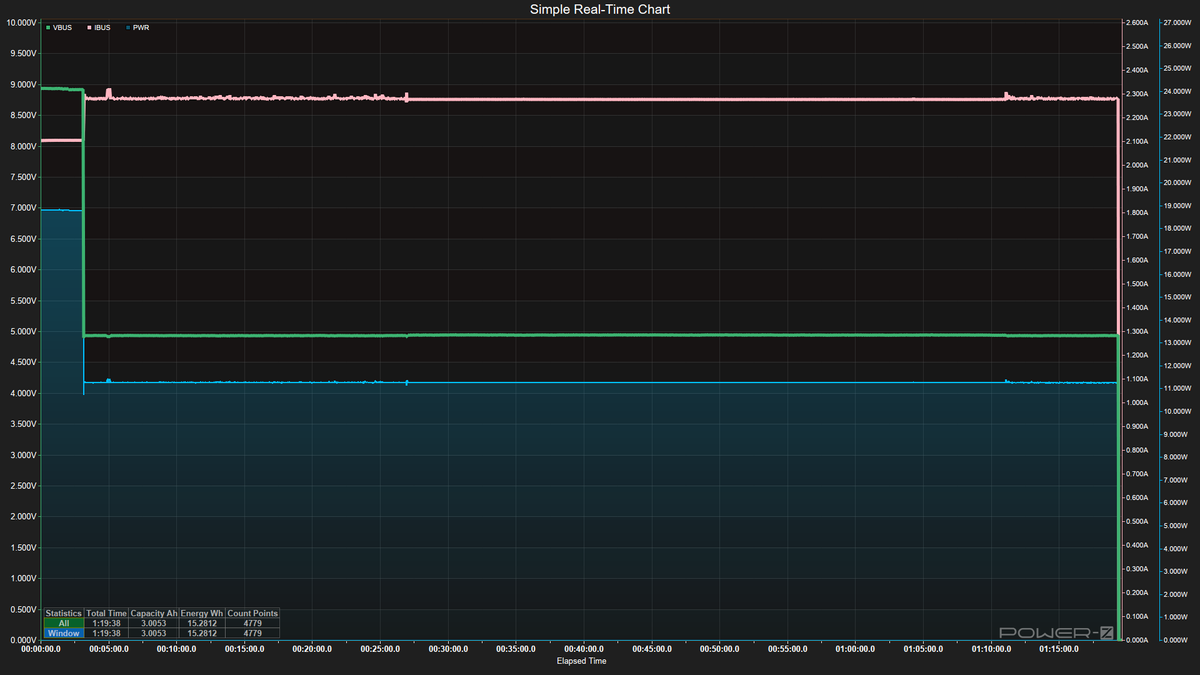
The one thing I found surprising here was how quickly some power banks stopped outputting at their maximum. For instance, the Baseus PicoGo dropped from its peak just four minutes into testing, while the Shargegeek 170 pumped a constant 90+ Watts until it was empty – no subtle voltage changes, just 20V/90W full tilt until the very end. Belkin’s Ultracharge also maintained its full output over time.
Image 1 of 16
(Image credit: Future)
(Image credit: Future)
(Image credit: Future)
(Image credit: Future)
(Image credit: Future)
(Image credit: Future)
(Image credit: Future)
(Image credit: Future)
(Image credit: Future)
(Image credit: Future)
(Image credit: Future)
(Image credit: Future)
(Image credit: Future)
(Image credit: Future)
(Image credit: Future)
(Image credit: Future)
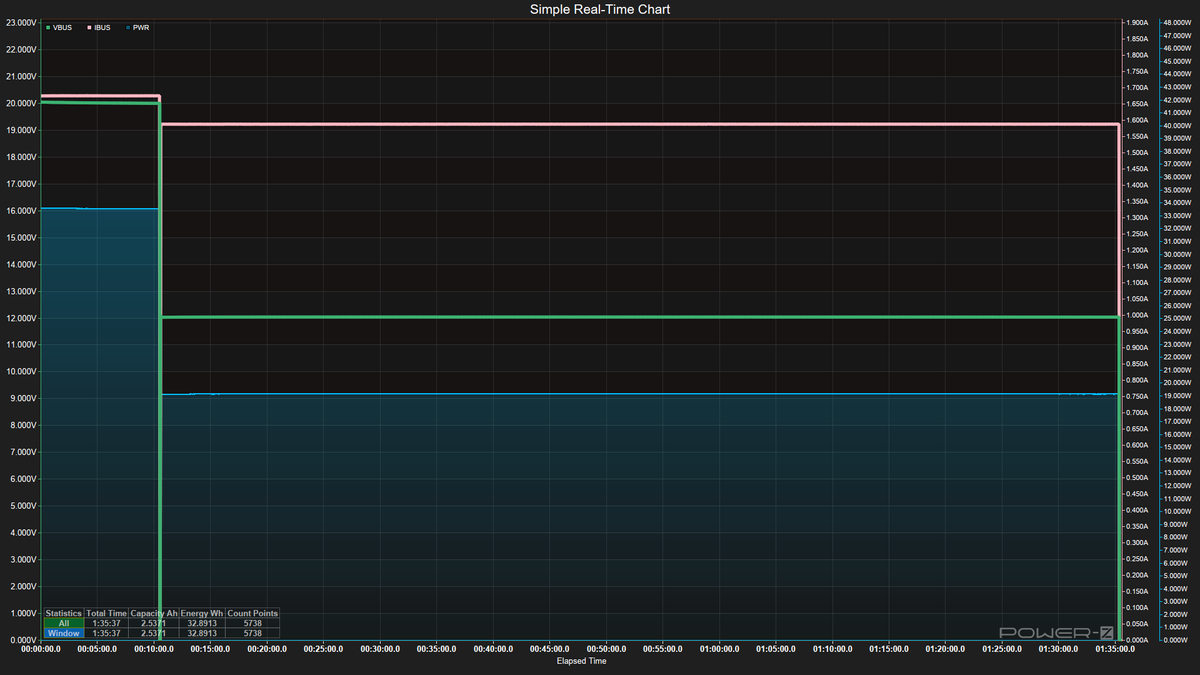
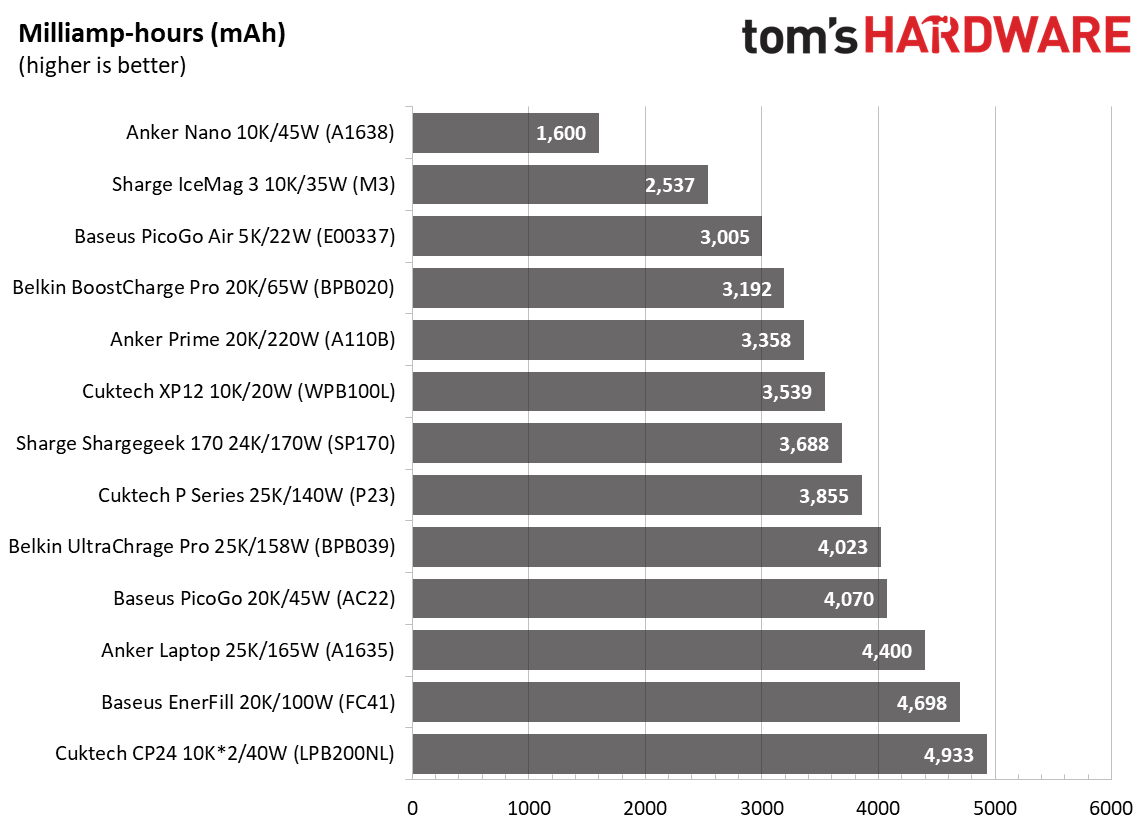
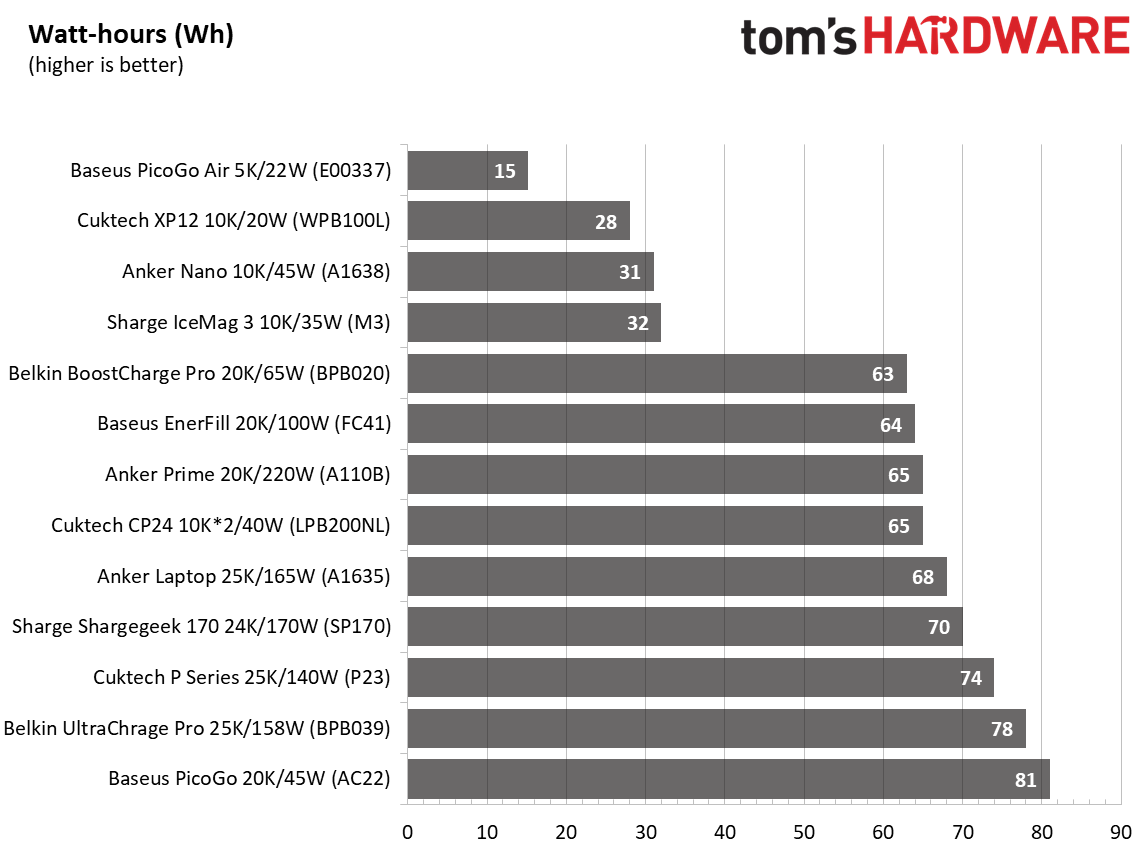
Below are the results covering capacity, output, and the actual capacity from our testing. The Anker Nano (A1638) had the least capacity when charging a laptop, at 1,600 mAh out of 10K. It spit out over 40W of output for a short time and stepped down to 20W, about 20 minutes in.
The Baseus Picogo Air and its slim design managed the highest actual capacity, but this is more a function of its limited 9V output and a quick drop from 19 to 11W. This tiny little device is great for a phone, but not ideal for larger items like our laptop. The large 24K Shargeek 170 sits in the middle of the pack, since it can output the full 20V and 90+W constantly.
Image 1 of 3
(Image credit: Future)
(Image credit: Future)
(Image credit: Future)
Conclusion
Conclusion
After testing all 13 power banks, there really isn’t a single ‘best’ bank. It comes down to what you’re charging and how patient you are. If you’re mainly topping off a phone or small tablet, capacity efficiency matters more than raw output. The Baseus PicoGo Air (currently $49.99 on sale), with its tiny footprint, shines here, squeezing out the highest actual-versus-listed capacity because of its lower 9V charging output. It’s small, light, and fits easily into a bag or purse; just don’t expect it to do much for a laptop, but it will easily charge a modern smartphone.
For laptop charging, the Shargeek 170 (currently on sale for $79.90) and Cuktech P23 $109.99 stood out by maintaining peak output (90+W @ 20V) through discharge instead of stepping down like most other power banks. At under $80, the Shargeek is a steal compared to the Cuktech.
Although others will charge laptops fine, that consistency could mean the difference between a predictable fast charge and a slower charge over time due to pre-programmed behavior or thermal throttling. The
deserves a mention for charging laptops, too, as it pairs high output, fast charging, and the coolest chassis temps. However, it is the most expensive power bank we’ve tested. While it and others do come with informative displays, it’s up to you if that’s worth the premium.
If you’re concerned about the speed of charging the power bank, stay away from the Baseus PicoGo (AC22), Cuktech CP24, and CP12 – they took anywhere from 2.5 to 6 hours to reach full, which is a long time to wait if you need your battery back in rotation quickly. The good news is that these also have pass-through charging and will charge and discharge at the same time. The bottom line is, for phones, go small and efficient like the Baseus PicoGo Air; for laptops, prioritize sustained high wattage and sheer capacity (Shargeek 170, Cuktech P23, or Anker Prime), and if you want a bit of everything, the Anker Prime is hard to beat given its balance of speed, output, and temps, but it is expensive.
Joe Shields is a staff writer at Tom’s Hardware. He reviews motherboards and PC components.


 Like
0
Like
0
 Dislike
0
Dislike
0
 Love
0
Love
0
 Funny
0
Funny
0
 Wow
0
Wow
0
 Sad
0
Sad
0
 Angry
0
Angry
0










Comments (0)