

‘All the analog features you could wish for’: this is one of the most adjustable analog keyboards I’ve come across — but there’s one area where its rivals win out
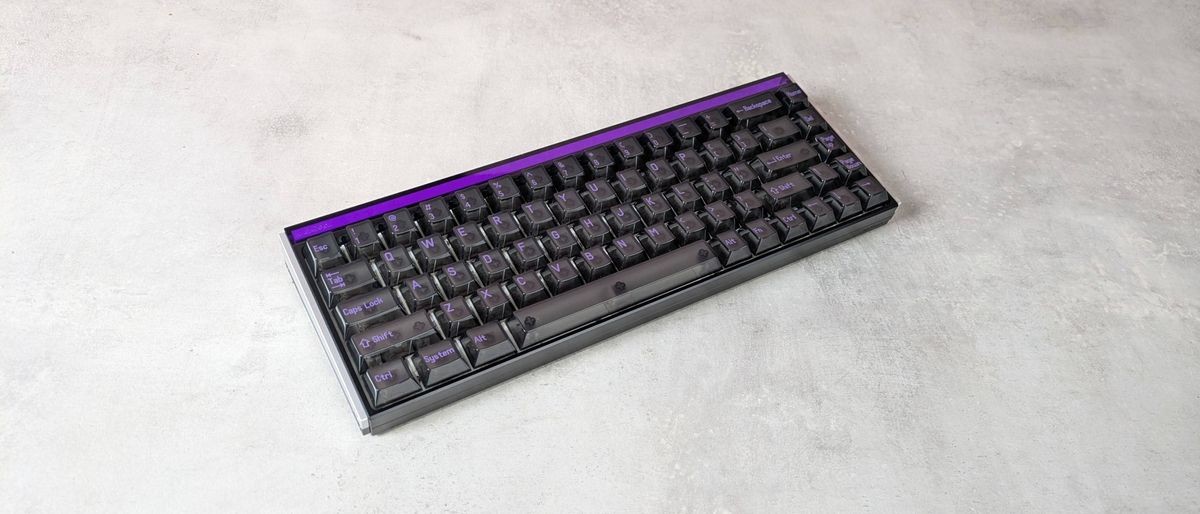
The MelGeek Made68 Ultra V2 is a sturdy keyboard with equally sturdy performance. Presses are solid yet light, which makes the board great for both gaming and typing, while the analog customizations are impressive. The lack of adjustable feet and poor backlighting are strikes against it, but its high price is perhaps its biggest sin. Unless you can’t do without those secure and thudding keys, it’s hard to recommend the Made68 Ultra V2 over its more esteemed rivals.
Pros
- +
Plenty of analog customizations
- +
Great thudding solid key feel
- +
Unique rear and side lighting
Cons
- -
Poor keycap backlighting
- -
Very chunky and heavy
- -
Better value rivals
Why you can trust TechRadar We spend hours testing every product or service we review, so you can be sure you're buying the best. Find out more about how we test.
MelGeek Made68 Ultra V2: One-minute review
The MelGeek Made68 Ultra V2 is a wired analog keyboard with a retro design that belies its advanced analog adjustability.
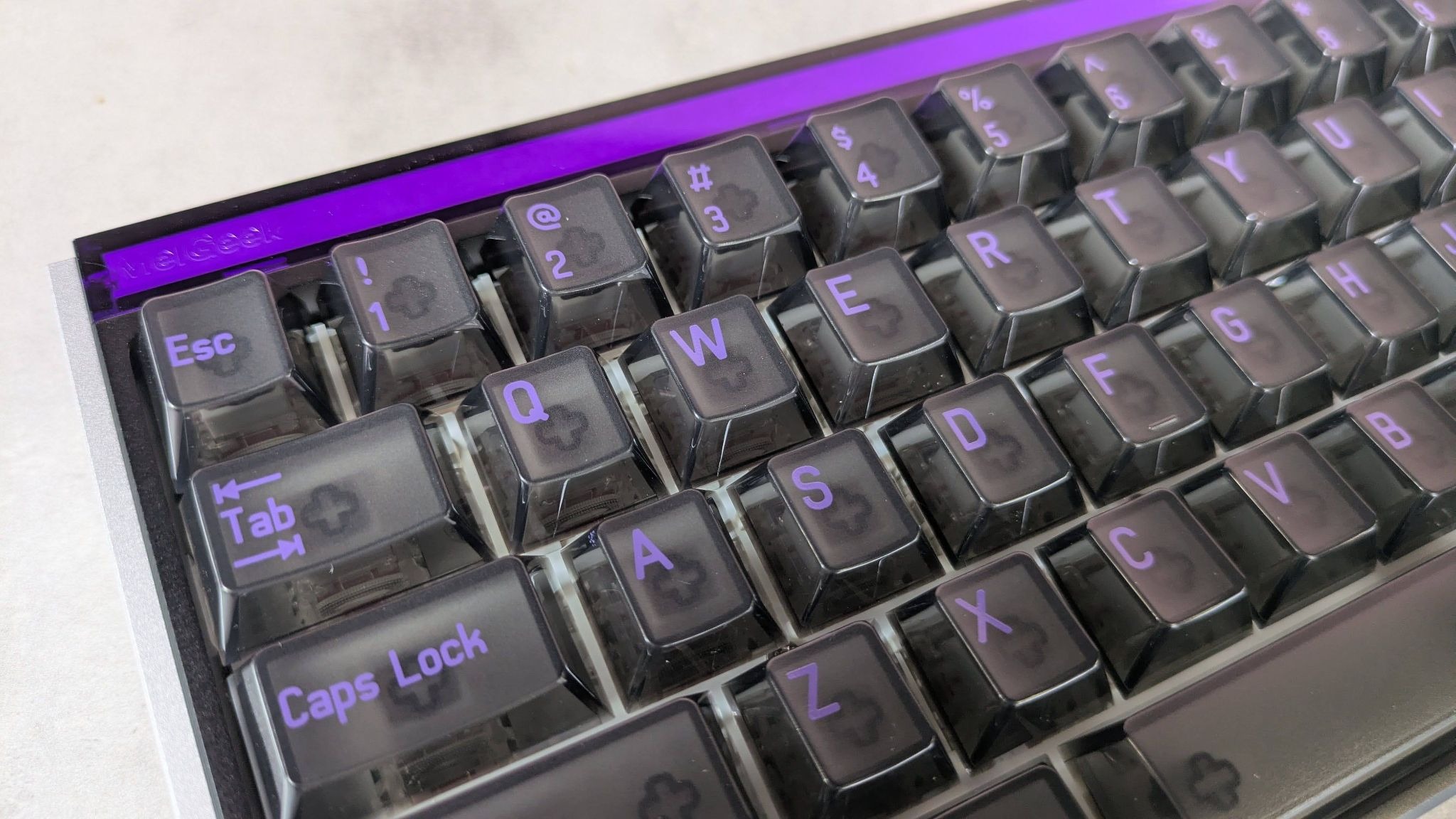
It certainly harks back to a time when the ‘gamer aesthetic’ was in full swing, with its translucent keycaps and faux-industrial body. The rear and side lighting are interesting touches, though.
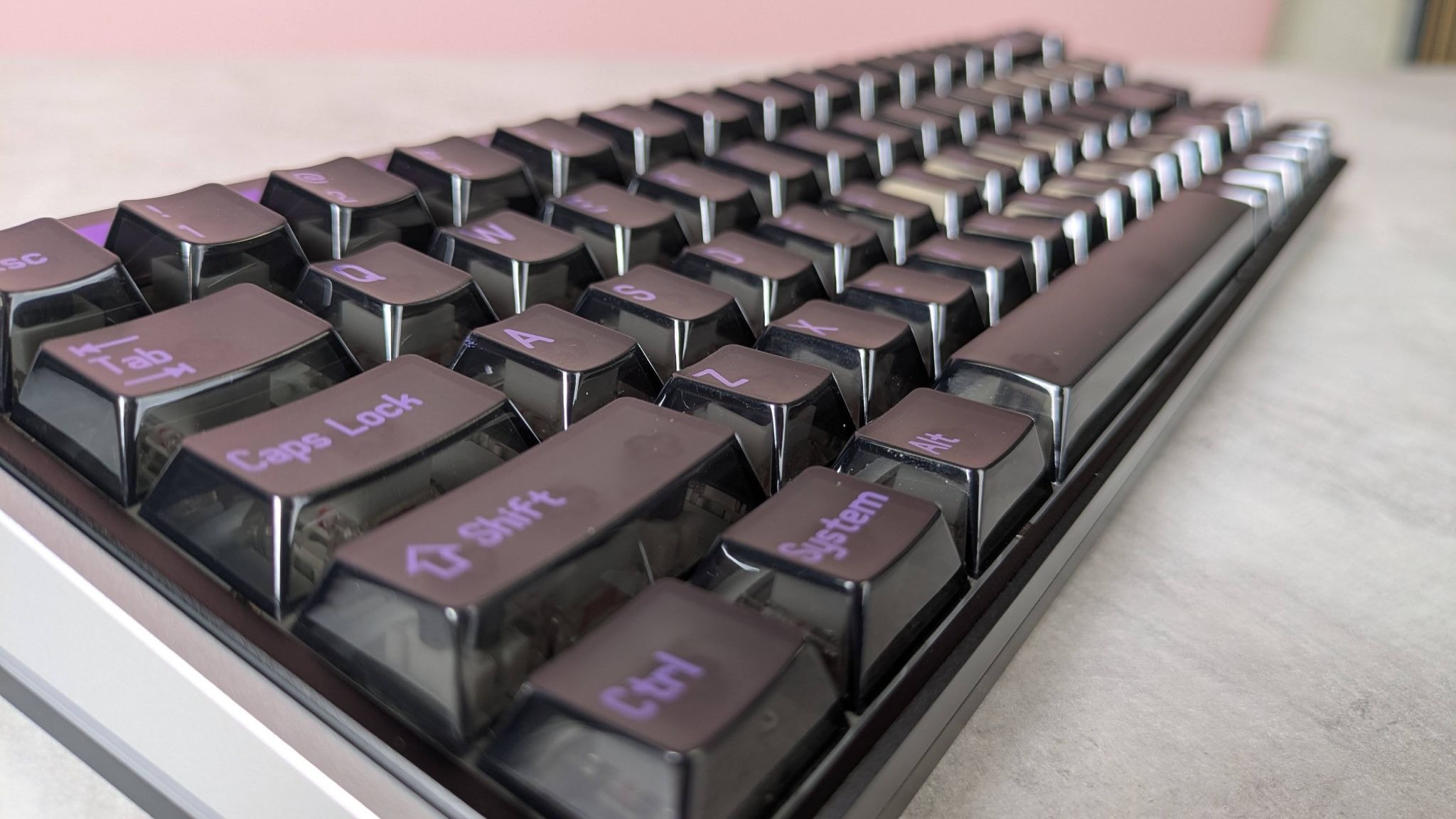
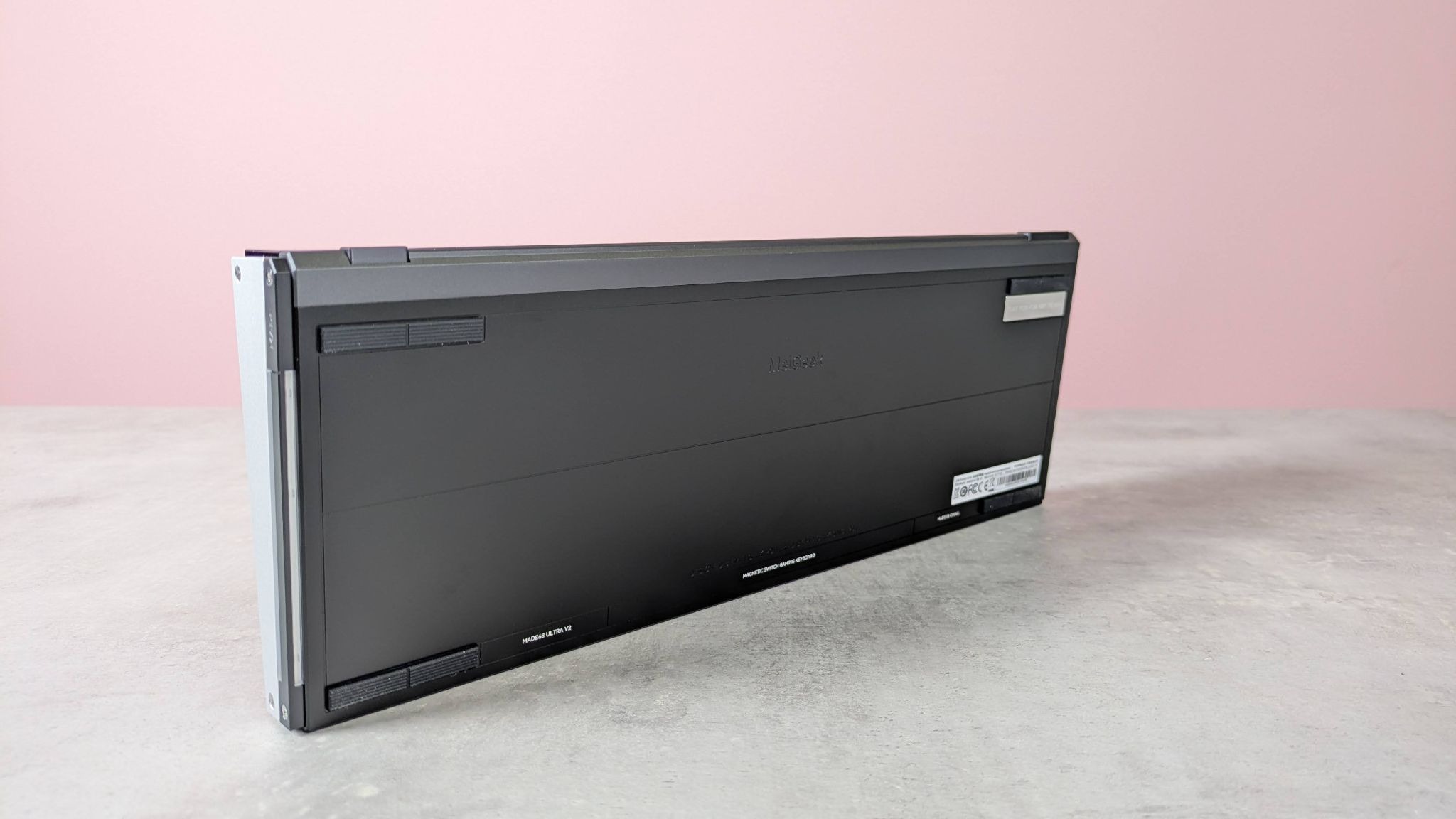
It’s also a veritable slab of a keyboard. It’s very thick, although it gets thinner towards the front, which means the keys angle towards the user slightly. This is just as well, since the Made68 Ultra V2 doesn’t have any pop-out feet, as many of the best gaming keyboards do.
Latest Videos From

The materials feel premium enough and solidly put together. It’s heavy, which helps the board to stay planted, but this could be an issue if you frequently move your board around.
Although the Made68 Ultra V2 has bright RGB backlighting, it’s a misstep that it doesn’t shine through the keycap characters. In fact, it actively obscures them, so you’d best get familiar with touchtyping if you aren’t already.
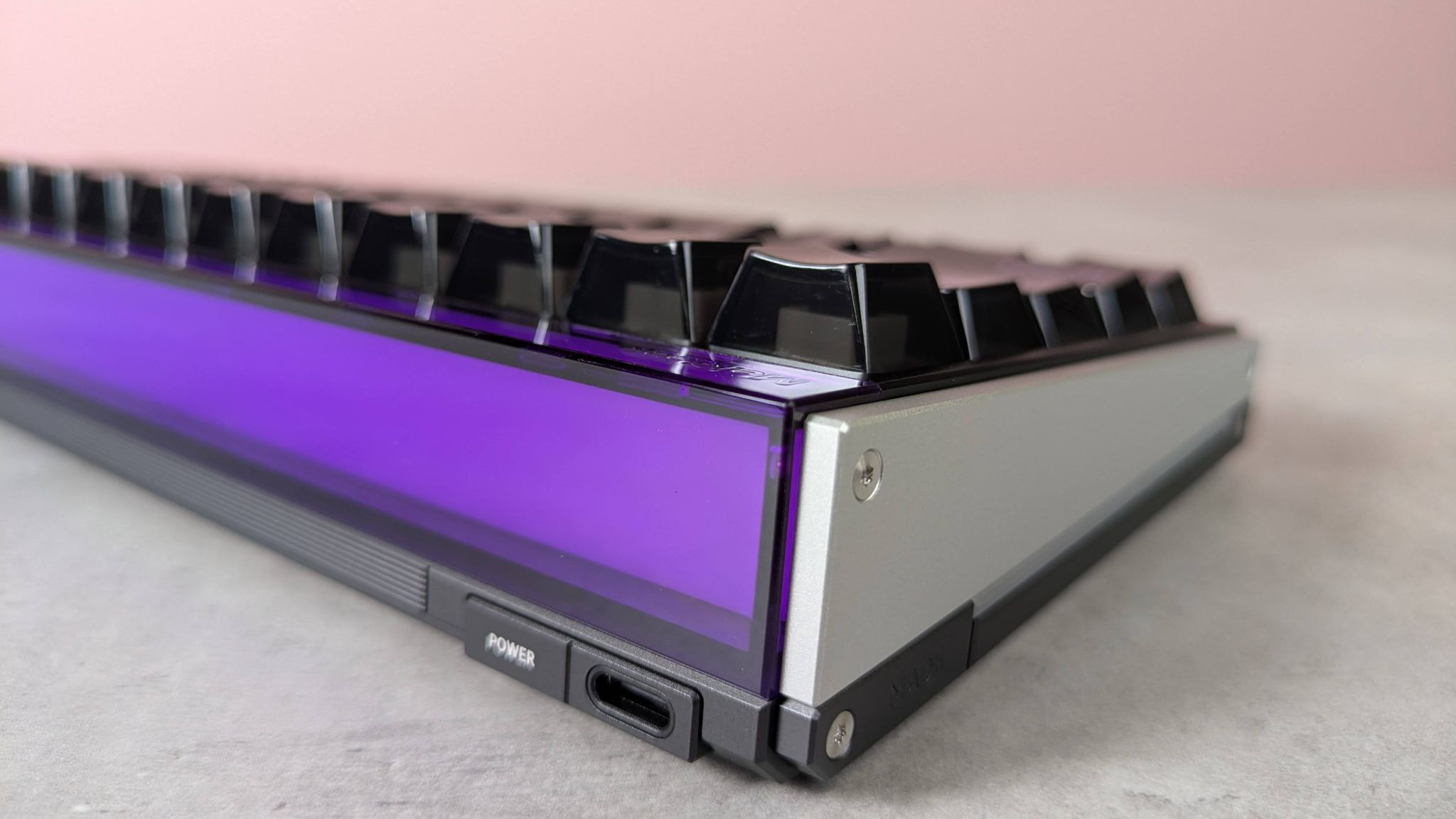
There are plenty of useful FN shortcuts, but unfortunately none of them is labelled on the relevant keycap, so you’ll have to refer to the manual and learn them by heart.
If you want to customize bindings, you can use MelGeek’s web app for this purpose. There are plenty of options here, but it’s the precise and copious analog adjustments that are even more impressive.This app is easily accessible via two taps of the Mode button on the rear, which is a thoughtful touch and one I wish more gaming keyboards featured. For a web app, it’s also very fast and stable.
Get daily insight, inspiration and deals in your inbox
Sign up for breaking news, reviews, opinion, top tech deals, and more.
In a word, the best way to describe the performance of the Made68 Ultra V2 is solid. The keys don’t wobble at all, and presses are firm with a satisfying thunk once they reach the end of their travel. This provides plenty of feedback, while the dampening is sufficient enough to prevent harshness. At the same time, they’re also very snappy and responsive, thanks to their quick rebound.
I also found the WASD position comfortable, and all peripheral keys were easy and comfortable to hit. I did find myself hitting its edge on occasion, but its springiness and dampening still make it better than many others I’ve encountered.
All of this performance and adjustability doesn’t come cheap, though. The Made68 Ultra V2 is more expensive than many of its rivals — even those with bigger names, which makes the Made68 Ultra V2’s price harder to swallow. But if you prize a sturdy construction and a solid feel above all else, there aren’t many that can beat it on these fronts.
MelGeek Made68 Ultra V2 review: Price & availability
- $219 (about £160 / AU$300)
- Available now in multiple colorways
- Top-of-the-sector pricing
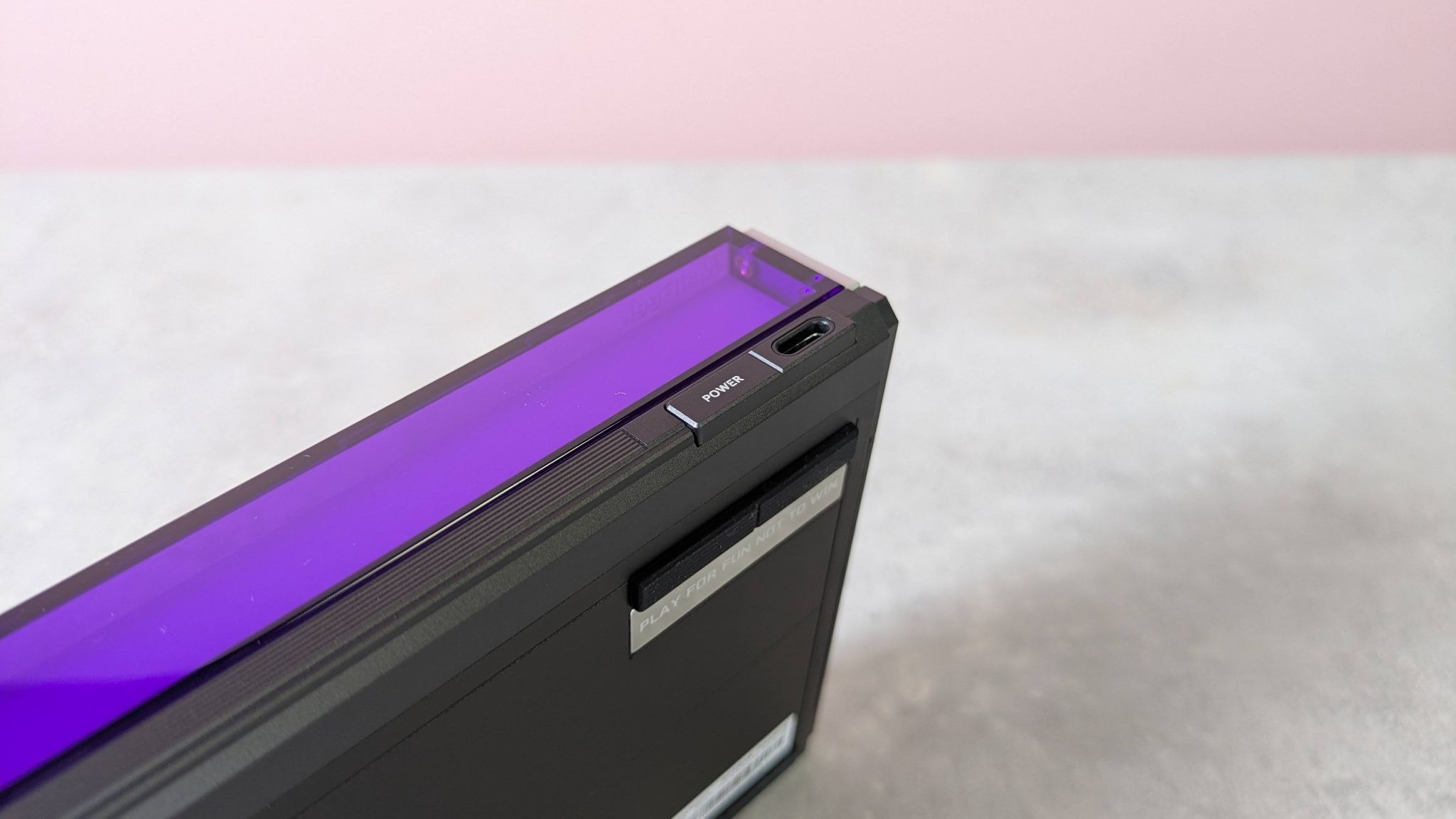
The MelGeek Made68 Ultra V2 costs $219 (about £160 / AU$300) and is available now in multiple colorways from the brand’s website. International shipping is offered, with region-dependent charges.
This is expensive for any wired gaming keyboard, even analog models. It’s costlier than some offerings from the big hitters in the space, such as Razer and SteelSeries. For instance, the former’s Huntsman V3 Tenkeyless 8KHz costs $169.99, yet it has similar analog tweakability and even includes controller emulation, which the Made68 Ultra V2 misses out on.
As for SteelSeries, its Apex Pro TKL Gen 3 is also cheaper than the Made68 Ultra V2, and what’s more it’s one of the best analog gaming keyboards I’ve ever used in terms of build and performance. Its keys feel great and offer superb control. It might miss out on controller emulation, but it shines in virtually every other area.
MelGeek Made68 Ultra V2 review: Specs
Swipe to scroll horizontally
Layout | TKL |
Switch | KOM Lite Magnetic / Flip King Magnetic |
Programmable keys | Yes |
Dimensions | 12.6 x 4.6 x 1.6 inches / 319 x 117 x 40mm |
RGB or backlighting | Yes (customizable) |
MelGeek Made68 Ultra V2 review: Design
- Retro looks
- Very thick and heavy
- Advanced customization options
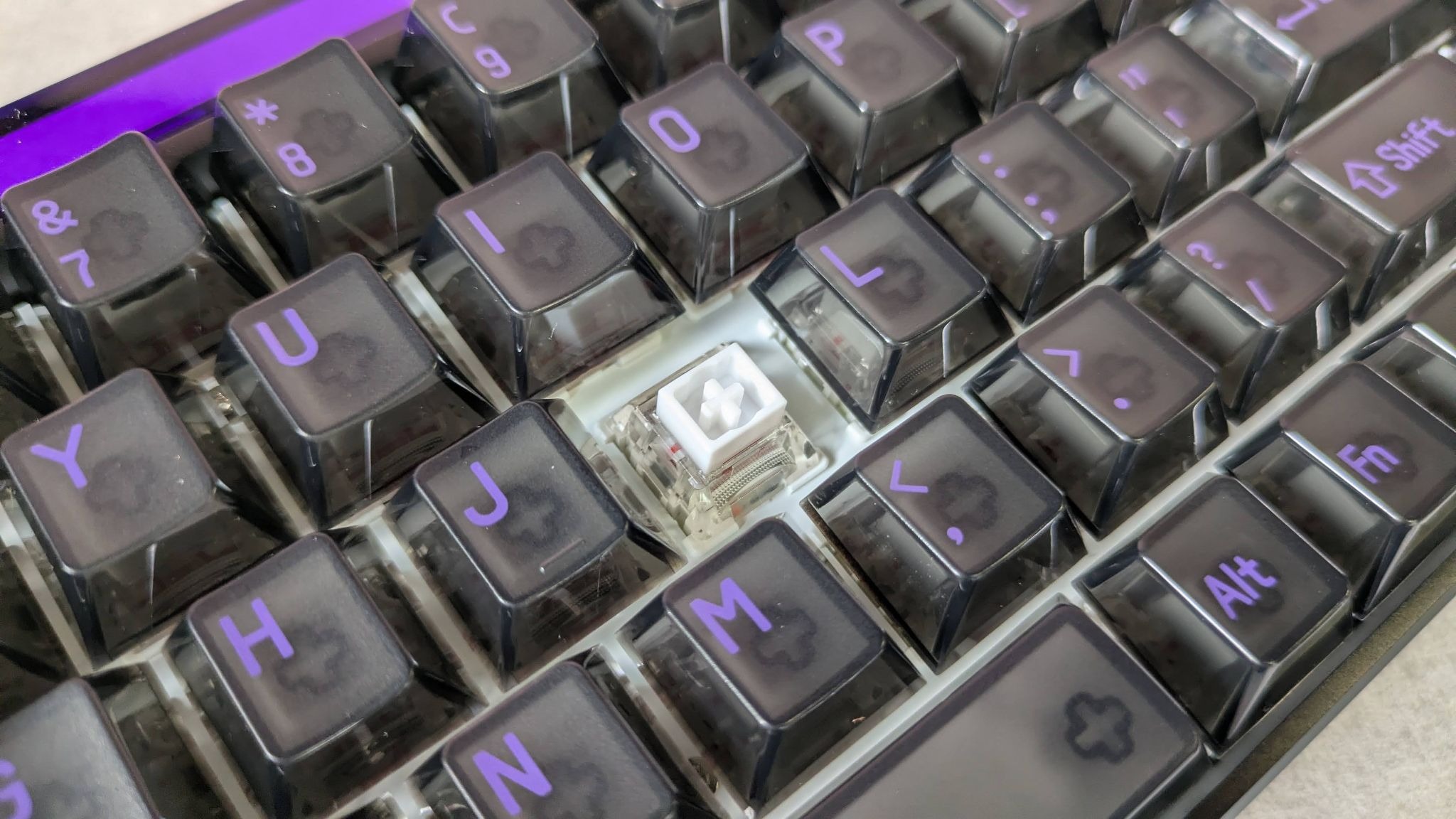
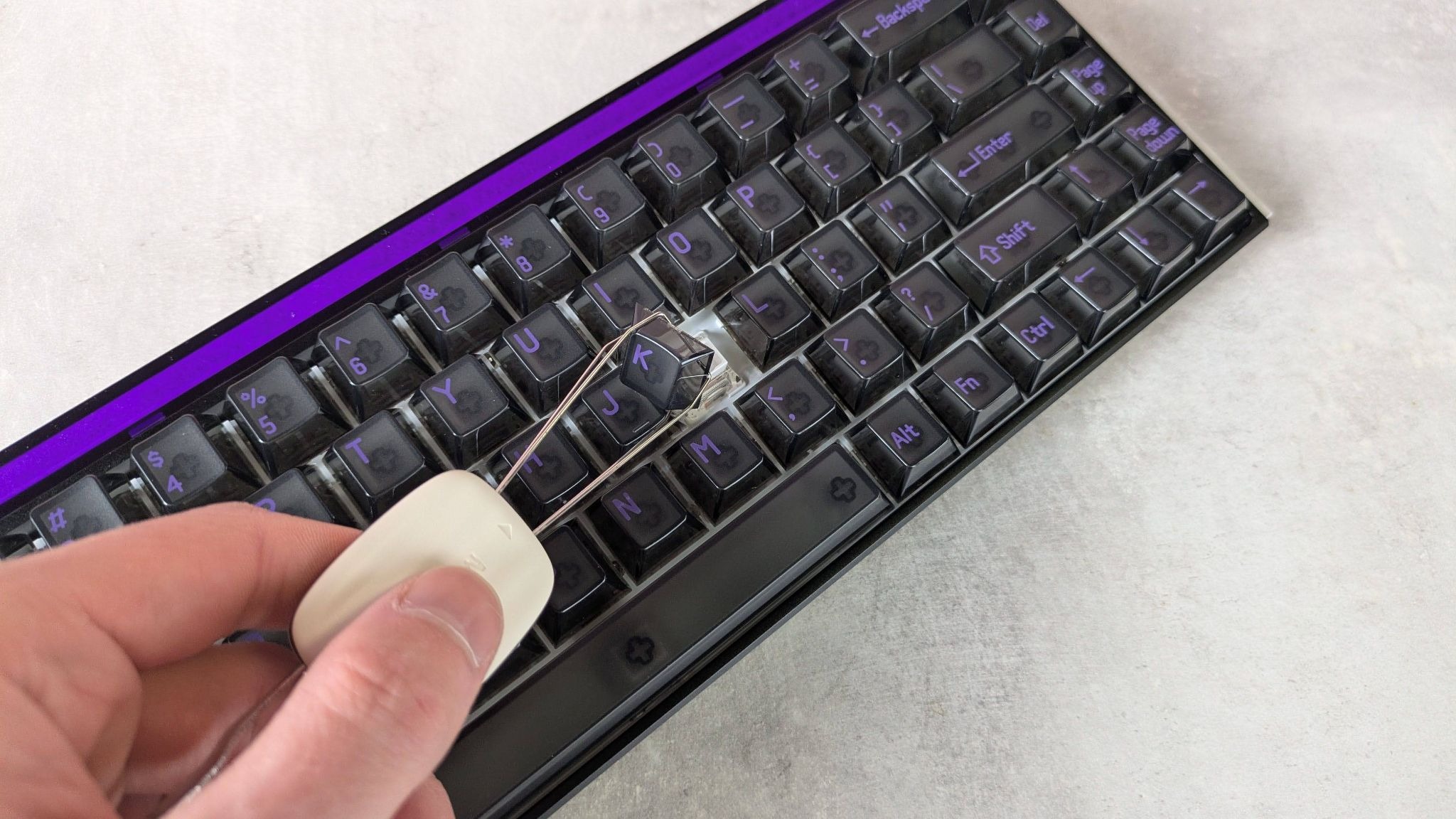
I think it’s fair to say that the appearance of the Made68 Ultra V2 will prove divisive. Some may view it as charmingly retro, while others will think it dated. The translucent keycaps allow the switches underneath to be seen and let the RGB shine through. The effect is nice, but it does look like something we might have seen 20 years ago.
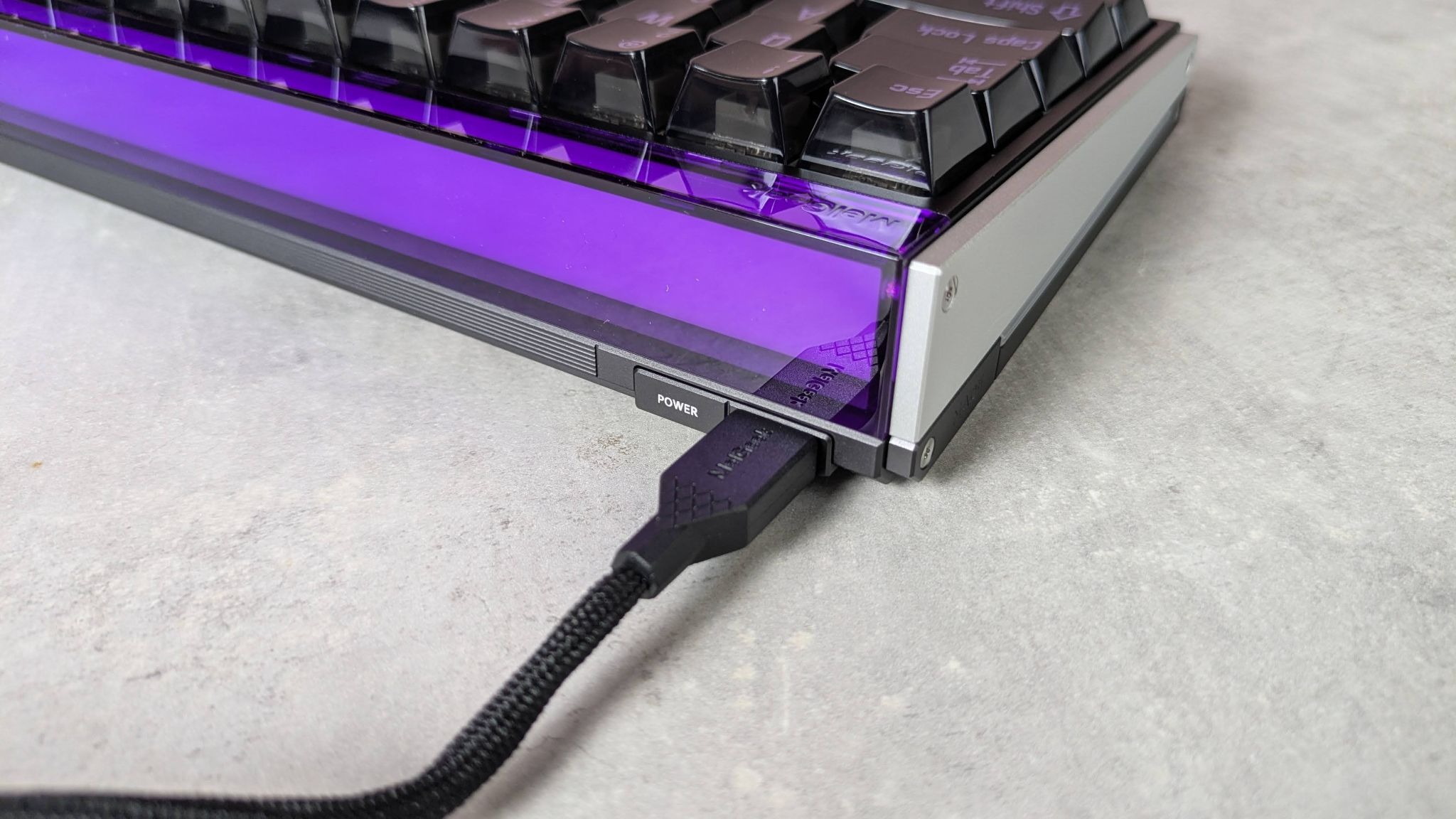
The frame is also a throwback to a time when gaming peripherals had an industrial bent, with its metallic side plates and sharp corners. However, the large rectangular lightbar adds some interest, and I haven’t seen anything like this before on a keyboard. The same is true of the side light bars, so the Made68 Ultra V2 at least has something to distinguish it from others in the space.
Complementing that sharp and angular appearance is its thickness. This tapers off somewhat towards the front, which has the effect of tilting the keys towards you. This is a good thing, since the Made68 Ultra V2 has no folding feet, although I still would’ve welcomed some to create even more of an angle.
Perhaps the sheer weight of the unit is the reason for this absence. Whether this is a flaw or a feature will likely depend on personal preferences. If you want a solid, planted feel, then you may well appreciate its heft; however, if you move your board around frequently, or take it with you on your travels, you won’t.
There are numerous Fn shortcuts on the Made68 Ultra V2, although it’s a shame that none of them is marked on the keycaps themselves, which means you’ll have to commit them to memory.
But even if they were marked, you’d be hard pressed to see them, since the RGB backlighting fails to shine through the keycap characters. In fact, it actively obscures them; turning off the backlighting actually makes the keycap symbols easier to read, which defeats the point of the feature in the first place. This is perhaps the biggest design flaw of the Made68 Ultra V2.
If you want to customize these shortcuts, and rebind all the other keys, you’ll need to use MelGeek’s web app. This is easily accessed by double-tapping the Mode button on the rear of the board, which is a thoughtful touch and one I wish every keyboard featured. There are plenty of system and media commands available for mapping, but it's the analog features and adjustments that really stand out here.
Take the multi-binding features. There’s a counter-strafing mode that triggers a second input when releasing a key; so if you’re holding A to strafe left, you can set this same key to trigger a D input when released to stop you quicker. There’s also a Rappy Snappy mode that gives priority to a single input when two keys are pressed depending on which is pressed further down.
There are a pleasing amount of actuation adjustments, too. You can set the actuation point between 0.1mm and 3.3mm, and even alter the deadzone at the bottom of a key’s travel between 0mm and 0.07mm, which is something I haven’t seen before in other keyboards.
The Rapid Trigger mode also offers plenty of scope for meeting the demands of pro gamers. There’s an adaptive mode with three presets to choose from: Stable, Balanced, or Agile. But if you’re a tinkerer, there’s a manual mode with sliders for adjusting up- and downstrokes independently. These have a large range of 0.01mm to 2.4mm and increments of one hundredth of a millimeter. There’s also a Continuous Rapid Trigger mode, where a key only deactivates when you fully release the key, rather than merely releasing above your predefined actuation point.
This level of analog adjustability is very welcome. It’s a small shame, however, that there’s no controller emulation feature, as some other analog gaming keyboards have. But given the inconsistent effectiveness of such modes, I’m not too disappointed about its absence here.
I often find web apps less effective than standalone software, but I’m pleased to report that MelGeek’s is a fine example of the former. It’s fast, stable, and easy to use, thanks to its uncluttered layout and explanations of its various features. The only real drawback is the lack of visualization; I find this helps to inform all my actuation-related adjustments by letting me see their effects in real time.
MelGeek Made68 Ultra V2 review: Performance
- Solid yet snappy keys
- Reasonably comfortable WASD position
- Great for typing
Perhaps the most striking aspect of the Made68 Ultra V2 is its key feel. The keys have no play to them and fire straight as an arrow. This makes them very secure, a feeling that’s bolstered by their mild but noticeable indentations. Their surface is pleasantly smooth without compromising traction.
Equally gratifying is the solid thud when the keys hit the end of their travel. There’s just enough dampening here to avoid them feeling harsh, and they still only require a light touch. They also rebound with impressive alacrity, which makes them feel snappy and responsive.
This combination of solid and springy means the Made68 Ultra V2 offers speed and control in equal parts, and makes it just as suitable for typing as it does for gaming. I made far fewer typos than I usually do with keycaps this tall and narrow, which is testament to the keyboard’s precise action.
Thanks to the forward tilt of the keys, the WASD position was comfortable, and reaching the outer keys was easy. I found myself hitting the edge of the space bar on occasion, but its lightness, feedback, and springiness made up for this. It’s a joy to use and one of the best I’ve experienced. I still wished the angle of the keys was a little steeper, though, and I would’ve welcomed a wrist rest for longer sessions to compensate for the thickness of the unit.
Should I buy the MelGeek Made68 Ultra V2?
Scorecard
Swipe to scroll horizontally
Attributes | Notes | Rating |
Value | Very expensive, even for an analog gaming keyboard. Equally capable boards from bigger names are sometimes cheaper. | 2.5 / 5 |
Design and features | Very heavy and sturdy with a retro appeal. Plenty of customizations are available thanks to the web app. | 3.5 / 5 |
Performance | The solid yet snappy keys are excellent for gaming and typing. The angle of the board is a bit too shallow, though. | 4 / 5 |
Overall rating | The Made68 Ultra V2 is a high-performing and highly adjustable analog keyboard. But its faults are hard to excuse at this price point. | 3.5 / 5 |
Buy it if…
You want solid keys
The thud of the keys is always satisfying, while their lightness and snappy rebound makes them easy to use.
You want plenty of customizations
Aside from controller emulation, the Made68 Ultra V2 has all the analog features you could wish for.
Don't buy it if…
You’re on a budget
Despite MelGeek being a relatively unknown brand, the Made68 Ultra V2 commands a premium price tag that would make even the big names blush.
You can’t touchtype
You’ll struggle to see the key markings when the RGB backlighting is on, which defeats the point.
MelGeek Made68 Ultra V2 review: Also consider
SteelSeries Apex Pro TKL Gen 3
In terms of sheer performance, the Apex Pro is one of the best analog gaming keyboards I’ve ever used. The feedback of the keys allows for precise control of inputs, while the myriad adjustments and customizations allow you to get the perfect setup. It’s also built very well, and is slightly cheaper than the Made68 Ultra V2. Read our full SteelSeries Apex Pro TKL Gen 3 review.
Razer Huntsman V3 Tenkeyless 8KHz
Another analog keyboard with a smorgasbord of adjustments and features, the Huntsman is a very competent performer. It perhaps doesn’t have the same satisfying feel as the Made68 Ultra V2, but it’s considerably cheaper. Read our full Razer Huntsman V3 Tenkeyless 8KHz review.
How I tested the MelGeek Made68 Ultra V2
- Tested for several days
- Used for gaming and working
- Plentiful gaming keyboard experience
I tested the Made68 Ultra V2 for several days, during which time I used it for gaming, working, and general browsing.
I played games such as Counter-Strike 2, which is a stern test for peripherals, given the demands it places on speed and precision.
I’ve been using gaming keyboards for years, and have reviewed a large number of them, across all manner of price points, switch types, and form factors.
- Read TechRadar’s reviews guarantee
- First reviewed: July 2026

Lewis Maddison is a Reviews Writer for TechRadar. He previously worked as a Staff Writer for our business section, TechRadar Pro, where he gained experience with productivity-enhancing hardware, ranging from keyboards to standing desks. His area of expertise lies in computer peripherals and audio hardware, having spent over a decade exploring the murky depths of both PC building and music production. He also revels in picking up on the finest details and niggles that ultimately make a big difference to the user experience.
You must confirm your public display name before commenting
Please logout and then login again, you will then be prompted to enter your display name.
What's Your Reaction?
 Like
0
Like
0
 Dislike
0
Dislike
0
 Love
0
Love
0
 Funny
0
Funny
0
 Wow
0
Wow
0
 Sad
0
Sad
0
 Angry
0
Angry
0






Comments (0)