

Focus Limiters: The Overlooked Switch That Can Reduce Autofocus Hunting
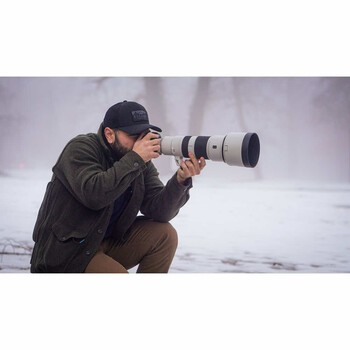
There is a switch on your telephoto lens that many photographers never touch. It sits in the bank of controls on the barrel, usually labeled something like FULL and 3 m to infinity, and it is one of the quickest things to check when you hit the most maddening autofocus problem there is: the lens racking back and forth through its focus range while the bird you wanted flies away.
The focus limiter does one simple thing. It tells the lens which slice of its focus range to search, and which slice to ignore entirely. Used correctly, it can reduce focus acquisition time. Left in the wrong position, it can make a perfectly good lens refuse to focus on your subject at all, and send you home convinced your autofocus is broken. It is worth ten minutes of your attention.
What the Switch Actually Does
Your lens focuses by moving one or more focusing groups back and forth inside the barrel. The distance those groups travel, from the minimum focus distance out to infinity, defines the lens's focus range, and when autofocus loses its lock, that entire range is territory the lens may search.
On a long telephoto, that search takes real time. When the autofocus system cannot determine or maintain focus, some lens and camera combinations will search through much or all of the permitted range: the lens racks out, hits the stop, reverses, and racks back. You have seen it. You are watching the eagle through the viewfinder and the image is pulsing in and out of blur while the motor whirs, and by the time it locks, the moment is gone.
The limiter shrinks that search space. Set a Canon RF 100-500mm f/4.5-7.1 L IS USM to its 3 m to infinity position and the lens simply stops considering anything closer than about 10 feet. It cannot rack down into the close-focus range, because you have told it that range does not exist. The lens has less territory to cover and fewer wrong answers available to it, which can substantially reduce the range through which autofocus searches and the time it takes to lock.
Two things worth being precise about. First, the limiter has no effect on image quality. A shot taken on FULL and the identical shot taken on the limited setting will be equally sharp once focus is achieved. The switch only changes how quickly, and how reliably, you get there. Second, focus distances marked on a lens or in a camera menu are conventionally measured from the sensor plane, not from the front of the lens, which matters when you are working at close range and counting inches.
The Ranges Are Not the Same on Every Lens
This is where most people go wrong, because they assume the switch means the same thing everywhere. It does not, and the specific numbers matter.
The Nikon NIKKOR Z 180-600mm f/5.6-6.3 VR offers FULL or a 6 m to infinity limit, so it ignores everything inside roughly 20 feet. The Nikon NIKKOR Z 100-400mm f/4.5-5.6 VR S focuses as close as 0.75 m on FULL, and its limited position cuts everything inside 3 m. Older Nikon glass varies just as much: the 300mm PF limits from 3 m, the 200-500mm from 6 m, and the 500mm PF from 8 m. Many current long zooms carry limiters as well, including the Sony FE 200-600mm f/5.6-6.3 G OSS, the Sigma 60-600mm f/4.5-6.3 DG DN Sports, the Sony FE 400-800mm f/6.3-8 G OSS, the Fujifilm XF 150-600mm f/5.6-8 R LM OIS WR, and the OM System 150-600mm f/5.0-6.3 IS.
But limiter switches are not universal, and their absence is worth knowing about before you buy. The Canon RF 200-800mm f/6.3-9 IS USM, one of the most popular super-telephotos on the market, ships without one; Canon's own specifications list the distance limiter switch as none. It is a fine lens, and this is a real omission that wildlife shooters notice, because it means there is no way to restrict the focus range on the barrel when the lens starts hunting between a near branch and a far bird.
Some super-telephotos go the other way and offer three positions rather than two, giving you a near band, a far band, and full. That middle band is the one that saves shoots, and I will come back to why.
The practical instruction is simple: look at your own lens and learn its actual numbers, or learn that it does not have the switch at all. "Limit" on one lens means something meaningfully different from "limit" on another, and the difference between a 3 m cutoff and an 8 m cutoff is the difference between a switch that helps you and a switch that quietly locks you out of your subject.
Macro Lenses Often Add a Close-Only Band
If you shoot macro, the logic shifts, and this is the part telephoto shooters find genuinely surprising.
A macro lens spends its life at the close end of its range, so its limiter usually adds a close-only band to block out the distant end. The Sigma 105mm f/2.8 DG DN Macro Art gives you three positions: a close band of roughly 0.295 to 0.5 m, a distant band of 0.5 m to infinity, and FULL. Set it to the close band and the lens will not go hunting off to infinity every time it loses a beetle. That is the whole ballgame for close-up work, because a macro lens racking from 1:1 magnification all the way out to infinity and back is the slowest, most infuriating focus event in photography.
The same applies across the macro field. The Sony FE 90mm f/2.8 Macro G OSS, the Canon RF 100mm f/2.8 L Macro IS USM, the Nikon NIKKOR Z MC 105mm f/2.8 VR S, and the Tamron 90mm f/2.8 Di III Macro VXD all carry limiters aimed at the same problem. Fujifilm's 80mm macro splits it three ways, roughly 0.24 to 0.5 m, 0.5 m to infinity, and full, which is a good model for how these lenses think.
Here is the corollary that catches people. If you use your macro lens as a portrait lens, which many of us do because a 90mm or 105mm macro is a lovely short telephoto, the limiter can work against you. Leave it on the close-only setting and try to focus on a person at 12 feet, and the lens will search within its permitted close band and simply never acquire the subject, because the person is outside the range you allowed. Switch to the distant band or FULL and the same lens focuses normally.
Getting autofocus to behave at close range is one of the recurring frustrations of the genre, and the limiter is only one piece of it. Mastering Macro Photography covers the shooting technique around it, from working distance to focus stacking, for anyone who wants to go deeper than a switch on the barrel.
The Failure Mode Nobody Warns You About
The limiter does not just fail to help when it is set wrong. It can actively prevent your lens from focusing at all, and it does so in a way that looks exactly like broken gear.
Picture the moment. It is early, you are working the edge of a marsh with a long zoom, and a heron lands on a snag about 15 feet away, closer than anything you have shot all morning. You raise the camera and the lens will not lock. It hunts, gives up, hunts again. You switch AF modes. You move the focus point. You check the light. Meanwhile the heron stands there in beautiful side light doing exactly what you wanted it to do, and then it leaves.
Two separate things can produce that failure, and they feel identical through the viewfinder. The first is minimum focus distance: at the long end, a 200-600mm zoom may not focus closer than 3 or 4 m no matter what you do, and no switch on the barrel can override the optics. If the bird is inside that distance, the only fix is to back up or zoom out. The second is the limiter. If the switch is sitting on 6 m to infinity from last weekend's shoot across the valley, then a heron 15 feet away, roughly 4.5 m, is in a range you have explicitly forbidden the lens to search. The camera is not broken. It is obeying you.
This is also where a three-position limiter earns its keep, and why that middle band matters. Say the heron cooperates and you get set up properly, but now the problem is the far bank of the marsh, a wall of reeds and trees 200 feet behind the bird that the camera keeps jumping to whenever the heron moves. A two-position lens cannot help you: your choices are "everything," which leaves the far bank available, or "nothing close," which is the opposite of what you need. A lens with a near band, say roughly 4 to 16 m, lets you rule out that entire background. The reeds are now outside the permitted range, and the camera cannot focus on them even if it wants to. That is the setting most people never touch, and it is the one that solves the close-subject-with-busy-background problem.
The lesson is to check both. A lens that will not focus on a close subject may be limited out of that range, or the subject may be closer than the lens can focus at all, and through the viewfinder those two failures feel identical. Know your minimum focus distance and know your limiter position.
That is the danger of this control. When it is set correctly, it feels like your lens got better. When it is set incorrectly, it feels like your lens got broken, and almost nobody thinks to check the switch. You will chase settings, blame the body, blame the light, blame yourself, and the entire time the answer is a small piece of plastic on the barrel that you flipped three weeks ago and forgot about.
Which leads to the single most useful habit in this article: when you finish a shoot, put the limiter back to FULL. Every time. A limiter left on close-only or on 6 m to infinity is a landmine you set for your future self, and you will step on it at the worst possible moment.
The In-Camera Version, Which Is Better and Older Than You Think
Here is the part many photographers have not caught up with: on several systems you can set the focus limit in the camera rather than on the lens, and with far more precision than a two-position switch allows.
Fujifilm has offered this for years. Its AF Range Limiter, available on X-series bodies from roughly the X-T3 generation onward, gives you two presets plus a custom mode where you set a near point and a far point yourself, either by rotating the focus ring or by tapping objects on the touchscreen. OM System's bodies do it too, and arguably better: the OM-1 Mark II lets you store three separate custom AF Limiter ranges and switch between them, which is genuinely useful if you are moving between a close perch, a mid-distance shoreline, and birds in open sky in a single session. Nikon is the recent arrival, having added an in-body focus limiter to the Z8 and Z6III via firmware, letting you define a custom range rather than accepting whatever two positions the lens designer chose.
That precision changes what the tool can do. With a fixed switch, your options are "not closer than 6 m" or "everything." With in-camera limiting, you can tell the camera to focus only within a narrow band that brackets the snag your heron keeps landing on, and nothing else. The reeds behind it and the grass in front of it both fall outside the permitted range, so the camera is far less likely to grab either. You have not just narrowed the search; you have removed most of the wrong answers from consideration.
It can also work with compatible lenses that have no limiter switch at all, which makes the absence of a barrel switch much less consequential on bodies that support the feature.
There are caveats worth knowing before you rely on it. Support is not universal: Nikon specifies Z-mount lenses and publishes a list of lenses for which the feature is unsupported, and Fujifilm requires a lens that reports distance information. The distances the camera displays may differ somewhat from actual focus distance. Setting a range that reaches closer than the lens's minimum focus distance can disable the limiter entirely. And critically, if your lens also has a physical limiter switch, the camera's range and the lens's range have to overlap, or you will end up with a lens that cannot focus anywhere; the usual advice is to set the lens switch to FULL and do the limiting in the camera.
What a Limiter Cannot Fix
A limiter restricts the distances the camera may search. It does not tell the camera which subject to pick within that range. If a branch and a bird are at nearly the same distance, the limiter will not help you, because both are inside the permitted band. It will not fix wrong AF-area or subject-detection settings, will not compensate for light too dim or a subject too low in detail for the AF system to work with, will not rescue a tracking failure after the initial lock, and cannot make a lens focus closer than its minimum focus distance. If your background sits inside the band you selected, it remains available for the camera to focus on.
The limiter is a tool for excluding distances you know your subject is not at. Everything else about your autofocus setup still has to be right.
When to Use It, Briefly
Set the far limit, excluding close distances, when your subjects live at distance and you never need close focus: birds in flight, field sports, wildlife across a valley, aircraft, anything where the close range is dead weight in the search.
Set the near limit, excluding far distances, when your subjects are close and the background is a trap: macro and close-up work, a perched bird against a distant treeline, small birds in nearby branches, product work at a fixed distance. This is the setting people forget exists, and it is the one that rescues you when the background keeps stealing focus.
Leave it on FULL when your subject distance is genuinely unpredictable, when you are shooting a mixed scene, or, most importantly, when you are not sure. FULL is the safest default precisely because it does not exclude an otherwise focusable subject. It may be slower to acquire, but a limit set in the wrong direction can be completely, mystifyingly wrong.
And check the switch when focus mysteriously refuses to work. Before you blame anything else, look at the barrel. It is the first thing to check and the last thing anyone checks.
Focus limiters are a small, unglamorous control on a piece of equipment full of exciting ones. But on a long lens, this switch can change acquisition speed more than most settings buried in your camera menu, and it is free, instant, and already sitting there. Learn what your lens's numbers actually are, or whether it even has them, use them deliberately, and reset the switch when you are done. Your hit rate on the shots that matter may well improve, and you will stop losing frames to a motor searching territory where your subject was never going to be.
What's Your Reaction?
 Like
0
Like
0
 Dislike
0
Dislike
0
 Love
0
Love
0
 Funny
0
Funny
0
 Wow
0
Wow
0
 Sad
0
Sad
0
 Angry
0
Angry
0











Comments (0)