

I nearly melted my laptop so you don’t have to — after testing cooling pads for chilling your laptop during a heatwave, I’ve got serious data to drop on the coolest and quietest products you can buy
 (Image credit: Future)
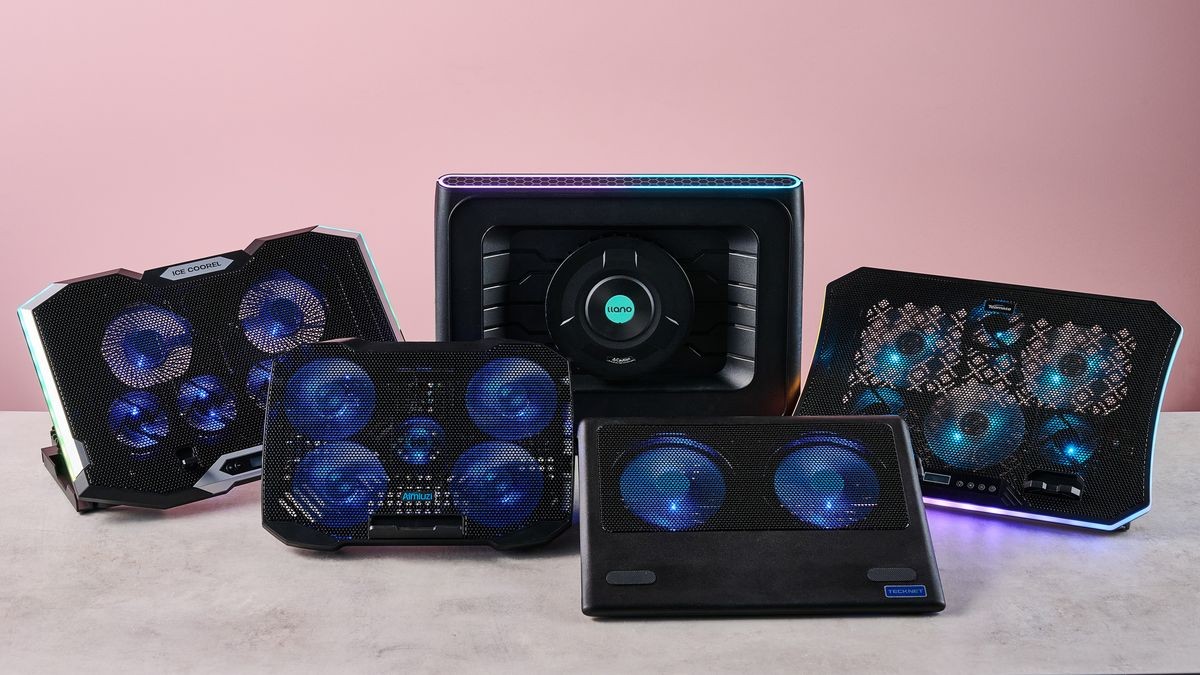
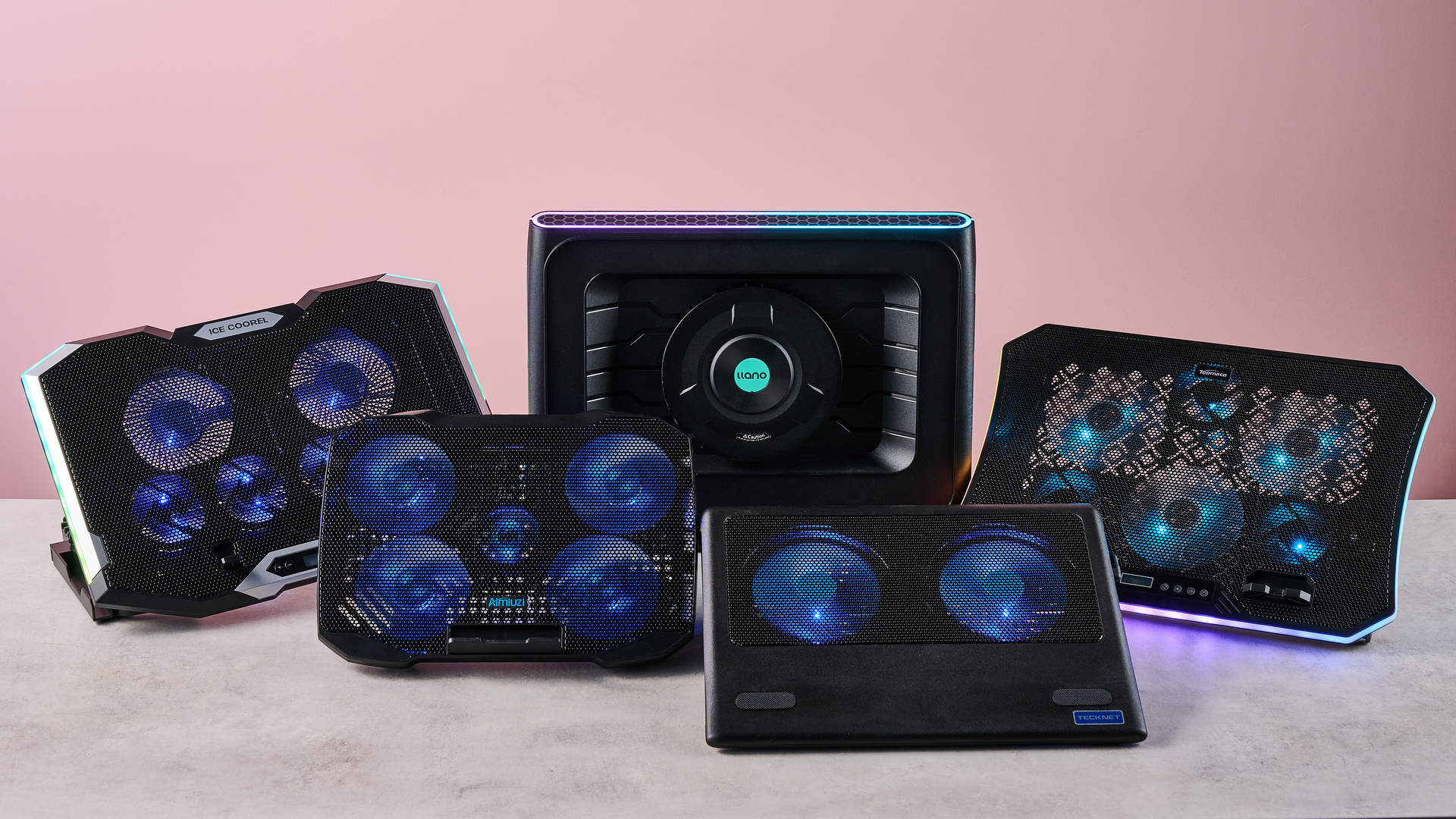
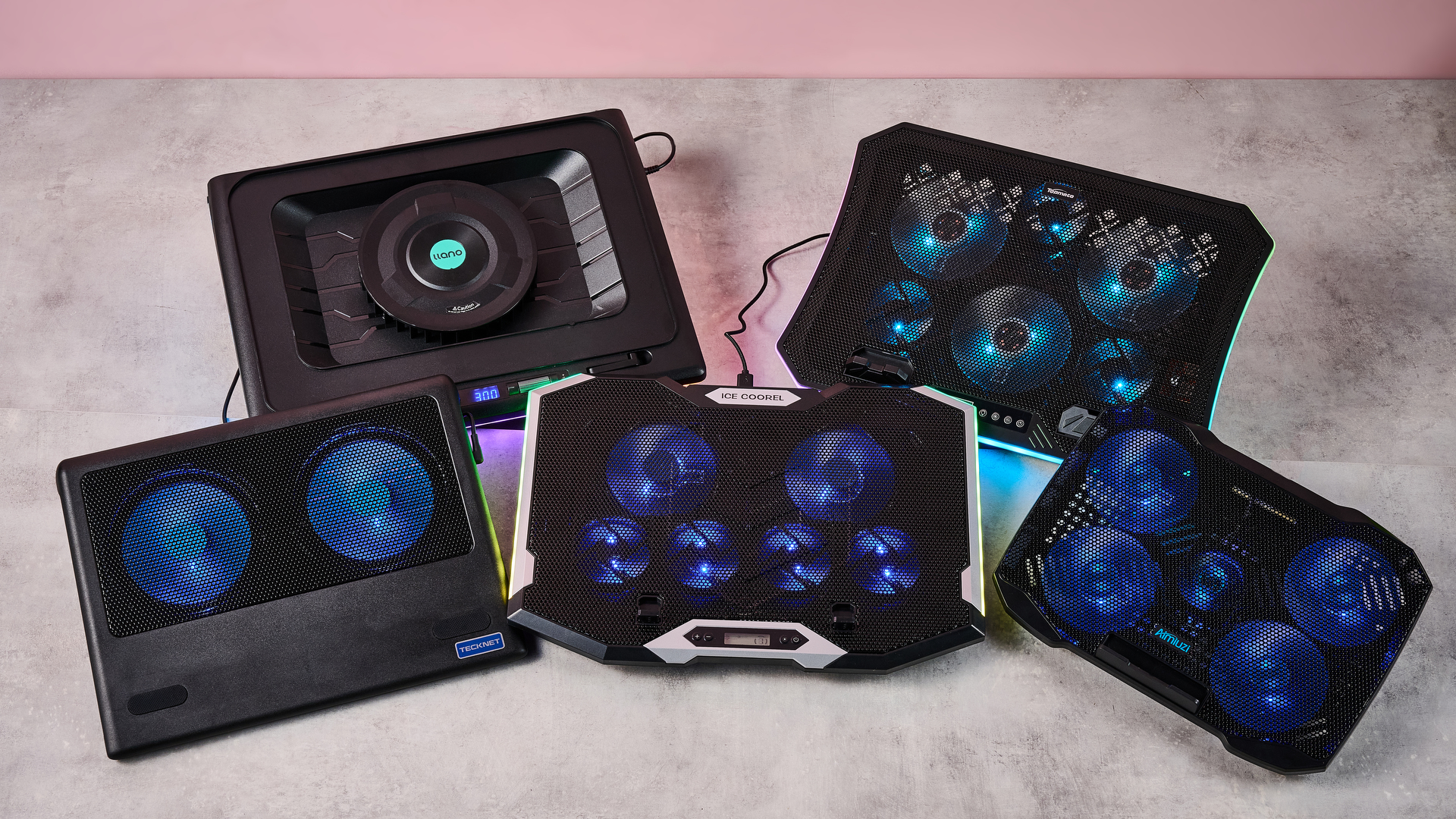
Boy, sure is a hot one today, huh? Okay, I get the irony: that's a take so cold you could use it to replace your freezing Wim Hof showers. But when the metaphorical mercury creeps this high, you've got to keep your cool. The same goes for your laptop, which is why you might want to grab a laptop cooling pad this summer.
Fortunately for you, I've spent this week testing every laptop cooling pad I can get my hands on to see which offers the superior AC for your computer. Not only that, but I've brought receipts — this piece has more graphics and graphs than election night coverage. So if you want objective numbers about which pad is genuinely gusty and which is all bluster, I've got the data you need.
I get that it can be tempting to overlook cooling your laptop during warm weather — I've been more worried this summer about tracking down a fan to keep myself cool than my laptops. But you overlook the best laptop cooling pads at your peril.
I still have vivid memories of the summer I redlined my laptop during a heatwave. While the video skittering should have been a hint, it was only when it stopped booting up and started bleeping SOS in Morse code that I began questioning my life choices. Turns out I'd burnt out the memory — quite literally: there were scorch marks on the inside of the case.
So at this time of year, it's worth considering whether a laptop cooling pad can help you out. And I can definitely help out there.
Laptop cooling pads: cooling
Temperature Rise Using Laptop Cooling Pad
The temperature rise during a stress test while using the laptop cooling pad on max settings
TopMate C12 Laptop Cooling Pad
Almiuzi F2 Plus Laptop Cooling Pad
TECKNET Laptop Cooling Pad
Liangstar Laptop Cooling Pad
Llano V10 Gaming Laptop Cooling Pad
Llano RGB Laptop Cooling Pad
| Baseline | 31.9 |
| TopMate C12 Laptop Cooling Pad | 22.8 |
| Klim Mistral | 20.4 |
| Klim Wind | 19.5 |
| Almiuzi F2 Plus Laptop Cooling Pad | 18.4 |
| TECKNET Laptop Cooling Pad | 17.9 |
| Klim Ultimate | 15.5 |
| Liangstar Laptop Cooling Pad | 15.3 |
| Llano V10 Gaming Laptop Cooling Pad | 12 |
| Llano RGB Laptop Cooling Pad | 8 |

How I tested
To test each laptop cooling pad's performance, I ran a 3DMark Steel Nomad stress test on an Acer Predator Helios 300 gaming laptop with an Nvidia GeForce RTX 3080 GPU. The test ran for 15 minutes, with each cooling pad set to maximum. Using a thermal camera, I clocked the hottest point before and after the test, then calculated the temperature differential between the two to determine how much warming each cooling pad allowed.
Assessing which laptop cooling pad is a breezy wonder and which is a wheezy blunder ultimately comes down to how frosty each model's cooling is. That's why I went through every pad I could get my hands on to see how much each one prevented our gaming laptop from heating up during a 3DMark stress test.
As you can see, by far the weakest cooling offered by any laptop cooling pad I tested was from the TopMate C12 Laptop Cooling Pad. Compared to the 57.4°F / 31.9°C baseline rise of our gaming laptop alone, the C12 was only able to limit it to a 41°F / 22.8°C rise — that might be better than frantically waving a dish towel in its general direction, but only barely.
Sign up for breaking news, reviews, opinion, top tech deals, and more.
Probably the biggest disappointment of these tests was how the Klim Mistral performed. Not only did it seem to perform worse than the more affordable Klim Wind — resulting in 36.7°F / 20.4°C warming compared to the Wind's 35.1°F / 19.5°C — but it was pretty inconsistent to boot, achieving even worse results on a retest.
Skipping ahead a little, the laptop cooling pad I was most surprised by was the TECKNET. Although it's cheaper than quite a few of the pads I tested here, setting me back just $21.59 / £21.99, the 32.2°F / 17.6°C warming it presided over put it firmly in the top half of the pack. It's the little laptop cooling pad that could.
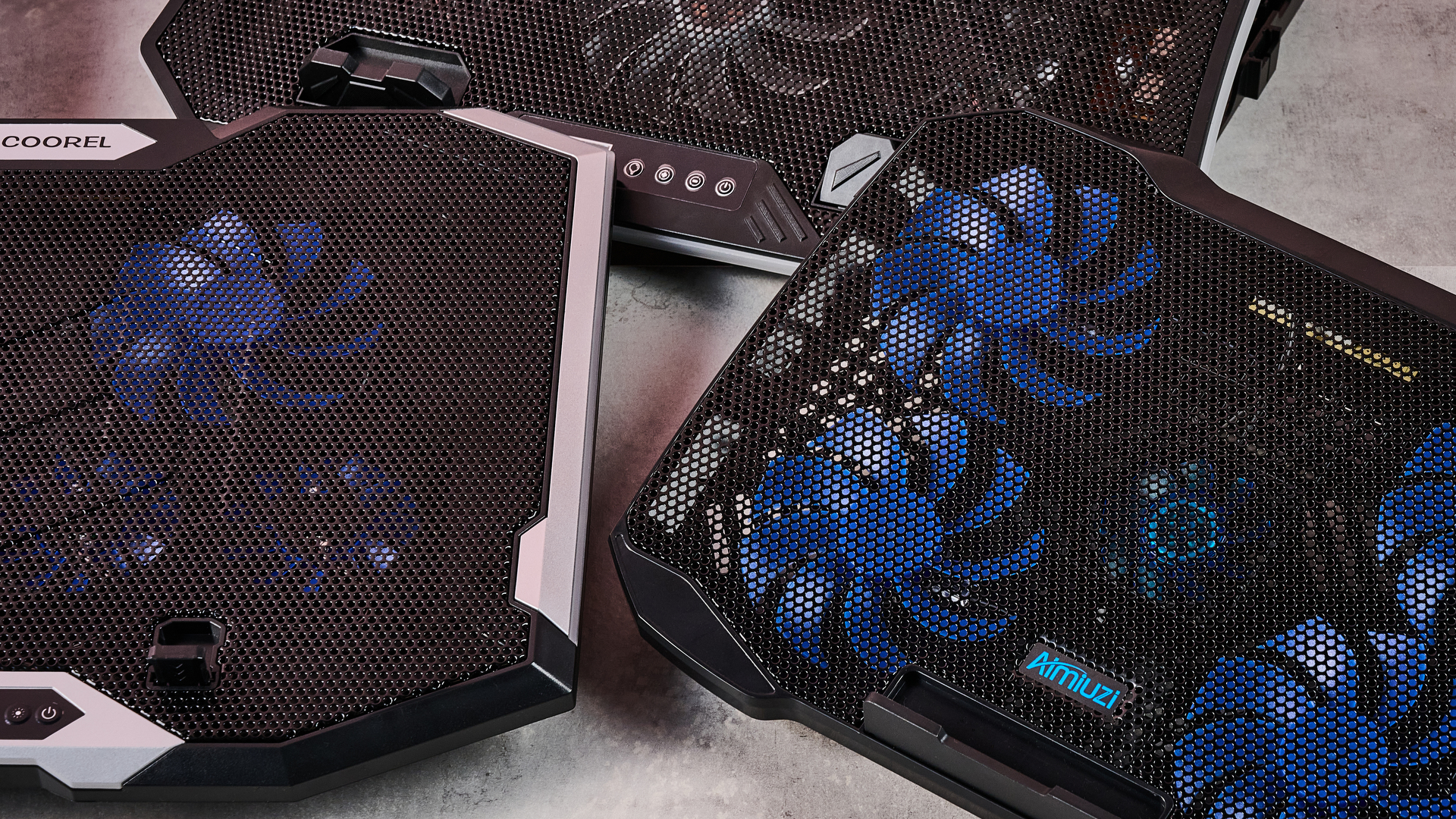
Given that the Liangstar Laptop Cooling Pad and Klim Ultimate both achieved an almost photo finish, it would be easy to assume there's not much daylight between them. However, like a bottle of wine, you really need to weigh up what you're spending here to calculate its true value. And as the Liangstar costs $20.99 / £23.59 versus the Klim Ultimate's $44.97 / £44.97 price tag, that definitely takes the edge here.
But, frankly, there's a reason Llano is the absolute GOAT in my eyes. As you can see, it took both first and second place on my cooling pad podium. While the Llano V10 Gaming Laptop Cooling Pad stopped our gaming laptop from warming up more than 21.6°F / 12°C, the Llano RGB Laptop Cooling Pad kept it down to just 14.4°F / 8°C of warming. This boi makes liquid nitrogen look positively toasty.
Laptop cooling pads: noise levels
Noise Level — cooling pad alone
Noise level of the cooling pad or laptop alone taken at head height and from 3 inches away
Llano RGB Laptop Cooling Pad
Llano V10 Gaming Laptop Cooling Pad
Liangstar Laptop Cooling Pad
TopMate C12 Laptop Cooling Pad
Almiuzi F2 Plus Laptop Cooling Pad
TECKNET Laptop Cooling Pad
| Llano RGB Laptop Cooling Pad | 71 |
| Llano V10 Gaming Laptop Cooling Pad | 64.5 |
| Klim Mistral | 52.6 |
| Liangstar Laptop Cooling Pad | 45 |
| TopMate C12 Laptop Cooling Pad | 43.5 |
| Laptop alone | 42 |
| Almiuzi F2 Plus Laptop Cooling Pad | 37.4 |
| Klim Wind | 36.2 |
| TECKNET Laptop Cooling Pad | 36 |
| Klim Ultimate | 36 |
How I tested
When it came to noise levels, I measured the noise of each cooling pad from 3 inches away and from my head height when sitting in front of it. I also recorded the combined noise of each cooling pad and the testing laptop's fans 10 minutes into each stress test from the same distances.
You may think that your gaming laptop makes a lot of noise. But believe me: that's scarcely more than a murmur compared to some cooling pads. Given they're essentially just an LED-adorned box with a whopping great fan inside, they can get pretty shouty. That's why I grabbed the sound level meter from my utility belt and started measuring like the world's nerdiest superhero.
Perhaps predictably, the pad that blows coolest blows loudest. While I love the Llano RGB Laptop Cooling Pad's glacial chilling, I can't get away from the fact that it's pretty noisy. I'm 5 foot 11 inches tall, and from my head height, I clocked it at 71dB — according to the Center for Hearing and Communication, that's roughly as loud as a coffee grinder or freeway traffic. In my book, that's a worthy price to pay for keeping your laptop cool, but it might not be ideal if you're planning to use it in the office.
In fact, you might assume there's an inverse relationship between cooling and fan noise. And while that does hold true for the most part, there are some interesting exceptions. For example, while I found the Liangstar Laptop Cooling Pad offered the third best cooling in my tests overall, it was substantially quieter than either of the Llanos, clocking in at a much less brash 45dB.
Conversely, the Klim Mistral manages to buck the trend in the other direction, running surprisingly loud compared to some of the other competitors here. At 52dB, it kicks out a similar level of noise as a fridge — which is pretty ironic given it offered some of the worst cooling in my testing.
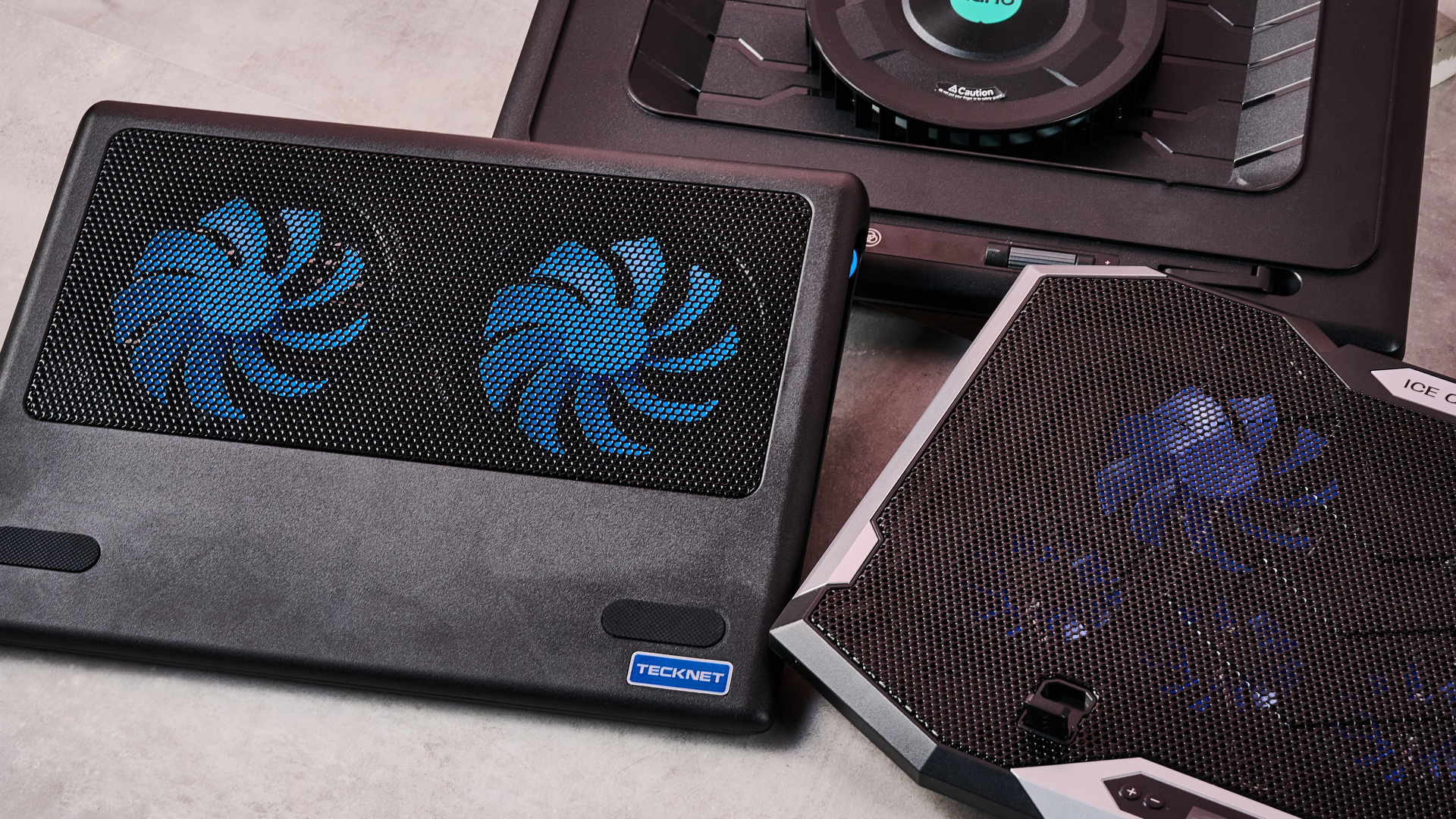
And there are some surprising candidates for the winner's podium when it comes to sound levels. The TECKNET offers far from the worst cooling, and yet it ties for first place as the quietest pad on test here at 36dB — again, not at all bad given its super affordable price tag.
Honestly, though, if you want whisper-quiet running without sacrificing performance, my pro tip would be to check out the Klim Ultimate. Unlike Klim's two cheaper cooling pads, it offers very credible chilling while also measuring noise levels of 36dB from head height — that's apparently quieter than a library, which isn't known for being a raucous place.
Fundamentally, noise levels probably shouldn't be the deciding factor when picking your perfect laptop cooling pad. Both cooling power and budget come higher up the pecking order in terms of my personal preferences. But that doesn't mean you should ignore it completely — depending on where and how you use your laptop, you could find strapping a jet engine to the bottom of it to be a bit of a deal breaker.
Do I even need a laptop cooling pad?
MacBook Air M5 encode test
Performance after an hour during a standard encode test both with and without cooling
| Average FPS | 2.52 | 2.77 |
| Estimated encode time | 122 | 114 |
Estimated encode time (minutes)
How I tested
Here I used a standard encoding test. I re-encoded the 4K stereo version of the Creative Commons animated movie Big Buck Bunny at 4K 120fps at the slowest encode speed, then ran it for an hour to allow throttling to take place and recorded the total estimated encode time and average encode rate. I ran this on both my MacBook Air M5 and our testing Acer Predator Helios 300, uncooled and cooled with the Klim Ultimate, to see the impact it had on performance.
So it's pretty clear which cooling pads offer ice-cold AC and which sound like a tumble dryer breaking the sound barrier. But I've left the biggest question until last — do you actually need one at all?
Aiming to prove my theorem that 'cold CPU = good', I whipped up a quick encode test designed to stress out the CPU of several laptops over a longer period. In theory, after an hour, their core temperature should have risen, their CPUs throttled, and the length of the encode spiked and the encode rate dropped. Running the same test with one of our top cooling pads, the Klim Ultimate, would then show how much it could reduce this throttling.
On my MacBook Air M5, after an hour of using its passive cooling alone, the total estimated encode time had crept up to 122 minutes, and the average encode rate was sitting at 2.52 FPS. When I reran the test with the Klim Ultimate running on max cooling, that total encode time was trimmed to 114 minutes, and the encode rate had increased to 2.77 FPS. That's not a huge difference, but it shows the Klim Ultimate was able to trim back some of that temperature-related throttling.
Running the same test on our Acer Predator Helios 300 was a much more ambiguous experience. During my first run, the encode crashed within minutes, and during the second it crashed moments after the test concluded. So it was honestly far from stable.
I was able to eventually get some results, however, and they showed... nothing. Whether I was using the Klim Ultimate or not, the test results were essentially identical, with Handbrake clocking an estimated encode time of 115 minutes uncooled and 113 with the Klim's help. Meanwhile, the encode rate remained steady, sitting at a reasonable 2.8 FPS.
What does that mean? That I've wasted several hours of my life? Not quite. There are a couple of key conclusions to take away from this. One is that a performance laptop with whacking great fans built in is already pretty good at keeping itself cool. Shocking revelation, I know.
But probably the more critical takeaway is that the mileage you get out of a laptop cooling pad is going to vary depending on how well optimized it is for handling heat, as well as the kind of tasks you're doing. Had I tried to run Cyberpunk 2077 on max graphics settings with ray-tracing switched on, the Predator Helios 300 would likely have caused it to melt into the earth's core.
There's also another caveat. While it's definitely been warm the last week or so in the TechRadar testing lab, it hasn't reached the kind of desiccating highs that have hit both the US and UK in recent months. Past a certain point, any laptop will struggle in the heat. Forget CPU throttling — in that heat, I'd be more worried about your components liquefying like a chocolate bunny on the launch pad at Cape Canaveral.
In light of that, I'd say a laptop cooling pad is still worth exploring, especially if you tend to do a lot of resource-intensive tasks like 3D work, Photoshopping or gaming.
Any thoughts or personal experiences you'd like to share? Please feel free to chime in down in the comments!

Follow TechRadar on Google News and add us as a preferred source to get our expert news, reviews, and opinion in your feeds.
Josh is Reviews Editor at TechRadar. With over ten years of experience covering tech both in print and online, he’s served as editor of T3 and net magazines and written about everything from groundbreaking gadgets to innovative Silicon Valley startups. He’s an expert in a wide range of products from Spatial Audio headphones to gaming handhelds. When he’s not putting trailblazing tech through its paces, he can be found making melodic techno or seeking out the perfect cold brew coffee.
What's Your Reaction?
 Like
0
Like
0
 Dislike
0
Dislike
0
 Love
0
Love
0
 Funny
0
Funny
0
 Wow
0
Wow
0
 Sad
0
Sad
0
 Angry
0
Angry
0









Comments (0)