

Montech TG3 Panoramic Mid-tower case review: a fantastic value, with four included RGB fans and panoramic views
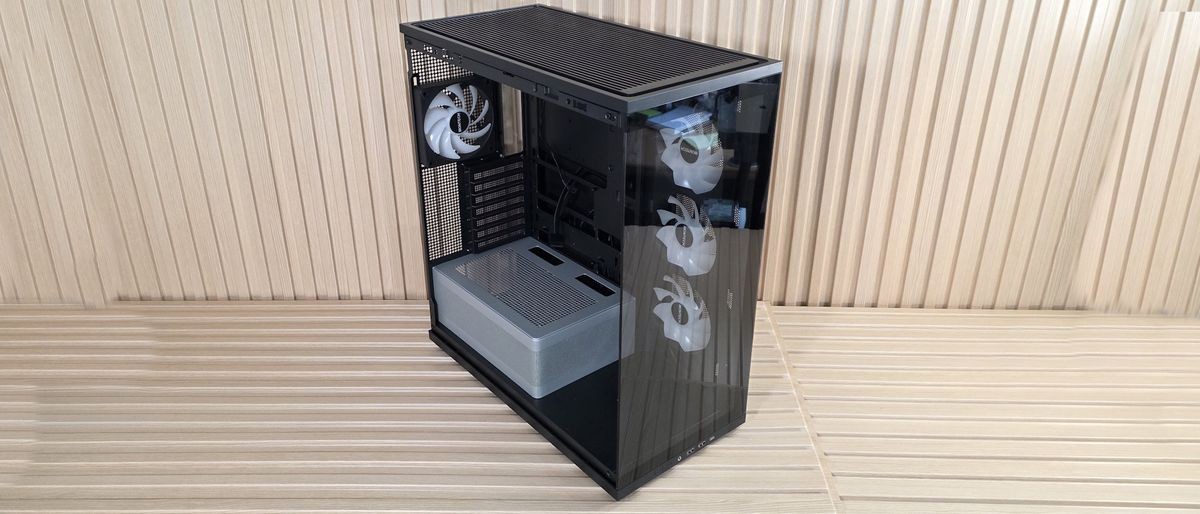
Priced at $59.90, the Montech TG3 case not only offers great value but also good CPU cooling performance, quiet operation, four fans with an integrated ARGB strip, and a good-looking design without breaking the bank.
Pros
- +
Four Included Fans
- +
Great normalized cooling performance on the CPU
- +
Tiered ARGB PSU Shroud
- +
Showcase space
Cons
- -
Slightly higher GPU temperatures
- -
Non-color-matched PSU shroud is polarizing
Why you can trust Tom's Hardware Our expert reviewers spend hours testing and comparing products and services so you can choose the best for you. Find out more about how we test.
We first spotted Montech's TG3 case at Computex earlier this year. This panoramic mid-tower chassis offers a full view inside through the smoked side and front panel glass, and features a tiered bottom layout and an ARGB lighting strip around the raised power supply chamber. While the side intake isn’t a boon for high airflow, the case performed well in our testing with our power-hungry components, at least with the CPU, offering some of the best air-cooled temperatures using our new test hardware. Priced at $59.90 including four fans (or technically two, as one is a full-frame 360mm), it offers a great value in the budget mid-tower space.
Inside, the TG3 comes with preinstalled unibody reverse fans (3x120mm) on the side and a single 120mm fan on the rear for factory-provided airflow. Up top, there’s room for three more 120mm fans / a 360mm radiator, too. The chassis supports motherboards from ATX down to Mini-ITX, and even handles rear-connect motherboards. The TG3 supports huge graphics cards, and even vertical GPU mounting (with a kit sold separately). The power supply sits in its own tiered chamber, silver in color, adding dimensional depth to the interior. The chamber sports a frosted RGB strip that runs along the top edge and casts a nice glow on your components inside the chassis. At the front of the case, on the bottom, is showcase space to show off a figure, or whatever you want that fits, or it’s wasted space.
Externally, this is a simple design, with two panes of lightly tinted glass on the front and side, showing off your internals. It comes in black and white, with the latter using a color-matched PSU chamber, unlike our black model. The IO panel runs along the bottom edge and offers two Type-A ports, a single Type-C port, along with power and RGB mode buttons. Overall, it’s a good-looking chassis, especially for the sub-$60 price point.
We'll cover many more details inside and outside the case, showcasing the features and any issues we may encounter during the build process. We also run the case through our thermal and noise testing to give you an idea of how it performs compared to other cases and to see if it has a chance of making our
best PC caseslist (spoiler: it does!). Below are the case's specifications, from Montech.
Latest Videos FromTom's Hardware
Montech TG3 Product Specifications
Swipe to scroll horizontally
Type |
Mid-Tower |
Dimensions (H x L x W) |
2.5 x 18.3 x 9.4-inches (523 x 465 x 239mm) |
Motherboard Support |
Mini-ITX, MicroATX, ATX |
Back-connect Motherboard Support |
Yes |
Color |
Black, White |
Storage Support |
(1) 3.5-inch -or- (2) 2.5-inch |
PCIe Expansion Slots |
7 |
Fan Support |
Top - 3x120/140mm |
Pre-installed fans |
(1) GF360 U Rev (Side) |
Radiator Support |
Top - 120/140/240/280/360mm |
CPU Cooler Clearance |
180mm |
GPU Clearance |
430mm |
Vertical GPU Support |
Yes (requires purchase of VGM 2 mounting kit) |
PSU Length |
250mm ATX |
Dust Filters |
Top, Bottom |
Other features |
3x included fans, Tiered ARGB PSU shroud back-connect support |
MSRP |
$59.90 |
Warranty |
1 Year (case), 3 Years (fans) |
Features of the TG3
▶️ External Features
While the TG3 looks fine externally, there’s nothing really exceptional going on. It’s another typical mid-tower panoramic chassis, with lightly smoked tempered glass panels to show off your internals. But it does have a unique ‘show space’ inside at the front to display whatever you like inside your PC case. If you’re interested in showing something off in that space, and assuming your graphics card doesn’t extend past the motherboard edge, you have about 7 x 7 x 17-inches (LxWxH) worth of space. If your graphics card is the size of our Asus RTX 4080 TUF (larger, it shrinks the length down.
Image 1 of 8
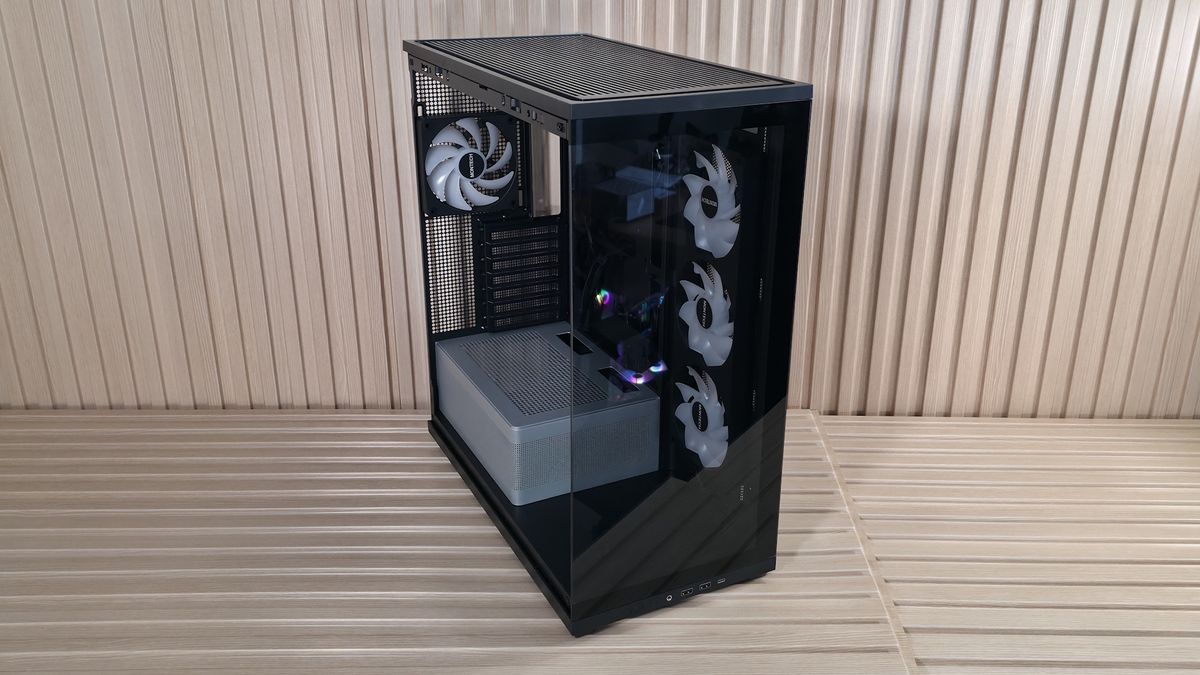
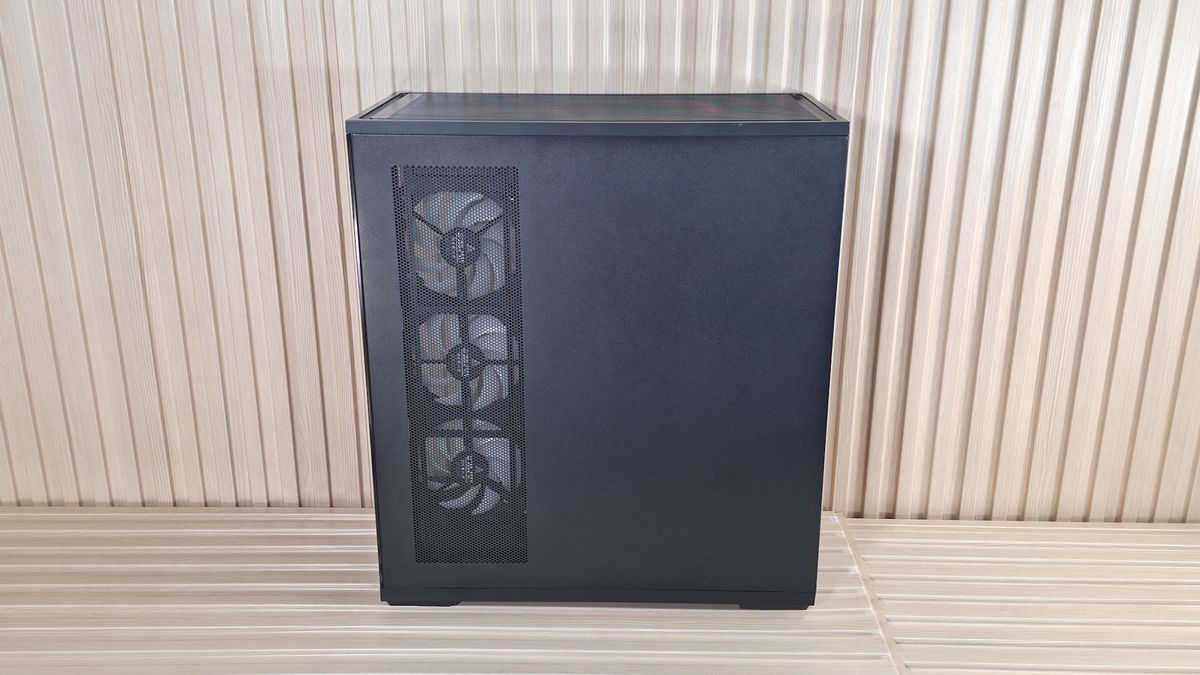
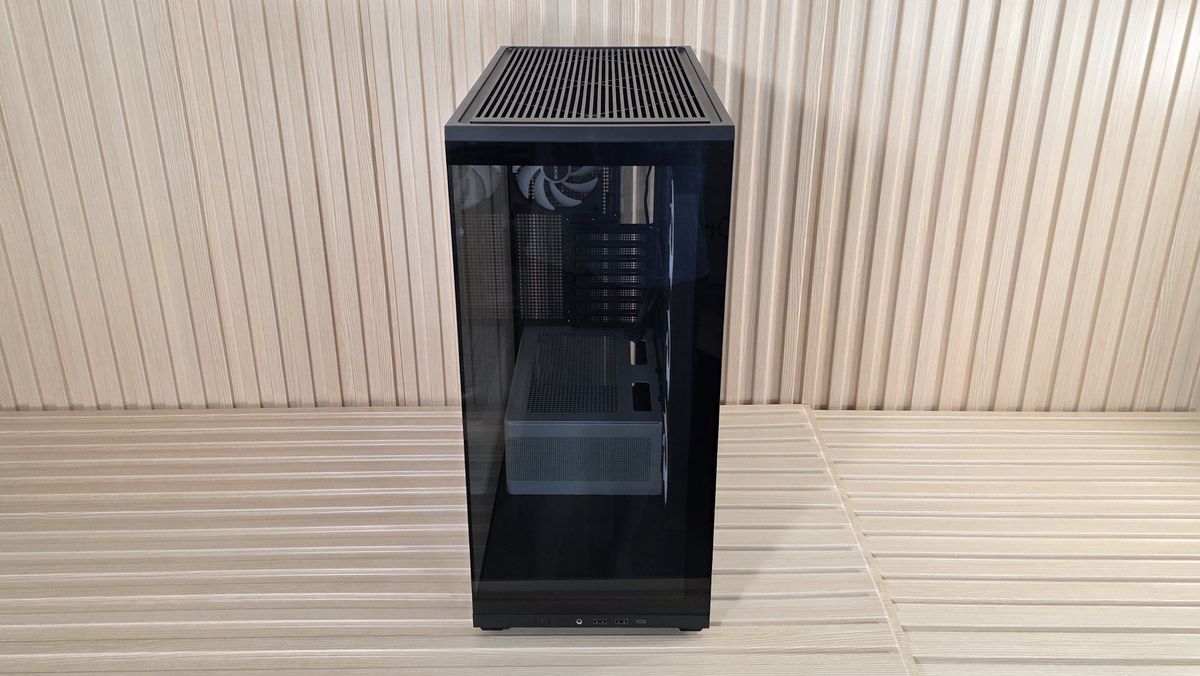
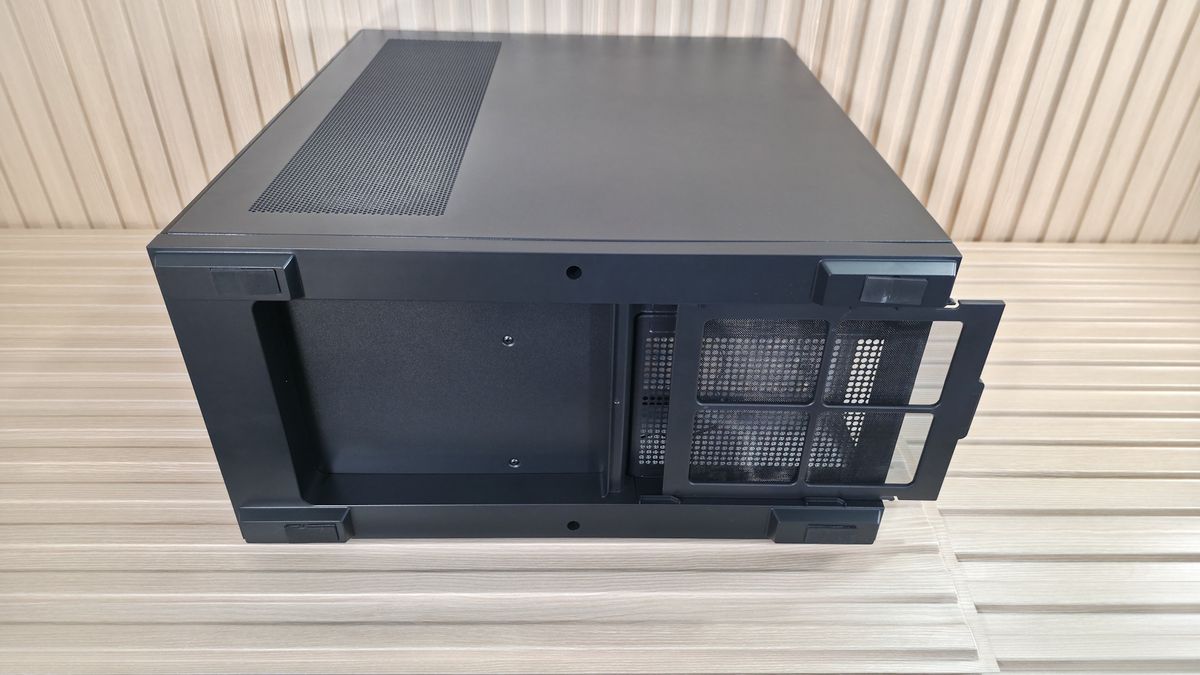
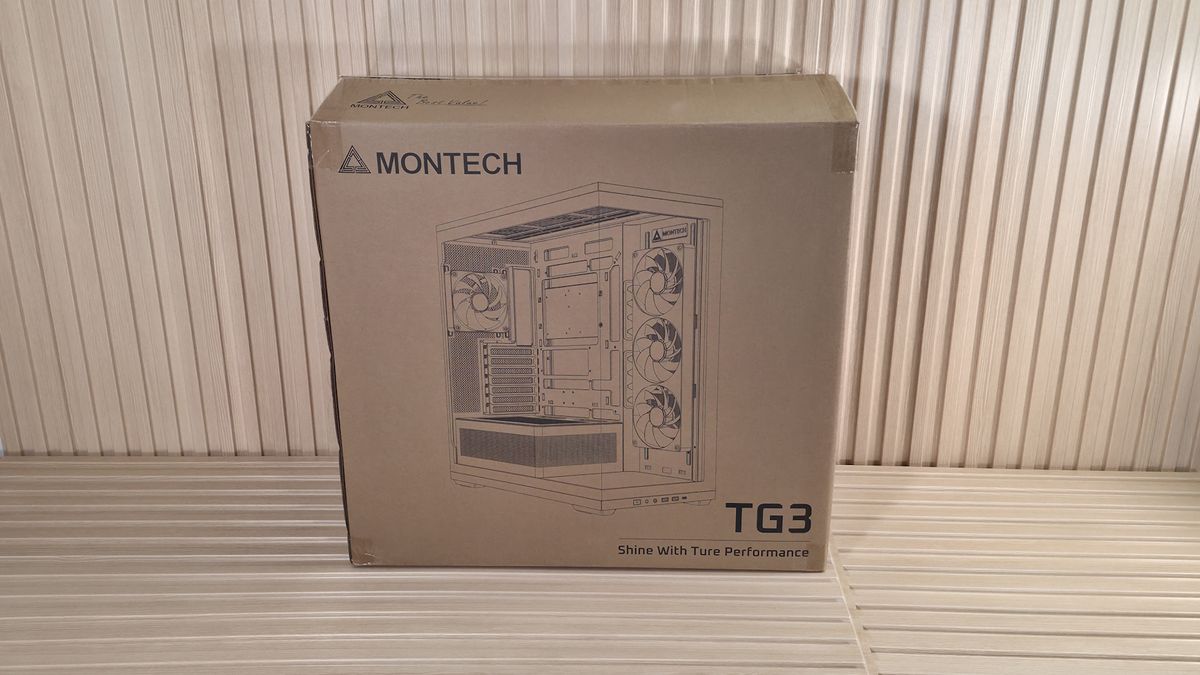
Each removable panel attaches to the case in the same way, using tabs that slide into slots in the frame, while the top uses ball-and-socket capture mechanisms to secure it to the chassis. The panels hold securely, and there’s nothing to worry about, but be careful when moving it, as any potential flex could break them free. The top grille, which also pops off, has slats on the top and offers plenty of airflow, and even has a removable dust filter, similar to the ones on the side intake and PSU shroud.
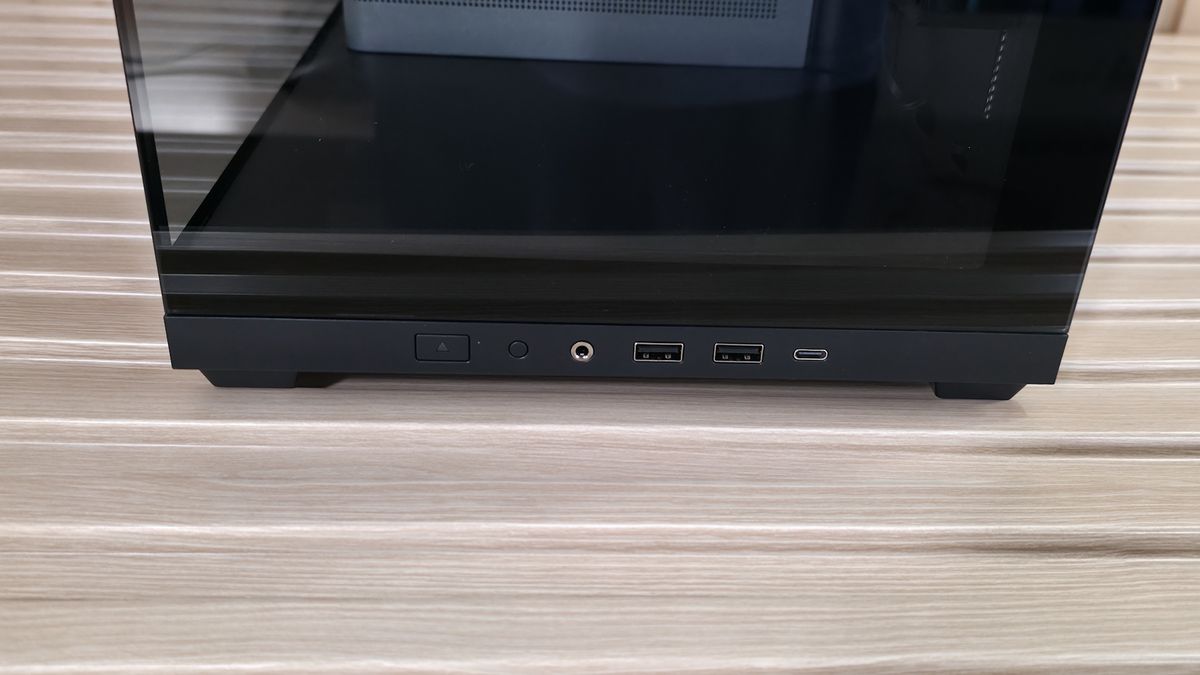
The front panel IO runs along the bottom of the case (so you'll probably want to keep this on your desk) and offers your typical fare of connections. Starting on the left is the Power button and LED mode buttons, a 3.5mm headset audio jack, two USB 3.2 Gen 1 (5 Gbps) Type-A ports, and one USB 3.2 Gen 2 (10 Gbps) Type-C port. Even though this is a budget case, I’d still like to see a 20 Gbps port on the front.
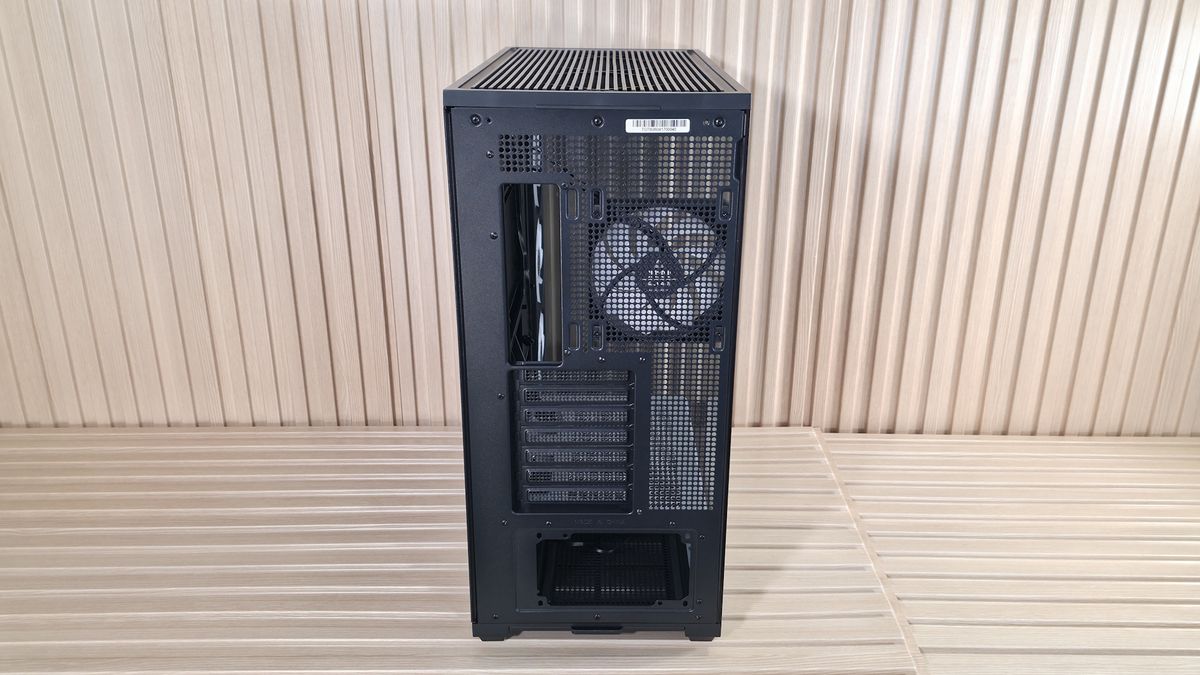
Flipping the case around to the rear, we see the circular vent holes for airflow and the included and height-adjustable 120mm fan (the case supports a larger 140mm fan if you want to swap this one out). You also get a great view here of the seven expansion slots and the PSU mounting location on the bottom. You can mount a vertical GPU too. But the VGM 2 mounting kit does come separately (
~$45 on Amazon). The PSU chamber also has a removable dust filter to feed clean air to the power supply. The TG3 sits on four integrated raised feet, with rubber pads that slightly lift the case for better airflow.
▶️ Internal Features
Stay On the Cutting Edge: Get the Tom's Hardware Newsletter
Get Tom's Hardware's best news and in-depth reviews, straight to your inbox.
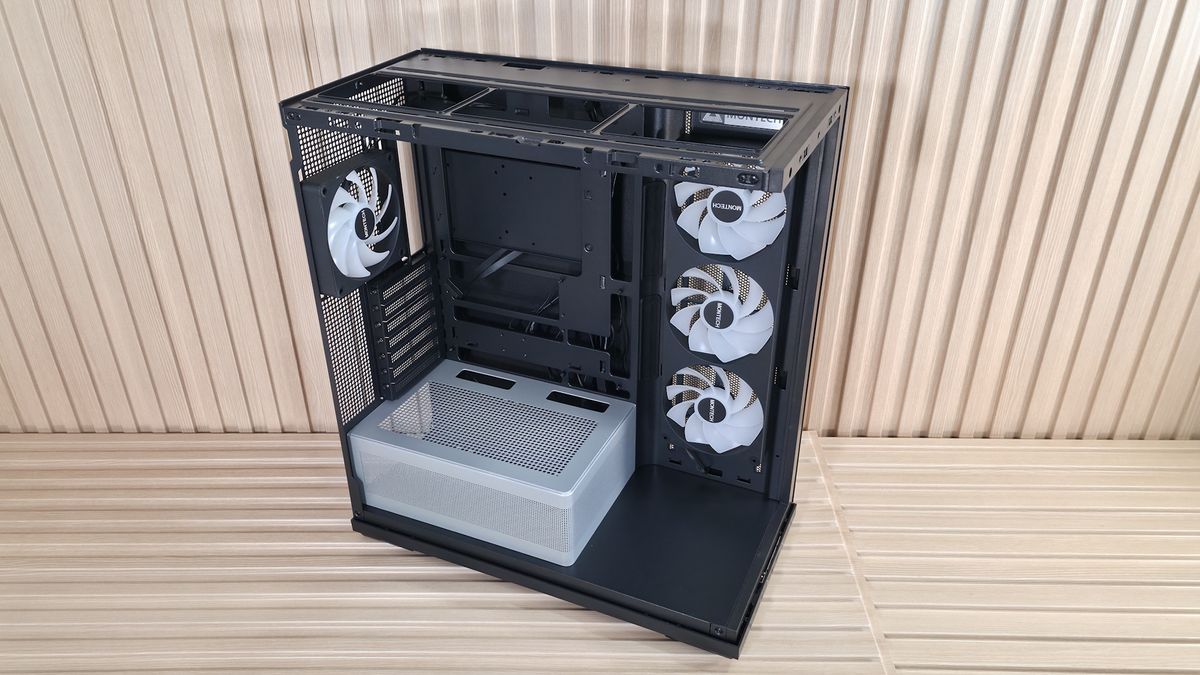
Inside the chassis, there’s quite a bit of space because of the side (not front) fans, which give you an extra couple of inches to play with up front. Montech decided to use the extra space at the bottom, between the PSU shroud and the front glass panel, as a stage for you to put something there to show off. Perhaps a Gundam figure, your waifu, or any other cool model or trophy to personalize the space. Otherwise, it’s just space that could have been better utilized, maybe as a sloped shroud directing cooled air up towards the GPU.
Image 1 of 5
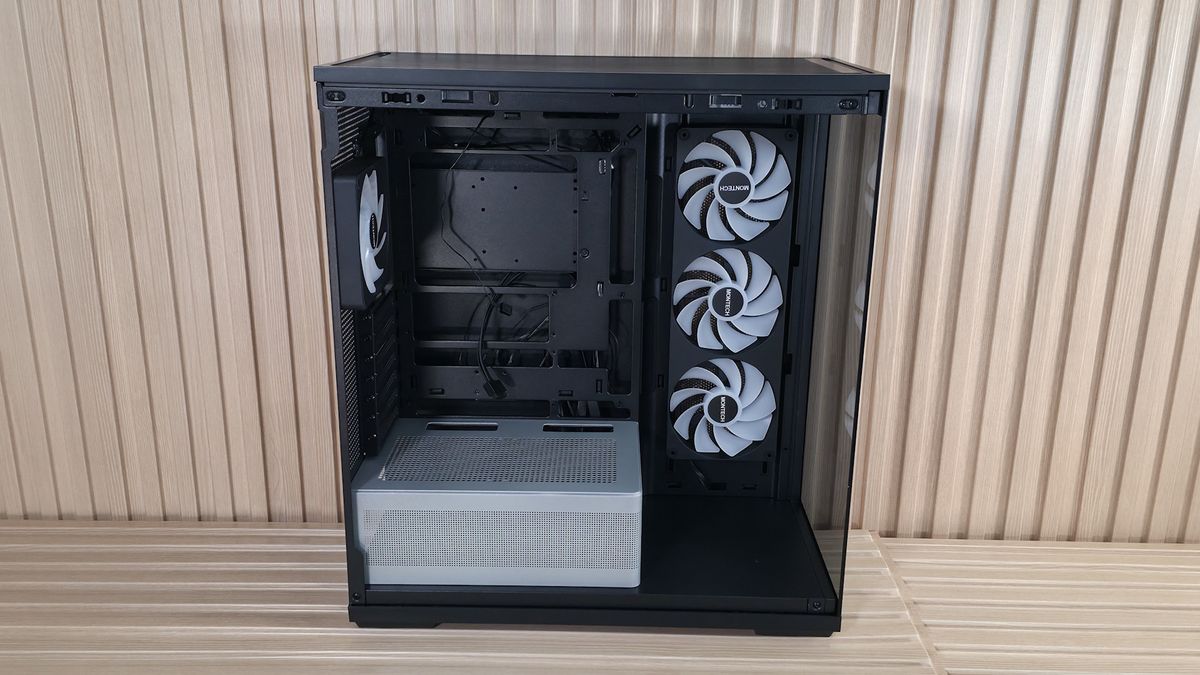
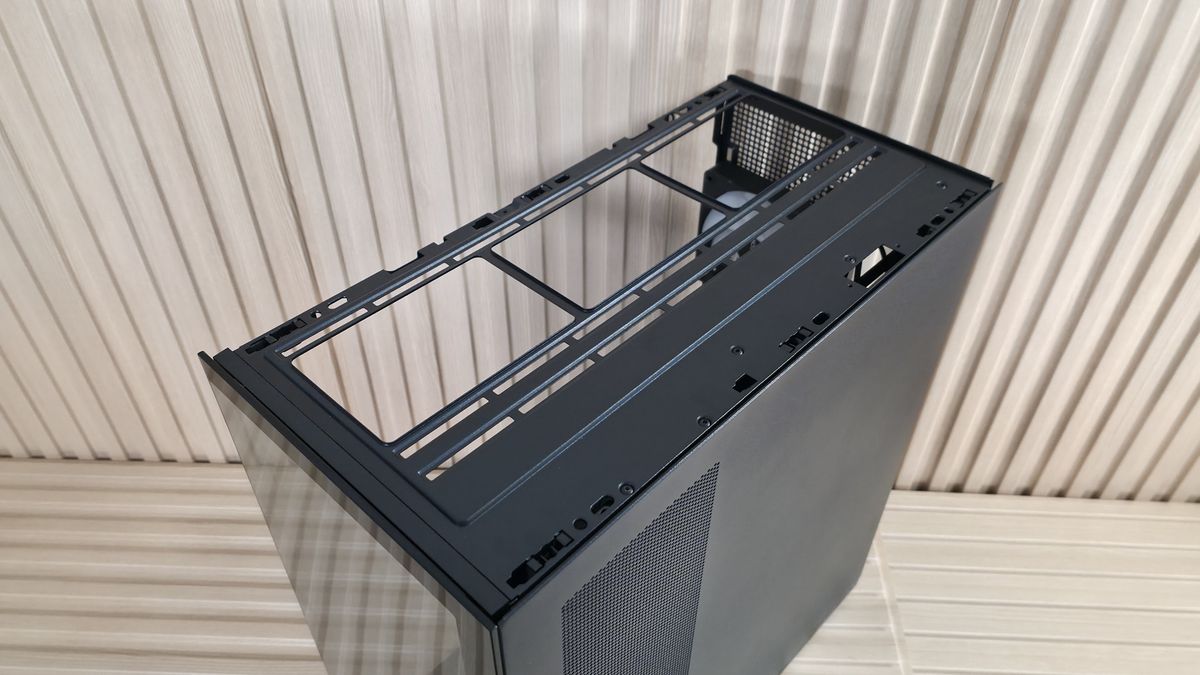
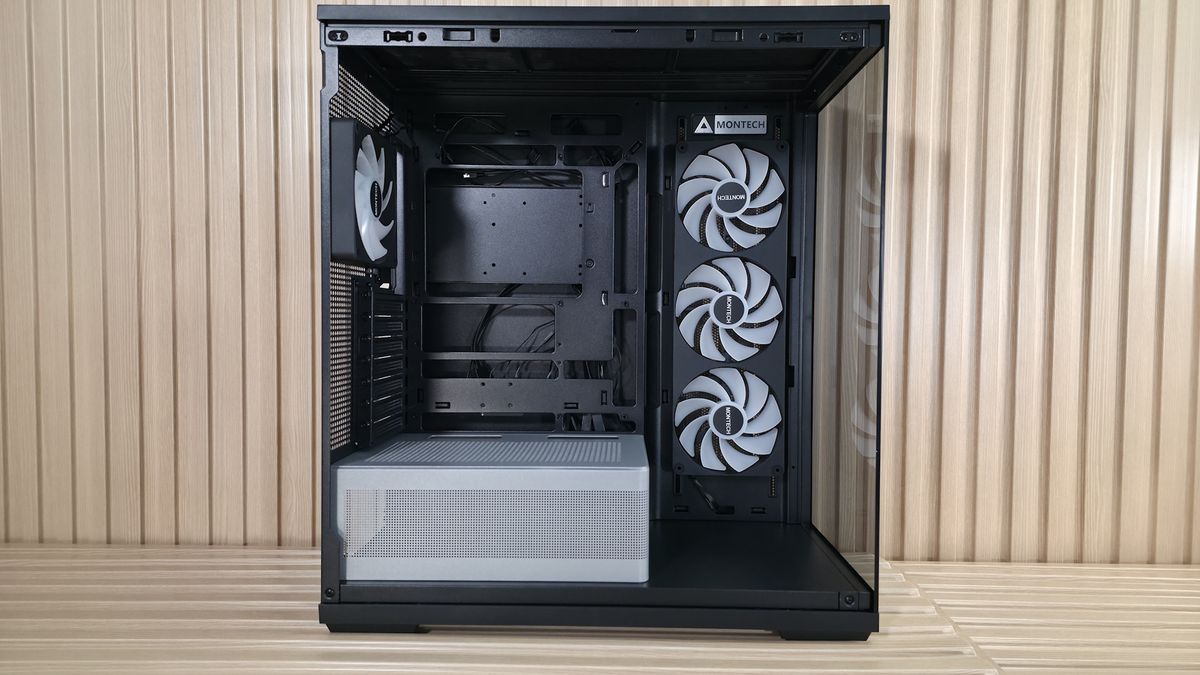
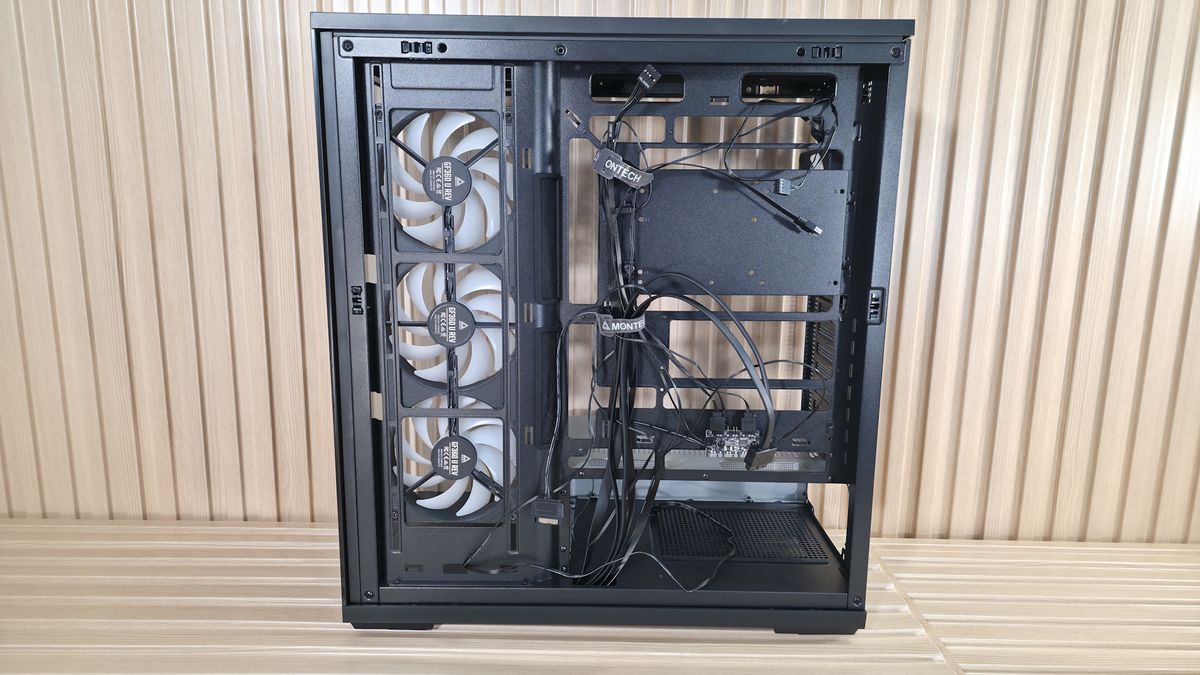
The motherboard panel supports up to ATX boards, with mounting points for Mini-ITX and MicroATX form factors. The best fit is for sure ATX and MicroATX, as that’s where all the cable management holes line up. It also supports rear-connect motherboards (BTF, Project Zero, Stealth) for that ultra-clean, wire-free aesthetic. There’s plenty of room to route the cables through the grommets. Speaking of grommets, I like when cases use these as it further hides the wires. However, they almost always come out of their spaces easily, including on the TG3. I wish they were glued in so you didn’t have to push them back in after you’re doing cable routing.
As you can see, the chassis comes with a total of four 120mm fans, with three on the side as intake and one rear exhaust. The fans hail from Montech's GF U line, specifically the unibody GF360 U Rev, and a GF120 U for the rear. Both 25mm-thick fans have ARGB blades and spin at 800-1,600 RPM on Hydrodynamic bearings. Montech lists airflow up to 73.1 CFM and static pressure around 1.71 mmH2O. That's not a lot of static pressure, but it doesn’t need to be, since they are case fans with relatively low resistance. Montech says it does so at a whisper-quiet 25.3 dBA. And while we can’t fully verify the fan's specs, the case was quiet out of the box during our full-load tests.
The top of the case pops off from below, by more of those ball-and-socket capture mechanisms. From the inside, you can mount three 120 or 140mm fans/radiators, with plenty of room for a standard-thickness radiator and fans. Outside of that, there’s nothing special in this area.
The next internal feature worth calling out is the PSU shroud. While it might sound boring, there’s actually a lot going on here. First, in the black chassis, the shroud is gray and doesn’t match. This was an intentional design choice to make it stand out in the black colorway, but personally, I’m not sold on it and would like to see it all in black. That said, the white TG3 does have it matching in white. Running along the edge is a frosted RGB strip that adds a bit more ‘native’ bling to the case. Finally, on top of the chamber there is room for two additional 120mm fans to cool the graphics card directly, but using those removes at least one PCIe expansion slot.
Flipping the case around to the back side and opening it up, we get a better shot of the unibody GF360 U fan mounting. Note that you have some vertical flexibility in mounting location (what you see is how it arrived). There isn’t a ton of space for stashing cables behind the motherboard panel, but enough, and Montech includes two Velcro ties for a cleaner look. When installing our test system inside, I stashed what I could in with the power supply, which worked fine, even if it was a bit tight.
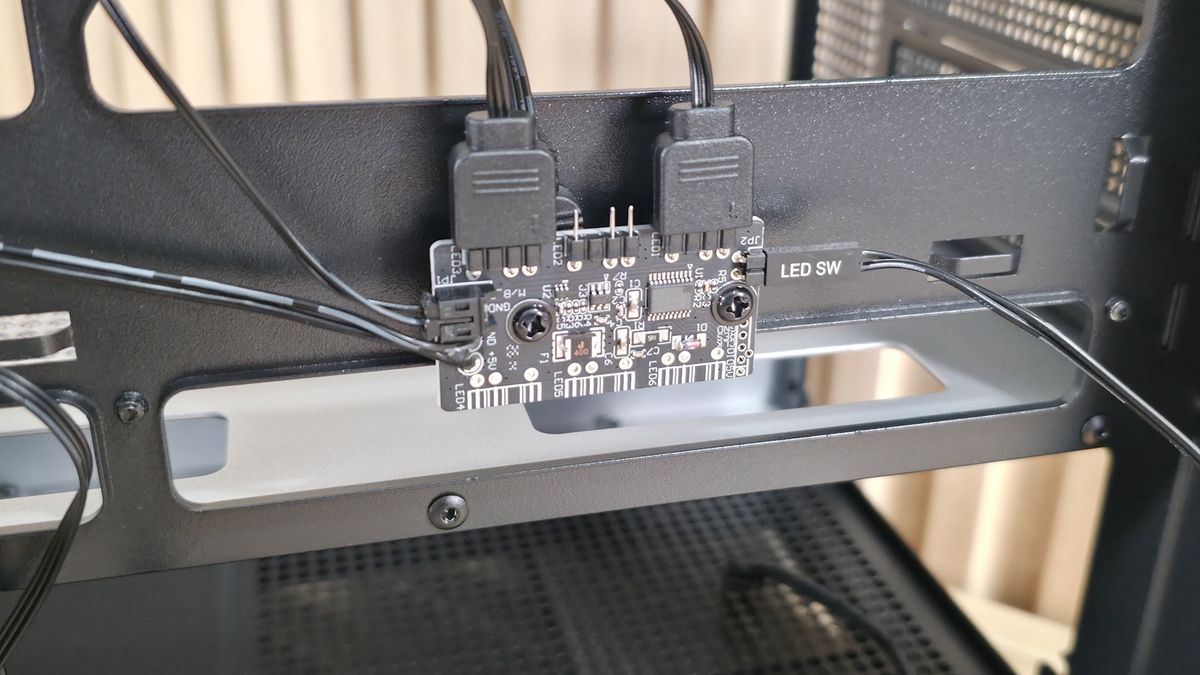
Surprising for a sub-$60 case, the TG3 also includes an ARGB hub mounted to the back of the motherboard tray. The hub supports up to three 3-pin ARGB devices. The GF360/120 U fans already take two, but there’s still one available in case you want to control the PSU shroud (or whatever you attach to it) by the button on the front of the case, too. Many would prefer the motherboard to control all their devices, but this is still a great value-add.
Image 1 of 3
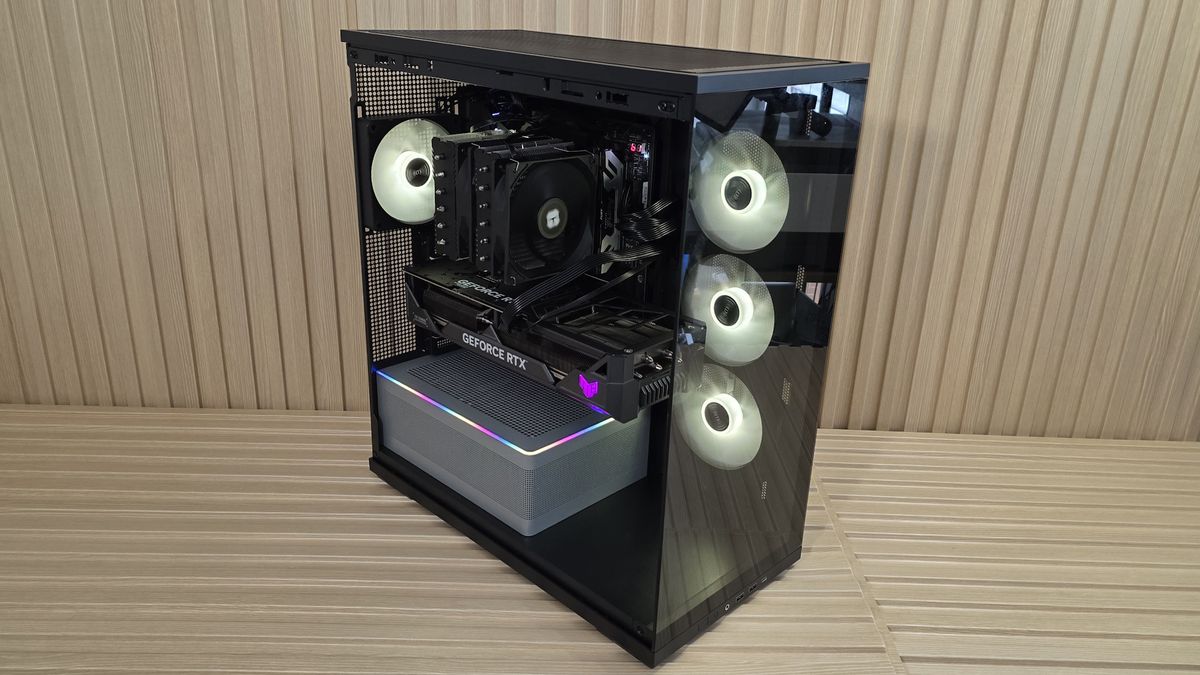
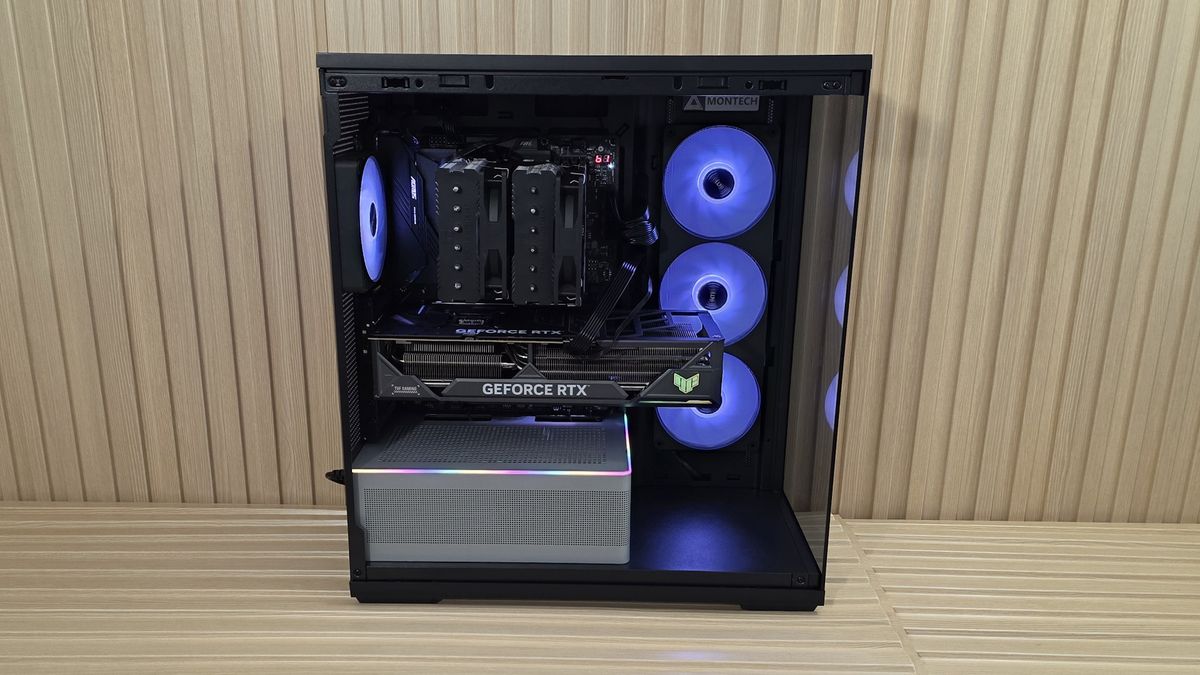
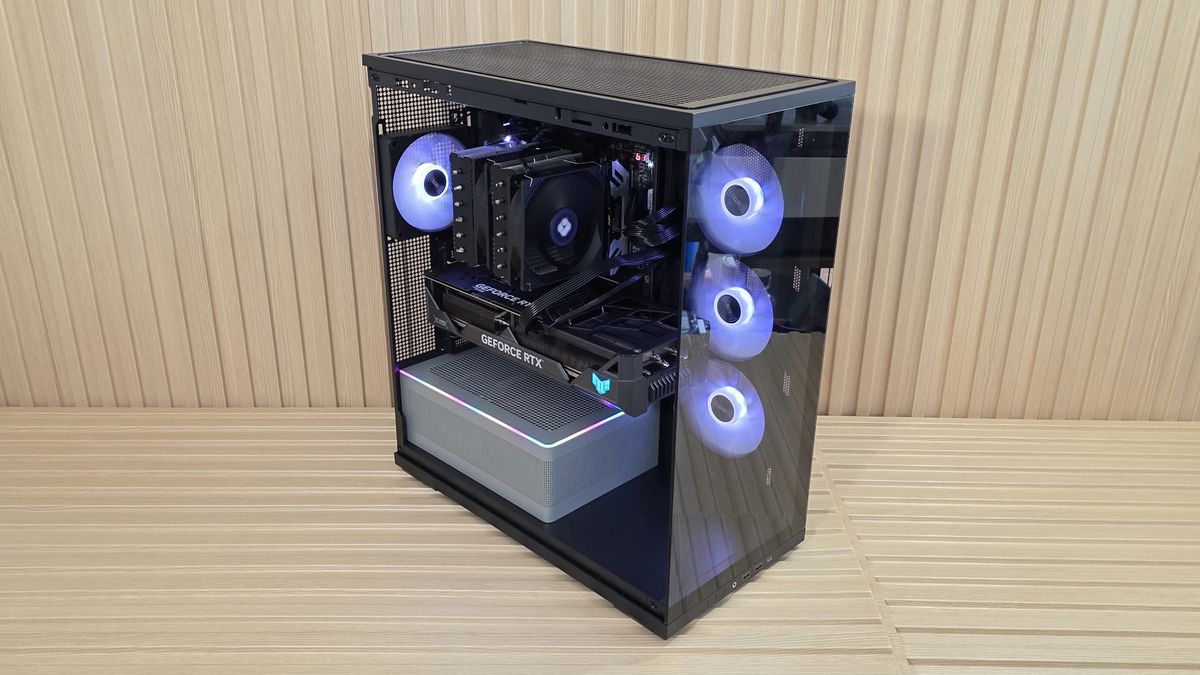
My takeaways from this case are the great internal views and the unique RGB lighting strip that runs along the power supply chamber. There’s plenty of room for large air coolers (up to 180mm) and graphics cards up to 430mm and 3.5 slots thick with standard mounting. I also liked the strong out-of-the-box CPU performance with only the included fans, and how quiet it was with all fans running at full speed. Read on for details.

Joe Shields is a staff writer at Tom’s Hardware. He reviews motherboards and PC components.
What's Your Reaction?
 Like
0
Like
0
 Dislike
0
Dislike
0
 Love
0
Love
0
 Funny
0
Funny
0
 Wow
0
Wow
0
 Sad
0
Sad
0
 Angry
0
Angry
0







Comments (0)