

Razer Seiren V3 Pro Review: USB, XLR, and 32-bit float
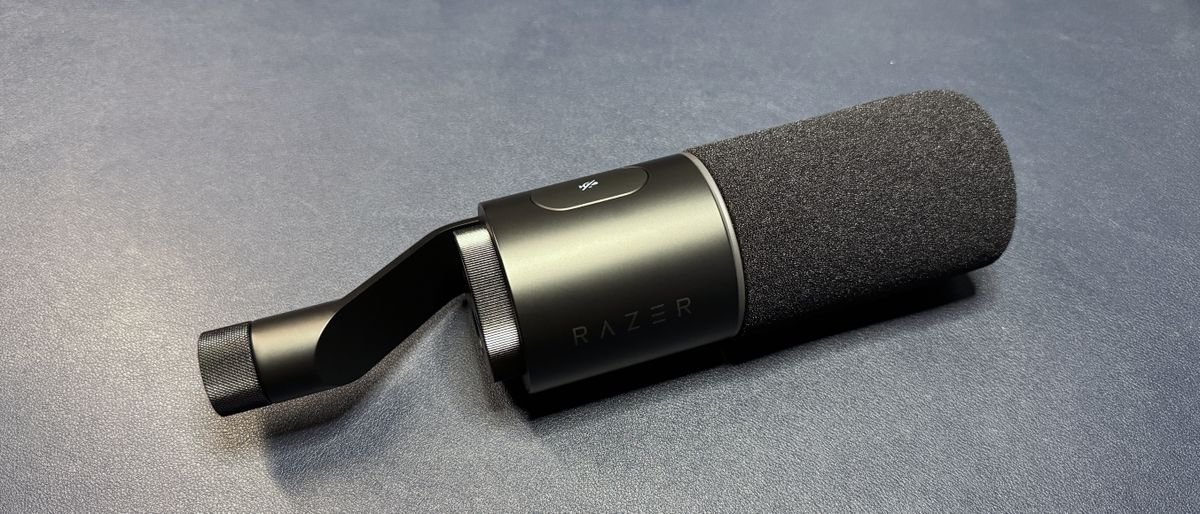
The Seiren V3 Pro is a great mic for a small audience — if you don't need 32-bit float and XLR connectivity in one mic, and you probably don't, there are plenty of cheaper mics that perform just as well.
Pros
- +
Dual connectivity
- +
Tap-to-mute
- +
Comes with a stand
Cons
- -
Only one on-mic control wheel
- -
Boring
- -
A little quiet?
Why you can trust Tom's Hardware Our expert reviewers spend hours testing and comparing products and services so you can choose the best for you. Find out more about how we test.
Who doesn't have a dual-connectivity podcaster-focused microphone these days? It seems like every company vying for a spot on our list of best gaming mics is trying to woo us with dual-connectivity when the entire point of a USB gaming mic is that it can connect to your PC without an audio interface (unlike XLR). Anyway, it looks like we can add one more to the pile with Razer's Seiren V3 Pro, which launched today.
The Razer Seiren V3 Pro is an end-address cardioid microphone with a sleek-if-boring design, a built-in swing mount, and one of my favorite features on any peripheral — a capacitive-touch tap-to-mute button that works flawlessly. It supports both USB-C and XLR connectivity, and it has a headphone jack for zero-latency monitoring, plus an on-mic gain control wheel. It records audio at 32-bit / 96 kHz resolution, and supports 32-bit float — though, only through its Synapse app on Windows.
It's not the first time we've seen a mic like this, but they usually don't support 32-bit float (even though, to be fair, very few people need 32-bit float support). The Seiren V3 Pro isn't unique, but it's certainly rare. It's also on the pricier side, at $249.99 (available now).
Latest Videos From

Design and Comfort
The Seiren V3 Pro is a fairly standard cylinder-shaped mic housed in a relatively solid matte black zinc unibody. It comes mounted on its own built-in swing arm, which can be attached to the included desktop stand or to a boom arm via a 5/8-27 threaded mount (it also fits 3/8-16 threaded mounts). It has a removable pop filter, which slides off easily (perhaps too easily) to reveal a black grille surrounding the capsule, which has an integrated shock absorber.
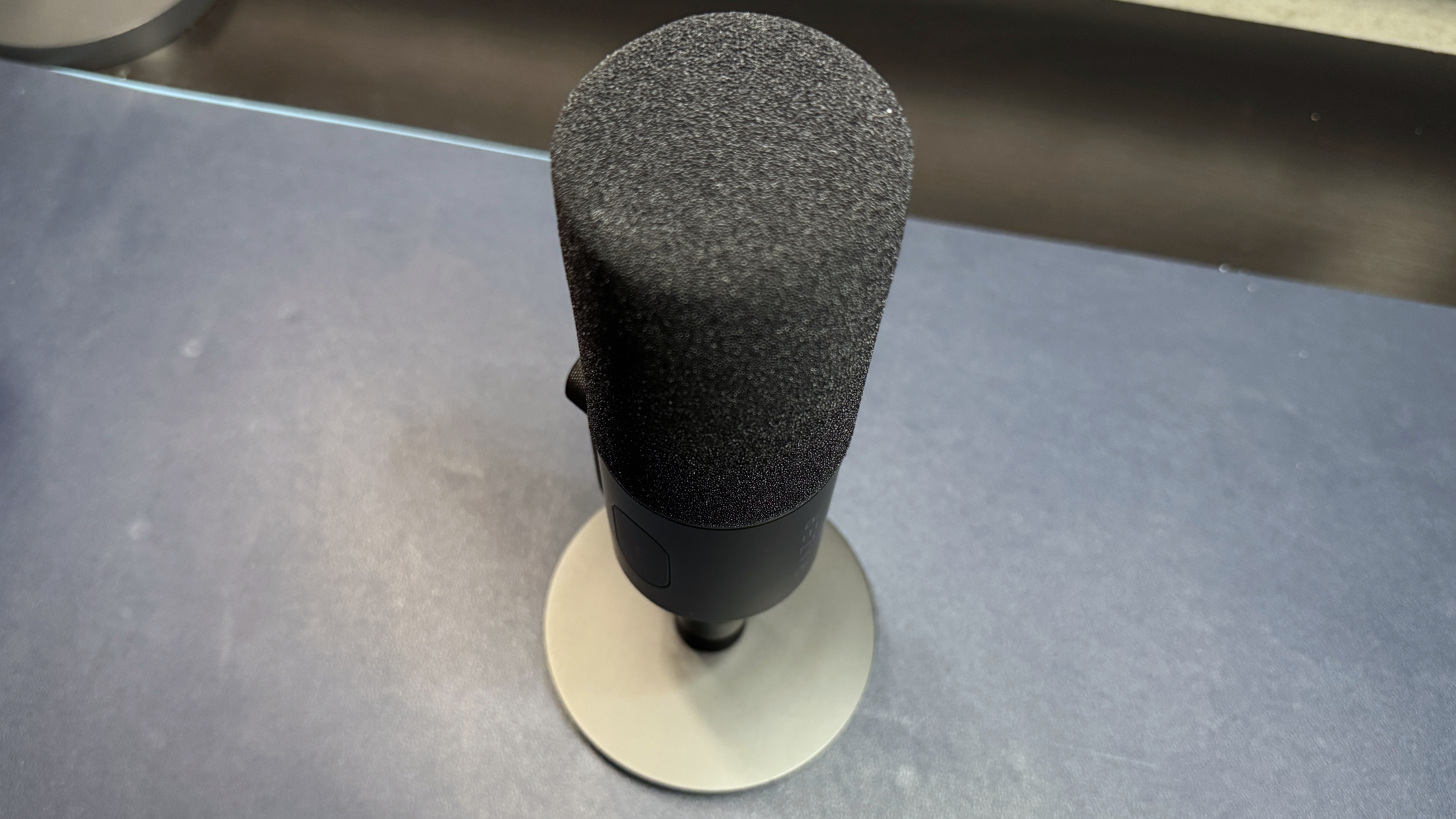
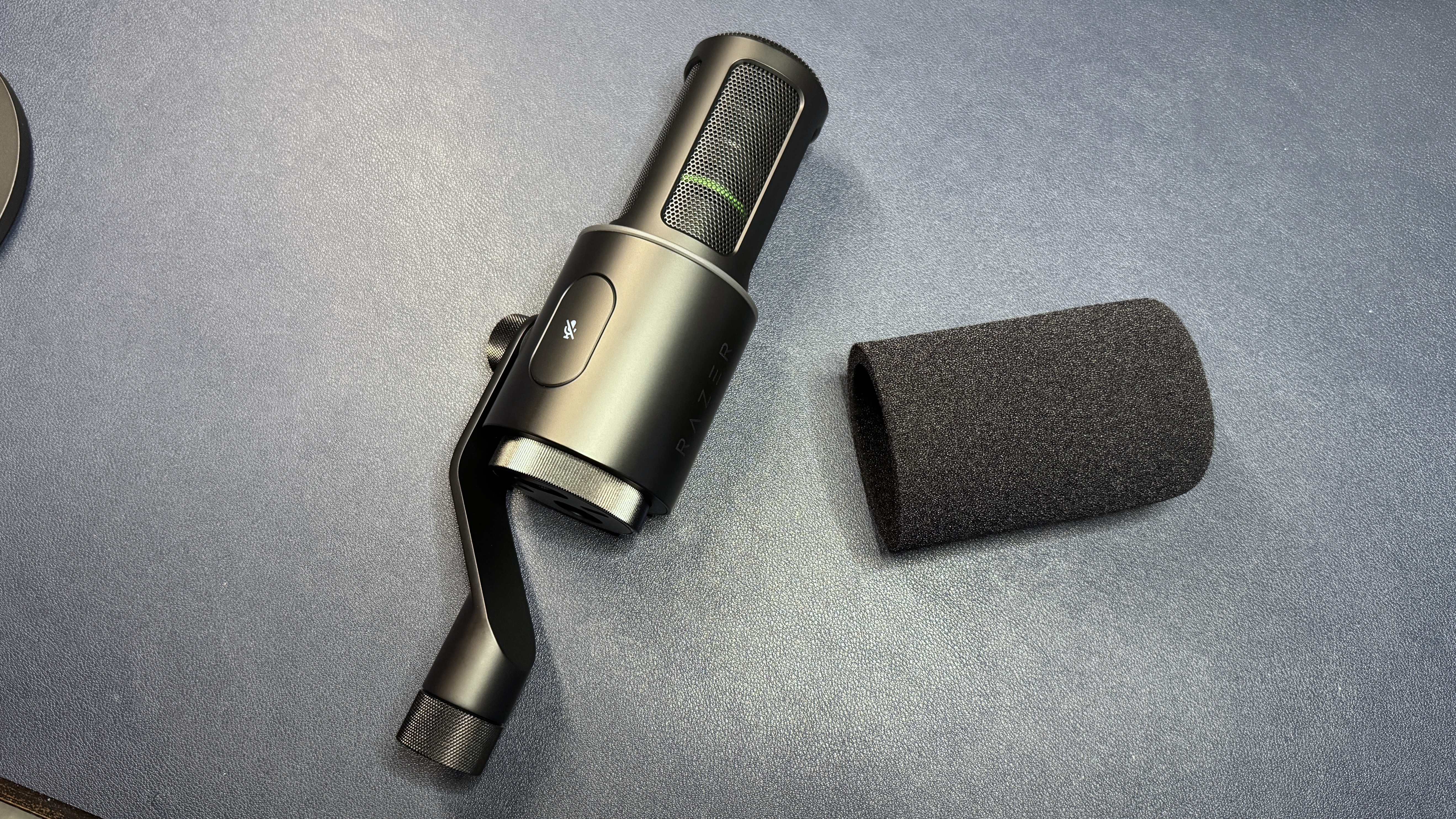
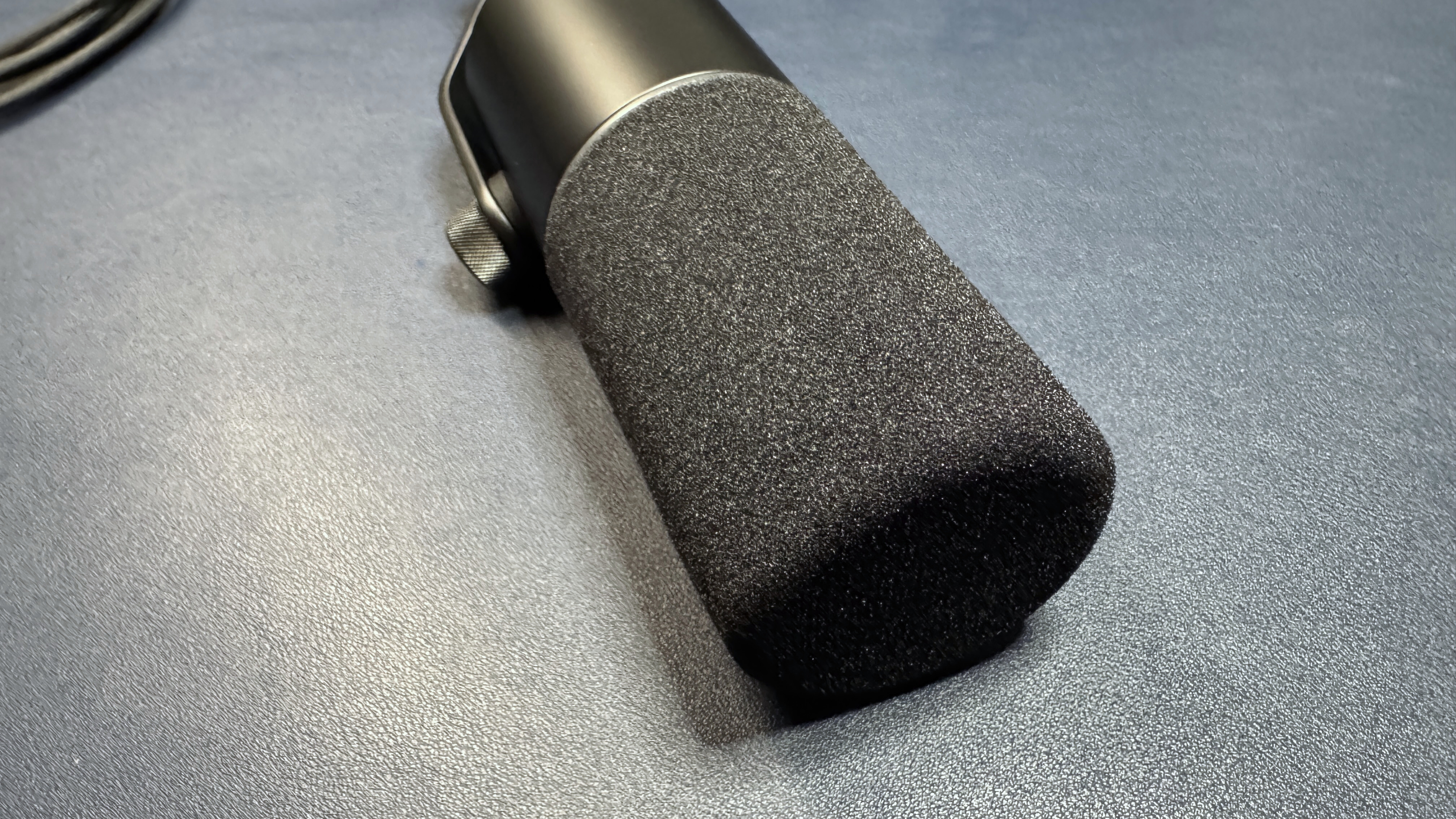
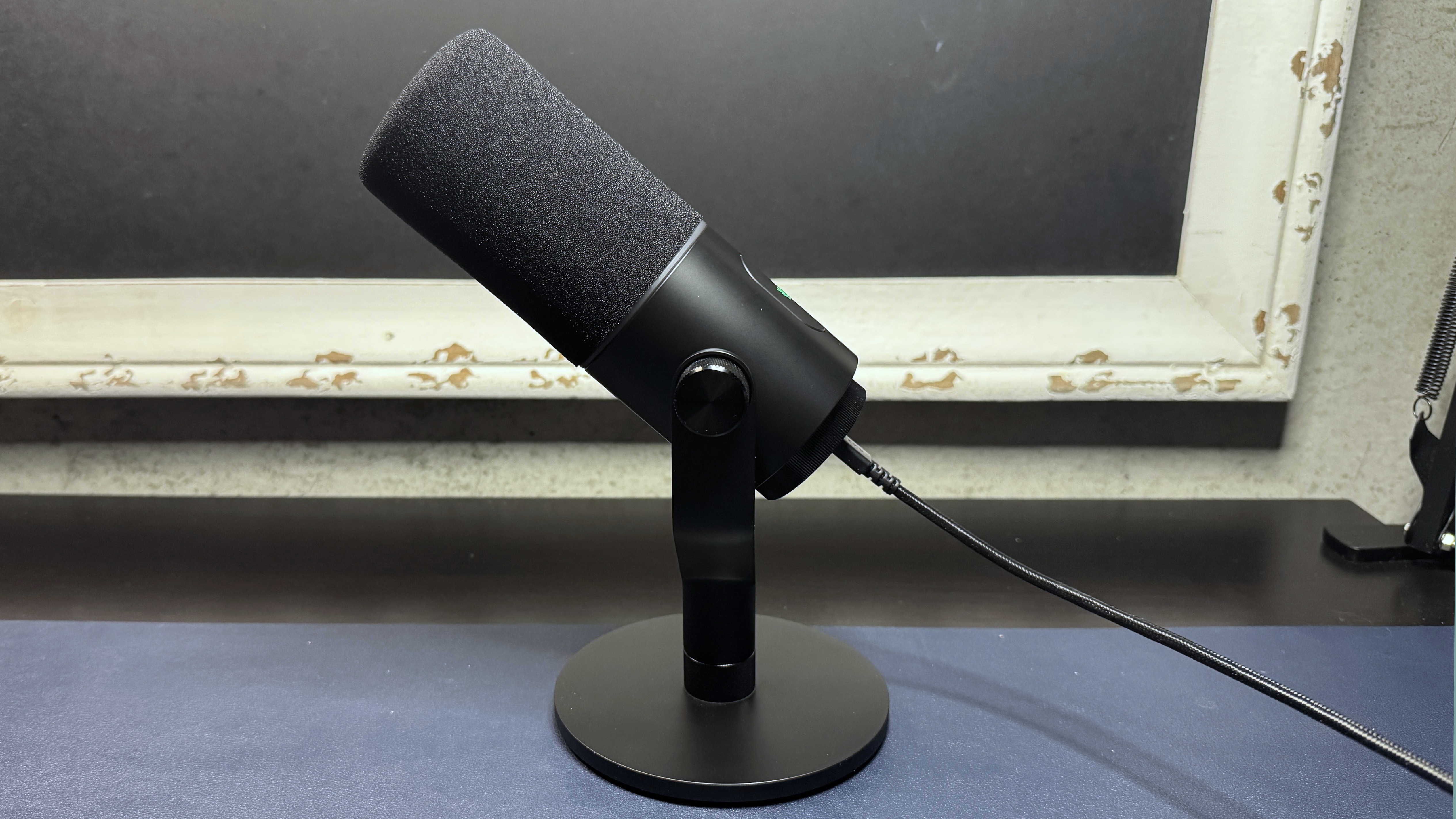
Razer's text logo is subtly printed on the left side of the mic in shiny black; otherwise the design is fairly understated (though there is, of course, a thin, customizable RGB light ring around the center. There's also an oval tap-to-mute button on the front (or top, depending on how you end up mounting it). It's a decent-looking mic, but it doesn't do much to stand out aside from looking like it's trying to emulate the Shure MV7+ (and every other mic that's also trying to emulate said mic). The all-black finish is sleek enough as long as you don't touch it; as soon as you do, you'll find it's very susceptible to fingerprints.
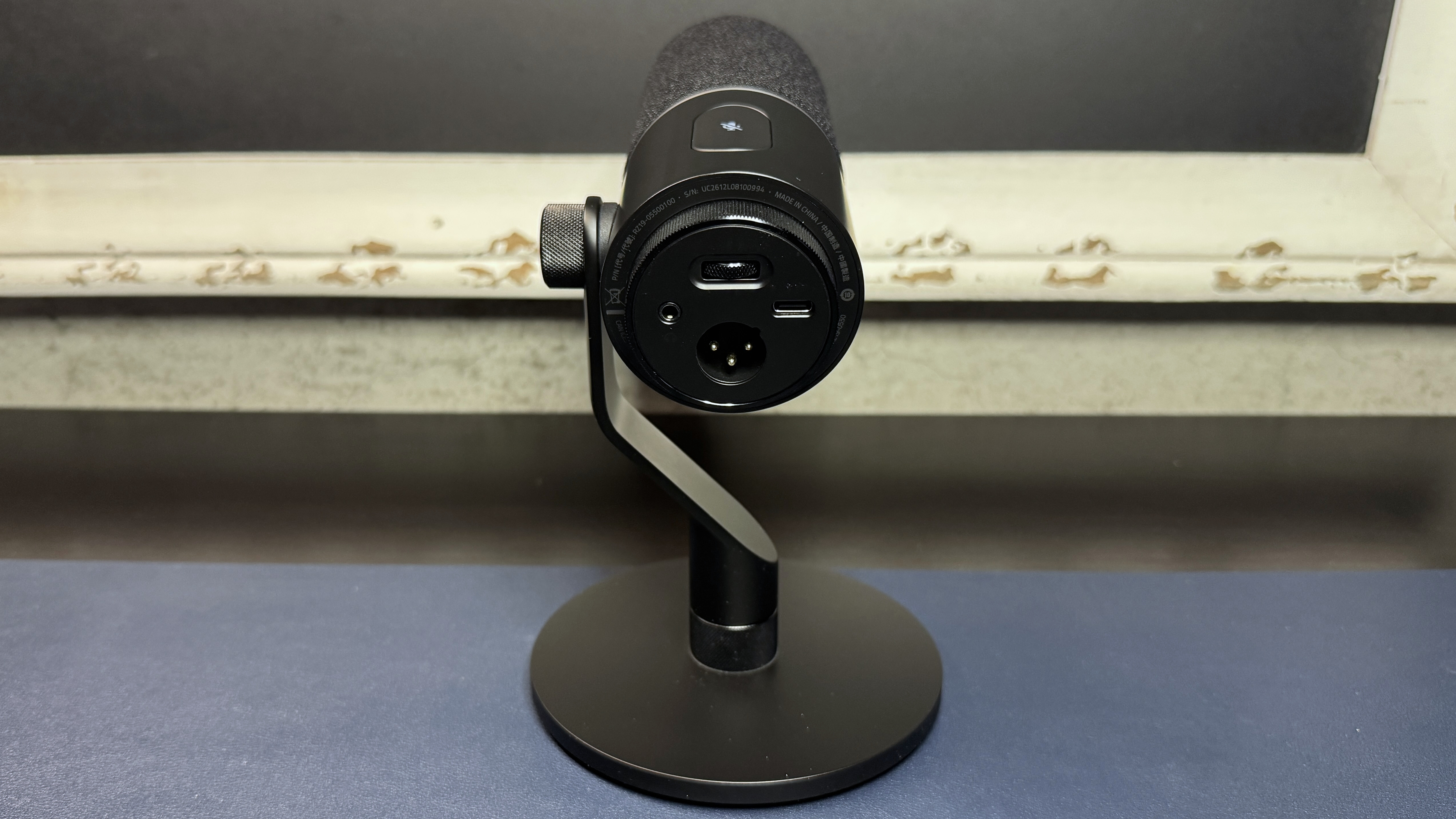
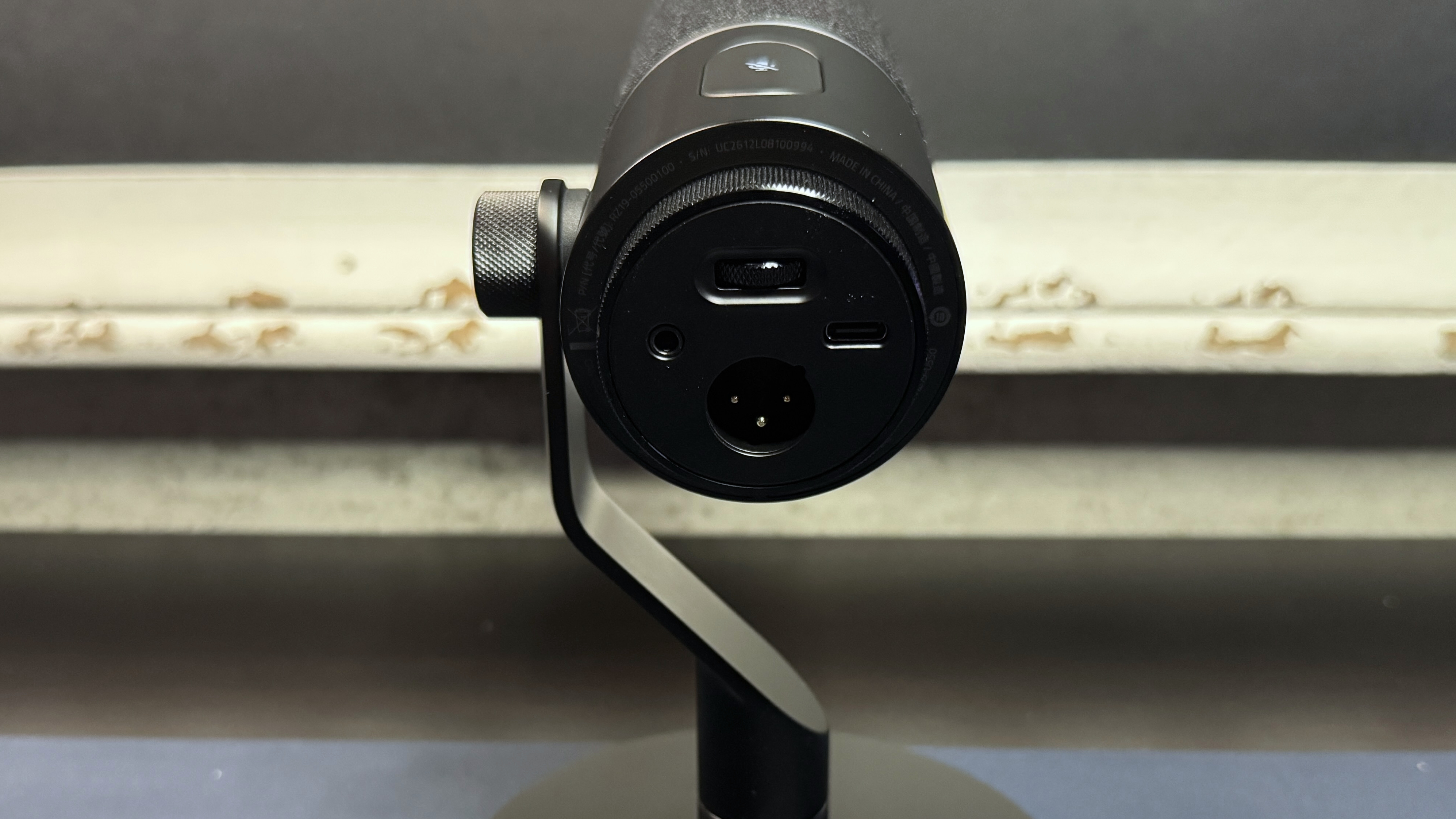
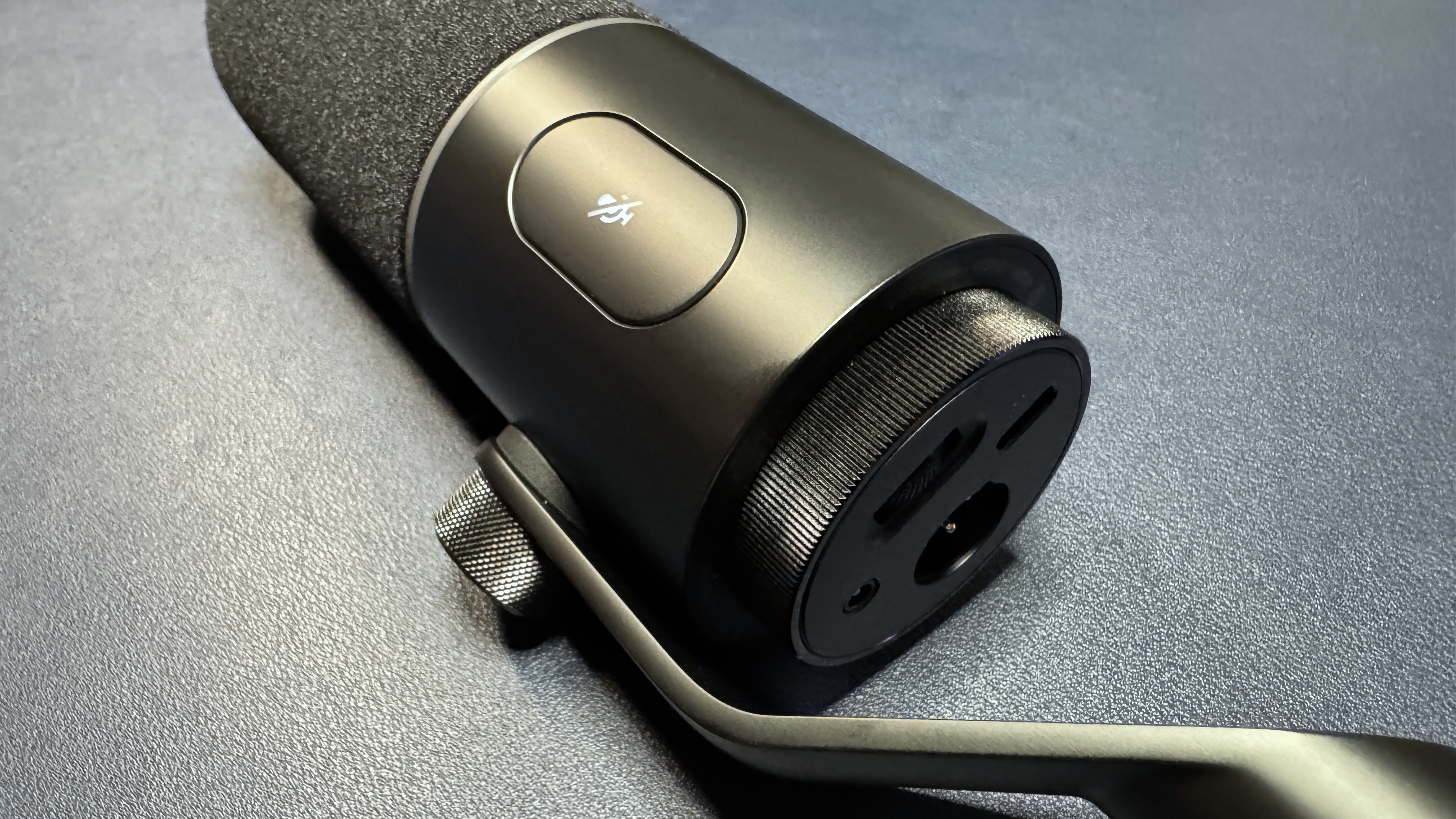
You'll find the ports on the bottom / back of the mic: USB-C, XLR, and a 3.5mm headphone jack for direct, zero-latency monitoring. There's also a small wheel that controls the mic's adjustable gain by default — though this can also be set (in Synapse) to control headphone volume instead.
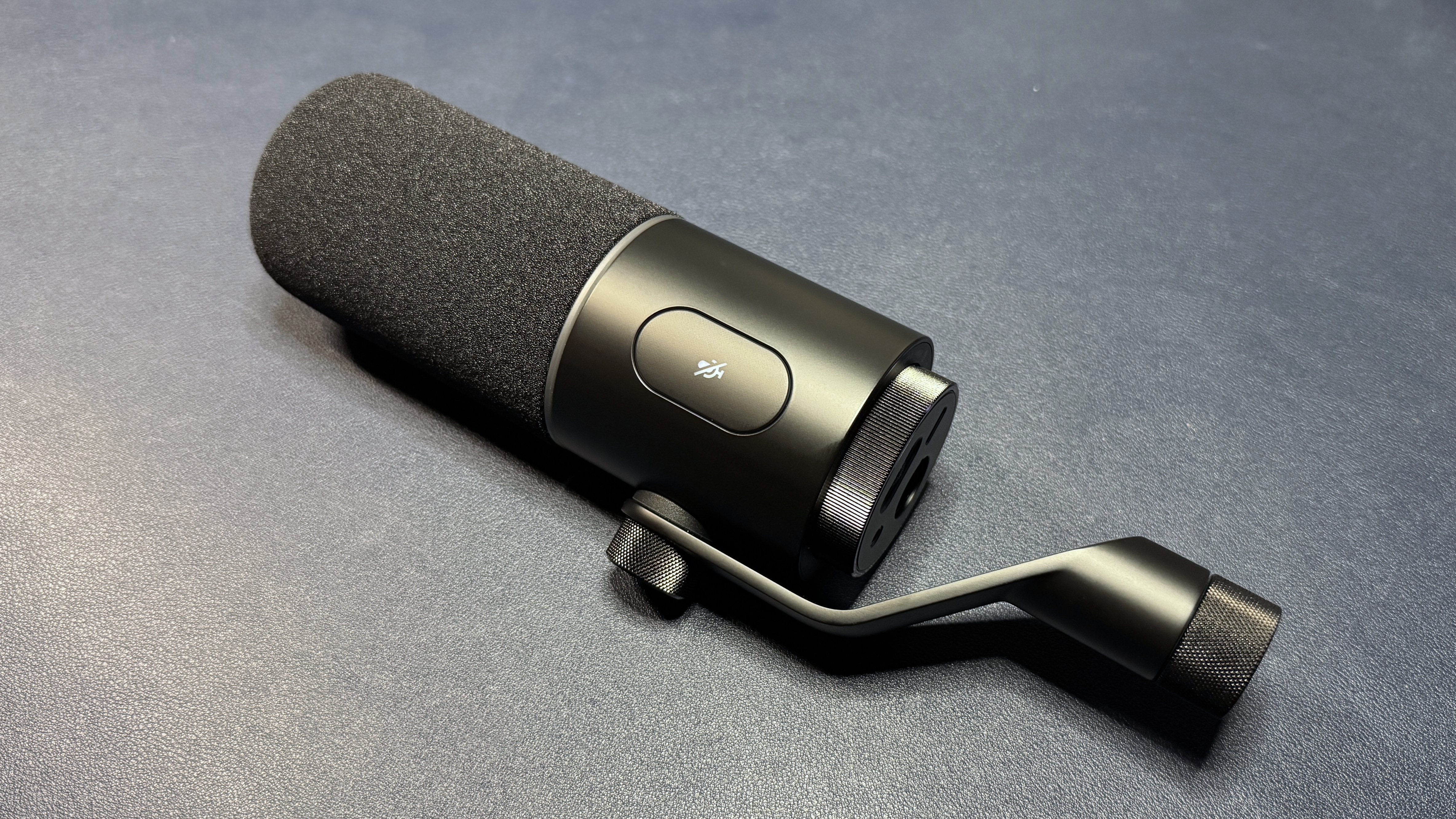
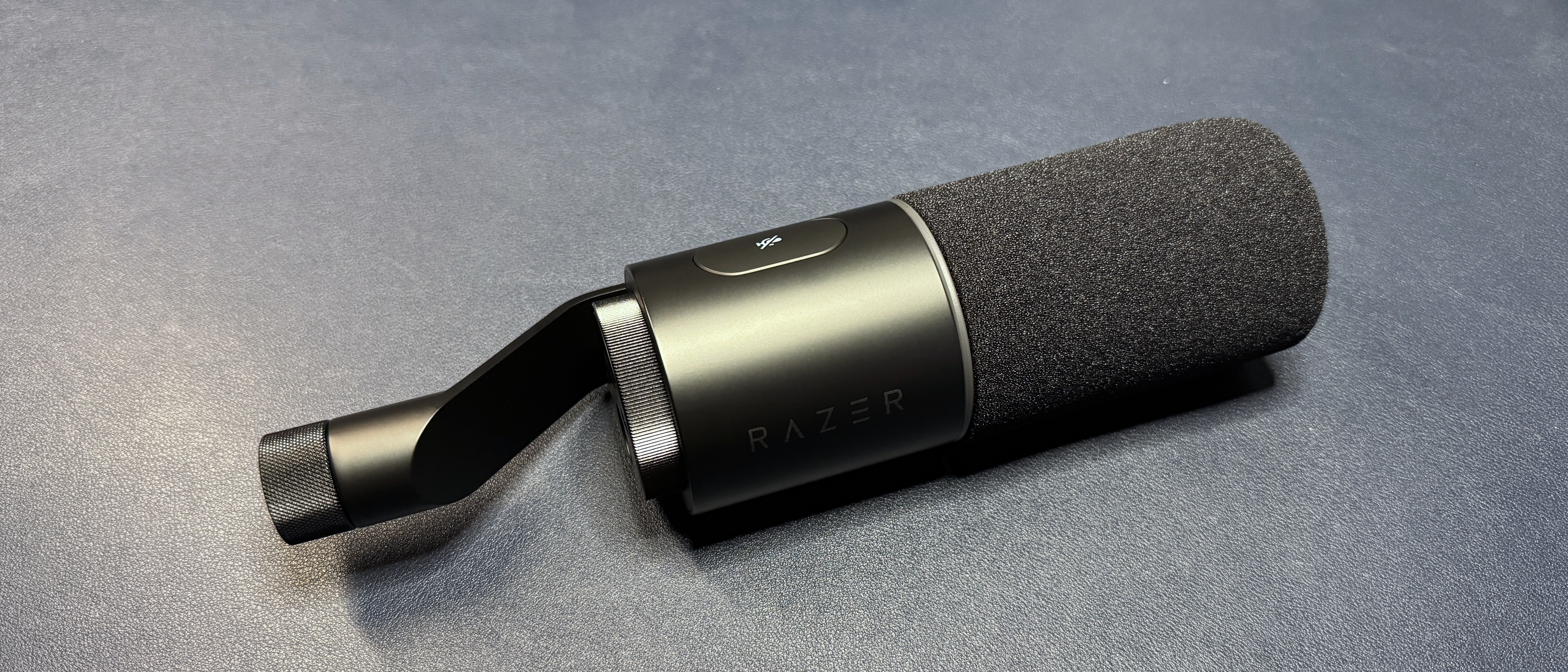
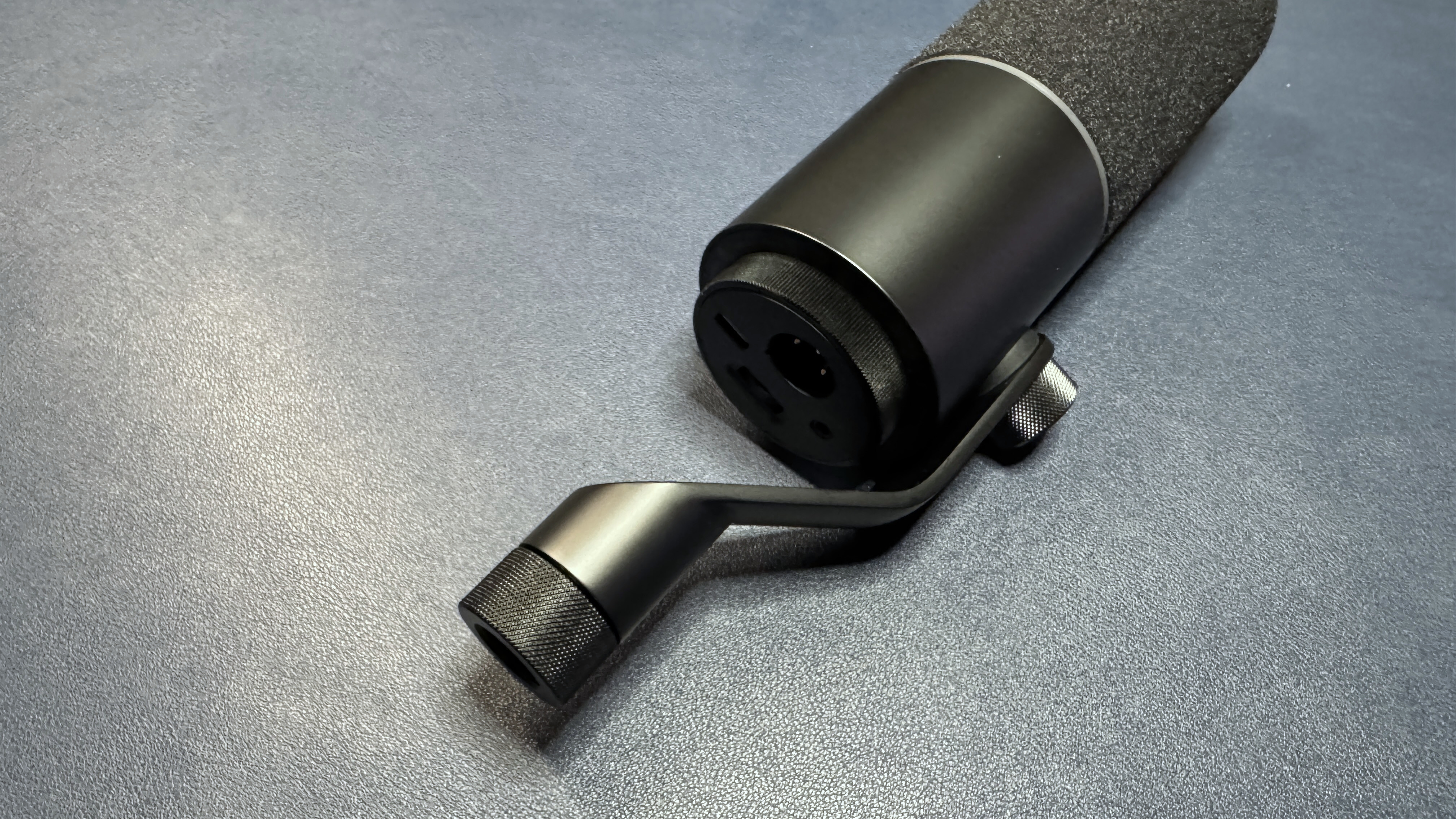
The Seiren V3 Pro is larger than similar cylinder-shaped end-address microphones — the mic itself is 8.39 inches (213mm) long, not including the built-in swing arm. The mic and swing arm together have a maximum length of just under 10 inches (254mm). The mic alone measures about 2.25 inches (57.15mm) in diameter, but is approximately 3.55 inches (90mm) wide with the swing arm.
Stay On the Cutting Edge: Get the Tom's Hardware Newsletter
Get Tom's Hardware's best news and in-depth reviews, straight to your inbox.
The microphone is fairly sturdy, weighing just under 1.5 pounds (670g). This makes it about half a pound lighter than the Rode PodMic USB (1.9lbs / 900g) and a quarter of a pound heavier than the HyperX FlipCast (1.26lbs / 571.5g).
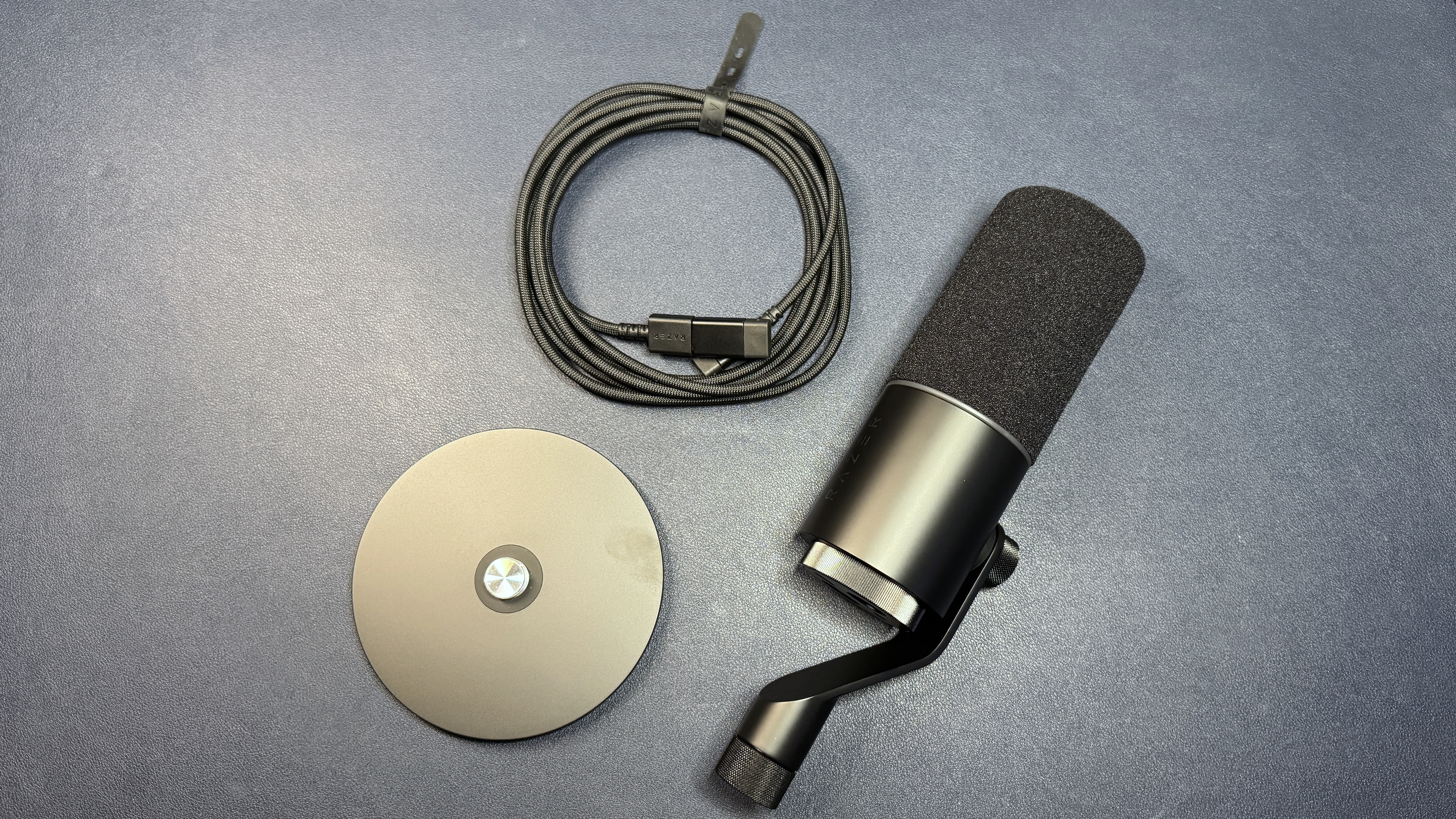
In the box, the Seiren V3 Pro comes with a flat, round desktop stand and a 10-foot (3m) braided USB-C to USB-A cable with a USB-A to USB-C adapter attached.
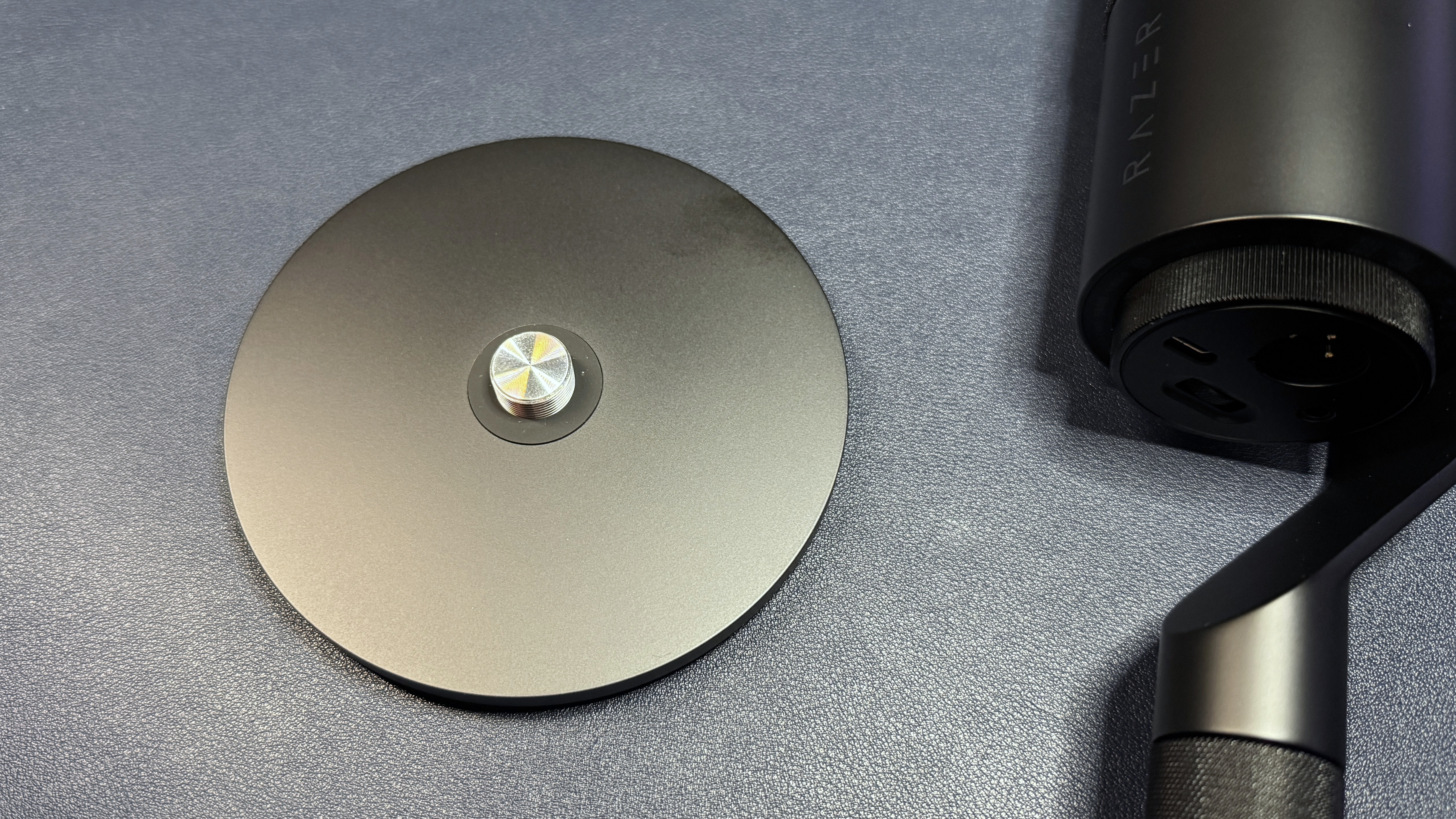
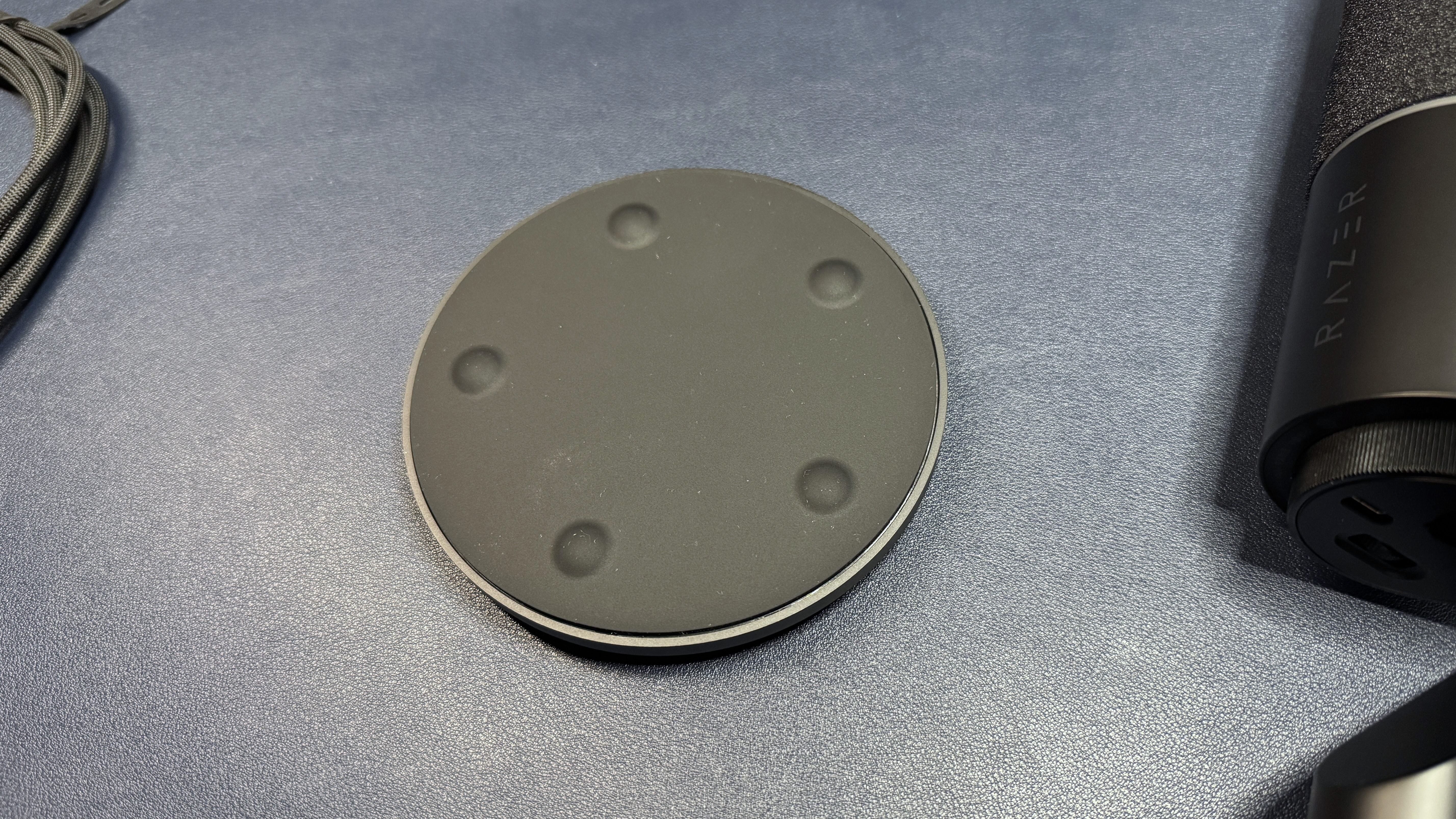
The stand measures approximately 4.75 inches (120mm) in diameter and weighs just over 7 ounces (200.5g). It's also made of metal, with a matte black finish and a 5/8"-threaded mount in the center. The bottom is covered in soft non-slip rubber with five small rounded, raised "feet" (for better shock absorption, I assume). The stand is sturdy and stable and attaches securely to the mic; the only caveat is that it does end up sitting quite low on your desk. This isn't too much of an issue, as the mic is fairly tall, but since it's also pretty quiet — even with the gain turned all the way up — mounting it on a boom arm is probably the best option.
Specs
Swipe to scroll horizontally
Capsule Type | 30mm Dynamic |
Frequency Response | 50 - 16,000 Hz |
Polar Pattern | Cardioid |
Sensitivity | -50dB (1V/Pa at 1kHz) |
Resolution and Sample Rate | 24/32-bit float / 48/96 kHz |
Connectivity | USB-C, XLR |
Adjustable Gain | Yes, 40dB |
Software | Razer Synapse |
Dimensions (L x W) | 8.39 x 3.55 inches / 213 x 90 mm |
Weight | 1.48lbs / 640g |
MSRP / Price at Time of Review | 249.99 |
Release Date | June 9, 2026 |
Performance
The Seiren V3 Pro is an end-address dynamic capsule microphone with a cardioid polar pattern and both USB-C and XLR connectivity. It features a large 30mm capsule with an integrated shock absorber and a built-in advanced audio DSP. It records audio in 32-bit / 96 kHz resolution and it also supports 32-bit float through Razer's Synapse software. It has a frequency response rate of 50 - 16,000 Hz and an adjustable gain of 40dB.
My voice sounded pretty good over the Seiren V3 Pro with its out-of-the-box settings: Full, warm, and clear, though there was definitely some sibilance. The foam pop filter did a decent job of keeping plosives at bay, though it had some trouble as I moved closer to the mic (as you might expect). People I talked to over voice chat thought I sounded about the same as usual — like I had a solid, studio-quality end-address mic, but they didn't think it stood out against the other studio-quality end-address mics they normally hear my voice over.
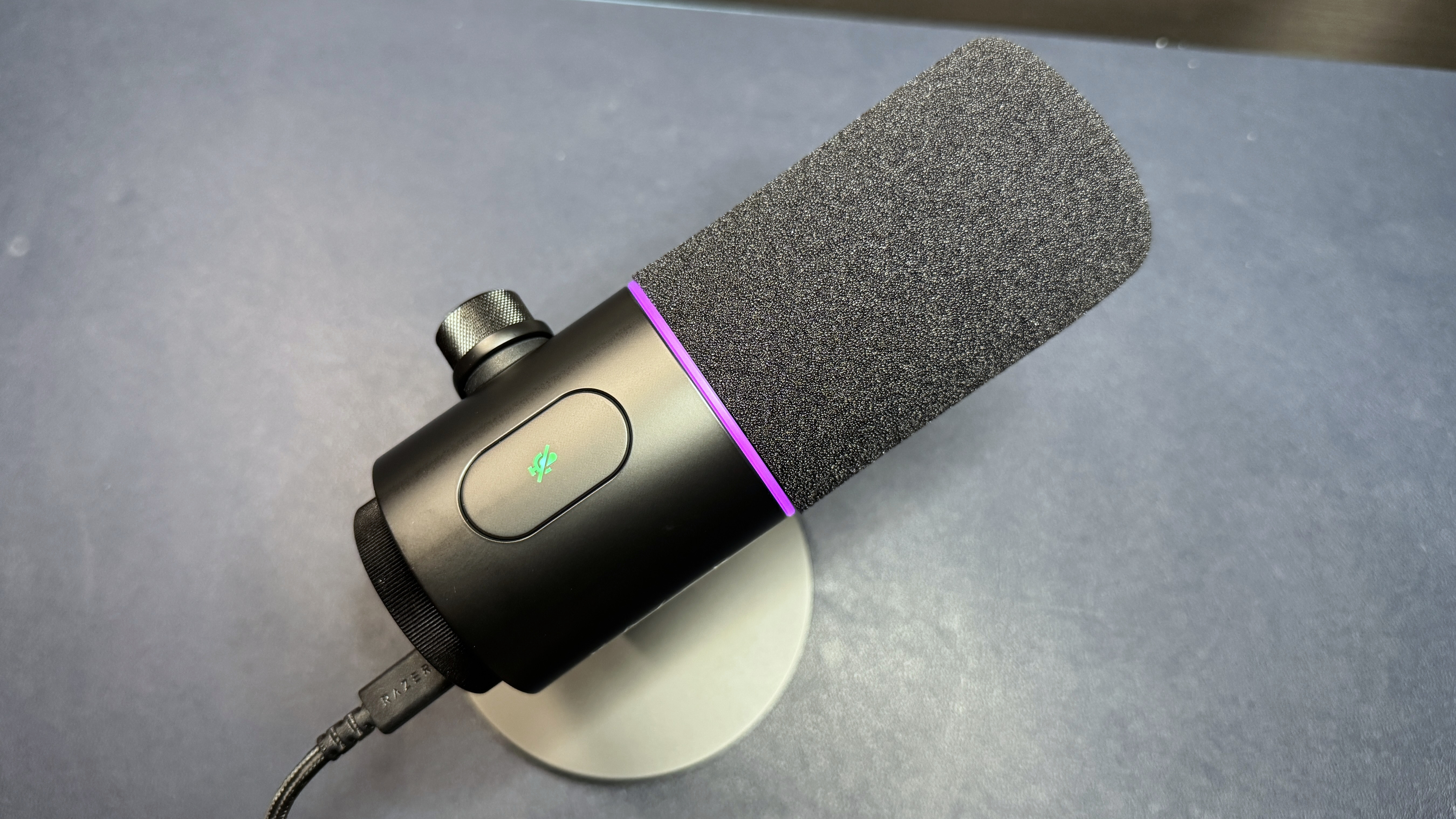
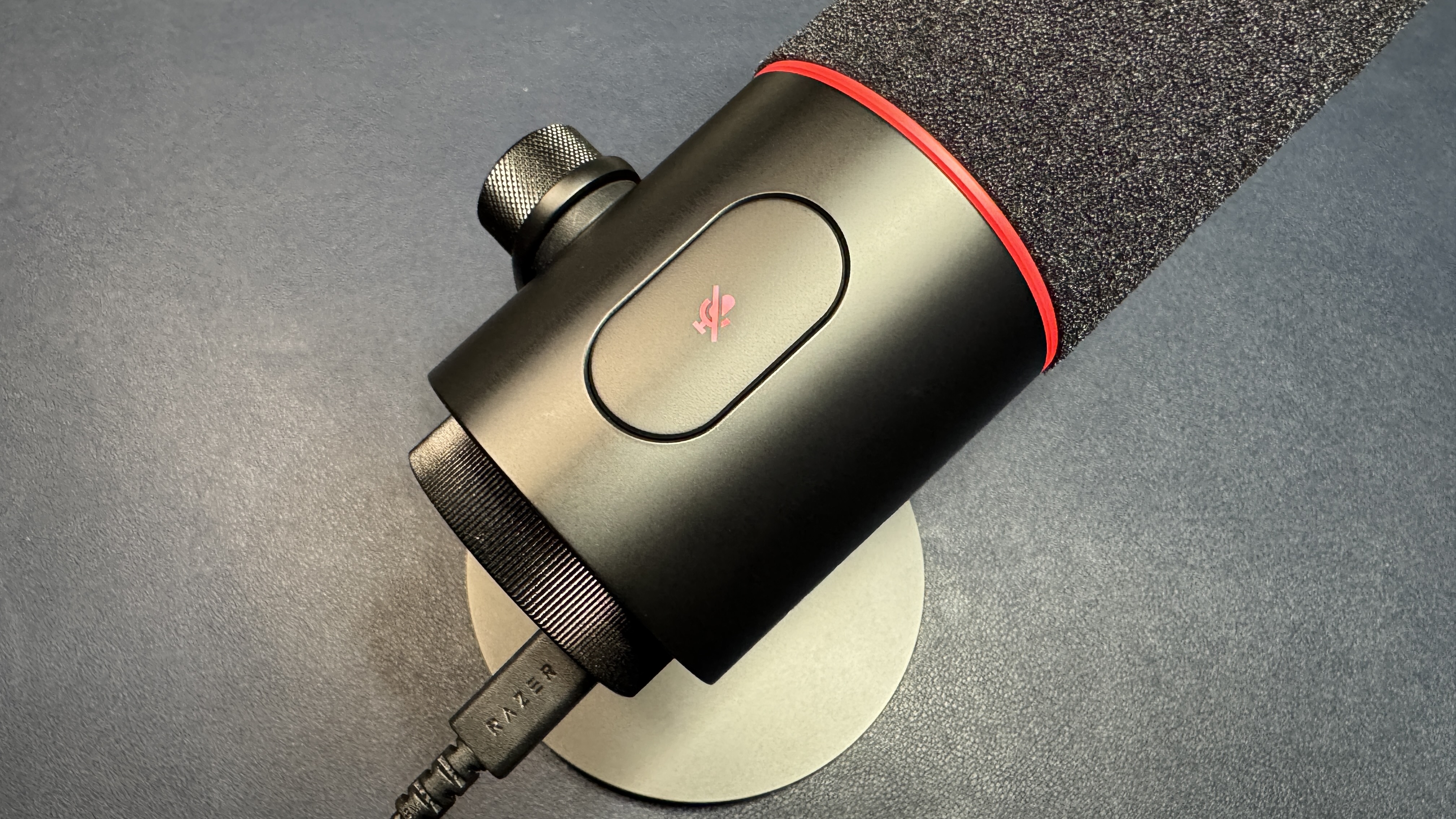
The on-mic controls were decent — the tap-to-mute button worked flawlessly, muting and unmuting with just a light brush of my finger. Both the button and the light ring turn red when the mic is muted, so you have a decent visual cue when your audience can't hear you. The gain control wheel, which has a textured metal surface, is smooth and easy to roll even if it's a bit awkwardly placed on the back / bottom of the mic.
I did find that this mic was relatively quiet, even with the gain turned up all the way — it wasn't too quiet, but I found myself needing to speak louder than I did with other mics. This seemed to be due, in part, to the mic's off-axis rejection — which Razer boasts is "enhanced" to better suppress ambient noise and room reflections without relying on processing. The off-axis rejection definitely did seem to be enhanced, as very little of the ambient noise in my room was picked up (even when I had the AI noise suppression turned off). But it also meant that if I moved out of line with the mic, it was much harder to hear me. This is definitely expected behavior from an end-address mic, but the Seiren V3 Pro was a little less flexible than, say, the HyperX FlipCast. Just a little, though.
Features and Software
The Seiren V3 Pro is configurable via Razer's Synapse peripheral software. The mic has an on-mic gain control wheel that can be configured in Synapse to control headset volume instead, but that's the only on-mic control aside from the tap-to-mute button. For everything else, you'll need Synapse.
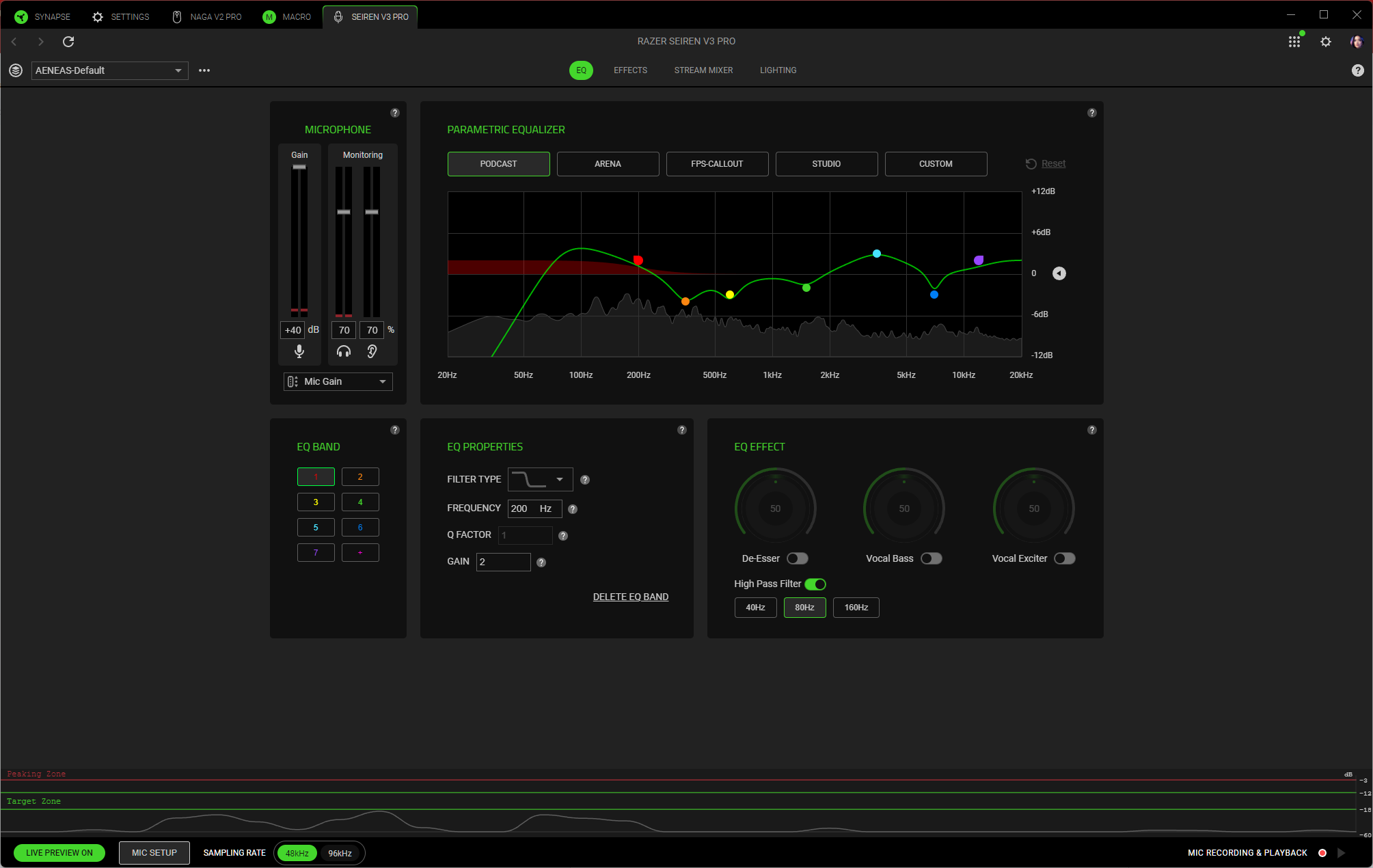
While Razer says the Seiren V3 Pro is designed to work without needing software, there's actually a lot in Synapse that you'll probably want to take advantage of with this mic. There's a parametric EQ with a handful of presets ("Podcast," "Arena," "FPS - Callout," and "Studio"), as well as EQ effects such as a De-Esser, Vocal Bass, Vocal Exciter, and a High Pass Filter.
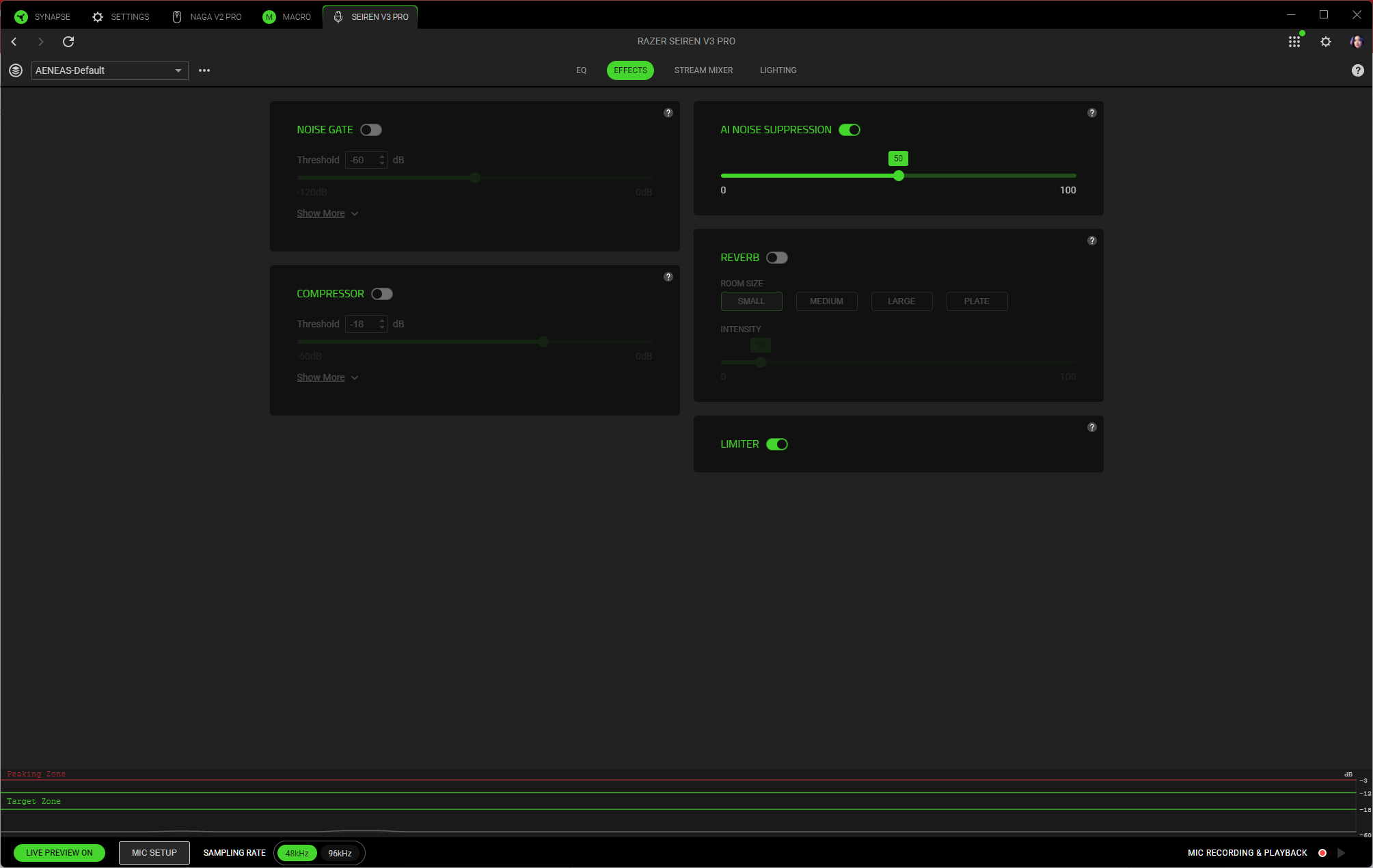
There are also several other effects you can play around with, including the AI noise suppression and a noise gate (plus a compressor, a limiter, and reverb control). The AI noise suppression did a good job of suppressing some noise without too much processing or losing my voice, but it also didn't suppress that much noise. The noise gate worked a little better at suppressing noise, but it also ended up suppressing my voice, even on low settings.
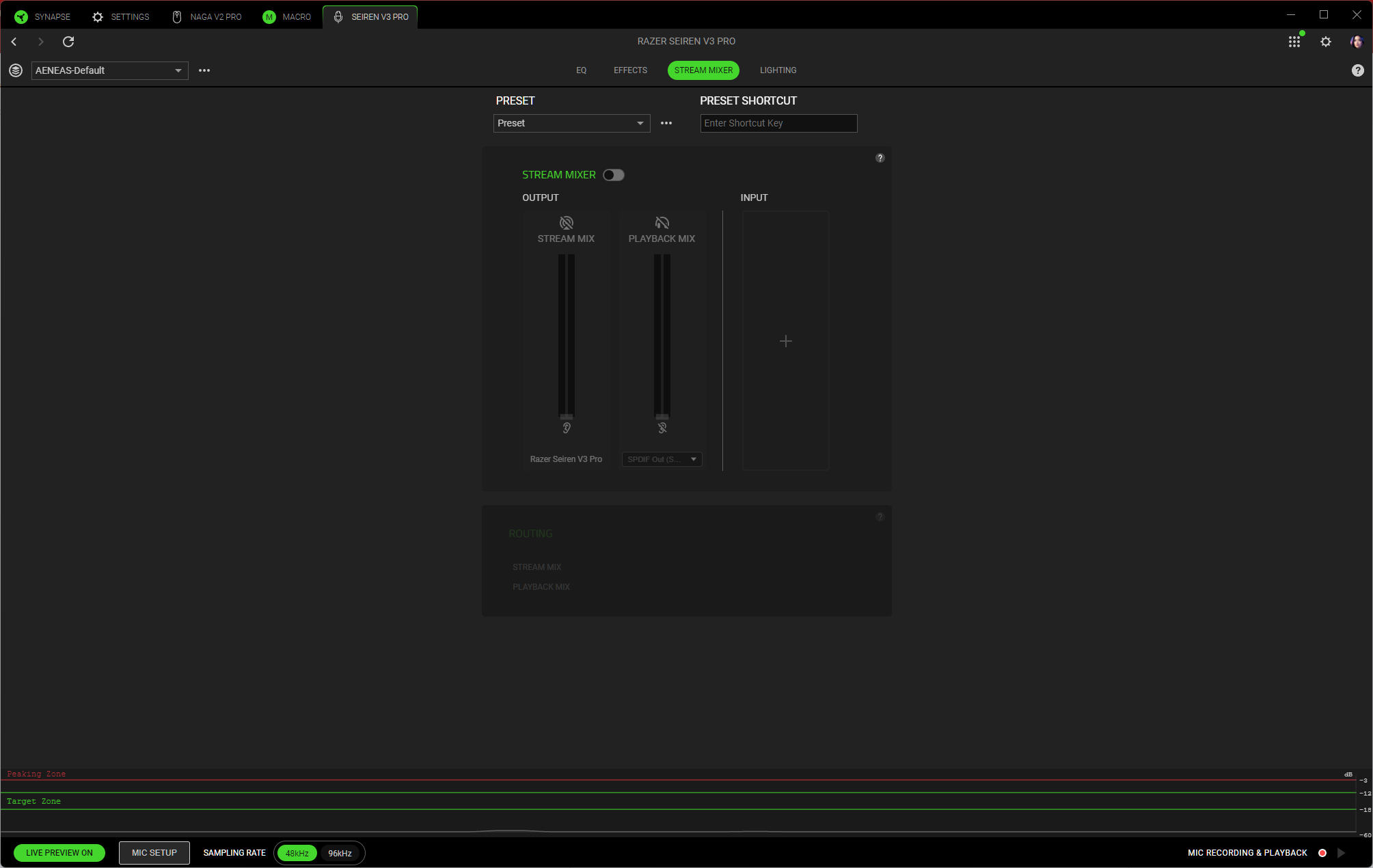
Razer also includes a Stream Mixer, which is essentially a virtual mixing device for mixing various audio channels on your PC — stream, playback, headphone, and mic. I didn't have much time to play around with this, but it seems about as user-friendly as a virtual mixer can be (that is... not very, but what can you do).
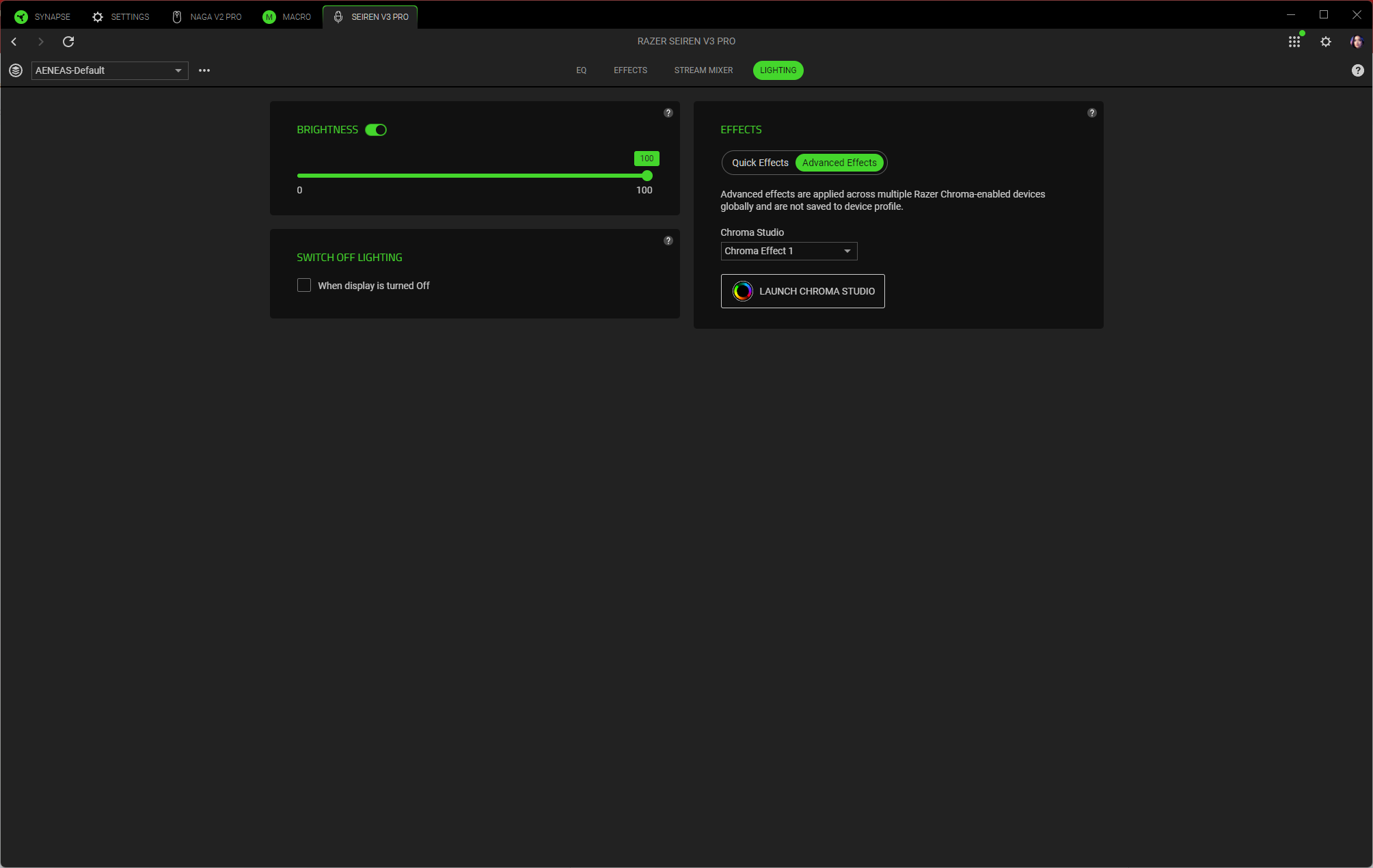
You can also customize the Seiren V3 Pro's light ring with Synapse — you can either use one of Razer's preset "quick effects" or you can set up advanced effects in Razer's Chroma app (which is part of Synapse... sort of?). The light ring has 12 independent RGB zones.
Bottom Line
The Seiren V3 Pro is a sturdy, sleek-looking end-address mic aimed at creators of all kinds — whether you're just starting streaming or you've got millions of people tuning in each day. Its dual-connectivity means that you'll be able to use it with both your PC and a dedicated audio interface, and the 32-bit float support is a nice touch if almost certainly not necessary for the majority of the audience.
However, this mic isn't exactly revolutionary, especially at its $250 price point. The HyperX FlipCast is very similar — it even has a light ring and a Shure-inspired chassis — but it has much better on-mic controls. The Rode PodMic USB has no on-mic controls, but you can't beat the quality of the PodMic's proximity effect. I was impressed with the extra features this mic has in Synapse, but software-based enhancements (especially when the software is Synapse) are just a bonus, not the foundation.

Senior Editor, Peripherals
Sarah Jacobsson Purewal is a senior editor at Tom's Hardware covering peripherals, software, and custom builds. You can find more of her work in PCWorld, Macworld, TechHive, CNET, Gizmodo, Tom's Guide, PC Gamer, Men's Health, Men's Fitness, SHAPE, Cosmopolitan, and just about everywhere else.
What's Your Reaction?
 Like
0
Like
0
 Dislike
0
Dislike
0
 Love
0
Love
0
 Funny
0
Funny
0
 Wow
0
Wow
0
 Sad
0
Sad
0
 Angry
0
Angry
0






Comments (0)