

Review: Apple's M6 iMac is pricey, but it's still a good choice for a clean desk
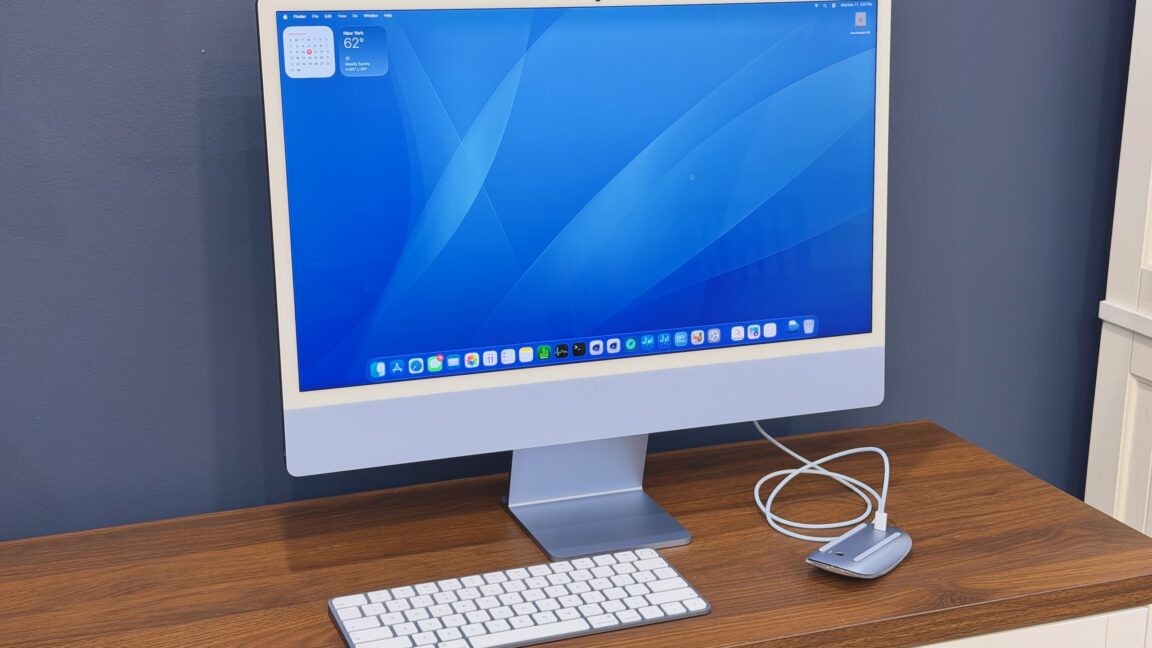
Apple’s M6 keeps the iMac current without shaking things up much.
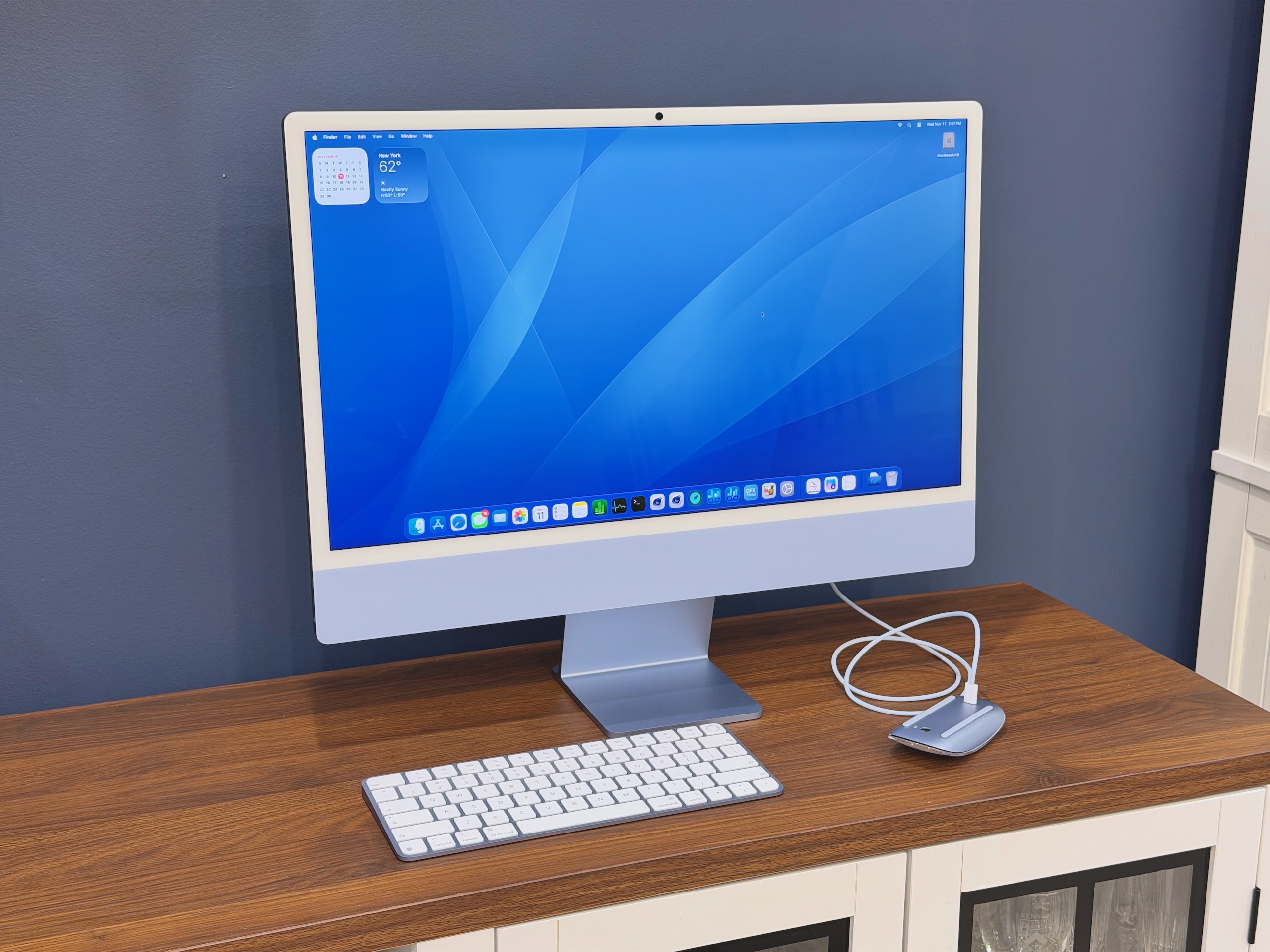
Apple's M6 iMac. Credit: Andrew Cunningham
Apple's M6 iMac. Credit: Andrew Cunningham
The Apple Silicon iMac got its fourth refresh this month.
Every other Apple Silicon Mac has found a way to move forward over the last half-decade—we’ve gotten a more Pro design for the MacBook Pro, a mini-er design for the Mac mini, and a Mac Studio that has finally made Apple admit it doesn’t want to make the Mac Pro anymore.
But the Apple Silicon iMac has always been more interested in looking backward. It’s the thin, screen-on-a-stand iMac design by way of the original Bondi Blue G3 iMac. It’s a clean and pretty desktop computer, one I see all the time in small offices and on TV shows that depict small offices. We’re long past the days when it was Apple’s primary workstation computer.
So I wanted to write about this new iMac from the perspective of that entry-level iMac buyer, who chooses the iMac because it’s simple and then uses it until it breaks. What does a new iMac get you if you’re stepping up from the M1 model or comparing it against an older refurbished M4 model? Without any real external updates, what makes this iMac iteration interesting?
Same friendly face
If you haven’t used an Apple Silicon-era iMac before, here’s a brief primer.
The new iMac is much thinner than the older aluminum Intel models. Its front is mostly one big 24-inch screen, surrounded on all sides by a relatively thick white bezel (I still wish black were at least an option, but Apple apparently doesn’t agree).
White bezel aside, it’s by far Apple’s most colorful computer. The iMacs ship with color-matched fronts, backs, stands, keyboards, mice, trackpads, and cables. Apple has tweaked the color offerings and changed the tints of each specific color a few times over the years, but the M6 iMac uses the same six color tints (plus silver) that the M4 iMac did.
The basic $1,499 iMac is essentially a MacBook Air in terms of ports—it has two Thunderbolt ports on the back and a headphone jack on the left side. Choosing this model also locks you into a lesser version of the Apple M6 with 10 CPU cores and 10 GPU cores instead of 12 of each, a maximum of 24GB of RAM, a minimum of 256GB of storage, and a maximum of 1TB. Its default keyboard doesn’t have Touch ID support, and the only way to get it is to buy the version with the built-in number pad, an $80 upsell.
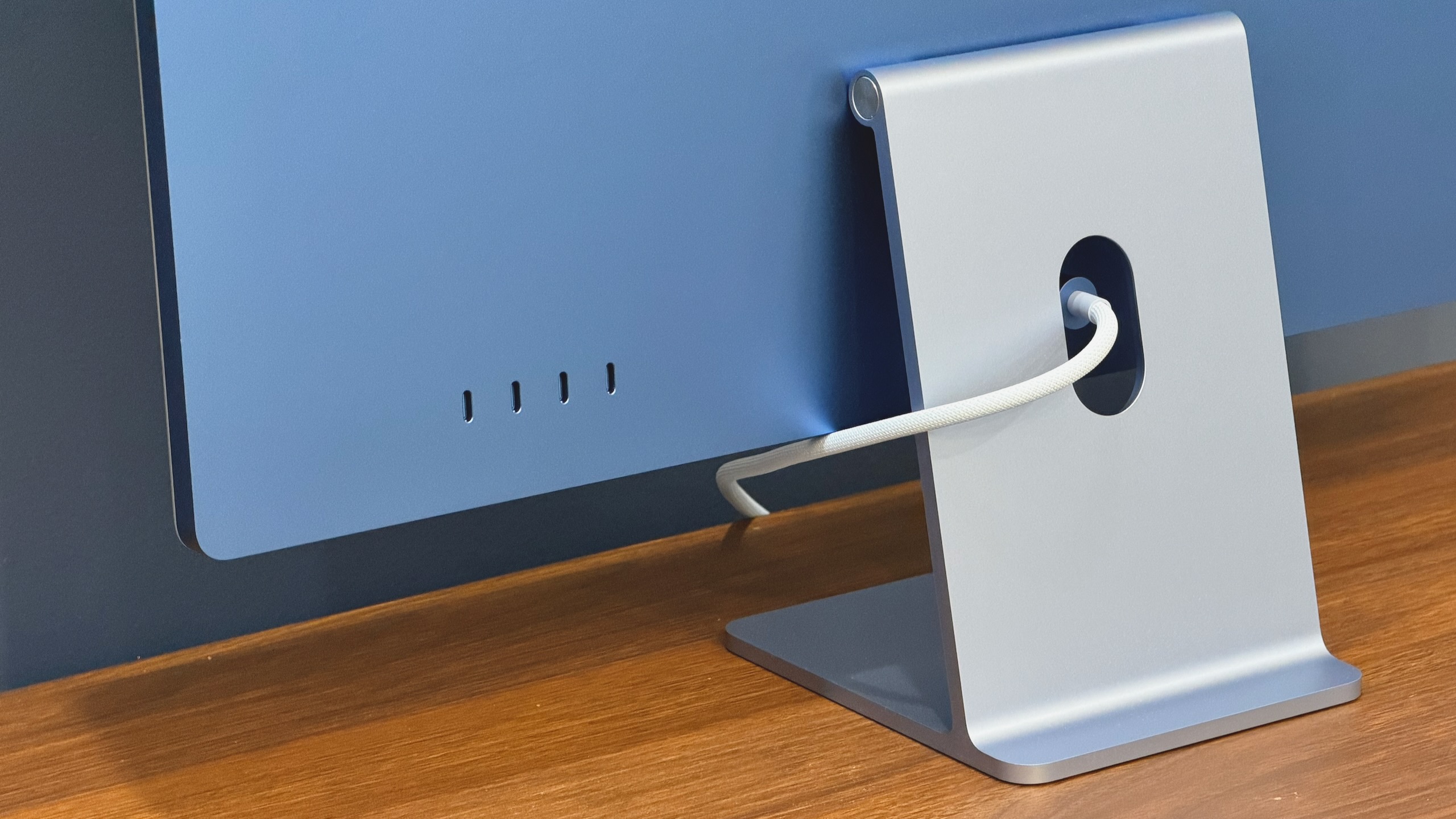
The M6 iMac still comes with either two or four Thunderbolt 4 ports. The four-port version can run two external displays; the one-port version is limited to one. Ethernet is available on the power brick for an extra $30.
Credit: Andrew Cunningham
The M6 iMac still comes with either two or four Thunderbolt 4 ports. The four-port version can run two external displays; the one-port version is limited to one. Ethernet is available on the power brick for an extra $30. Credit: Andrew Cunningham
The $1,699 version is the one to get if you still intend to use the iMac as a workstation. It includes the full-speed version of the M6 with all its CPU and GPU cores intact (though there are performance caveats here we’ll talk about later), plus options for 32GB of RAM and up to 2TB of storage. This version also includes four Thunderbolt ports on the back for connecting additional accessories. Both available keyboards on this version have Touch ID.
A 2.5 gigabit Ethernet port can be added to any iMac for $30. This port is located on the desktop’s power brick rather than the iMac itself, an elegant solution that keeps even a wired Internet connection hidden beneath your desk with the other cables. All iMacs also offer a VESA mount adapter option in place of the default stand at no extra charge.
I still really like the effect created by the color-matched keyboard, mouse/trackpad, and cables—even the white bezel complements the white keycaps and mouse. Just know you’re paying quite a lot for how the desktop looks. The $899 Mac mini is $800 cheaper than the iMac with the same chip, the same amount of RAM, and the same amount of storage. Sure, it would cost something to add a nice-looking 4K monitor, but not $800, even if you go for extra frills like a high refresh rate.
It’s fine that the iMac upcharges you for style and convenience. That’s the point of the computer. Just make sure that’s what you want to pay for.
The evolution of the iMac
| 8th-gen Intel Core/AMD Radeon Pro 555X (2GB) | Apple M1 | Apple M3 | Apple M4 | Apple M6 |
| N/A | 16-core | 16-core | 16-core | 32-core |
| 8-32GB | 8-16GB | 8GB-24GB | 16-32GB | 16-32GB |
| 1TB Fusion Drive (SSD + HDD) | 256GB SSD | 256GB | 256GB | 256GB |
| 21.5-inch 4096 x 2304 IPS LCD | 24-inch 4480 x 2520 IPS LCD | 24-inch 4480 x 2520 IPS LCD | 24-inch 4480 x 2520 IPS LCD, optional nano-texture | 24-inch 4480 x 2520 IPS LCD, optional nano-texture |
| 2x Thunderbolt 3, 4x USB-A, gigabit Ethernet, SD card, headphone jack | 2x Thunderbolt 3, headphone jack, 2x optional 10 Gbps USB 3, optional gigabit Ethernet | 2x Thunderbolt 3, headphone jack, 2x optional 10 Gbps USB 3, optional gigabit Ethernet | 2x OR 4x Thunderbolt 4 ports, optional gigabit Ethernet | 2x OR 4x Thunderbolt 4 ports, optional 2.5 gigabit Ethernet |
| 1x 5K 60Hz or 2x 4K 60Hz | 1x 6K 60Hz | 1x 6K 60Hz | 1x 6K 60Hz (2-port) OR 2x 6K 60Hz (4-port) | 1x 6K 60Hz (2-port) OR 2x 6K 60Hz (4-port) |
| $1,299 | $1,299 | $1,299 | $1,299 | $1,499 |
Here are the basic specs for every entry-level iMac Apple has shipped, going all the way back to the last of the Intel models.
The iMac’s evolution has been slow and gradual during the Apple Silicon era. The computer has never gotten a base storage upgrade, and the base M4 and M6 models still only support a single external display (the upgraded models support two external displays, finally surpassing the old Intel model).
If you have any kind of Apple Silicon iMac and you’re happy with how it’s performing and you’re not hankering for more RAM or more displays, I don’t think the M6 model really adds anything worth upgrading for. It’s definitely faster, but even six years on, the Apple M1 remains perfectly serviceable for daily use, especially when it’s attached to 16GB of RAM.
And if you’re in the market for an iMac now, I think the M4 model still gets you the best bang for your buck if you can find one refurbished or on sale. That one still gets you a minimum of 16GB of RAM, Thunderbolt in all four ports for the four-port model, the 32GB RAM option, the nano-texture display option, and support for multiple external displays (again, in the four-port model).
The M6 iMac builds on that, and it comes with real performance benefits (more on that shortly). But the brightest dividing line in the Apple Silicon iMac model history is between the M3 and M4 model, not the M4 and M6 model. And that’s true despite the two-generation silicon upgrade.
Performance and power
| Apple M6 | 2S/4P/6E | 12 | 16/24/32GB | Up to three | 153GB/s (16GB), 170GB/s (24GB/32GB) |
| Apple M5 | 4S/6E | 10 | 16/24/32GB | Up to three | 153GB/s |
| Apple M4 | 4P/6E | 10 | 16/24/32GB | Up to three | 120GB/s |
| Apple M3 | 4P/4E | 10 | 8/16/24GB | Up to two | 102.4GB/s |
| Apple M2 | 4P/4E | 10 | 8/16/24GB | Up to two (one external) | 102.4GB/s |
| Apple M1 | 4P/4E | 8 | 8/16GB | Up to two (one external) | 68.25GB/s (est.) |
A quick recap on the M6: a total of 12 CPU cores (two super cores, four performance cores, six efficiency cores), either 10 or 12 GPU cores, 16/24/32GB RAM options, and a doubled Neural Engine NPU with 32 cores instead of 16. For the iMac, the M6 also introduces some of the architectural tweaks introduced with the Apple M5, including the addition of neural accelerator hardware to the GPU cores. This boosts the speed of some kinds of local AI workloads compared to the M4, including MetalFX upscaling and frame generation in games.
The M6 in the Mac mini and the M6 in the 14-inch MacBook Pro both perform similarly within a roughly 28 W sustained power envelope. The version with 16GB of RAM will perform slightly worse in games and other workloads sensitive to memory bandwidth—the 16GB M6 offers 153 GB/s of memory bandwidth, and the 24GB and 32GB versions offer 170 GB/s. But that’s a pretty minor difference.
The iMac is slower than either of those two Macs, particularly in multi-core CPU benchmarks and graphics benchmarks, and the HandBrake video encoding test shows the likely culprit. The iMac’s M6 consumes an average of 18 W of power under sustained heavy load. It won’t throttle its speeds as aggressively as a MacBook Air because the iMac still includes an active cooling fan, but the reduced power envelope does mean that the Mac mini or MacBook Pro are 5 to 8 percent faster than the iMac in heavy multi-core CPU tasks and about 8 to 12 percent faster in graphics benchmarks.
One benefit of the smaller power envelope is that the iMac’s chip is even more power-efficient than the regular M6 and the iMac’s version of the M4, using much less power to do the same amount of work.
That still makes it a solid upgrade over the M4. The iMac’s M6 is 15 to 20 percent faster in our single-core CPU benchmarks, between 20 and 30 percent faster in multi-core CPU benchmarks, and between 20 and 40 percent faster in graphics benchmarks (the Blender GPU benchmarks do even better—they seem to like the neural accelerators in the M5 and M6 GPUs). Especially with 24GB or 32GB of RAM, it’s perfectly capable of being the heart of a multi-monitor workstation setup or a light photo/video editing rig.
What meets the eye
The M6 iMac changes almost nothing about who the iMac is for, its position in Apple’s lineup, or what it’s technically capable of. It’s a box-ticking upgrade, and the box being ticked is “keep the insides up to date.”
That means today’s iMac is best for the same kinds of computer users it was good for in 1998: people who don’t want a laptop, people who need a friendly and approachable kiosk or office computer, and people who just want something pretty that doesn’t require a lot of fussing with screens or cables.
That’s the main thing I miss about being an iMac user. I like how my current Mac Studio desktop works, and I need flexibility and complexity in my specific setup to get the Mac and a gaming PC connected to all the same stuff. But despite my best efforts, the cable situation has always been a barely managed mess.
If someone you know has a cable management problem and doesn’t need the complexity, congratulations, you’ve found someone the iMac is for. I just wish Apple would use these kinds of pretty, saturated colors in a laptop or desktop that meets my needs, you know?
The good
- A pretty and capable desktop computer that minimizes the cable mess that most desktops make
- Energy efficient and quiet, on the rare occasions when you can hear the fan spinning at all
- Apple M6 is fast, and especially with 24GB or 32GB of RAM, will be more than capable of handling most tasks
- Like the M4 version, it can support multiple external displays if you pay for the faster chip
The bad
- Limited port selection
- Costs $200 more than the M4 model did when it launched
- Still just 256GB of base storage
- Slightly slower than M6 versions of the Mac mini and MacBook Pro
- TouchID is an $80 upgrade for the base model

Andrew is a Senior Technology Reporter at Ars Technica, with a focus on consumer tech including computer hardware and in-depth reviews of operating systems like Windows and macOS. Andrew lives in Philadelphia and co-hosts a weekly book podcast called Overdue.
What's Your Reaction?
 Like
0
 Dislike
0
 Love
0
 Funny
0
 Wow
0
 Sad
0
 Angry
0











Comments (0)