TCL 27C2A Pro 27-inch QD-Mini LED 4K gaming monitor review: Extreme color and brightness
Oct 30, 2026 - 20:14
00
Stand issues aside, the TCL 27C2A Pro delivers a colorful and bright image with fine pixel density and smooth gaming performance. With broad contrast and vivid color, it’s the next best thing to a premium OLED.
Reasons to buy
+
Extremely bright with broad contrast and vivid color
+
Very accurate in color gamut preset modes
+
Excellent video processing with smooth panel response
+
Extras like LED lights, USB ports, KVM and internal speakers
+
Unique styling with white aesthetic
Reasons to avoid
-
Wobbly stand
Why you can trust Tom's Hardware
Our expert reviewers spend hours testing and comparing products and services so you can choose the best for you. Find out more about how we test.
You’ve probably heard TCL’s name associated with jumbo TVs sold in big-box stores, but it also makes a line of gaming monitors that offer excellent performance for the money. It’s also one of the few companies putting effort into Mini LED panels where others have gone all-in with OLED. Mini LED delivers the brightest imagery you can buy among the best gaming monitors, with HDR peaks of 2,000 nits or more.
TCL’s 27C2A Pro is such a panel, with an honest 2,000 nits from a 3% window in HDR mode and 650 nits full field for SDR. It also sports a full-array local dimming (FALD) backlight with 2,304 zones, which delivers tremendous contrast. A Quantum Dot layer pushes the color gamut past 100% of DCI-P3. And a set of accurate picture modes promise precise color rendering. It’s speedy too, with 160 Hz in 4K and 320 Hz in FHD resolution, with available overdrive and MPRT backlight strobing. This fully loaded package can be yours for $600 as I write this. Let’s take a look.
TCL 27C2A Pro Specs
Swipe to scroll horizontally
Panel Type / Backlight
Quantum Dot IPS / Mini LED
Row 1 - Cell 0
2,304 dimming zones
Screen Size / Aspect Ratio
27 inches / 16:9
Max Resolution and Refresh Rate
3840x2160 @ 160 Hz
Row 4 - Cell 0
1920x1080 @ 320 Hz
Row 5 - Cell 0
FreeSync and G-Sync Compatible
Native Color Depth and Gamut
10-bit (8-bit+FRC) / DCI-P3+
Response Time (GTG)
0.2ms
Brightness (mfr)
600 nits full field
Row 9 - Cell 0
2,000 nits 3% window
Contrast (mfr)
1,000:1
Speakers
2x 5w
Video Inputs
1x DisplayPort 1.4
Row 13 - Cell 0
2x HDMI 2.1, 1x Type C
Audio
3.5mm headphone output
USB 3.0
1x up, 2x down
Power Consumption
36.1w, brightness @ 200 nits
Panel Dimensions
WxHxD w/base
24.2 x 15.7-20.5 x 9 inches
(615 x 399-521 x 229mm)
Panel Thickness
3.27 inches (83mm)
Bezel Width
Top/sides: 0.35 inch (9mm)
Row 20 - Cell 0
Bottom: 0.59 inches (15mm)
Weight
14.6 pounds (6.64kg)
Warranty
3 years
The 27C2A Pro’s core tech is an IPS variant TCL calls HFS Shoot. It combines an ultra-bright FALD backlight with Quantum Dot color and very quick response. Native resolution is 4K 3840x2160 pixels for a density of 163ppi. This is about as fine as it gets unless you move up to 5K or more. And those panels are still quite rare and expensive.
Latest Videos FromTom's Hardware
Brightness is honestly reported here, with my tests matching TCL’s claims. I saw almost 650 nits from a full white field pattern in SDR mode with the dimming turned off. HDR ran that up to almost 1,700 nits when I measured a 25% window with dimming on High. At that setting, I couldn’t measure the black levels at all. With 2,304 dimming zones, you won’t see any halo artifacts like panels with just a few hundred zones.
The Quantum Dot layer delivers just over 100% of the DCI-P3 gamut. You also get accurate picture modes with presets for DCI-P3, sRGB, Rec.709, and Adobe RGB, which is something rarely found outside the professional realm. Accuracy is superb with little to no need for calibration. I found similarly good performance in HDR mode, where you can adjust grayscale tracking and brightness if you wish.
The 27C2A Pro offers premium gaming too, with 160 Hz in 4K and 320 Hz in FHD resolution with a dual-mode switch. And there’s precise overdrive, Adaptive-Sync, and MPRT backlight strobing. This is one of the few monitors that lets you use all its video processing options at the same time. You can have MPRT, Adaptive-Sync, and overdrive all active at once.
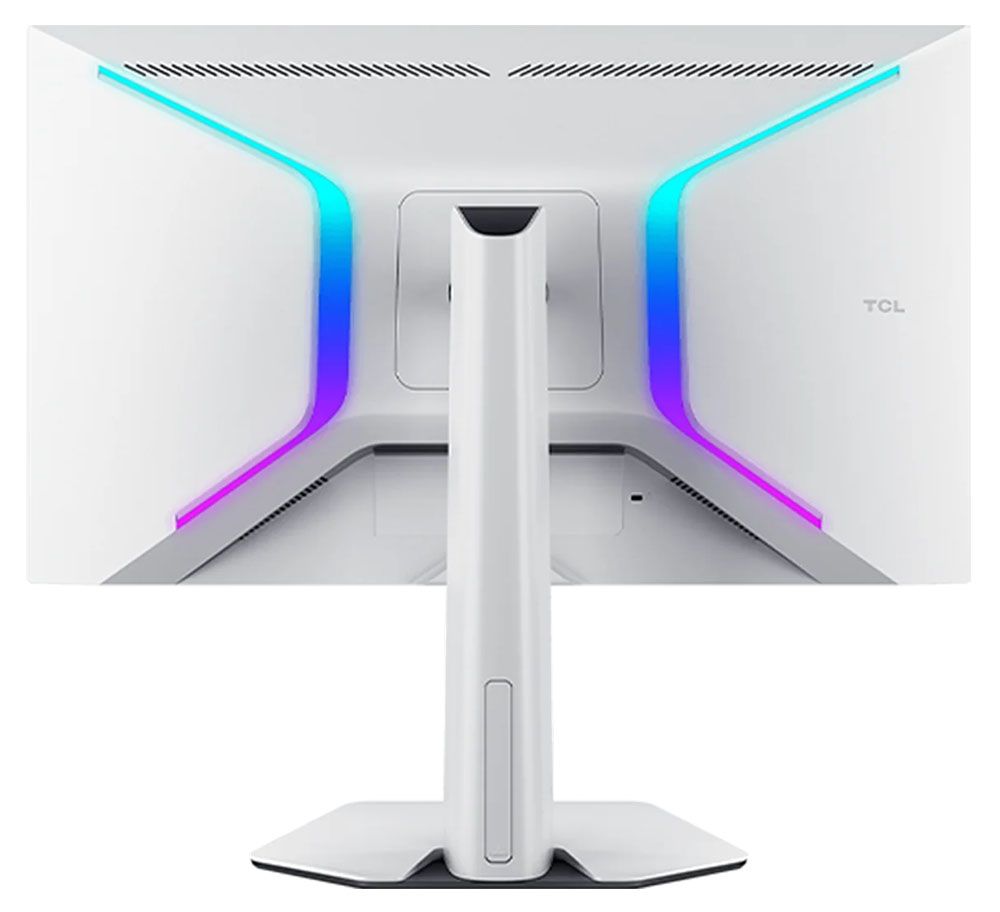
Styling is outside the norm as well, with a white aesthetic for the stand and panel’s backside. LED lighting shines in the back with two large bracket shapes that show an array of colors and effects. There are gaming aids like reticles, timers, and a frame rate indicator. And you get a full complement of I/O ports with HDMI 2.1, DisplayPort 1.4, and a USB-C, plus USB for your peripherals.
Stay On the Cutting Edge: Get the Tom's Hardware Newsletter
Get Tom's Hardware's best news and in-depth reviews, straight to your inbox.
Assembly and Accessories
The 27C2A Pro ships in blocks of crumbly foam in its three main parts: base, upright, and panel. They assemble without tools. Under the snap-on fulcrum is a 100mm VESA mount with fasteners included if you'd rather use an arm, and you might want to after you read the next section of this review. The power supply is an external brick, and you get cables for DisplayPort, HDMI, USB-A/B, and USB-C.
Product 360
Image 1 of 4
(Image credit: TCL)
(Image credit: TCL)
(Image credit: TCL)
(Image credit: TCL)
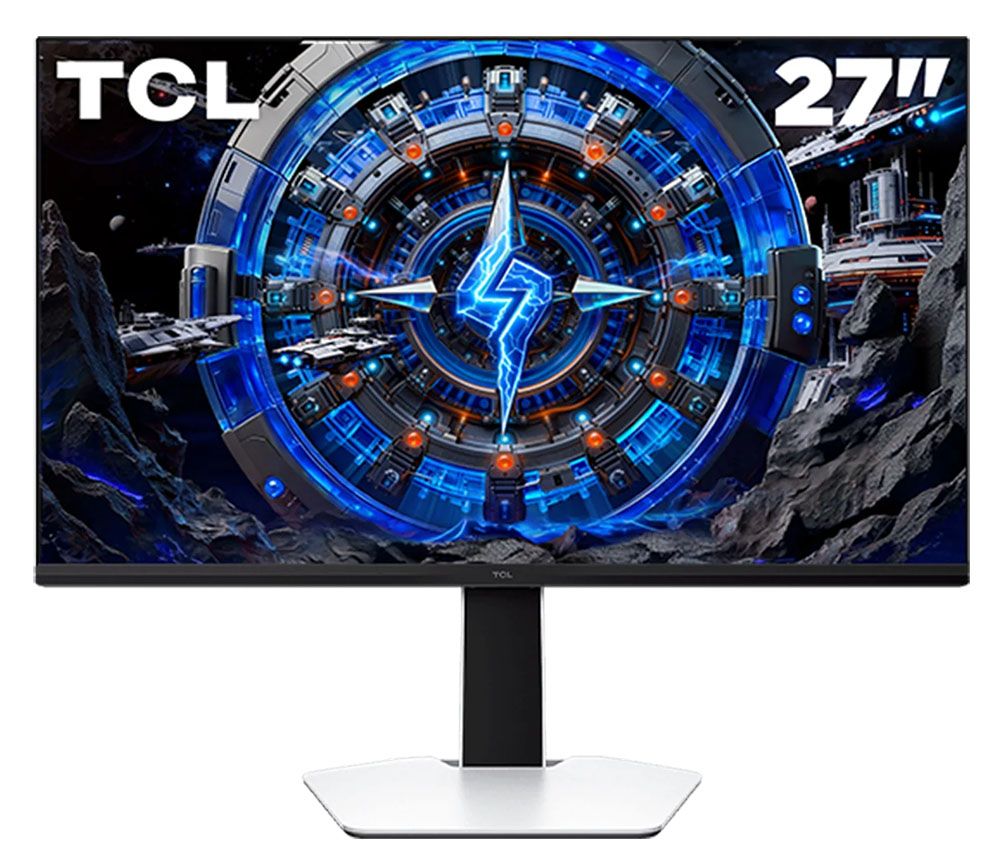
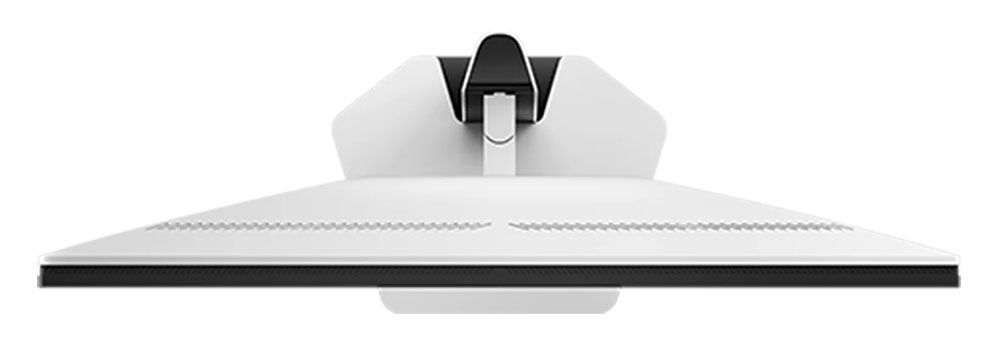
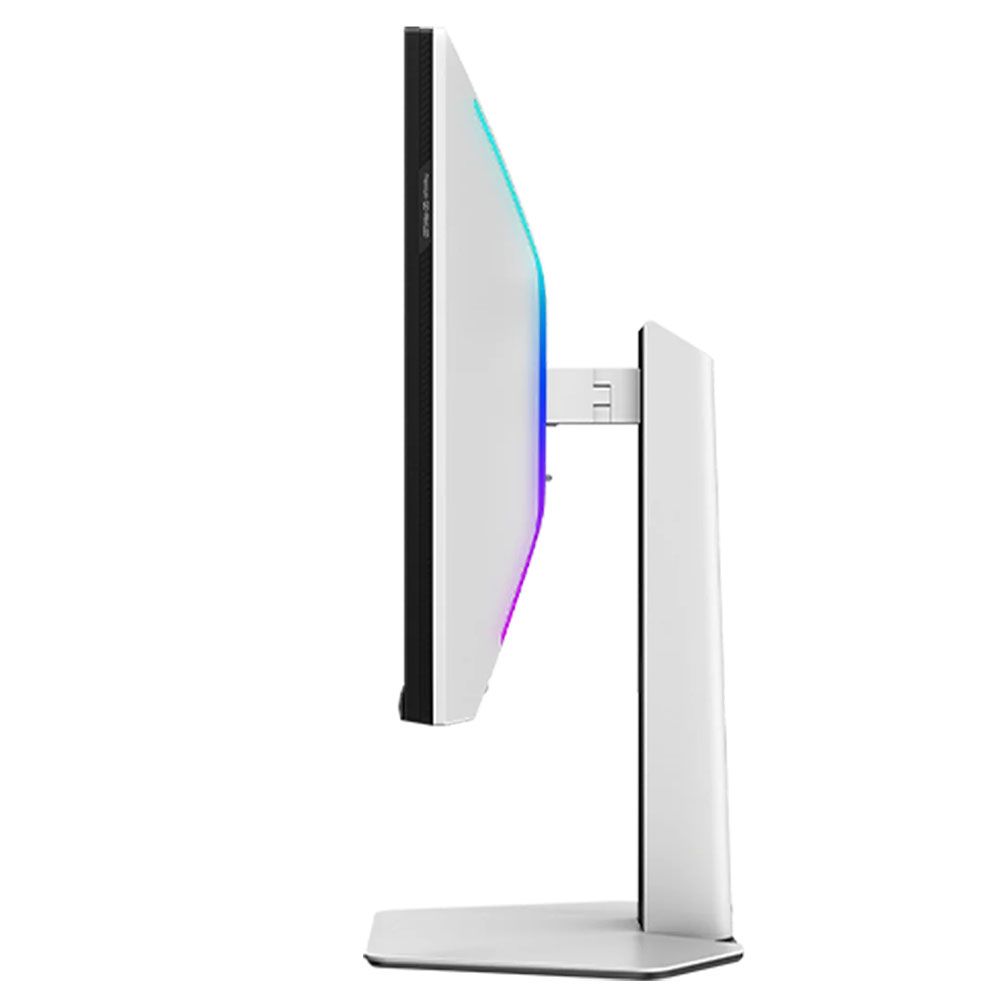
I said the 27C2A Pro is a white monitor, but from the front, everything is black except the base. This is good for distraction-free use, especially in low-light situations where you want to stay focused on the image. There’s plenty of white plastic in the back, though, on the stand and on the panel.
The back features ventilation across the top and two large LED banks shaped like reversed parentheses. The shapes are angular with soft corners and no sharp edges. The screen has a flush bezel 9mm thick on the top and sides with a 15mm strip across the bottom. All you see there is a tiny TCL logo. The control joystick is underneath the center and is backlit.
The stand offers full ergonomics with 5/15 degrees tilt, 20 degrees swivel, and a 90-degree portrait mode. The height range is 4.8 inches. This was my only complaint about the 27C2A Pro. Though the base and upright are solid together, the panel’s fulcrum point is very small and wobbly, which makes positioning it difficult. If you game intensely and have your keyboard on the desk, it will jiggle a bit.
Up and under the center is a well-stocked I/O panel with one DisplayPort 1.4, two HDMI 2.1, and a USB-C with 90 watts of power. You also get one upstream and two downstream USB 3.0 ports. There is a pair of five-watt internal speakers, and you get a 3.5mm headphone jack.
OSD Features
In 4K resolution, the 27C2A Pro’s OSD is very small. It was hard to read the tiny text unless I got up close. The FHD version is larger, of course. Press the joystick and click left to summon it.
Image 1 of 7
(Image credit: Tom's Hardware)
(Image credit: Tom's Hardware)
(Image credit: Tom's Hardware)
(Image credit: Tom's Hardware)
(Image credit: Tom's Hardware)
(Image credit: Tom's Hardware)
(Image credit: Tom's Hardware)
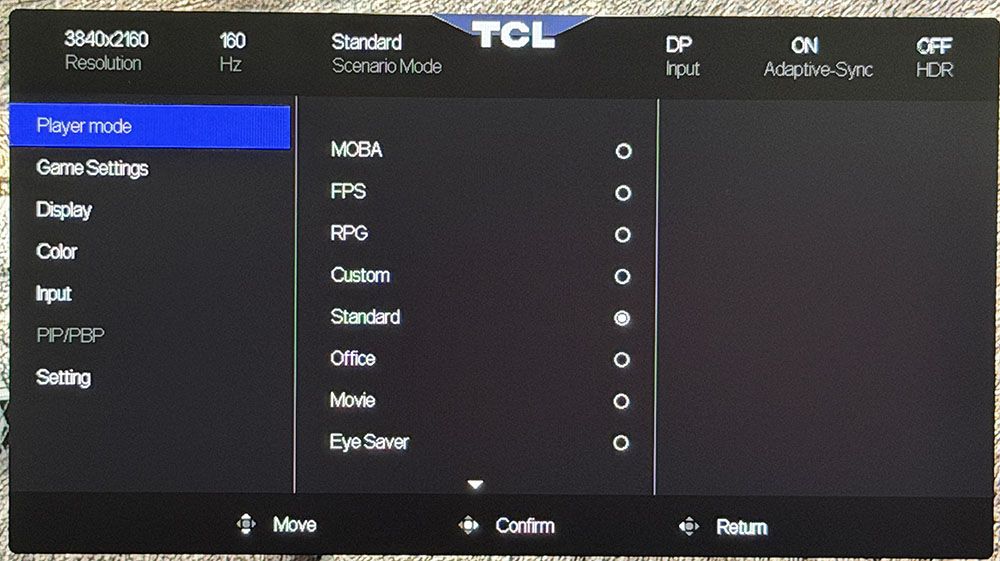
Player mode refers to the nine picture modes you see in the first photo above. All you need is the default one, Standard, and I’ll tell you why in a moment.
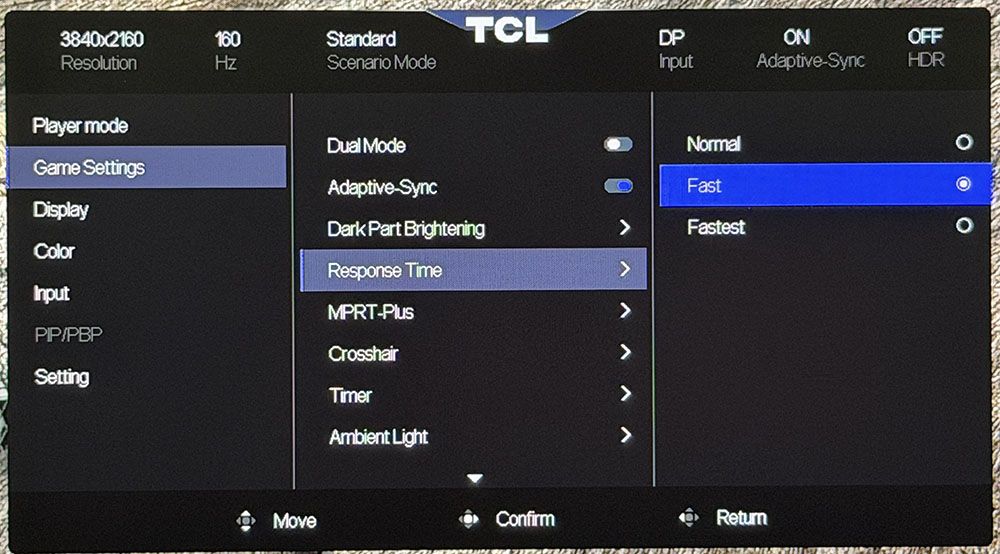
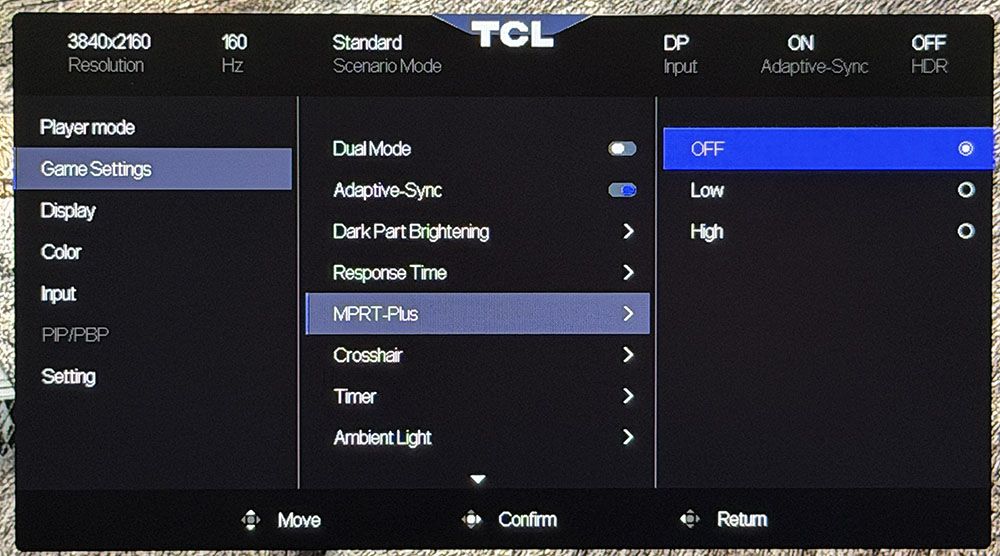
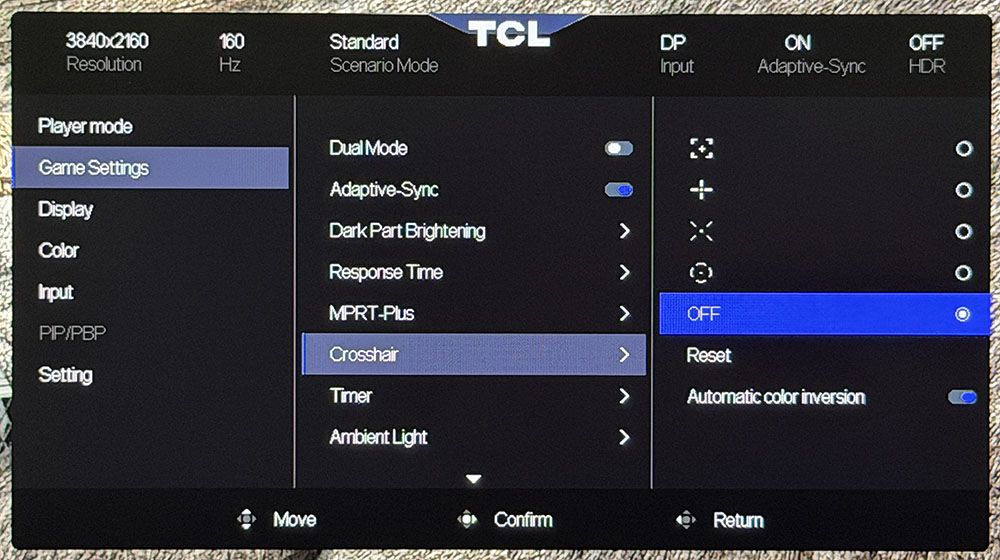
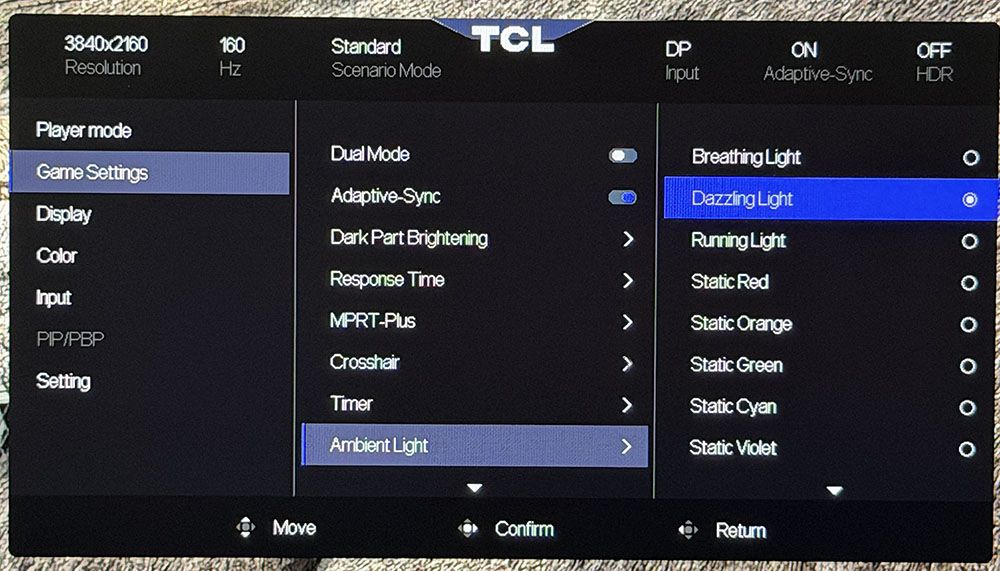
Moving on to Game Settings, the 27C2A Pro has every video processing option currently available for an LCD panel. The overdrive has three speeds, with fast being the best. MPRT-Plus (backlight strobe) has two levels, which correspond to pulse width. The higher one cuts brightness by around 50%, but you can easily compensate with the brightness slider because there’s more than enough luminance headroom. You can use both with Adaptive-Sync if you wish, which is something very few monitors can do. I found the best motion quality with overdrive on Fast and Adaptive-Sync engaged. MPRT reduces motion blur to almost nothing but introduces a slight phasing artifact, so I didn’t use it for my gaming tests. Also in this menu are a set of aiming points, timers, and controls for the LED lighting.
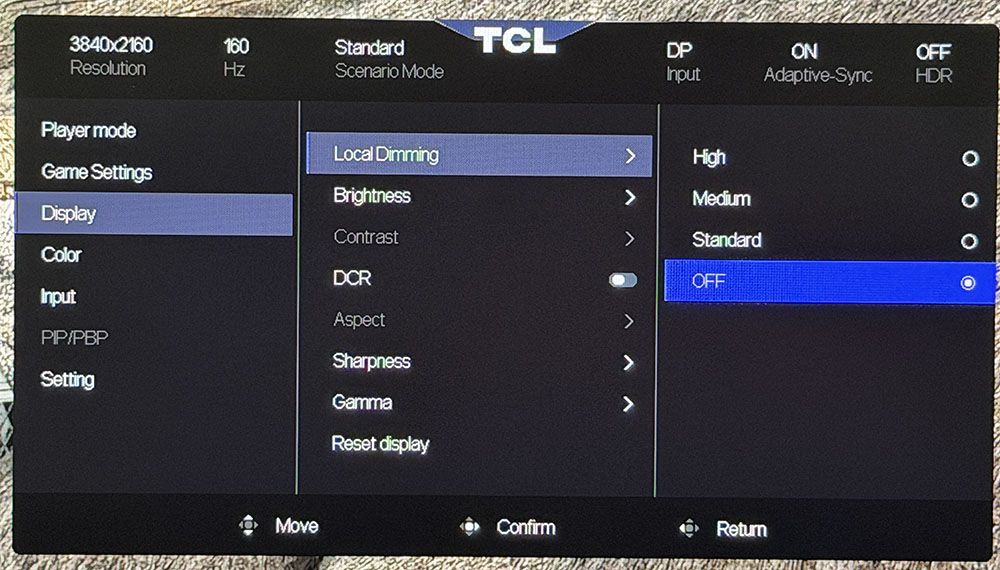
The Display menu starts with Local Dimming and its three levels. Standard barely does anything, only increasing contrast to around 1,800:1. Medium and High are more aggressive, and they shut off the backlight completely at light level zero for theoretically infinite contrast. Dimming is available for both SDR and HDR content.
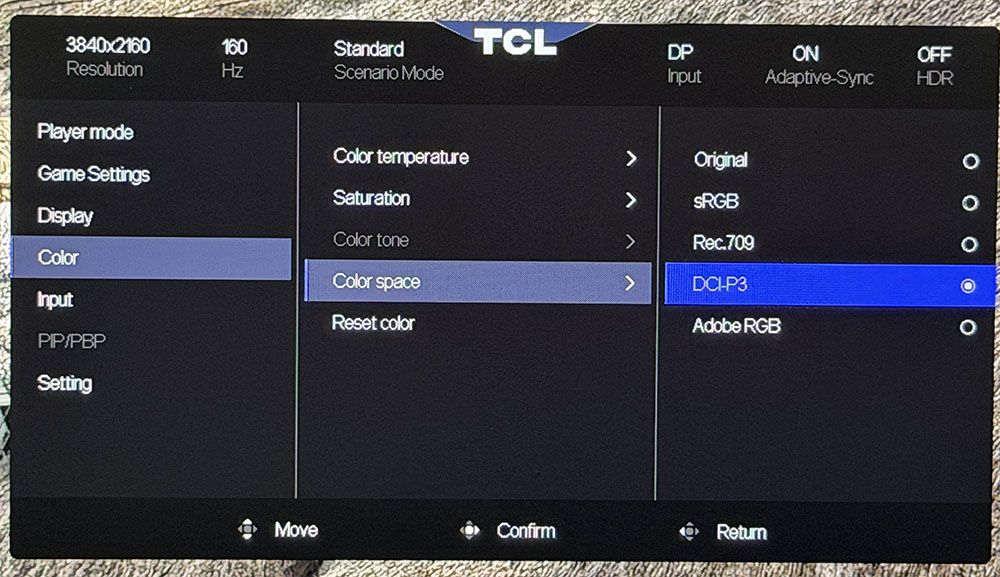
In the Color menu, you’ll find color temp presets and a gamut selector. It offers sRGB, Rec.709, DCI-P3, and Adobe RGB. All are very accurate, more so than the Original option, in fact. You’ll see how this works in my tests on page four. The 27C2A Pro is a very accurate monitor when set up correctly.
The remainder of the OSD is focused on conveniences like PIP/PBP, KVM options, OSD controls, and the like. If you want to reset everything to factory defaults, that option is in the Settings menu.
TCL 27C2A Pro Calibration Settings
I was initially disappointed with the 27C2A Pro during my first round of tests. It comes set to Standard mode, Original color space, warm color temp, and gamma 1. Gamma and grayscale measured well, but color tracking was a bit wonky. Luckily, you can select any of the available gamuts, sRGB, Rec.709, DCI-P3, or Adobe RGB, and get much better accuracy with near-perfect gamma and grayscale. I made small tweaks to the RGB sliders, and that was it. My settings are below.
In HDR mode, you get two presets, Display and Cinema. Their color is the same, but the EOTF curves are slightly different. My pick was Display, and with that, you get RGB sliders and a brightness control. You can also change the local dimming, though I recommend High for the deepest blacks and best contrast.
Swipe to scroll horizontally
Picture Mode
Standard
Brightness 200 nits
43
Brightness 120 nits
21
Brightness 100 nits
17
Brightness 80 nits
11
Brightness 50 nits
4 (min. 39 nits)
Contrast
50
Gamma
1
Color Space
DCI-P3, Rec.709, sRGB, Adobe RGB
Color Temp User
Red 49, Green 49, Blue 51
Gaming and Hands-on
Gaming on the 27C2A Pro was a treat. I’m spoiled by premium OLEDs, but TCL has found a great combination of brightness, color, speed, and smoothness that mostly replicates that experience with an LCD panel. The only thing you won’t get is those infinite blacks, but the 27C2A Pro comes close with its 2,304 dimming zones and extremely bright highlights.
You’ll see later in the test notes just how bright it can get, and that capability is used to full effect. I always set up review displays to 200 nits, and that was only a third of the 27C2A Pro’s SDR brightness range. I found that I could use its local dimming for both SDR and HDR content, which was nice. Often, there is only dimming for HDR.
Color was also a strength, with vivid hues and excellent accuracy. I found some unusual behavior during initial tests, but once I discovered the secret, it was pro-level color all the way. Just pick the gamut you want and avoid the Original option in the OSD’s color space menu.
My GeForce RTX 4090-equipped PC had no problem maintaining 160fps in 4K. I tried the FHD/320 Hz option and found that it worked fine and delivered that frame rate. Since the downscale is an exact multiple, the picture wasn’t as soft as you might expect. The dual-mode feature is a viable option for users with consoles or less stout video cards.
I also noted that I could use overdrive and MPRT backlight strobing in concert with Adaptive-Sync. That’s something only a few high-end monitors offer, so it was nice to see from a $600 display. If you’re relegated to frame rates below 144 Hz, MPRT is a good option for eliminating motion blur. The overdrive on its own is also very effective at its middle setting, Fast.
Lag was low enough that I didn’t perceive any delay in control response. Backgrounds and moving objects stayed sharp, and my inputs were instantly translated to action. The 27C2A Pro has that addictive quality that all fast and smooth monitors have.
For productivity, the 27C2A Pro shines as a photo and graphics display. Its color modes include sRGB, Rec.709, DCI-P3, and Adobe RGB. That last one is a rarity outside the professional realm. They are spot-on, as you’ll see in my test results; no calibration needed. If you need a print reference monitor, this one qualifies.
I also noted that the 27C2A Pro is a complete package with LED lighting, internal speakers, USB ports with KVM, and a slick white aesthetic. My only complaint is that the stand is too wobbly. The base and upright are solid, but the panel’s attachment point has some jiggle. I would probably spend some of the money I saved over an OLED on an arm.
Takeaway: The 27C2A Pro is a complete package for gaming and productivity. It’s fast and smooth with excellent video processing and the ability to run Adaptive-Sync along with overdrive and backlight strobing. It’s colorful and sharp and has deep contrast thanks to 2,304 local dimming zones. It’s also much brighter than any OLED. It delivers tremendous bang for the buck.
Christian Eberle is a Contributing Editor for Tom's Hardware US. He's a veteran reviewer of A/V equipment, specializing in monitors. Christian began his obsession with tech when he built his first PC in 1991, a 286 running DOS 3.0 at a blazing 12MHz. In 2006, he undertook training from the Imaging Science Foundation in video calibration and testing and thus started a passion for precise imaging that persists to this day. He is also a professional musician with a degree from the New England Conservatory as a classical bassoonist which he used to good effect as a performer with the West Point Army Band from 1987 to 2013. He enjoys watching movies and listening to high-end audio in his custom-built home theater and can be seen riding trails near his home on a race-ready ICE VTX recumbent trike. Christian enjoys the endless summer in Florida where he lives with his wife and Chihuahua and plays with orchestras around the state.



 Like
0
Like
0
 Dislike
0
Dislike
0
 Love
0
Love
0
 Funny
0
Funny
0
 Wow
0
Wow
0
 Sad
0
Sad
0
 Angry
0
Angry
0









Comments (0)