

This brilliant $11 power button gadget lets you switch your PC on from your desk with ease — perfect desk upgrade means you don't need to bend down to turn your rig on or off anymore, ships with super-durable mechanical keys and RGB lighting
 (Image credit: Future / SinLoon)
The Prime Day sales give us the opportunity to take a look at gadgets and tools that we probably wouldn't immediately think of or wouldn't necessarily spring to mind, but you absolutely know you'd want to buy them when you see them. This "SinLoon" external power button, on sale and priced at just $11.19, fits into this exact category.
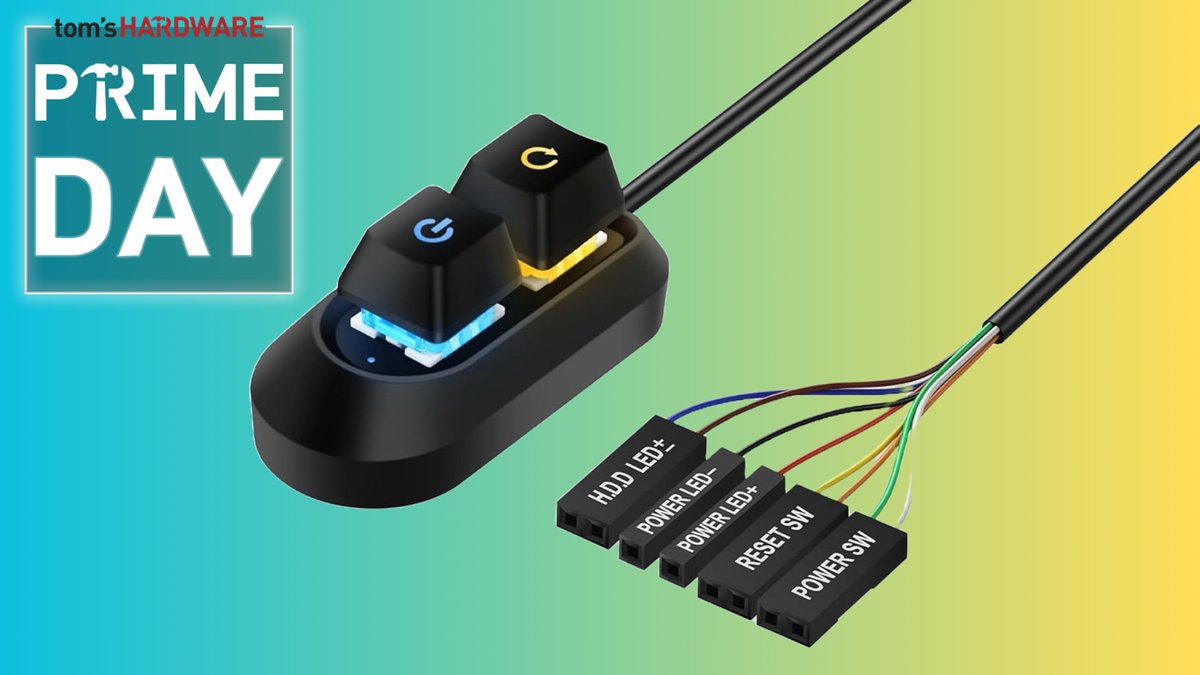
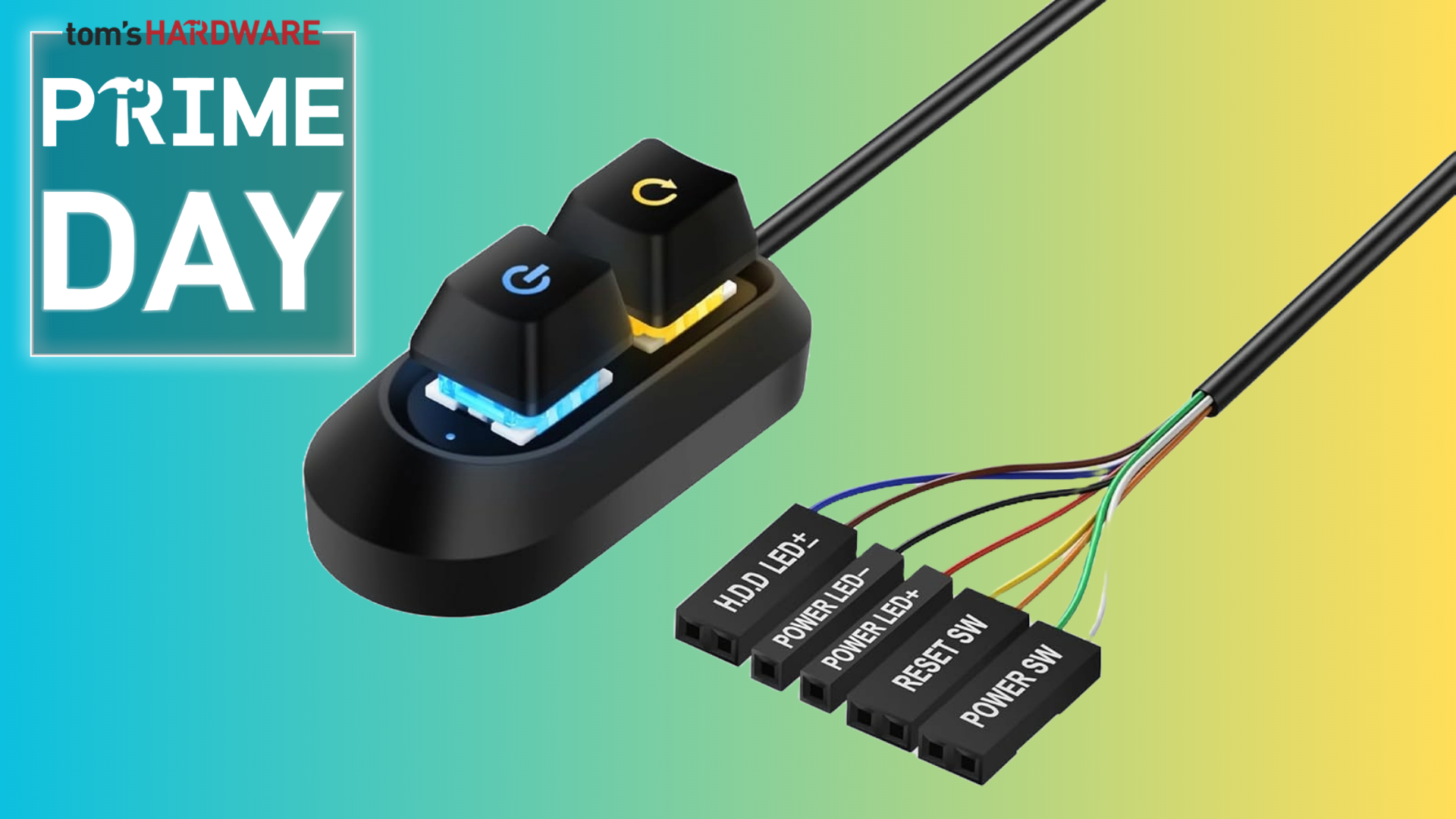
Unlike a CPU or a GPU, there isn't a long list of specs to share for an item like this: it's an external power button for your PC. It comes with a two-meter header cable to connect to your PC's front panel, a splitter to make it work with your existing case cables, and a pair of mechanical keyboard keys for powering down or restarting.
● Check out this deal at Amazon
That's not to understate how much detail has gone into making this. The inclusion of mechanical keyboard keys, made to look like they're straight from a top-spec gaming keyboard, with RGB lighting to boot, is a bit of a showstopper. Unbelievably, SinLoon reckons that these keys are good for over 5 million keystrokes: that's a lot of PC shutdowns and restarts in your future.
Setting it up is easy enough, too, depending on the access to your PC's front panel headers. If you've built a PC, you'll have dealt with this already, connecting your motherboard up so that the power button works. Same process with this, and along with cables for shutting your PC, you've also got connectors for the power and disk access LEDs.
The keys sit neatly in a smooth, black plastic case. The wiring, also black and mostly sheathed in glossy plastic, extends from the back. The wire does eventually split into various colored cables, with easy labels to help you figure out where to plug them in.
One neat addition, if you've wondered how this actually worked, is a 1-to-2 splitter. This lets you connect these cables and your PC's power and reset buttons together, so you don't lose the functionality on your case. This is a physical adapter, so even if the pinout isn't quite as expected, you can move the header cables around to match until it works. That said, if you want to totally bypass your PC's power button, you just need to connect the cables directly to your motherboard instead.
For just over $11, this is the flag bearer for impulse buying. You've never thought about a desktop power button before, but you're intrigued. It looks cool. But that doesn't mean it's just a trinket, a pointless item on your desk. This has practical use. There are plenty of people who'll want a power button setup like this. If your PC is in a difficult-to-reach place, or if you're finding it tricky to press a floor-bound power button.
If you're a maker or builder, you'll find use for it, too. If you're testing components, as we do at Tom's Hardware, you might find yourself with nothing more than a set of components built onto a motherboard: no case, no power button. Having a SinLoon button handy on your desk, to easily plug into your motherboard's headers, certainly makes the process a lot easier.
The $11.19 sale price for this SinLoon external power button is a great price. This won't change your life, but it might make turning your PC on or off a little easier. It looks cool, it's built well, and it'll match the peripherals on your desk if you've got a mechanical gaming keyboard. For yourself or as a gift, grab this cool little desk feature while you can before the stock runs out.
If you're looking for more savings, check out our Best PC Hardware deals for a range of products, or dive deeper into our specialized SSD and Storage Deals, Hard Drive Deals, Gaming Monitor Deals, Graphics Card Deals, gaming chair, or CPU Deals pages.
Also, you can join the Tom's Hardware deals Discord for up-to-the-minute hardware deals.
Get Tom's Hardware's best news and in-depth reviews, straight to your inbox.
Ben Stockton is a deals writer at Tom’s Hardware. He's been writing about technology since 2018, with bylines at PCGamesN, How-To Geek, and Tom’s Guide, among others. When he’s not hunting down the best bargains, he’s busy tinkering with his homelab or watching old Star Trek episodes.
What's Your Reaction?
 Like
0
Like
0
 Dislike
0
Dislike
0
 Love
0
Love
0
 Funny
0
Funny
0
 Wow
0
Wow
0
 Sad
0
Sad
0
 Angry
0
Angry
0








Comments (0)