

Have an old PC monitor laying around? Turning it into a TV is easier than you think
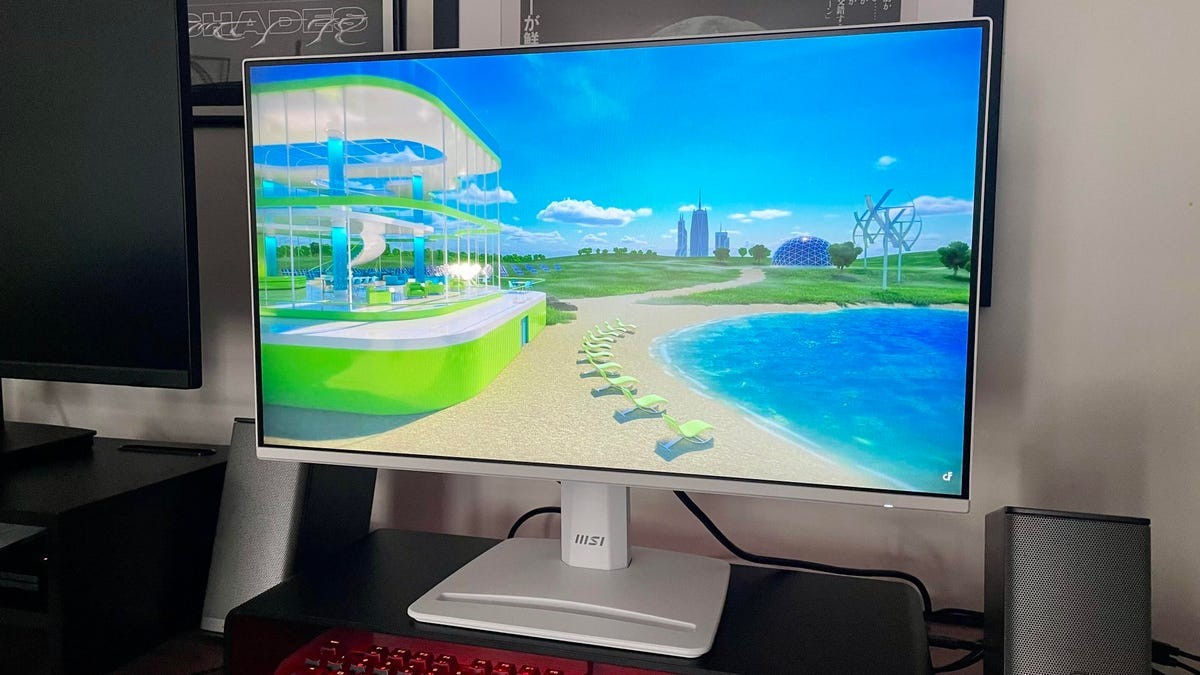

MSI Pro MP243W 24-inch monitor
So you've upgraded your monitor setup and are left with an extra screen you're not quite sure what to do with. Or, perhaps, you're just looking to get a bit more out of your current displays.
Well, if your monitor has at least one HDMI input, you can repurpose it as either a dedicated screen for streaming or as an over-the-air TV in just a few simple steps (and with things you might already have around the house). There are even affordable audio solutions if your monitor doesn't have built-in speakers, Bluetooth connectivity, or even a 3.5mm audio jack.
Also: How to turn your TV into a computer monitor
I'll walk you through what equipment you need for turning your monitor into the perfect second screen for your bedroom, office, or garage.
How to use your monitor as a TV
Asus ZenScreen Smart Monitor MS27UC
Streaming and physical media
The fastest and simplest way to re-use an aging monitor is to use a streaming device like the Amazon Fire TV Stick or Roku Ultra. All you have to do is plug it into one of the available HDMI ports on the back of your monitor and power everything on for instant access to your favorite apps.
Just check if your monitor is compatible with High-Bandwidth Digital Copy Protection (HDCP) software, or you may not be able to stream copy-protected shows and movies. If it doesn't support HDCP, don't lose hope; you can skip down to the next option for using your monitor as a TV.
Read more: How I turned my old Android phone into a streaming stick
If you're like me and are building a physical media collection in protest of the state of streaming, a PC monitor can be a great dedicated screen for playing movies: just plug your DVD/Blu-Ray player into the HDMI port and select your favorite film. Since even many older monitors are capable of at least 1080p resolution and a 60Hz refresh rate, you'll get a picture that's at least on-par with a budget-level smart TV.
Digital tuner boxes
While TV antennas use RF connections, you won't be able to directly plug it into your monitor since it won't have a digital tuning device built in. However, with the help of a digital tuning box, you'll be able to access free over-the-air channels.
Since OTA channels don't use HDCP protection, you'll have a better chance of actually getting to watch the news, sports, and shows you want. Some devices, like the Tablo Gen 4, also allow you to record and store video so you never miss an episode of your favorite shows.
Audio solutions
Your monitor might not have built-in speakers, but getting great audio from your monitor-turned-TV isn't a problem. If you've gone the streaming route (or if your monitor has native support), you can easily connect a Bluetooth-enabled speaker like the Anker Soundcore 2 or Sonos Era 100 SL for clean, high-def sound.
More: The best indoor TV antennas
But if you're ditching apps in favor of OTA TV, can pick up a cheap pair of PC speakers like the Amazon Basics USB for basic sound or the Logitech Z313 if you want something more robust without breaking the bank.
What's Your Reaction?
 Like
0
Like
0
 Dislike
0
Dislike
0
 Love
0
Love
0
 Funny
0
Funny
0
 Wow
0
Wow
0
 Sad
0
Sad
0
 Angry
0
Angry
0









Comments (0)