

It's a weird time to buy a laptop, but the new MacBook Pro doesn't skimp on quality
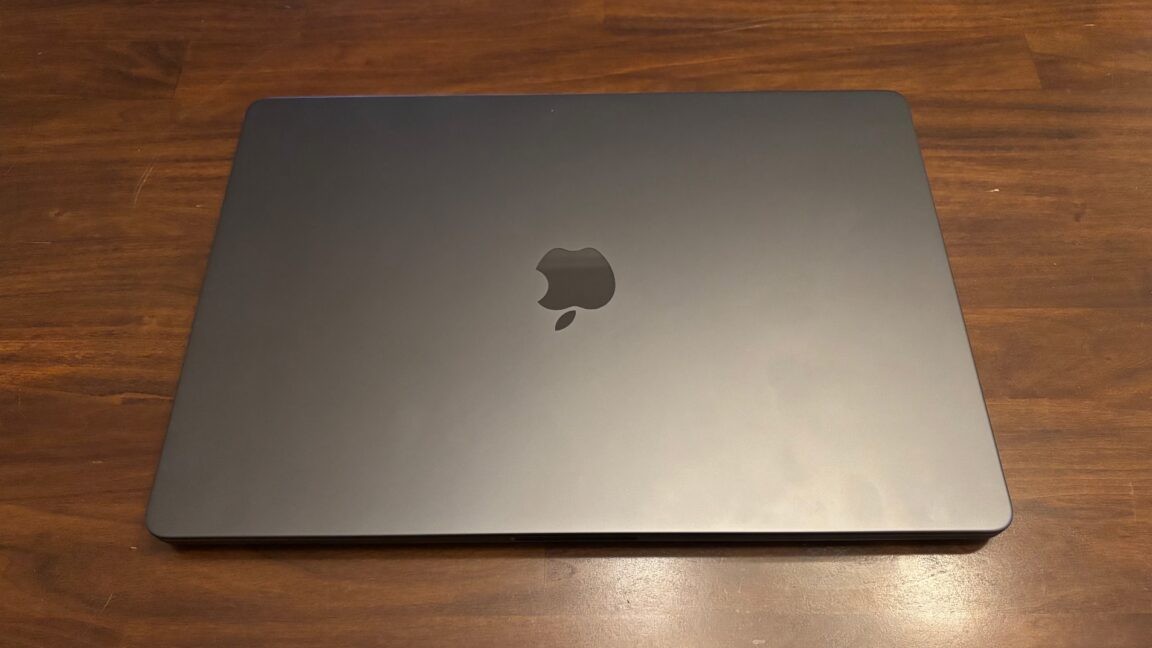
It has the best laptop screen we’ve used, but there may be reasons to wait.
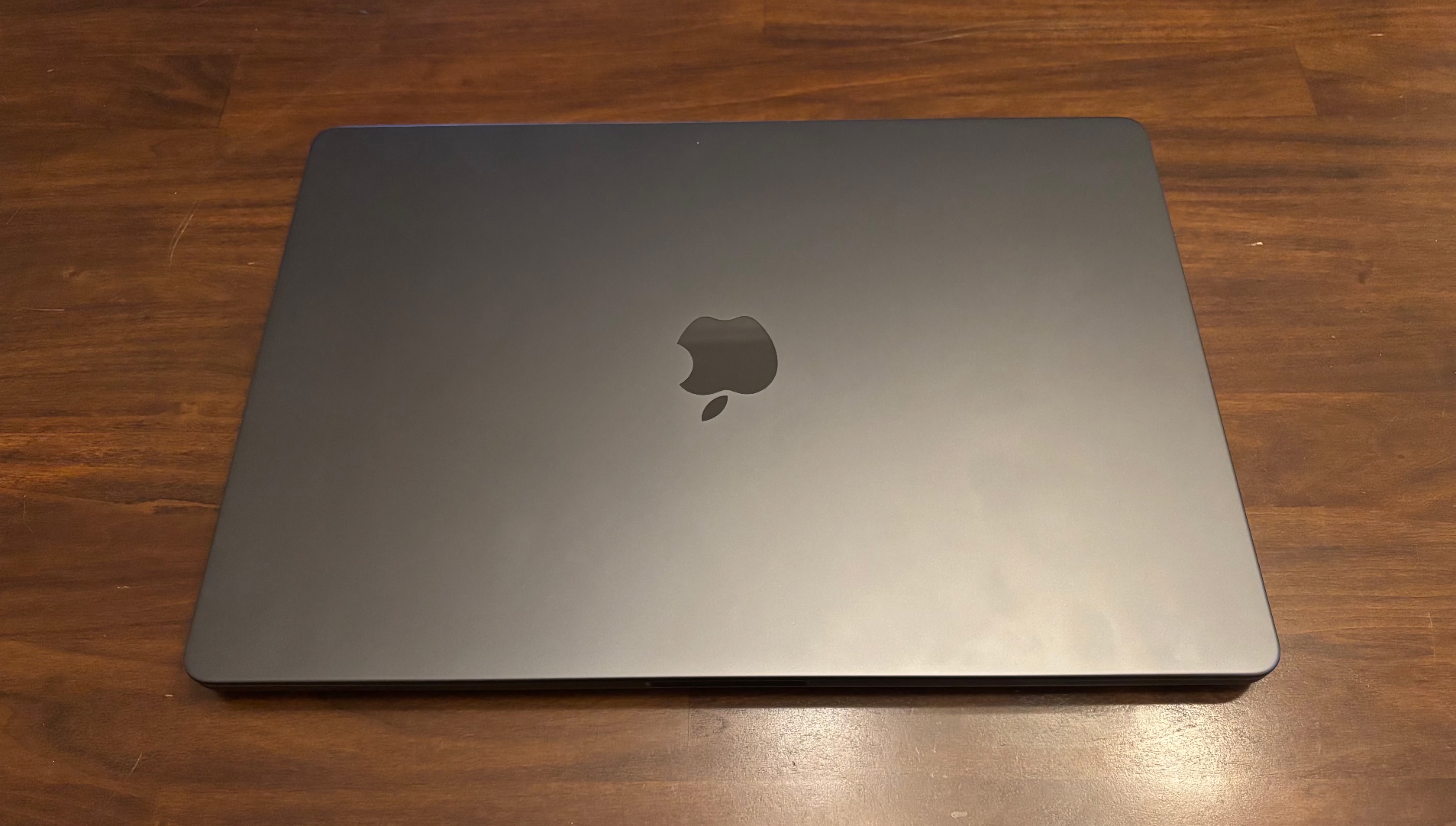
A 16-inch, 2026 MacBook Pro with "PROLED XDR" display. Credit: Samuel Axon
A 16-inch, 2026 MacBook Pro with "PROLED XDR" display. Credit: Samuel Axon
Apple’s new MacBook Pro is expensive as hell.
Let’s get that out there right away, because for a lot of people, it will be the only thing that matters. As with so many things in life, though, you get what you pay for. There’s no questioning the quality of the laptop’s display or most of its other hardware components.
But should you buy it? Well, that’s a complicated question in 2026.
We’re in a time of great uncertainty when it comes to buying a computer. Prices are at levels we’ve not seen in recent history, and they may well keep climbing. Meanwhile, users paying close attention to the early developments in both local and agentic artificial intelligence are asking an important question: “What will computing even look like in a few years, and what does that mean for the computer I should buy today?”
Apple’s new MacBook Pro sits at the intersection of all of this uncertainty. In multiple ways, it’s also straddling different worlds.
It arrives amid a changing of the guard in Apple’s leadership, potentially raising questions about the future direction of Apple’s ecosystem. It’s a mass-market consumer product, but configuring it with enough RAM and storage to make it feel future-proof pushes its price into territory mostly only well-funded businesses can afford. It’s firmly rooted in the computing paradigms of the past 20 years, but it shows early signs of flirtation with new AI workflows. It’s a conventional Apple laptop in most ways, but it also has a touchscreen—something that would never have happened in a prior Apple era.
It’s an outstanding, high-quality product, but whether it’s something you should buy depends on you—what you’re doing right now, what you’ll be doing in the future, and what you value.
Specifications and performance
For most of the specs we look at, Apple isn’t claiming any difference here. The new MacBook Pro promises 24 hours of battery life (though you’d have to use it in a conservative way to achieve that), it has the same ports (three Thunderbolt, one HDMI, one SDXC, and MagSafe), and it has the N1 chip for Wi-Fi 7 and Bluetooth 6 connectivity.
And like its immediate predecessor, it offers the M5 Pro and M5 Max chips as options. Running synthetic benchmarks, we found no meaningful difference at all compared to when we ran the same tests on the previous model, so we won’t spend time discussing their performance today. We’ve covered both thoroughly in prior reviews, and you can read up there if you’d like.
The chips are more than fast enough for normal workflows for the foreseeable future, including most 3D work. AI inference is the main area where they may be less future-proof. To be clear, they’re strong enough for now, but the field is evolving rapidly, and there’s reason to expect significant improvements in future chips on this front.
According to Bloomberg, Apple is skipping Pro and Max versions of the M6 chip that was introduced earlier this year to focus its attention on a significant rework for the M7 due in 2027. “The M7 line is designed primarily around major advancements to on-device AI processing,” Bloomberg’s Mark Gurman wrote. The line would emphasize memory bandwidth, which matters for fast, efficient AI inference.
Even without Bloomberg’s report, I’d expect Apple to prioritize those areas in its next high-end chip refresh. That’s partly because there’s another tea leaf to read here: Apple made just such an update with the A20 Pro, which debuted in its latest iPhones several weeks ago. That update brought a substantially improved Neural Engine and a significant increase in memory bandwidth. We also found that the A20 Pro delivered improved 3D graphics performance in some cases.
Similar improvements could come to Macs, meaning it might be worth waiting another year if you’re focused on AI workflows or even 3D applications—especially given the high cost of these machines. That’s part of what makes this such an uncertain time to buy a laptop. We’re in a moment when these companies are revisiting the architecture of these chips because of these new workflows, and we don’t know what the end result is yet.
A monster of a display
Here’s one thing that’s not at all uncertain: The display on the MacBook Pro is the best I have ever used in a laptop. If the display is your primary concern, this is a big moment.
Apple calls it a “tandem OLED display,” meaning a panel with two emissive layers. This approach helps achieve a higher peak brightness, but perhaps more importantly, it can reduce the risk of burn-in. Most of the time, the display won’t need both layers running at full power. Instead, they can share the load and run at a reduced current, helping extend the panel’s lifespan.
The new display can achieve up to 2,000 nits of peak brightness on HDR highlights, but it’s rated for 1,000 nits of sustained brightness. In general, I like the way Apple handles HDR for this at the OS level, too.
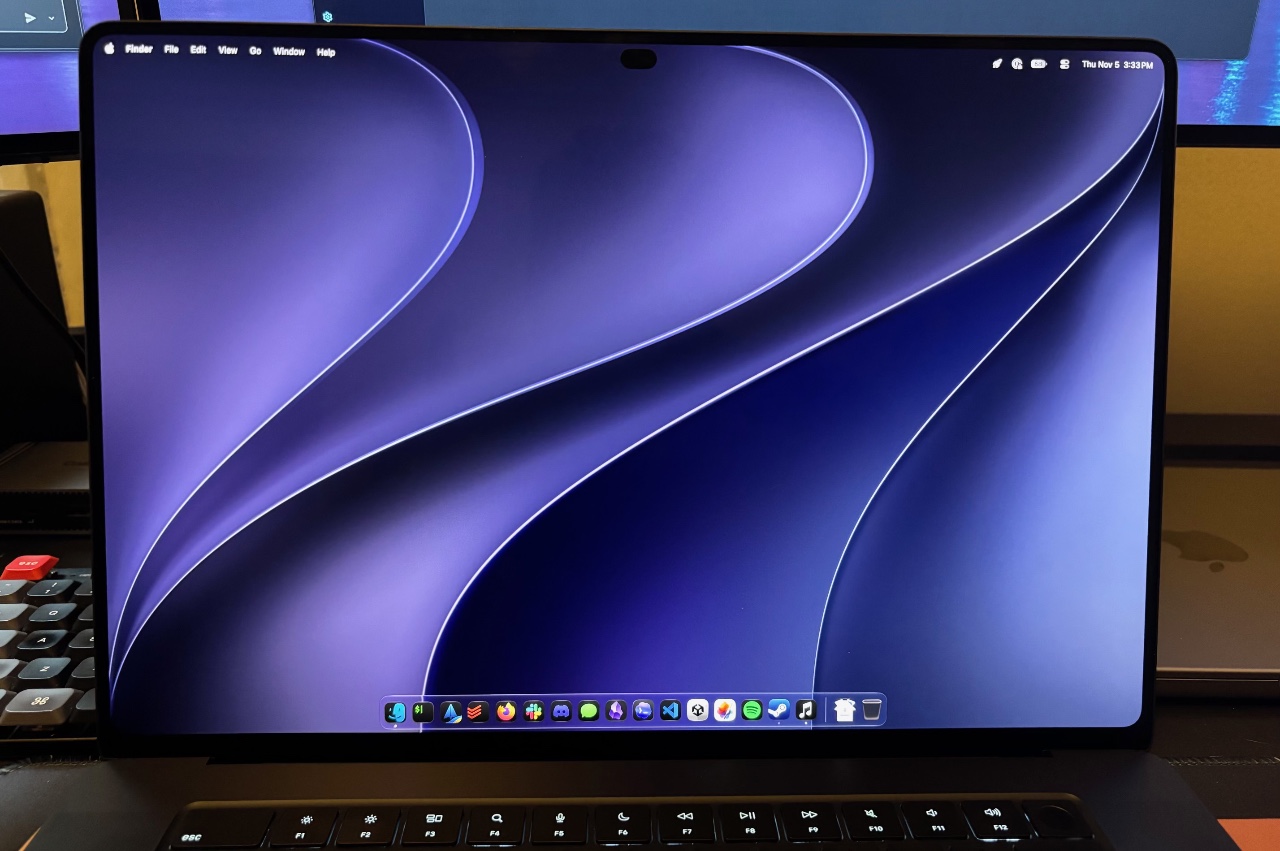
This photo doesn’t do the screen justice, but at least you can see the proportions and design here. (It’s the 16-inch model.)
Credit: Samuel Aoxn
This photo doesn’t do the screen justice, but at least you can see the proportions and design here. (It’s the 16-inch model.) Credit: Samuel Aoxn
The brightness matters for HDR content, sure, but what really makes OLED stand out is per-pixel illumination—meaning each pixel can turn on or off independently. That allows for absolute black levels and very strong contrast. The MiniLED display in the previous MacBook Pro offered good contrast for an LCD display, but OLED has a fundamental advantage here, and it shows.
As you’d expect, the screen offers native support for both P3 and Adobe RGB color gamuts. It also has a variable refresh rate from 10 to 120 Hz, just like many of Apple’s other products. As before, the MacBook Pro comes in roughly 14-inch (3,024×1,986 pixels) and 16-inch (3,472×2,226 pixels) variants. There’s also a nano-texture glass option to fight glare, though that will set you back another $150.
It’s one of the most impressive displays I’ve used in any device, and it’s certainly the best I’ve ever used on a laptop. The colors are vibrant, the contrast is outstanding, the blacks are inky, and it can get very bright when it needs to—not just with highlights but full-screen brightness as well. And on the whole, it’s extremely precise. Uniformity appears basically flawless. It’s what you’d expect from an ultra-high-end TV or reference monitor, not a laptop or computer screen, and it’s genuinely striking.
We’ll see about longevity, but OLED has come a long way in recent years, and my first impressions are that Apple has made all the right choices here.
I find myself trying to find something negative to say about the MacBook Pro’s screen to avoid sounding too effusive, but I can’t think of anything substantive. The best I can do is complain that Apple’s proprietary “PROLED XDR” label is silly and eye-roll-inducing.
Branding aside, the screen is the main reason to pay extra for this model.
Design
With its lid closed, the new MacBook Pro looks identical to its predecessor. The dimensions are largely the same. It’s slightly thinner, but you’d have to check the spec sheet or handle them side by side to notice.
Pick it up, though, and you’ll find that it’s noticeably lighter than the last model, by about half a pound. It’s not in a totally different weight class, but you can notice the change, and it’s a nice improvement. The reduction is partly due to the display technology switch; it’s easier to make a light OLED screen than a light MiniLED one.
Open the MacBook Pro and turn it on, and you’ll see one of a few other notable differences, depending on whether you’re behind or in front of it. From behind, you’ll see the Apple logo on the lid now lights up, as it did on MacBooks of yore. It’s arguably a little tacky, but it’s also neat and nostalgic. I don’t hate it.
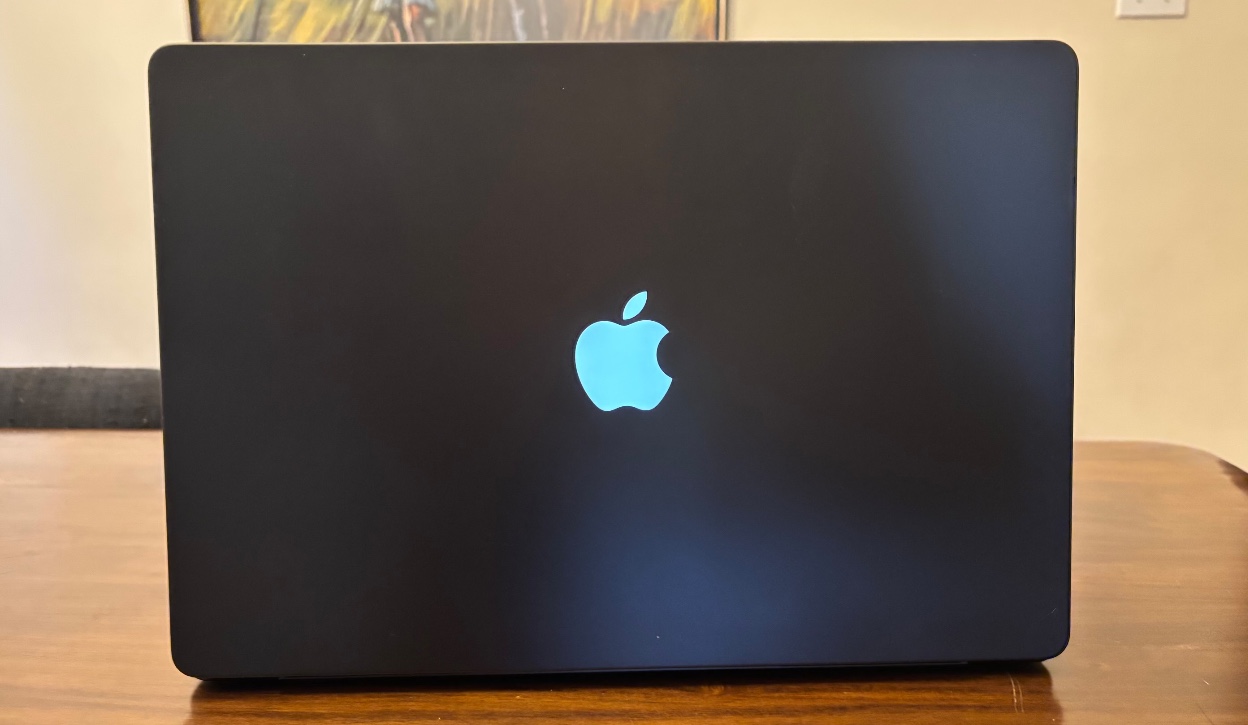
The glow returns!
Credit: Samuel Axon
The glow returns! Credit: Samuel Axon
From the front, you might notice that the already barely there bezels are even more barely there, though that’s subtle. More likely, you’ll see that the top-of-screen camera notch has been replaced by a cutout just like the Dynamic Island Apple introduced on the iPhone.
A comparatively sensible camera cutout
When I reviewed the first iPhone with a Dynamic Island, I was largely positive about it. No, it’s not ideal to have a cutout on the screen, but Apple has handled it as intelligently as possible, and I would even go so far as to say it has turned what should be an albatross into an attractive feature.
Thanks to the OLED display, it’s possible to make any of the pixels around the camera cutout just as black as it is. Apple has designed live activities, the volume bar, and more to appear as if they are expanding out of and around, and contracting back into, this little dot. It remains ingenious.
When the Dynamic Island first arrived on the iPhone, it helped unify several previously disparate approaches to displaying notifications in iOS, making it especially useful. This time, it doesn’t solve as many problems, but it’s an improvement over the dead weight of the notch. It also helps that the MacBook Pro’s much larger screen means the cutout takes up a small share of the screen’s real estate.
The Dynamic Island works the same with full-screen apps as the notch did. By default, the top of the viewport ends just below the Dynamic Island, so it just looks like there’s a taller top bezel, and it doesn’t cut into the application interface. The menu bar, clock, and other system elements still occupy the space above the application (set against a totally black background) when you move the cursor up there.
I tested a few fullscreen games with it, like World of Warcraft and Cyberpunk 2077. Some behaved by default like the default fullscreen app behavior I just described, but others tried to occupy the whole thing, making the cutout visible. Vitally, every video app I tried avoided the cutout in fullscreen.
This isn’t something to upgrade for, of course. But on the whole, I think it’s an improvement over what we had before.
The most touchable MacBook Pro ever
Apple has finally added a touchscreen to the MacBook Pro. I say “finally” because the possibility has floated around for about two decades. Steve Jobs was famously opposed to the idea; there’s even video of him explaining why he thought it would make for a poor user experience.
A couple of years ago, reliable reports emerged that Apple was moving forward with the idea regardless. When I first heard about it, I imagined what could be a really exciting implementation: a convertible laptop that would let you use it in a tablet-like mode, with Apple Pencil support for drawing and writing.
As a game developer, I imagined quickly sketching 2D game maps with an Apple Pencil, using a local AI model to convert them into 3D geometry, and then switching to a laptop configuration to start testing and coding. I also imagined using it like an iPad to more comfortably watch movies on a flight.
That’s not what we got, though. The laptop has the same form factor as the previous MacBook Pro model—no tablet mode or Pencil support. Instead, it just lets you reach up from the keyboard and trackpad to touch the screen. That feels like a missed opportunity.
Some creative apps have implemented touch features that might justify the touchscreen functionality if you use them a lot. For example, you can play the on-screen virtual piano keys on Logic Pro with multiple fingers, which could be nicer than clicking on them. I imagine many people already have workflows built around other approaches, though.
If you were specifically waiting for a touchscreen on your MacBook Pro, this seems like as good an implementation as you could hope for without turning the laptop into a convertible. Apple has put real care into it. For example, it has re-engineered the hinge so the screen is not particularly wobbly when you touch it. It’s fast, accurate, and responsive. It supports multi-touch gestures like pinch-to-zoom or swiping with three fingers to switch desktop spaces.
There’s one use case I find compelling as a developer. Testing iPhone and iPad apps in the Simulator has always been a minor hassle because of the difference in input methods. You either have to approximate only a subset of the interactions available to users with a trackpad and mouse or connect an iPhone or iPad to test them that way. A touchscreen could provide a more elegant way to test such apps in Xcode, Unity, or whatever else you might use.
Unfortunately, some of the UI elements in macOS are too small for my large fingers, so I have to tap very carefully. I also keep forgetting the touchscreen is even there for hours at a time and go back to my normal habits, partly because there’s nothing you can do at the OS level that you can’t do just as easily with trackpad gestures. And as Jobs predicted all those years ago, my arm got tired while I was using it.
For me, it feels faster, easier, more comfortable, and more natural to use the keyboard and trackpad 100 percent of the time, but I admittedly have decades of muscle memory and habits built around them. There’s apparently a generation coming up with the same kind of familiarity with touch interfaces, so this feature may appeal to them. Plus, touchscreen laptops have been a thing on Windows forever, and some people seem to want to buy them, though I never quite got why without an added tablet configuration.
It’s unlikely to account for a big portion of the device’s cost compared with the rest of the OLED panel, memory, storage, and so on. So, my own bafflement aside, I’m not unhappy it’s here. I imagine it will serve those who want it well enough.
The same excellent workstation—if you can afford it
As noted earlier, whether this laptop is worthy of a recommendation depends on you and how you use your machine. That’s always been the case, but it seems more so here.
If you’re a creative professional or a display enthusiast who wants the best laptop screen you’ve likely ever seen, you won’t be disappointed if you shell out for it. And hey, maybe you can show me your workflow and prove me wrong about the touchscreen!
If you’re just looking for a great laptop with strong performance for everyday use, consider the non-OLED, non-touchscreen model that’s still in Apple’s lineup—or even a MacBook Air, which compromises relatively little for most users. And there is, of course, the entire world of Windows and Linux laptops.
If you’re a developer—especially one working at the frontier of AI workflows—well, that’s where things get tricky. Will waiting be worthwhile? So much about how those workflows will evolve and what they’ll demand from your hardware is still so up in the air that I can’t make a confident recommendation. (For what it’s worth, I fit best in this category, and I’m still holding onto my M1 Max machine, though my resolve is wavering.)
All that said, in most ways, this is still the same MacBook Pro we’ve reviewed again and again for the past few years. Touch adds a feature aimed at a particular niche, or perhaps it’s there to roll out the welcome mat for a newer generation. The display is a more substantial update and makes a compelling case for upgrading, especially if you’re coming from an older, pre-MiniLED laptop.
But this is an expensive machine. The configuration I reviewed here (16-inch, M5 Max, 128 GB of RAM, 2 TB SSD) retails for a whopping $7,399, though you could at least shave $1,600 off that by going to a more typical-for-most-people 64 GB. (The cheapest configuration starts at $2,899.)
For the vast majority of buyers, the pre-OLED version that’s still in Apple’s lineup or another MacBook altogether will offer more bang for your buck. If you’re the kind of person who wants OLED or a touchscreen, though, you probably know that already. Based on my time with the new MacBook Pro, both features deliver on their promises, even if the latter isn’t as ambitious as some of us had hoped.
The good
- Outstanding display that offers notably better and more accurate image quality while modestly reducing the weight of the device
- The M5 Pro and M5 Max are still plenty fast for the majority of users
- Strong build quality, solid port selection, and everything else we had positive to say about the last MacBook Pro, too
The bad
- For certain workflows, the M5 Pro and M5 Max are already a few months old in an environment where things are moving very quickly
- The RAM and SSD price crunch is real, and these prices are a formidable barrier for most people

Samuel Axon is the editorial lead for tech and gaming coverage at Ars Technica. He covers physical and generative AI, large language models, software development, gaming, entertainment, and mixed reality. He has been writing about gaming and technology for nearly two decades at Engadget, PC World, Mashable, Vice, Polygon, Wired, and others. He previously ran a marketing and PR agency in the gaming industry, led editorial for the TV network CBS, and worked on social media marketing strategy for Samsung Mobile at the creative agency SPCSHP. He also is an independent software and game developer for iOS, Windows, and other platforms, and he is a graduate of DePaul University, where he studied interactive media and software development.
What's Your Reaction?
 Like
0
 Dislike
0
 Love
0
 Funny
0
 Wow
0
 Sad
0
 Angry
0










Comments (0)