

Samsung 990 2TB SSD Review: New flash, familiar speeds
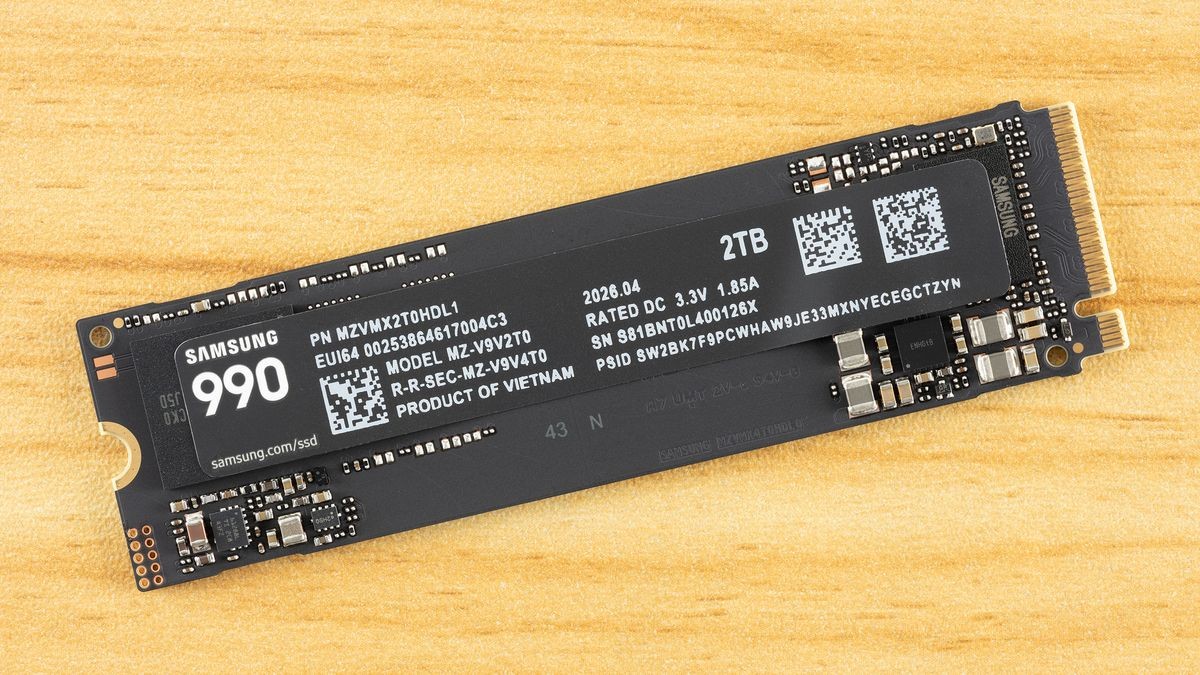
The Samsung 990 is a budget Gen 4 QLC SSD with acceptable performance but mediocre power efficiency.
Pros
- +
Full-fledged Gen 4 throughput
- +
Above-average TBW & DWPD
- +
Reasonable all-around performance
Cons
- -
Three-year warranty
- -
Mediocre power efficiency
Why you can trust Tom's Hardware Our expert reviewers spend hours testing and comparing products and services so you can choose the best for you. Find out more about how we test.
Samsung is back with another solid-state drive, and this time it's something a little bit different. The 990 is a QLC-based 990 EVO Plus, positioned as a budget drive that can still push a lot of bandwidth. It’s a little late to the game and not quite what was rumored for the 990 QVO, but it does bring some new technology to the table. We’re always interested in seeing what Samsung puts out, and this time is no different. It should not be confused as being part of Samsung’s Pro line or, for that matter, the EVO line, so keep that in mind.
The drive has its ups and downs, but in this challenging market, and for a budget drive, that’s to be expected. Samsung is still well-regarded for its name and reliable hardware, even as there has been a massive push towards enterprise, away from the consumer side. Samsung has, in fact, given some ground in the SSD space for many years, even as it produces some of the most common OEM drives. So while this is not a Crucial situation, it’s best to jump into this review with the right expectations about what this drive is and isn’t. It’s a budget drive with full Gen 4 throughput that hits the most common capacities with sufficient performance and power efficiency. It’s not meant to be a throne-taker.
It’s also thankfully not another 990 EVO situation – that drive felt somewhat underwhelming by the time it arrived, even when pitted against budget drives – but the 990 is also not a QLC rallying call. It’s a competent drive that mostly hits the right notes, as intended. Given how scarce Samsung QLC drives have been, and how much demand its QLC flash surely has elsewhere, it can feel like Samsung is throwing consumers a bone, though it would be crass to put it that way. We instead think this is smart positioning by the company as it knows the future is with QLC and the technologies used in this flash (even if first shown two years ago at ISSCC) point firmly at an ambitious future. The 990 just lets you own a piece of that.
Latest Videos From

Samsung 990 Specifications
Swipe to scroll horizontally
Pricing | $269.99 | $529.99 |
Form Factor | M.2 2280 (Single-sided) | M.2 2280 (Single-sided) |
Interface / Protocol | PCIe 4.0 x4 / NVMe 2.0 | PCIe 4.0 x4 / NVMe 2.0 |
Controller | Samsung PiccoloQ | Samsung PiccoloQ |
DRAM | N/A (HMB) | N/A (HMB) |
Flash Memory | Samsung V9 QLC | Samsung V9 QLC |
Sequential Read | 7,150 MB/s | 7,250 MB/s |
Sequential Write | 6,450 MB/s | 6,450 MB/s |
Random Read | 700K IOPS | 850K IOPS |
Random Write | 1,100K IOPS | 1,200K IOPS |
Power (R/W) | 4.0W / 3.7W | 4.3W / 3.8W |
Endurance | 400 TBW | 800 TBW |
Security | TCG Opal V2.0 | TCG Opal V2.0 |
Part Number | MZ-V9V1T0 | MZ-V9V2T0 |
Warranty | 3-Year | 3-Year |
The Samsung 990 is only available at 1TB and 2TB capacities, with MSRPs of $269.99 and $529.99, respectively. These prices are very high, as you can get competing drives like the Crucial P310 for substantially less, and in fact even the TLC-based WD Black SN7100 costs less. But Samsung has historically launched with MSRPs well above actual market price. You should be able to get the drive at significantly lower prices after launch, but the “Samsung tax” may still apply. We’ll get into what that means throughout the review.
This limited capacity range is unfortunate, but enables Samsung to pack the flash into just one package, which reduces PCB space so that any OEM variant can be used in multiple M.2 form factors and will always be single-sided. Less than 1TB is also not enough for these denser dies if you want good performance. That leaves 1TB and 2TB as the target capacities, which also makes sense in a market where 4TB+ is getting exceptionally expensive. We’ll eventually see 2Tb dies to make single-package 4TB a reality, but that’s further along in Samsung’s roadmap.
The drive can reach 7,250 / 6,450 MB/s for sequential reads and writes and up to 850K / 1,200K random read and write IOPS. Peak performance is attained at 2TB, where you have the optimal amount of interleaving or parallelization: Sixteen 1Tb dies means four dies for each of four flash channels, the typical ceiling. However, as these are four-plane dies, you still get 32-way interleaving at 1TB with eight dies, which is enough to get good performance with just two dies per channel. Less than that is much less ideal, and more than that introduces additional overhead, especially for budget controllers. The math changes with six-plane and 2TB dies, but for this flash, 1TB is the reasonable minimum, with 2TB offering the best performance.
The drive is rated for approximately 4W of power draw across the two capacities, when looking at both reads and writes. Check our power results below to see how accurate that is. The drive is rated for 400TB of writes per TB capacity, which is high for QLC flash – we would typically see maybe 300TB, which is one-half of the TLC standard – but also indicates a very high drive writes per day (DWPD) rating. This is due to the warranty only covering three years rather than the normal five, so the amount of writes per year is significantly higher. This is atypical, so requires further explanation.
Stay On the Cutting Edge: Get the Tom's Hardware Newsletter
Get Tom's Hardware's best news and in-depth reviews, straight to your inbox.
For those who live for TBW and write endurance, this illustrates why TBW often looks better on paper. Spreading 400TB over three years works out to roughly double the daily write allowance of a typical 300TBW / five-year QLC drive. Most people will never approach either number, and they will live with the shorter coverage window. However, if you intend to hammer the drive with writes to the point of exceeding TBW within the three-year warranty period, then this could be good. Although you really shouldn't use a budget DRAM-less QLC-based drive for that type of workload. However, that option exists and is rarely the case with a QLC-based drive. As a final note, the drive does support TCG Opal 2.0 for encryption.
Samsung 990 Software and Accessories
Samsung’s Magician software is the gold standard for consumer SSDs. This is an SSD toolbox with all the features you need. It displays system and drive health information, including SMART, and checks whether your drive is legitimate. You can also benchmark your drive and use any optional features, such as encryption. The software is also essential for keeping the drive’s firmware up to date, although you can also download that from the first link.
Samsung 990: A Closer Look
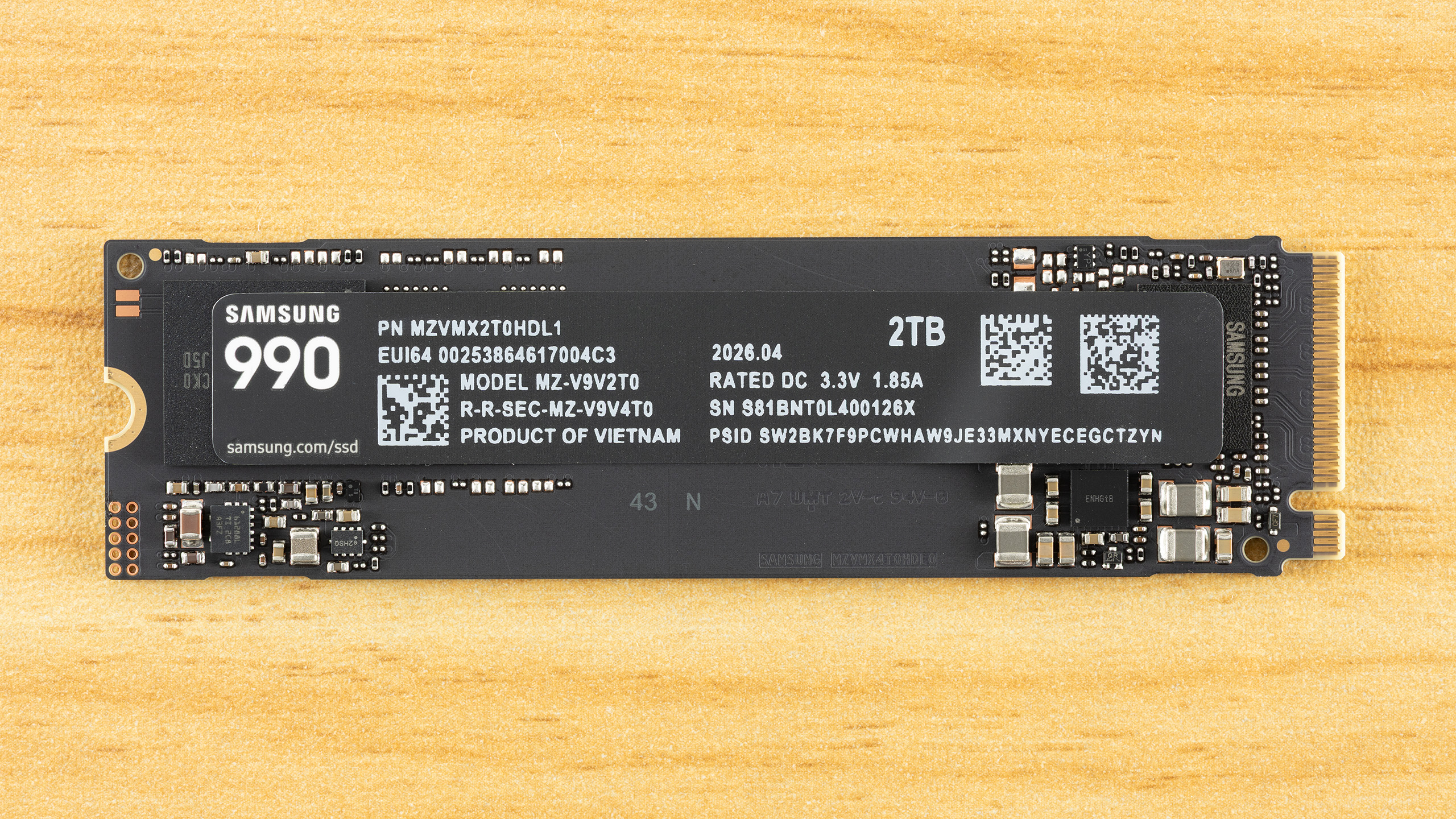
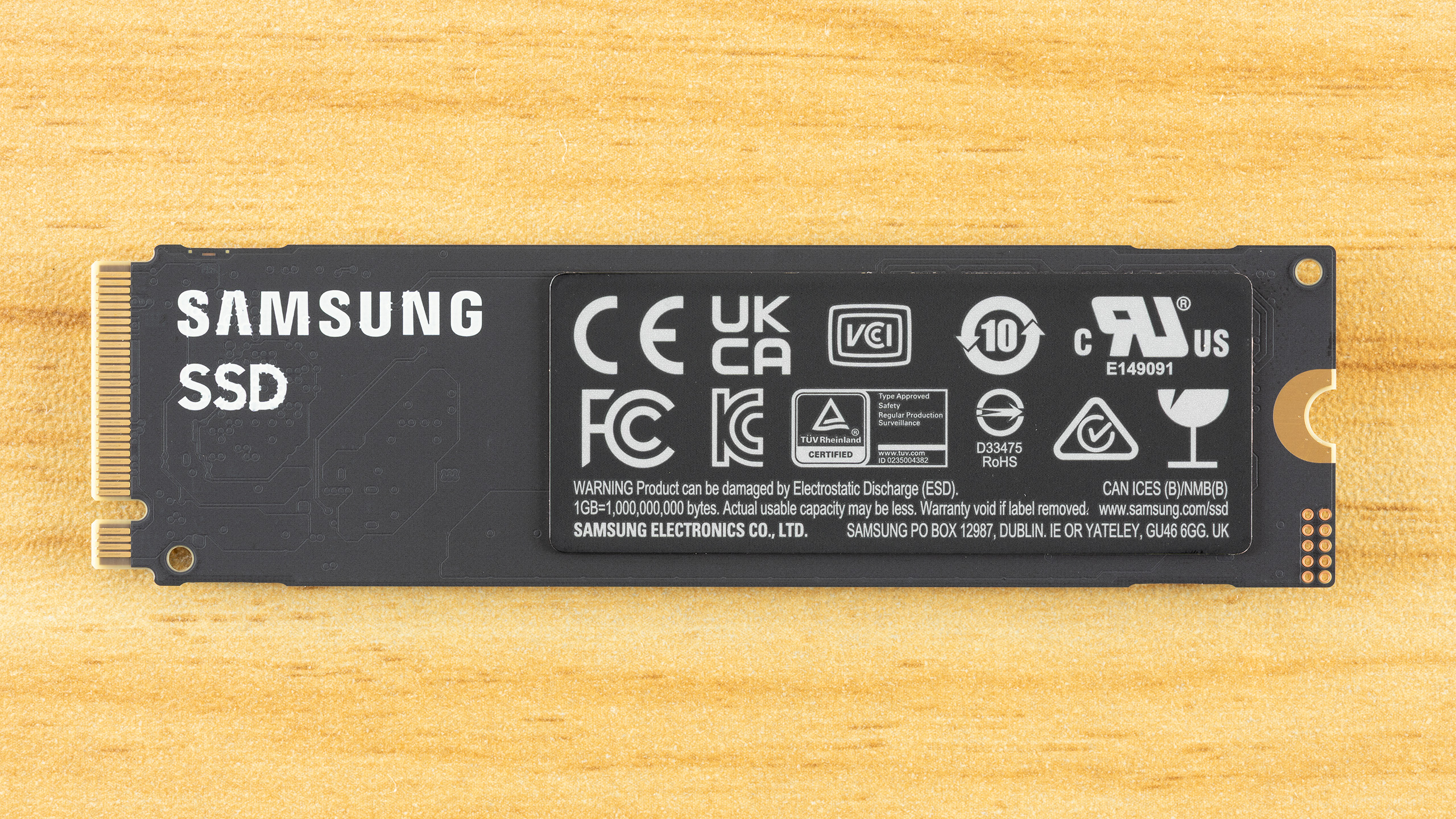
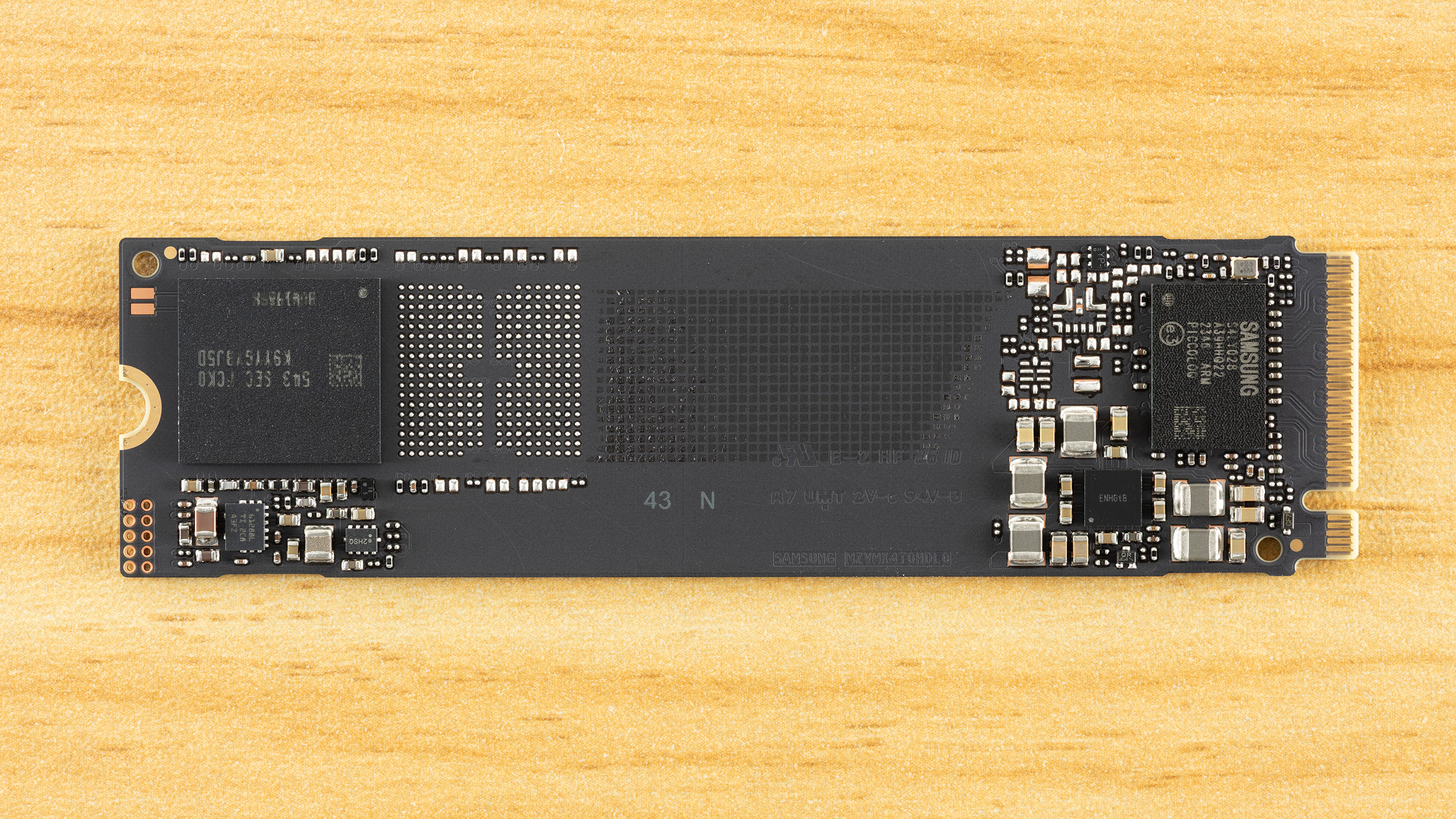
The 990 has an SSD controller, a single NAND flash package, and power management circuitry. There is no DRAM package present. This is a single-sided drive, which is ideal for compatibility and cooling. There is a lot of free space on the PCB, and by putting distance between the controller and flash, there is separation to mitigate component heat generation. This would also help if a heatspreader or heatsink were to be added. Without this space, the drive could be sold in a shorter form factor, which is particularly useful for OEM drives.
The label has information about the drive, such as the date of manufacture (DOM), model, serial, the PSID, and the power rating. We always caution that you not take certain drive information as being conclusive about the hardware. For example, you should not assume TLC or QLC flash from a drive’s TBW. Likewise, you shouldn’t rely on the labeled power rating – and this is done more often on M.2 2230 drives for portable devices – as any indication of drive power efficiency. Here we have 3.3V / 1.85A, which indicates potential power draw over 6W. Now, the power ratings given on spec sheets will often be average and not peak, and will be separated as read or write rather than mixed. In fact, this drive’s load power states can reach a peak of 5.90W via SMART, which is much above the rated average ~4W. We track both peak and average in our testing.
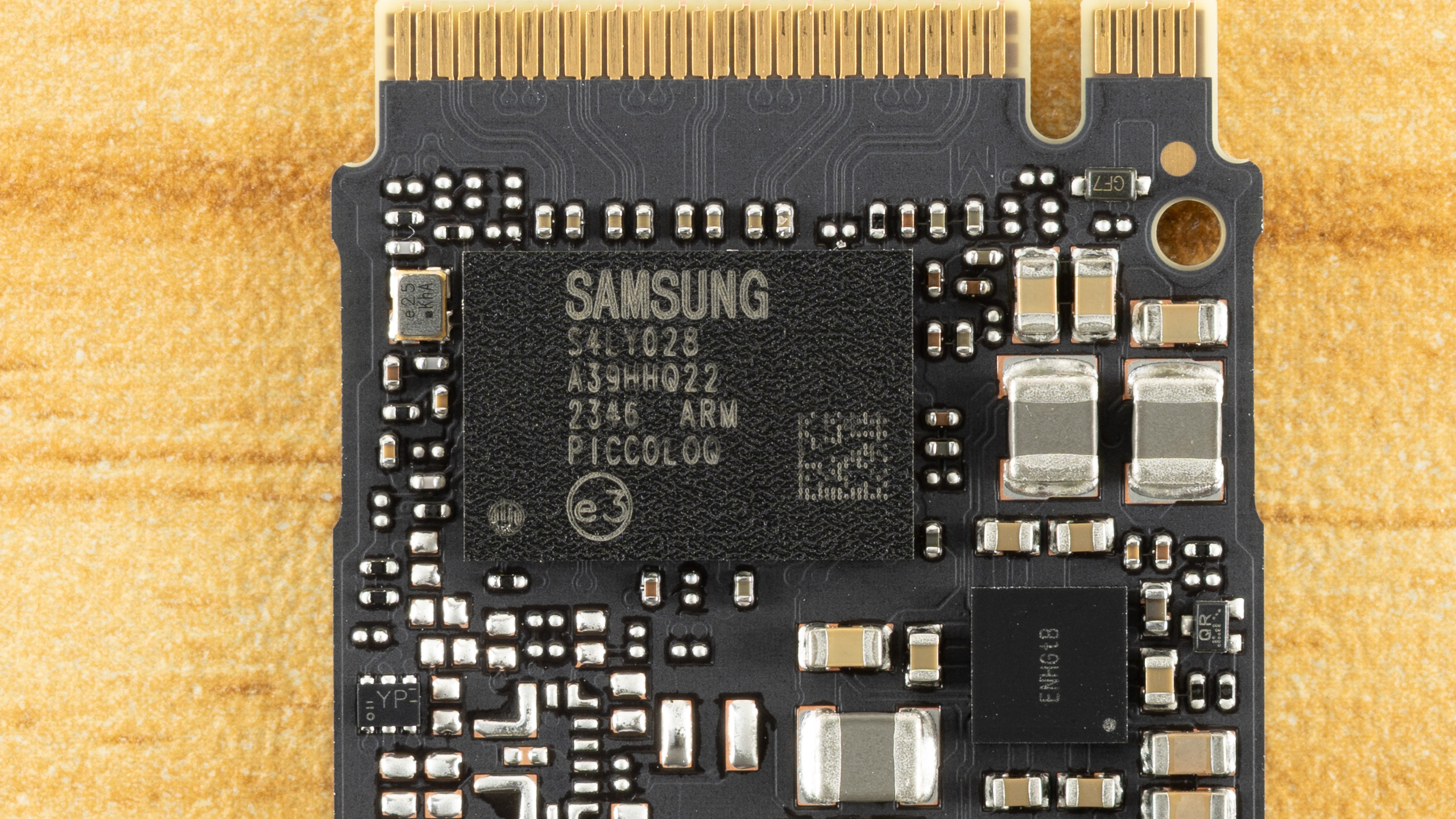
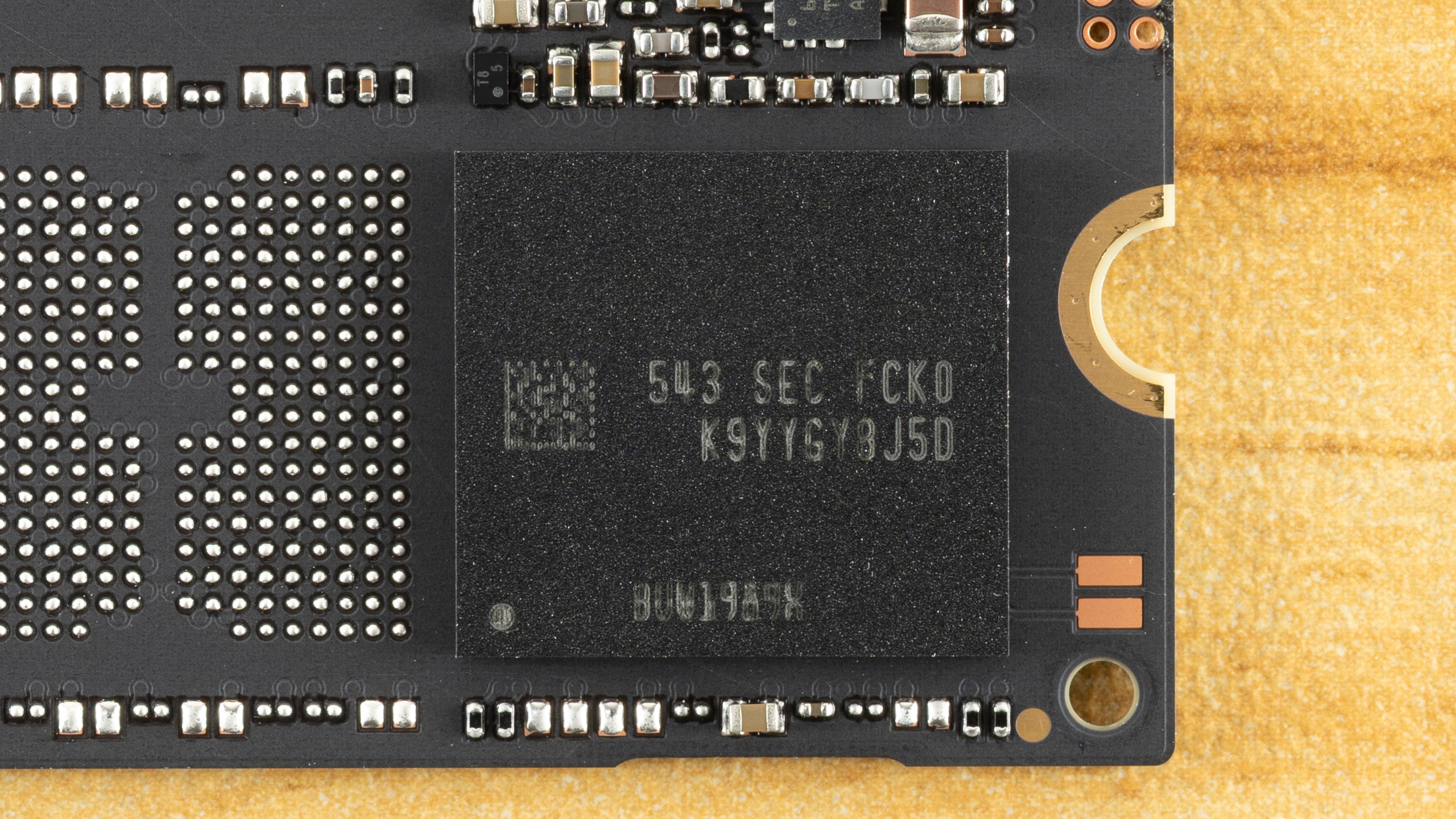
We always enjoy reviewing Samsung drives with a focus on the technicals, as the manufacturer remains a leader in many ways. The 990, in particular, requires some extra description to be fully appreciated. Simply looking at the benchmark results might make the technology seem underwhelming – to be honest, this is very much a budget drive, even taken in the best light – but that doesn’t mean Samsung phoned this one in. In fact, there are signs of deliberate design here, and some of the decisions could help sell this drive. Samsung still has to get the pricing right, of course, but what else is new?
Let’s start with the controller. The 990 is using the PiccoloQ, which is the QLC flash version of the Piccolo. The Piccolo is utilized on the 990 EVO and 990 EVO Plus, two TLC-based drives. In all cases, it’s a four-channel, DRAM-less design, which limits performance and capacity. In both cases, the controller takes up to 2,400 MT/s flash – this is more than enough to saturate PCIe 4.0 – and the interior design is the same. This means it’s a Samsung 5nm part with multiple ARM Cortex-R8 cores and a single R5 core. If the Piccolo stands out in any way, it’s that it offers a PCIe 5.0 x2 option in addition to the standard 4.0 x4 interface. This option or mode has limited usefulness, though, and nothing in the 990 would change that if enabled for the PiccoloQ.
So, not much new on the controller front, but the use of this controller at the 990’s rated speeds does give us some more information. Namely, we know the 990 EVO runs more slowly because it’s using flash slower than 2,400 MT/s, 1,600 MT/s Samsung V6P TLC, to be precise. If we look at Samsung’s V7 QLC flash, it can run at that same speed. This is why the originally speculated 990 QVO with that flash was targeted at the same speeds as the 990 EVO. Things have changed since then. This drive could have been the 990 QVO, but with the EVO and EVO Plus lines going DRAM-less this generation, we suspect the QVO tier was “promoted” to the plain 990 name, and the 990 now targets the 990 EVO Plus's specs
The evidence to back this up, which also supports the loose 990 QVO rumor, is that Samsung does have a V7 QLC OEM drive: the BM9C1. This is the cousin to the PM9C1 line with OEM 990 EVO and 990 EVO Plus (PM9C1b) variants. The BM9C1 is available down to M.2 2230 and uses the same PiccoloQ as the 990 (the QLC version of the 990 EVO/EVO Plus’s Piccolo). It’s just limited to the same speeds as the 990 EVO, as it’s running at 1,600 MT/s. We have to be careful here, though, as Samsung’s V9 QLC press release indicates a 60% I/O improvement, which, with the V9 being 3,200 MT/s, suggests a 2,000 MT/s ceiling for the V7 QLC. Since there is an OEM TLC-based drive in between the 990 EVO and 990 EVO Plus (the PM9C1a) at 2,000 MT/s, the possibility for a ~6 GB/s 990 or 990 QVO with V7 QLC existed.
Before we dive more deeply into the flash, since we haven’t seen the new Samsung QLC in a while and there is some neat tech here, let’s decode the module. “K9” tells us it’s Samsung NAND flash memory. “YYG” indicates it’s a QLC flash package with sixteen dies (HDP) in a 2TB configuration, which confirms 1Tb dies. “Y8” means it’s 8-bit, J tells us the voltage, “5” tells us the number of chips enabled and ready/busy signals, and “D” tells us the generation. With V7 being “C” and V8 skipped, this suggests V9. The second part of the code tells us how the flash is packaged and that it’s commercial / consumer-grade. While you aren’t expected to know how to read codes on your SSD, knowing how it works can be useful, especially with Samsung drives, even if it’s just a matter of trying to figure out if you have a counterfeit product.
So let’s talk about the flash. This is a 286-Layer part, technically, but is sold as 280-Layer once accounting for source/ground and dummy lines. Dummy lines are usually at stack edges, as the physics of flash can make these lines otherwise unusable. A higher layer count – Samsung’s V7 is only 176-Layer, although technically 191 layers – generally means higher bit density. Bit density is key to scaling NAND flash, which is acting as capacious, non-volatile storage media. This can be disappointing to some because it means you don’t always see any real performance scaling as the layer count progresses.
Fitting more flash into the same space can mean less room for charge in each cell, which makes it harder to optimize for performance if you’re trying to maintain the same endurance level. That is certainly the case with this flash, as the performance only manages to match that of last-generation 176-Layer QLC flash from competitors, which is why we want to go out of our way to point out Samsung’s design decisions and why it leans innovative in ways you won’t see in, say, your game load times.
For one, when we talk about the layer count difference – reported versus actual – you also get an efficiency number that is the ratio between usable and total word lines. Samsung is a leader here, with high layer efficiency. Samsung also has held off using three decks or stacks of flash and is still at two, due to having superior channel etching – it’s able to drill down more layers with a higher aspect ratio. It’s also possible to run lines through the flash itself rather than rely largely on masked steps, which sets the stage for Samsung scaling to extremely high layer counts. One issue with high layer counts is that you start losing uniformity from layer to layer, and Samsung accounts for this with optimized word line spacing, too. So, as we’ve said in the past, it often feels like Samsung is falling behind on layer count, but in reality it has a very focused strategy and the best technology in the business, and we can see this with the 990’s flash.
For the consumer, though, the 990 is a little bit weird. This is presumably 3,200 MT/s flash that is being “wasted” with a 2,400 MT/s controller. This flash has amazing bit density, but having a single sixteen-die package at 2TB is nothing new. What about performance? Samsung has made optimizations to improve performance on this flash, but nothing amazing. This QLC is only comparable to the competition in performance terms, particularly at 2,400 MT/s. Samsung is playing catch-up, but we also think this is a case of designing for enterprise rather than consumer.
QLC flash is now highly sought after in enterprise for its density, and Samsung’s optimizations all benefit that kind of environment. In fact, from a consumer’s perspective you could look at this V9 QLC as being focused on higher bit density – but no 2Tb dies – and you would largely be correct. Samsung’s V9 QLC is 86% more dense generationally and about 94% more dense than the competition’s 176-Layer QLC flash.
We’ll take a look at one new technology in the V9 QLC flash to illustrate. One important consideration is flash power interruption leading to data loss, which, without power loss protection (PLP) means you are looking at protecting data at rest. This is on the non-volatile media or flash, not the volatile memory like DRAM. When folding from the pSLC cache to the native flash, data loss is not an issue because you don’t invalidate the original pSLC copy until the write has been verified. However, when writing to native QLC, you are writing multiple pages where the upper pages will require higher levels of sensitivity for proper reading. There are different methods of writing to QLC flash, but generally multi-bit flash has multiple write passes that go from fuzzy (coarse) to precise (fine), and lower pages write faster and may be complete first. Therefore, it’s important not to ruin existing lower-page data if you lose power while still adjusting voltage for the upper pages.
Micron has a unique way of dealing with this using a differential engine that can predict values from partial shifts, but a more common method is simply to back up or buffer the values in nonvolatile flash. QLC stores four bits per cell, so a full backup means writing four bits of pSLC per cell. pSLC is used because its writes are fast, whereas QLC's upper-page writes, in particular, are an order of magnitude slower. Samsung reduces the buffer to a single parity bit by using an odd/even algorithm, creating a sensing window that’s more like TLC (8-state) than QLC (16-state). This improves performance, endurance, and bit density. Some of that performance is still lost for higher bit density. For consumers, the direct benefit is higher TBW, but we speculate the higher density is aimed more at enterprise and future flash generation products. This is in part a response to Solidigm’s floating-gate design, a different technology than charge trap, with tighter charge placement.
MORE: Best SSDs
MORE: Best External SSDs

Shane Downing is a Freelance Reviewer for Tom’s Hardware US, covering consumer storage hardware.
What's Your Reaction?
 Like
0
Like
0
 Dislike
0
Dislike
0
 Love
0
Love
0
 Funny
0
Funny
0
 Wow
0
Wow
0
 Sad
0
Sad
0
 Angry
0
Angry
0








Comments (0)