

Intel-backed auto-overclocking tool Hypertune optimizes individual systems, not test profiles — tool claims FPS improvement of up to 60% on Intel-based systems
 (Image credit: Hypertune)
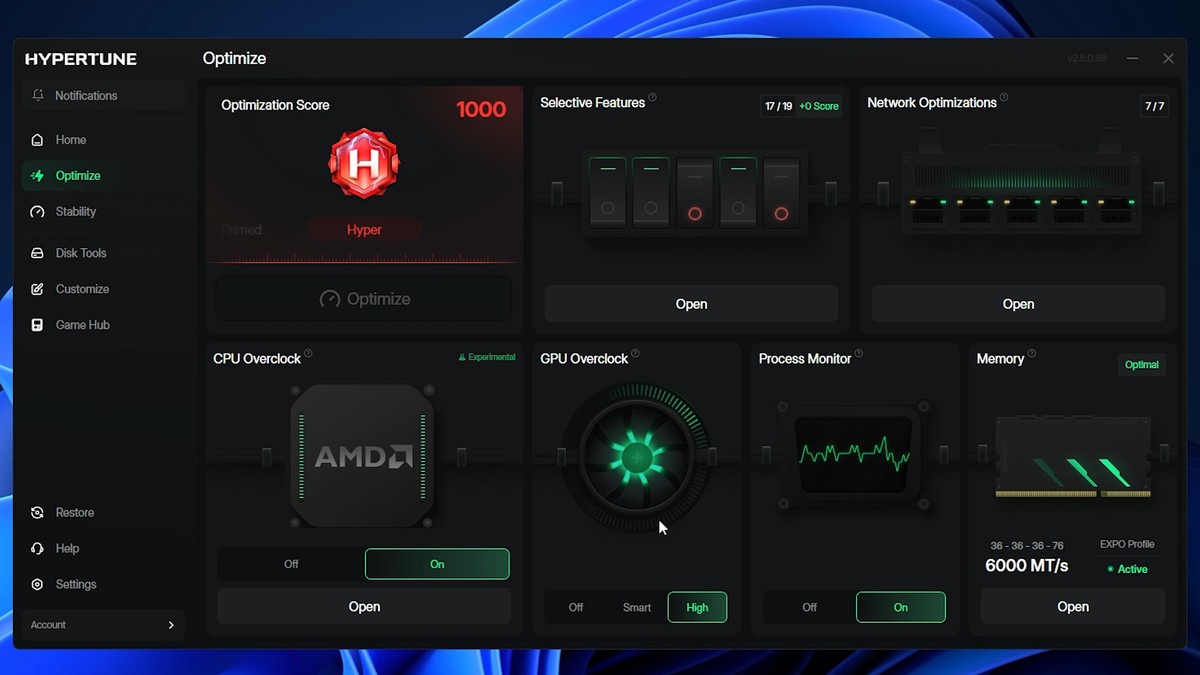
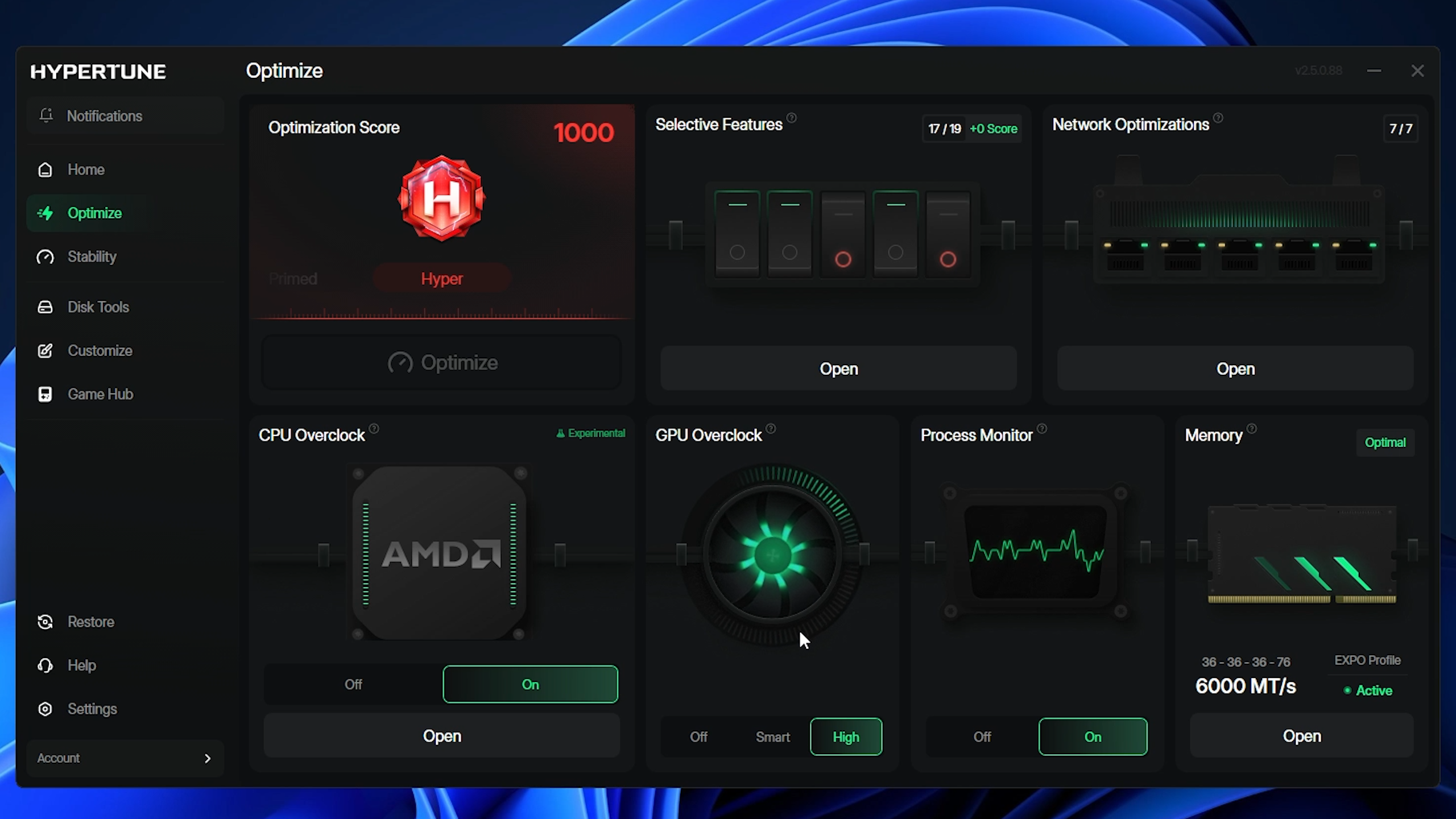
Following an early access period that included over 60,000 participants, auto-overclocking tool Hypertune has released its Gaming Performance Engineering platform, which is built on top of Intel's Extreme Tuning Utility (XTU) SDK and developed in partnership with Intel. The company claims the utility can boost frame rates by up to 60%, though you shouldn't expect that as the norm. The tool includes automated CPU and GPU overclocking, as well as customizable Windows features, network optimization, and game-specific optimizations.
Go deeper with TH Premium: CPU
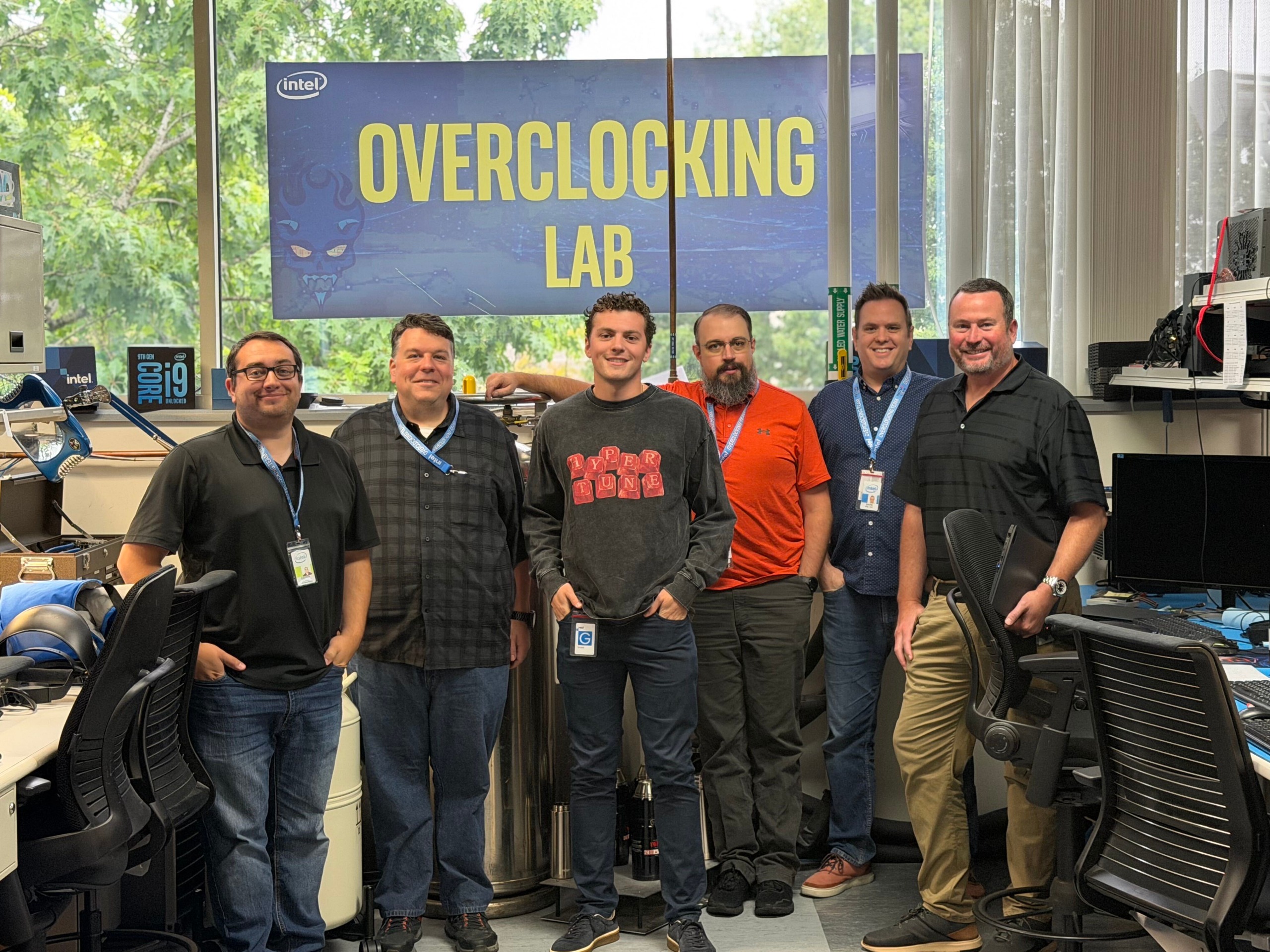
Hypertune partnered with Intel to build the tool, which the company says "evaluates each supported system individually" before optimizing rather than relying on generalized profiles. In its press release, Hypertune says it collaborated with famed overclocker SkatterBencher (Pieter Plaisier) to refine the software. We've reached out to Plaisier to confirm their involvement.
Automated tuning programs usually don't work as well as advertised, and we haven't had the chance to test Hypertune ourselves yet. Especially on more recent hardware, expect performance gains to be minor. Hypertune shared some of its internal benchmarks to back up the claim, showcasing the actual test systems it used, the numbers it gathered, and what each step of Hypertune contributed to the performance increase.
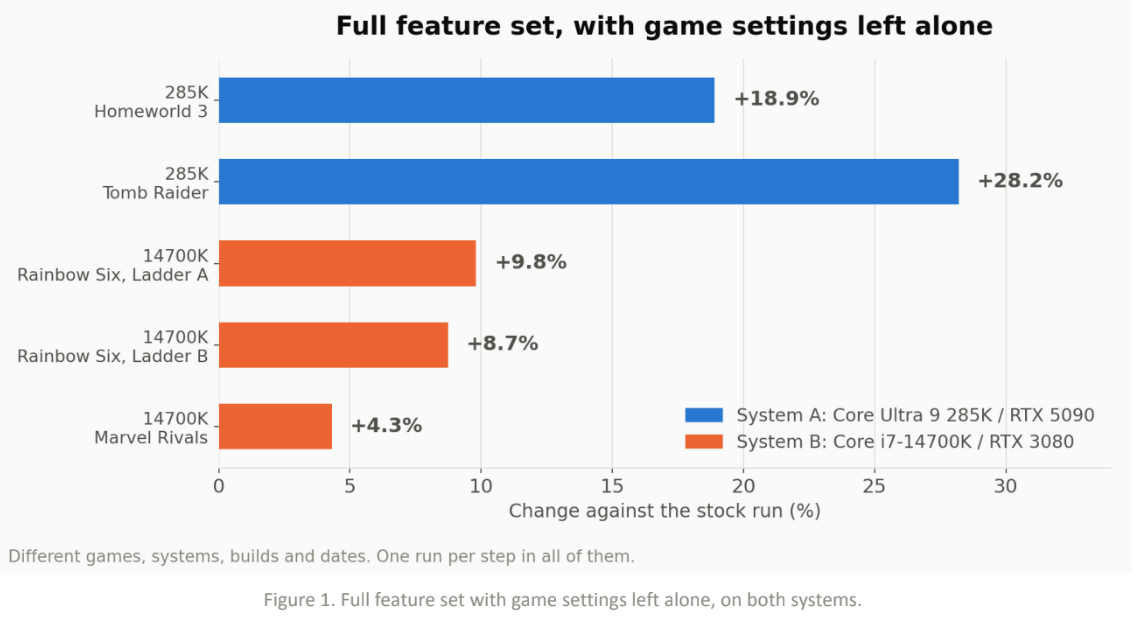
Hypertune tested two systems: one with a Core Ultra 9 285K and an RTX 5090, and another with a Core i7-14700K and an RTX 3080. For the 285K system, the team saw an 18.9% improvement in Homeworld 3 and a 28.2% improvement in Tomb Raider. For the 14700K system, the boost was up to 9.8% in Rainbow Six Siege and 4.3% in Marvel Rivals.
Notably, these results are with Hypertune's Game Hub disabled. Game Hub automatically applies a graphics settings profile to select games, leading to massive increases in performance. Naturally, tweaking your own graphics settings in the same way leads to the same result.
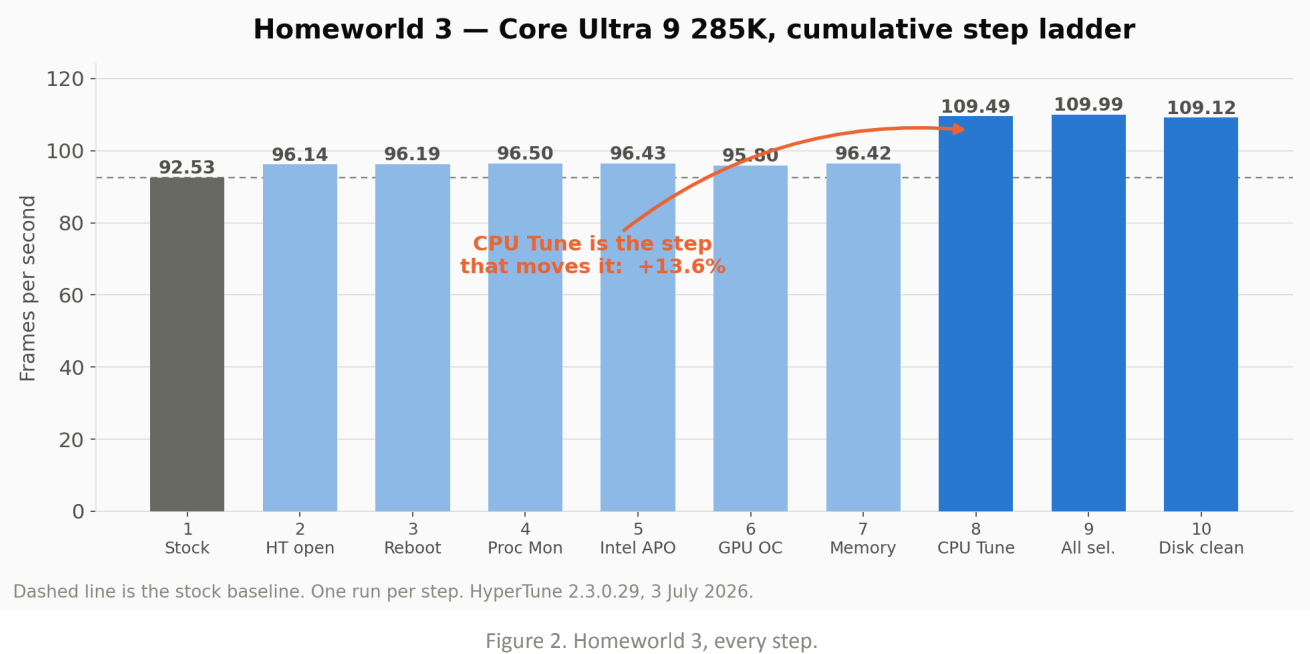
In Homeworld 3, you can see how each step in the process impacted performance, with CPU tunning contributing the single biggest increase in performance. As shown by Marvel Rivals in Hypertune's data, some games will see little to no benefit from Hypertune, though select titles with certain hardware may see a significant performance increase. In this case, the Core Ultra 9 285K has plenty of room for overclocking, and Homeworld 3 is particularly sensitive to the CPU, so the uplift makes sense.
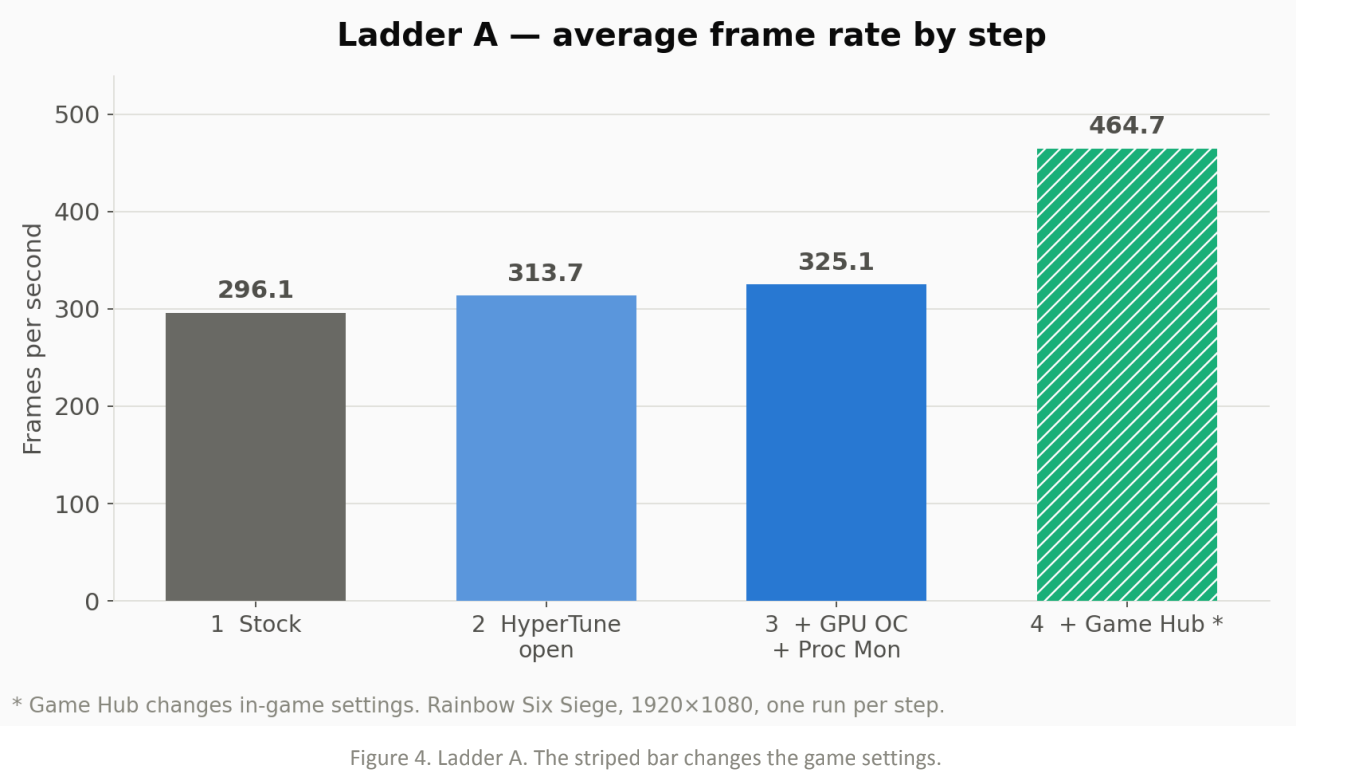
Elsewhere, the gains aren't as pronounced. In Rainbow Six Siege, you can see that Hypertune contributed about a 9.8% jump in performance, though the vast majority of the improvement comes through Game Hub, where Hypertune changes in-game settings.
Get Tom's Hardware's best news and in-depth reviews, straight to your inbox.
In a press release, Hypertune founder Austin Copeland wrote that the team was "not trying to build a tool for overclockers," suggesting it's aimed toward users who may not know about specific settings (i.e., the Balanced power plan on dual-CCD X3D CPUs, or HAGS for DLSS Frame Generation). Copeland was previously a coach for eSports organization TSM, coaching Valorant teams under the name "Apex."
Hypertune works through Intel's XTU SDK, and the company says its optimizations are non-destructive and fully reversible. The software is mainly targeted toward competitive titles (naturally, given Copeland's background), but it can apply optimizations globally across the system. Hypertune says it's safe to use with anti-cheat software, including Riot Vanguard, Easy Anti-Cheat, and BattlEye.
Although there are plenty of free tools that claim to optimize your system, Hypertune isn't among them. It's a subscription service, available for either $9.99 per month or $59.99 per year. In addition to software, Hypertune offers its "expert tuning" service for $80, where a technician will remote into your machine and manually tune it. On the subscription front, Hypertune says it offers a 7-day free trial. However, the subscription bills immediately, and we weren't able to find any offers for a free 7-day trial.
Hypertune looks like one of the more robust automated overclocking tools we've seen, but it's worth highlighting that, in most cases, these tools don't do anything you can't accomplish yourself. If you're looking for a starting point, make sure to read our guides on how to overclock your graphics card and how to overclock your CPU.

Follow Tom's Hardware on Google News, or add us as a preferred source, to get our latest news, analysis, & reviews in your feeds.
Jake Roach is the Senior CPU Analyst at Tom’s Hardware, writing reviews, news, and features about the latest consumer and workstation processors.
What's Your Reaction?
 Like
0
Like
0
 Dislike
0
Dislike
0
 Love
0
Love
0
 Funny
0
Funny
0
 Wow
0
Wow
0
 Sad
0
Sad
0
 Angry
0
Angry
0









Comments (0)