Nvidia's RTX Spark platform puts local AI inference and content creation first, but Microsoft's Surface Laptop Ultra really wants to game, too. The vented keyboard keeps the critical WASD keys cool under load by design, the smooth 120Hz screen can get as bright as 2000 nits with HDR games, and the built-in speakers may be the best I've ever heard on a laptop, period.
There's just one problem: that 3270x2180 screen asks a lot of DLSS upscaling. The computation that DLSS performs doesn't come for free, and the load increases with higher output resolutions. This is especially relevant with the Surface Laptop Ultra's high-density panel, which has just 14% fewer pixels than a 16:9 4K display.
The Surface's unusual 3:2 aspect ratio (at least compared to the average gaming laptop) also means that scaling content up to fill the screen isn't straightforward in many games. 16:9 and 16:10 content gets stretched vertically, causing obvious distortion of character models and objects like tires. And if you use windowed mode instead, playing in a 16:9 or 16:10 window on a relatively small screen like this quickly tires the eyes.
The thing is, all this is easy to solve—easy enough, in fact, that I'm surprised I had to do it myself at all.
Microsoft seems aware that lower 3:2 resolutions are useful for this system, as it put a 1600x1024 custom resolution in the list of display modes that's slightly less than half of native on both axes. But at roughly 1.6 megapixels in total, that image offers less resolution than even a 1920x1080 display does. Scaling up from such a low-res baseline on the Surface screen results in a noticeably soft image even before we dial in DLSS.
What we really want, for reasons of both performance and adequate sharpness, is a 3:2 resolution that comes close to the 2.07 megapixels that 1920x1080 yields. Some quick math and rounding to whole numbers gives us 1764x1176 as an optimal target.
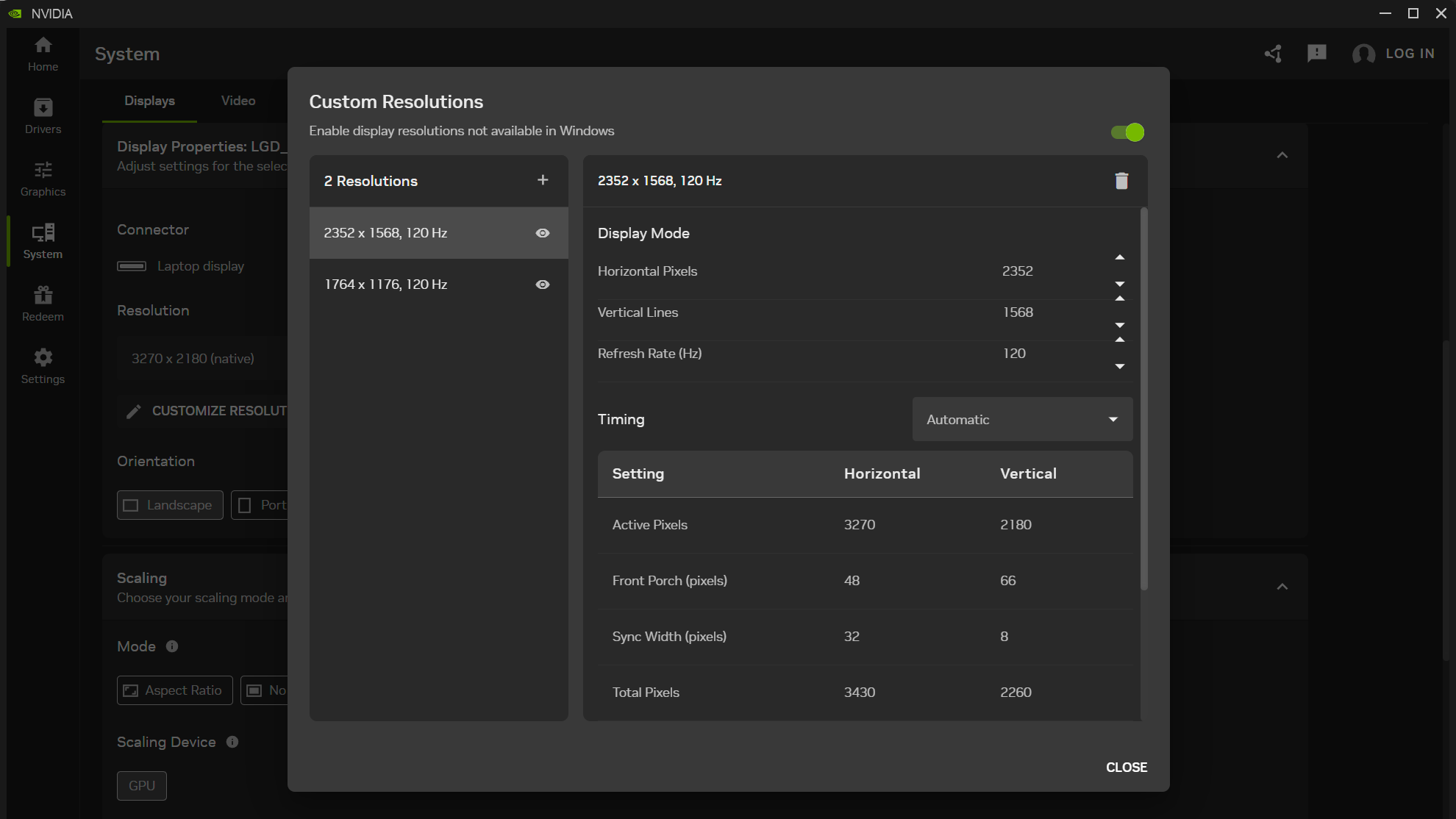
With those ideal dimensions in hand, the next step was to create a custom resolution to match. The Nvidia Control Panel doesn't work on Windows on Arm, but we can still use the Nvidia App to set custom resolutions.
(Image credit: Future)
After diving into the System tab and expanding the Display Properties pane, I found the "Customize Resolution" button to open an editor to that end and added 1764x1176 at 120Hz. I then tested it and confirmed that it worked as a supported display mode. (If you want to match the 3.7 MP of 2560x1440, set up a 2352x1568 resolution while you’re at it.)
If for some reason you don't want non-3:2 content to fit the entire Surface Laptop Ultra screen, there is a Scaling pane in the Nvidia App that lets you control that behavior. The "Aspect Ratio" scaling mode will letterbox 16:9 and 16:10 material if you set the display resolution accordingly. But if you're paying $5899 for this system, I presume you want to use every one of its pricey pixels rather than leaving some of them dark.
So what does that bit of tweaking buy us compared to our initial gaming results with Control Resonant?
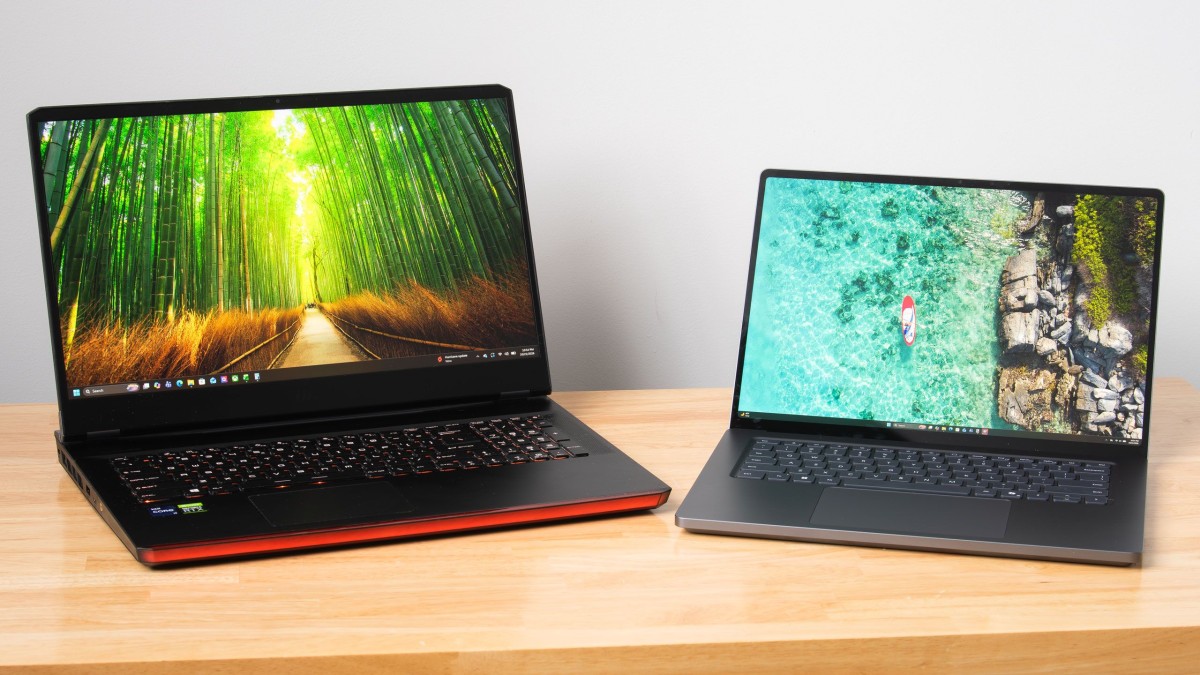
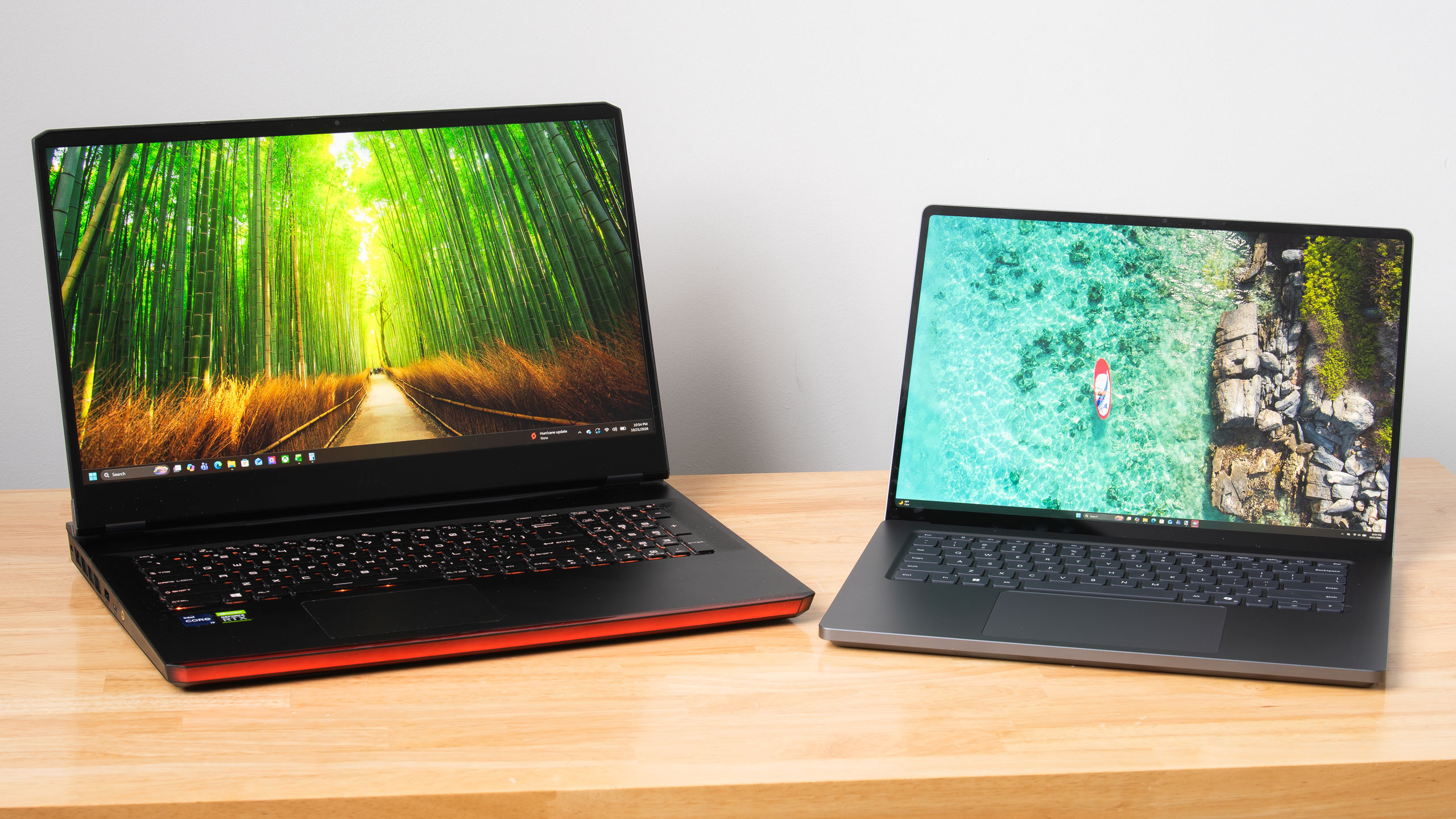
As someone who primarily games on our Ryzen 7 9800X3D GPU testing system and not a laptop, I wanted to make sure I wasn't setting unreasonable expectations for the Surface Laptop for input latency or CPU performance. So I hauled out an older 17" gaming laptop with a Core i9-11980HK and an RTX 3080 Mobile 16GB inside to get some perspective.
To level the playing field with the Surface Laptop Ultra and its native support for frame generation, I modded Optiscaler into Control Resonant on that system to enable Intel's Xe Frame Generation and Xe Low Latency features.
I conducted my testing with Control Resonant's High raster preset and medium RT preset, which gets you a noticeable boost in image quality thanks in part to DLSS Ray Reconstruction.
Swipe to scroll horizontally
Control Resonant performance - High raster, Medium RT, DLSS Ultra Performance, FG 2X
Row 0 - Cell 0
Average FPS
1% Low FPS
Average input latency (ms)
Surface Laptop Ultra - 3270x2180
63.5
38.1
87. 9
You can see that with these settings, trying to upscale Control Resonant to the Surface Laptop Ultra's native resolution is too much to ask for a smooth or responsive gaming experience. Even with DLSS Ultra Performance (an input resolution of 1090x727) and 2X frame generation, we only just break 60 FPS, and latency is at an unacceptable 87 ms average. There's no latency budget left to turn up MFG without turning down other image quality settings.
Swipe to scroll horizontally
Control Resonant performance - High raster, Medium RT, DLSS Quality, FG 2X
Row 0 - Cell 0
Average FPS
1% Low FPS
Average input latency (ms)
Surface Laptop Ultra - 1764x1176
83.4
42.9
67.8
RTX 3080 Mobile + 11900HK - 1920x1080
87.1
53
69
With our 1764x1176 custom resolution, however, we're off to a great start with DLSS Quality upscaling (an input resolution of 1176x874). The resulting 83.4 FPS average, 42.9 1% low FPS, and an average input latency of 67.8 ms is a fine experience. We still have room to dial in MFG 3X, leading to a 123 FPS average and 55 FPS 1% lows while keeping latency a reasonable 71 ms.
The RTX 3080 Mobile system with XeFG and XeLL, meanwhile, turns in an 87.1 FPS average, 53 FPS 1% lows, and a 69 ms average input latency at 1920x1080 with the same image quality settings. Its key advantage is in 1% lows, but that win comes with significant trade-offs.
Plugged into our Watts Up meter, the RTX 3080 system draws 250 W from the wall to deliver the experience it does, but according to a USB-C power meter, the Surface Laptop Ultra pulls between 110 W and 120 W under load. Silicon has come a long way since Tiger Lake and Ampere.
The RTX 3080 system and its enormous power adapter together also weigh over nine pounds (4.1 kg). It's technically portable but practically a pain to haul around. The Surface Laptop Ultra and its 140W adapter weigh just 5.3 lb (2.39 kg), which isn't featherweight but won't break your back.
And the Surface will actually fit on a tray table or your lap, with enough battery life that you can use it through a transcontinental U.S. flight, say, and still have plenty of juice left for either side of the trip.
So at least in Control Resonant, the Surface Laptop Ultra is delivering largely the same gaming experience as that high-end RTX 3080 Mobile system, but in a much smaller and lighter total package that draws less than half the wall power. And if you want to stretch frame rates further with MFG 3X, the Surface has MFG support that the older system doesn't. Just add in the 1764x1176 intermediate resolution that Microsoft forgot, and you’ll be well on your way to a better gaming experience.
As the Senior Analyst, Graphics at Tom's Hardware, Jeff Kampman covers everything that has to do with graphics cards, gaming performance, and more. From integrated graphics processors to discrete graphics cards to the hyperscale installations powering our AI future, if it's got a GPU in it, Jeff is on it.


 (Image credit: Future)
 Like
0
Like
0
 Dislike
0
Dislike
0
 Love
0
Love
0
 Funny
0
Funny
0
 Wow
0
Wow
0
 Sad
0
Sad
0
 Angry
0
Angry
0








Comments (0)