

Asus B850-Creator Wifi Neo motherboard review: AM5 Creator mobo looks the part, but is missing useful features
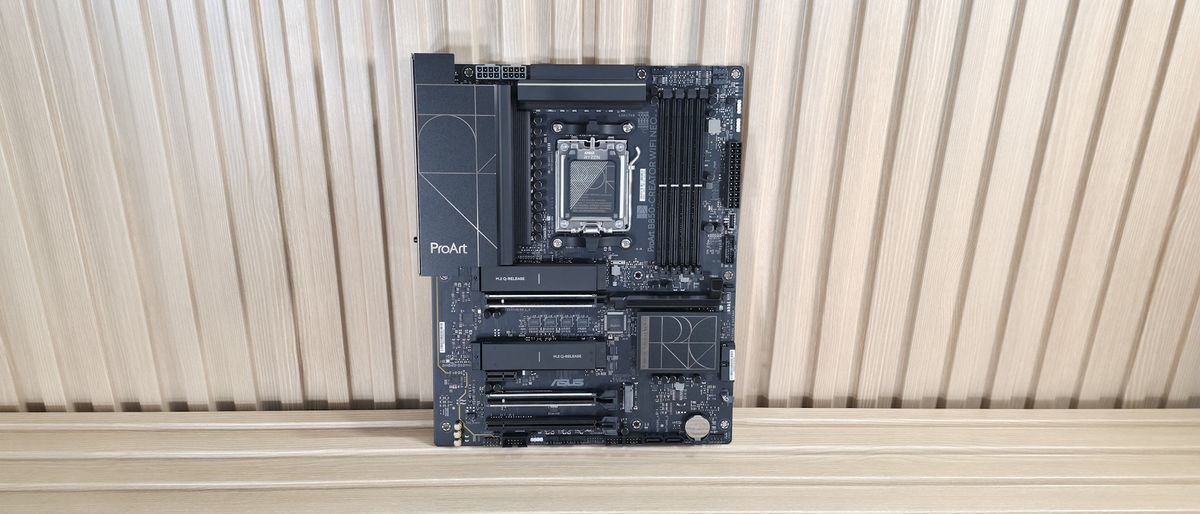
If you’re in the market for an inexpensive AM5-based board designed for Creators, the Asus B850-Creator is decent, but it lacks 40 Gbps ports or enough USB ports overall for most users.
Pros
- +
Dual 5 GbE
- +
3x video outputs
- +
EZ PC DIY/AI Features
- +
Updated BIOS (also 64MB)
Cons
- -
Pricey for B850 chipset
- -
Lacks 40 Gbps Ports
- -
Only six USB Type-A ports on the rear IO
- -
‘Only’ 160 MHz Wi-Fi 7
Why you can trust Tom's Hardware Our expert reviewers spend hours testing and comparing products and services so you can choose the best for you. Find out more about how we test.
Asus’ B850-Creator Wifi Neo motherboard is designed to serve the creator community (think 3D modeling and rendering, animation, and other media production). This community tends to use a lot of bandwidth, particularly for storage when you’re dealing with large files, either via physical connections to external drives (think USB-C) or via a NAS over Ethernet. With that, Creator boards tend to focus on faster networking, storage, and USB ports to speed up workflows.
The B850-Creator Neo is a ProArt-class board for creators that tries to serve that niche, offering dual 5 GbE ports and two PCIe 5.0 x4 M.2 sockets, neither of which is often found on a $299.99 motherboard. However, it doesn’t have any USB4/40 Gbps ports for connecting external storage (unlike the more expensive X870E-Creator Wifi), so any work that requires speed from your storage will have to come from the internal connections.
Outside of that, the X850-Creator Wifi Neo has enough ports and sockets to keep most budget users happy. On top of the 160 MHz Wi-Fi 7 and dual 5 GbE ports, you get eight total USB ports, though only six Type-A ports will leave some wanting. You also get three M.2 sockets (two PCIe 5.0) and a solid last-gen flagship-class audio codec. If you need more USB ports, you can use one of the two extra PCIe expansion slots for more, and even faster ports. Aside from the hardware specifications, the ProArt uses a clean, professional design with a black PCB and black heatsinks, along with metallic gold accents that spell out the ProArt branding on the VRM heatsinks.
Latest Videos From

Performance testing went as expected and was quite similar to most other boards we tested. Overall, it performed well across most of our benchmark suite. It was competent at gaming and also above average at most tests, including rendering (as we’ll see in detail later), so there's nothing to worry about in terms of performance, no matter how you want to use this motherboard.
Below, we’ll examine the B850-Creator Neo’s performance and other features, although as you have probably guessed from the score above, it won't make it to our list of the best motherboards. But before we share test results and discuss details, here are the specifications from Asus’ website:
Specifications of the Creator Wifi Neo
Swipe to scroll horizontally
Chipset | B850 |
Form Factor | ATX |
Voltage Regulator | 17 Phase (14x 80A DrMOS MOSFETs for Vcore) |
Video Ports | (1) DisplayPort |
USB Ports | (2) USB 3.2 Gen 2 (10 Gbps) Type-C (4) USB 2.0 (480 Mbps) |
Network Jacks | (2) 5 GbE |
Audio Jacks | (2) Analog |
Legacy Ports/Jacks | ✗ |
Other Ports/Jack | ✗ |
PCIe x16 | (2) v5.0 (x16, x8/x8) |
PCIe x8 | ✗ |
PCIe x4 | ✗ |
PCIe x1 | (1) v 4.0 (x1) |
CrossFire/SLI | ✗ |
DIMM Slots | (4) DDR5-8400(OC), 256GB Capacity |
M.2 Sockets | (2) PCIe 5.0 x4 (128 Gbps) / PCIe (up to 110/80mm) |
SATA Ports | (4) SATA3 6 Gbps |
USB Headers | (1) USB v3.2 Gen 2x2 (20 Gbps) Type-C (up to 30W PD/QC4+) |
Fan/Pump Headers | (7) 4-Pin (Accepts PWM and DC) |
RGB Headers | (3) 3-pin ARGB Gen2 headers |
Diagnostics Panel | (1) EZ Debug LED |
Internal Button/Switch | ✗ |
SATA Controllers | ✗ |
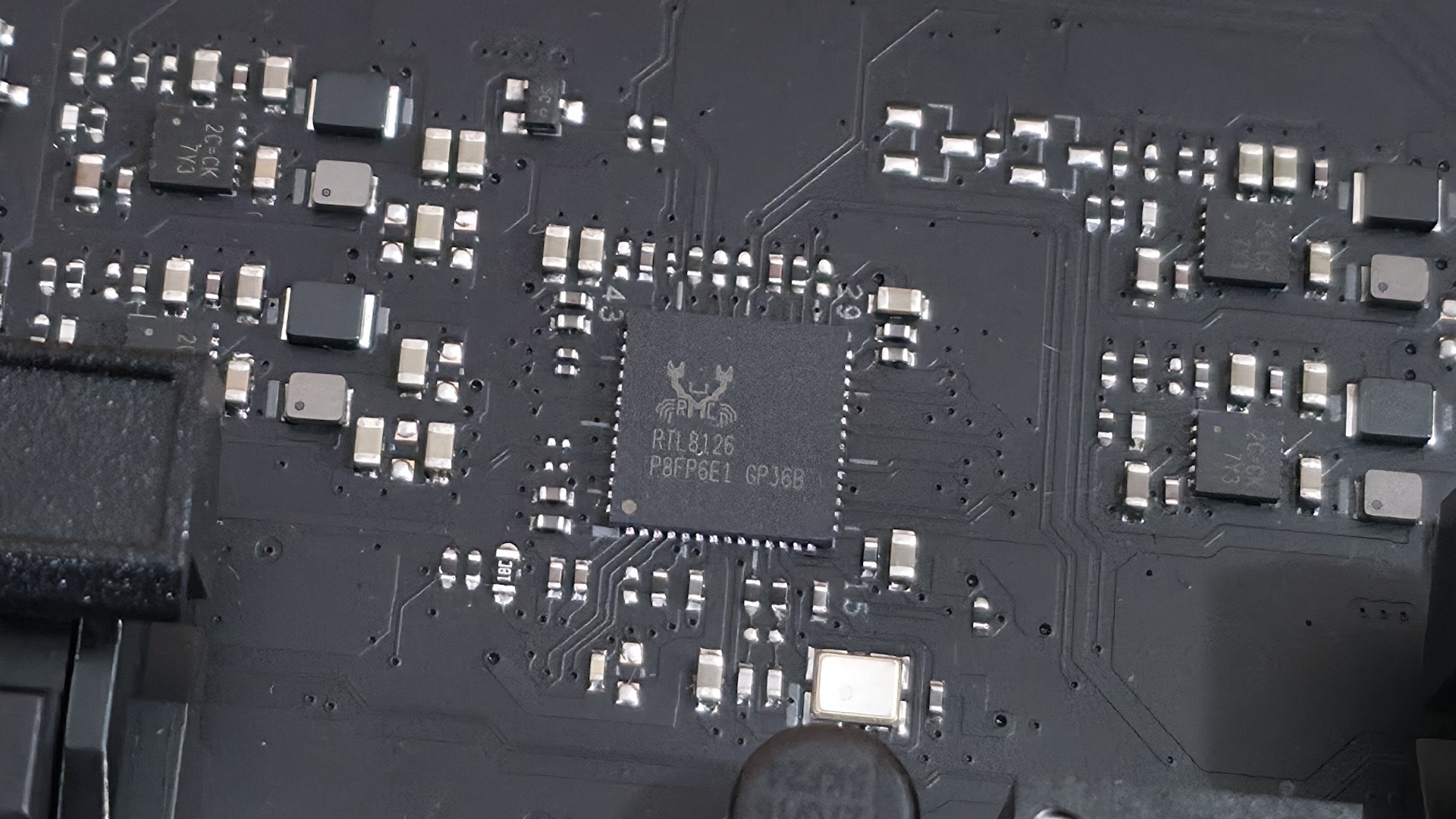
Ethernet Controller(s) | (2) Realtek 8126 (5 GbE) |
Wi-Fi / Bluetooth | Realtek 5922AE Wi-Fi 7 - 160 MHz, 6 GHz, 5.8 GHz, BT 5.4 |
USB Controllers | ✗ |
HD Audio Codec | Realtek ALC1220P |
DDL/DTS | ✗ / ✗ |
Warranty | 3 Years |
Inside the Box
Asus includes a few accessories to get you started, including the typical collection of cables, antennas, and guides, but not much else, as is typical for this class of motherboard. We’ve listed the accessories inside the box below:
- (4) SATA 6Gb/s cables
- Thermal pad for M.2 22110
- ASUS WiFi Q-Antenna
- Q-connector
- (3) M.2 Q-Slide package
- (5) M.2 backplate rubber packages
- ROG stickers
- ROG screwdriver
- Quick start guide
Design of the Creator Neo
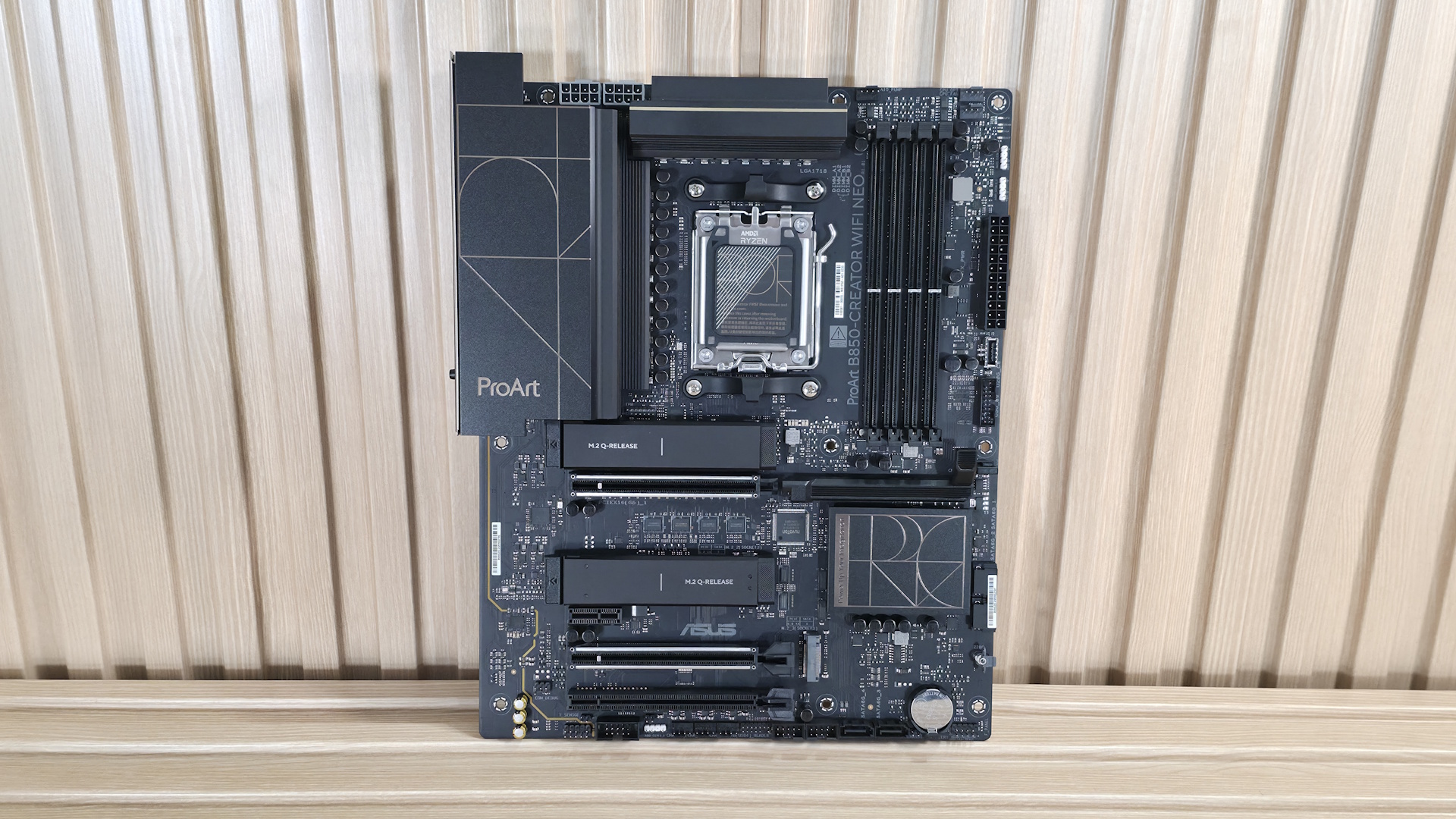
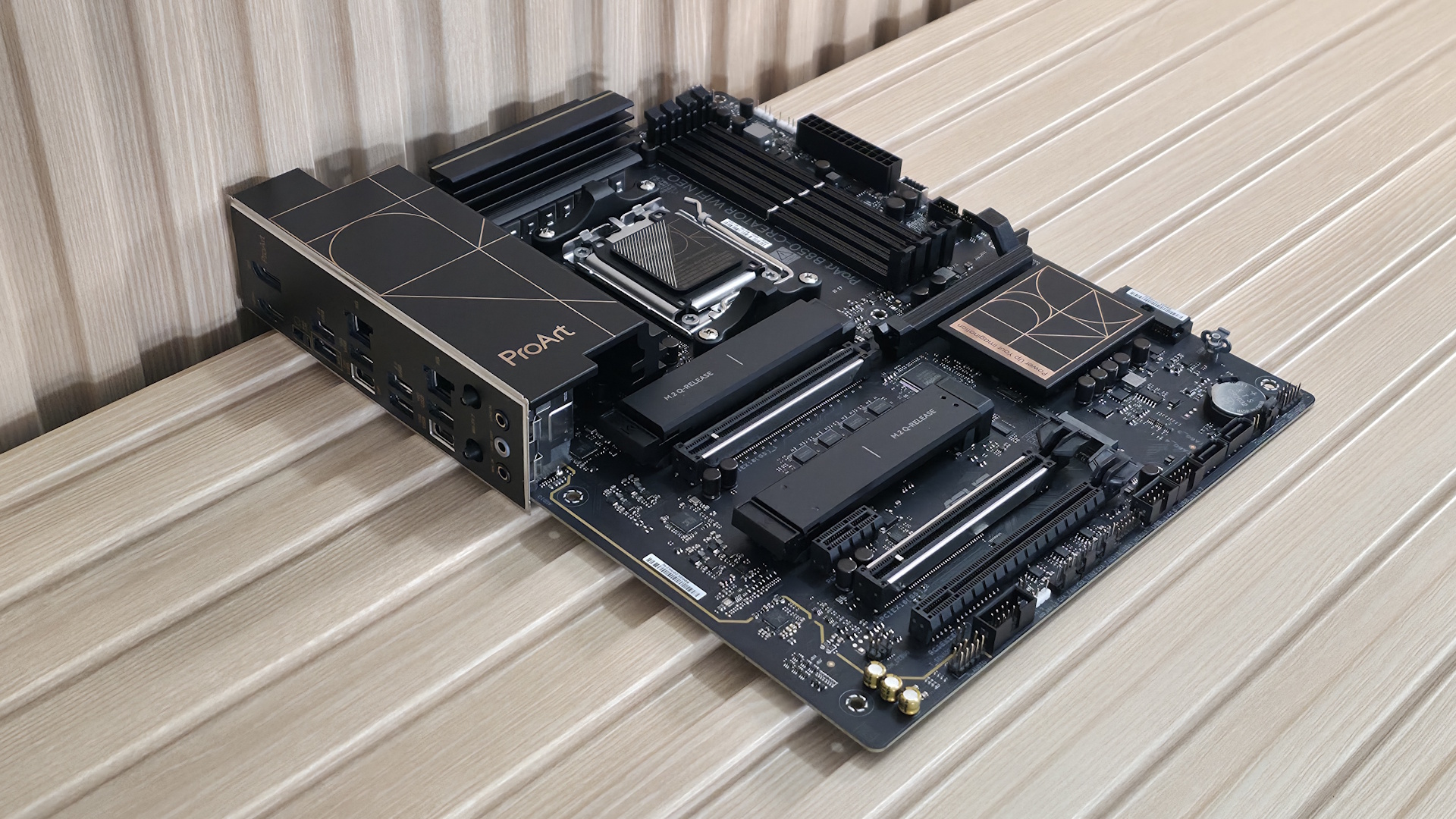
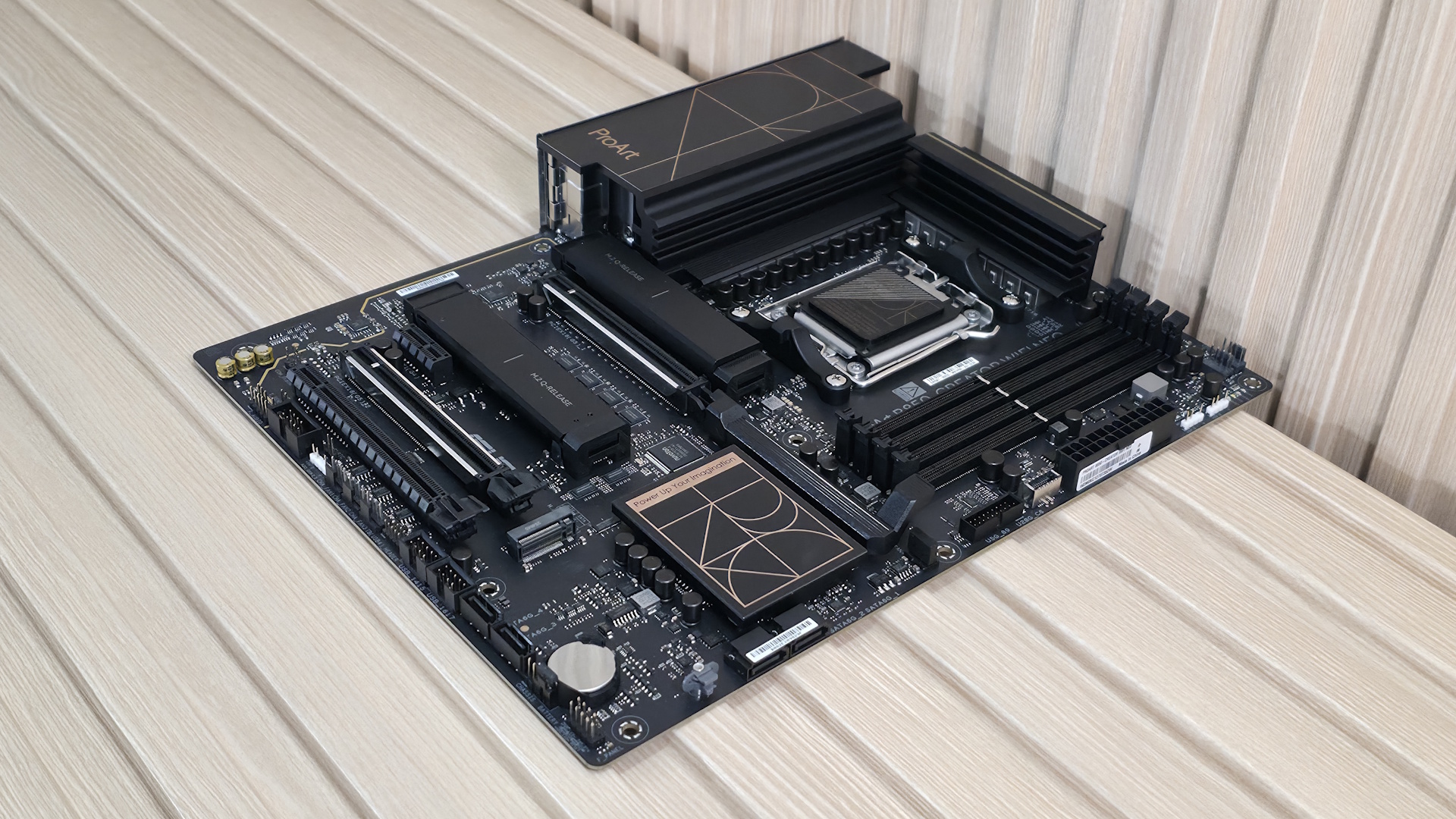
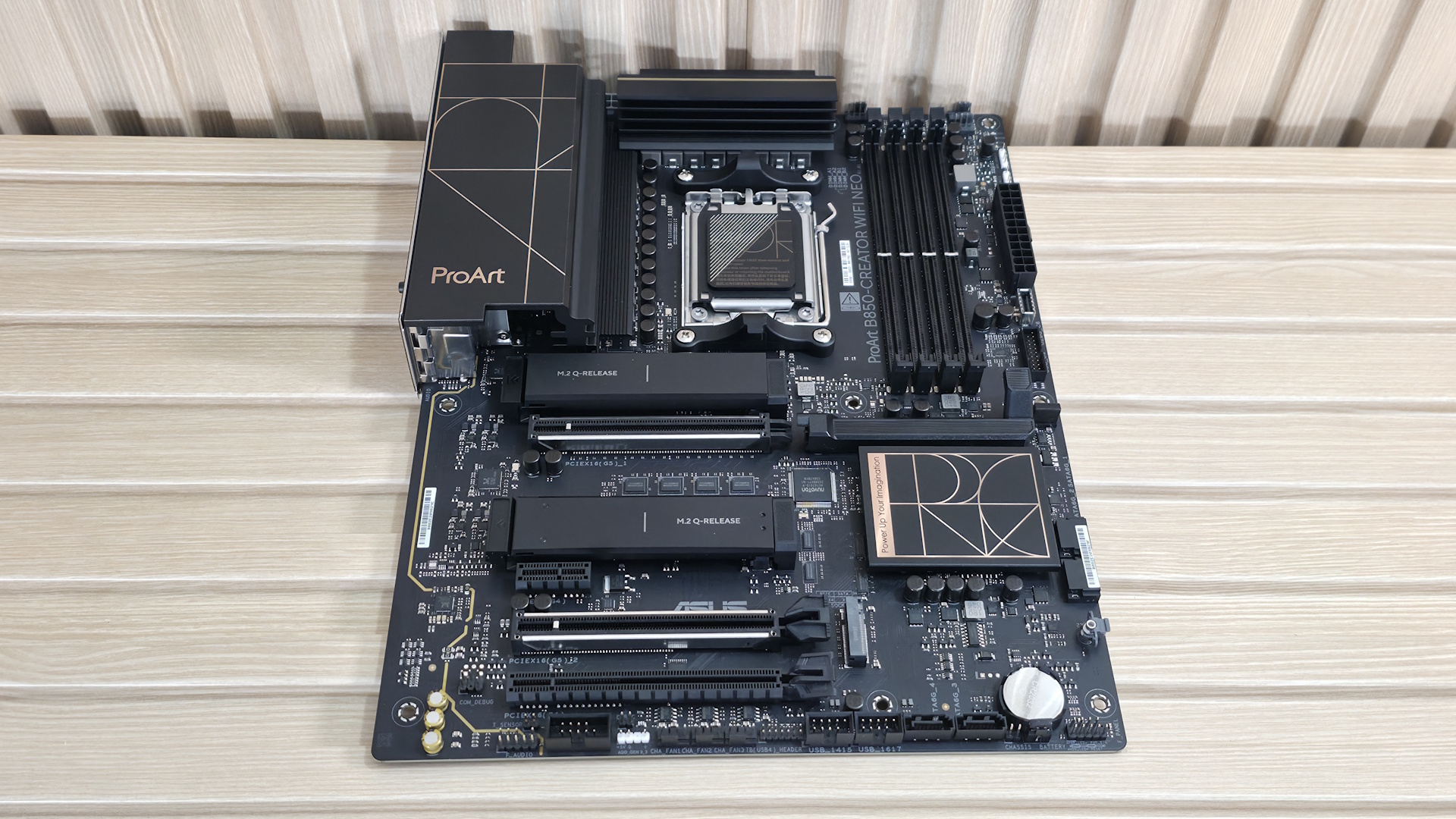
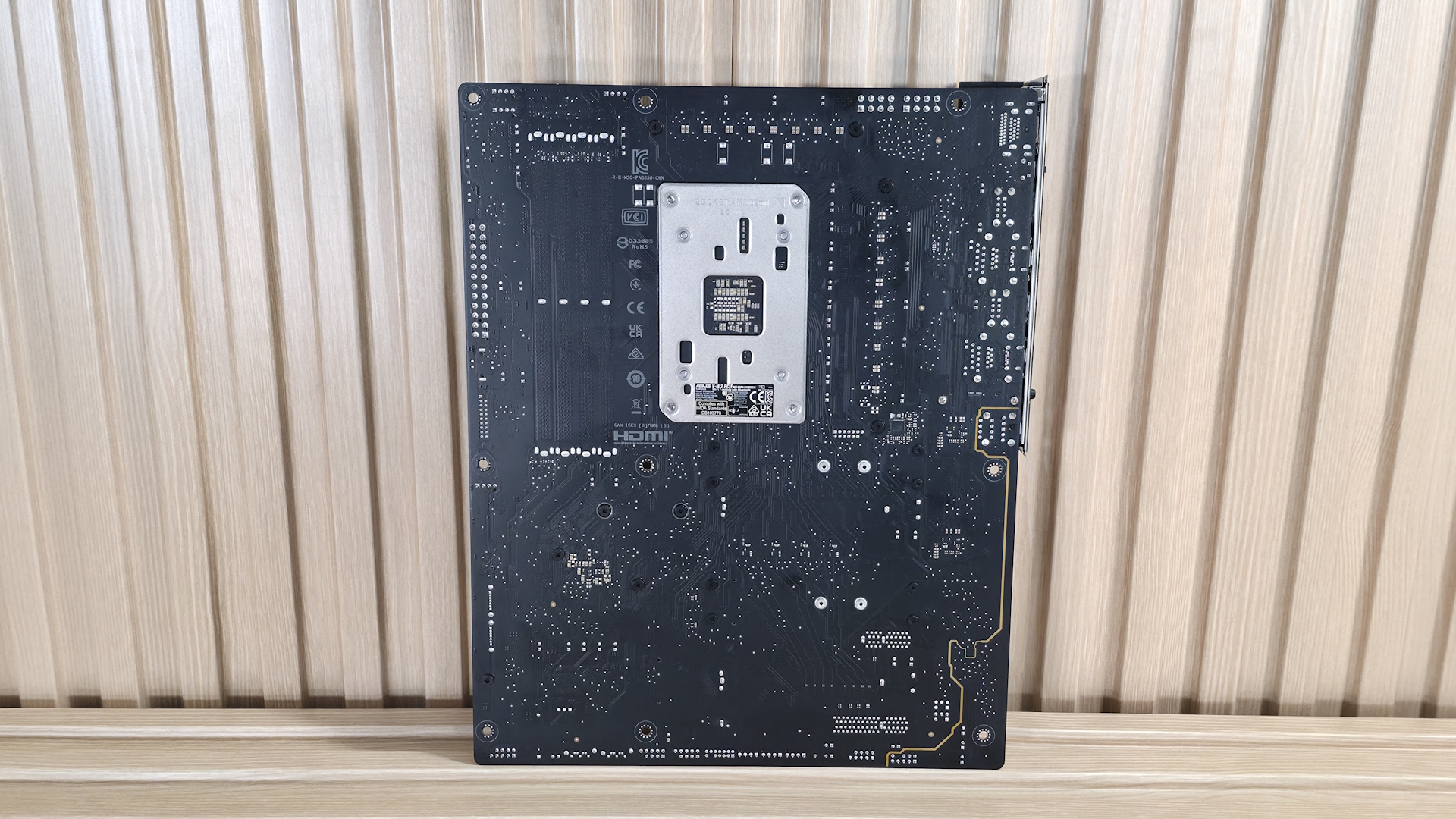
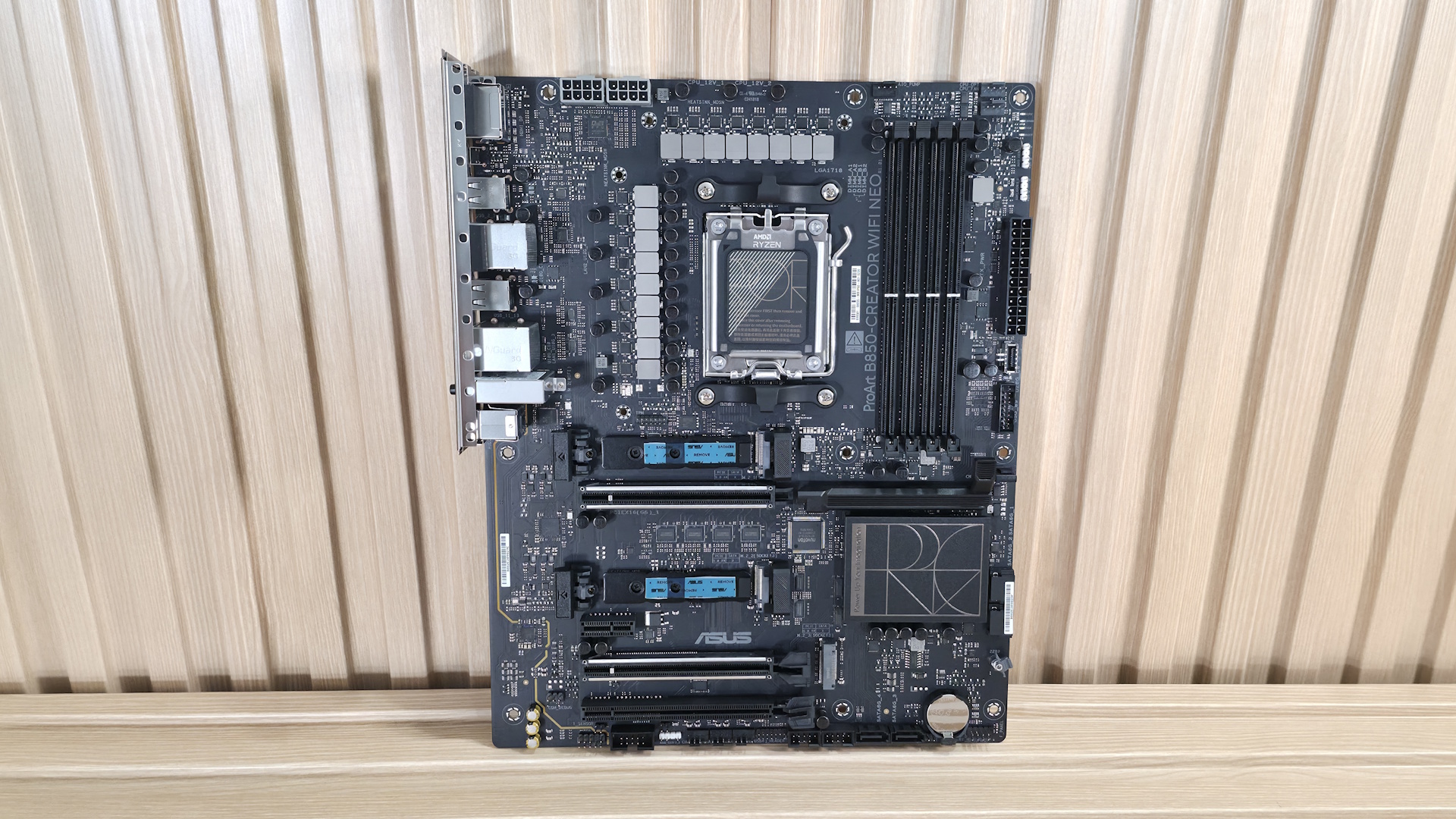
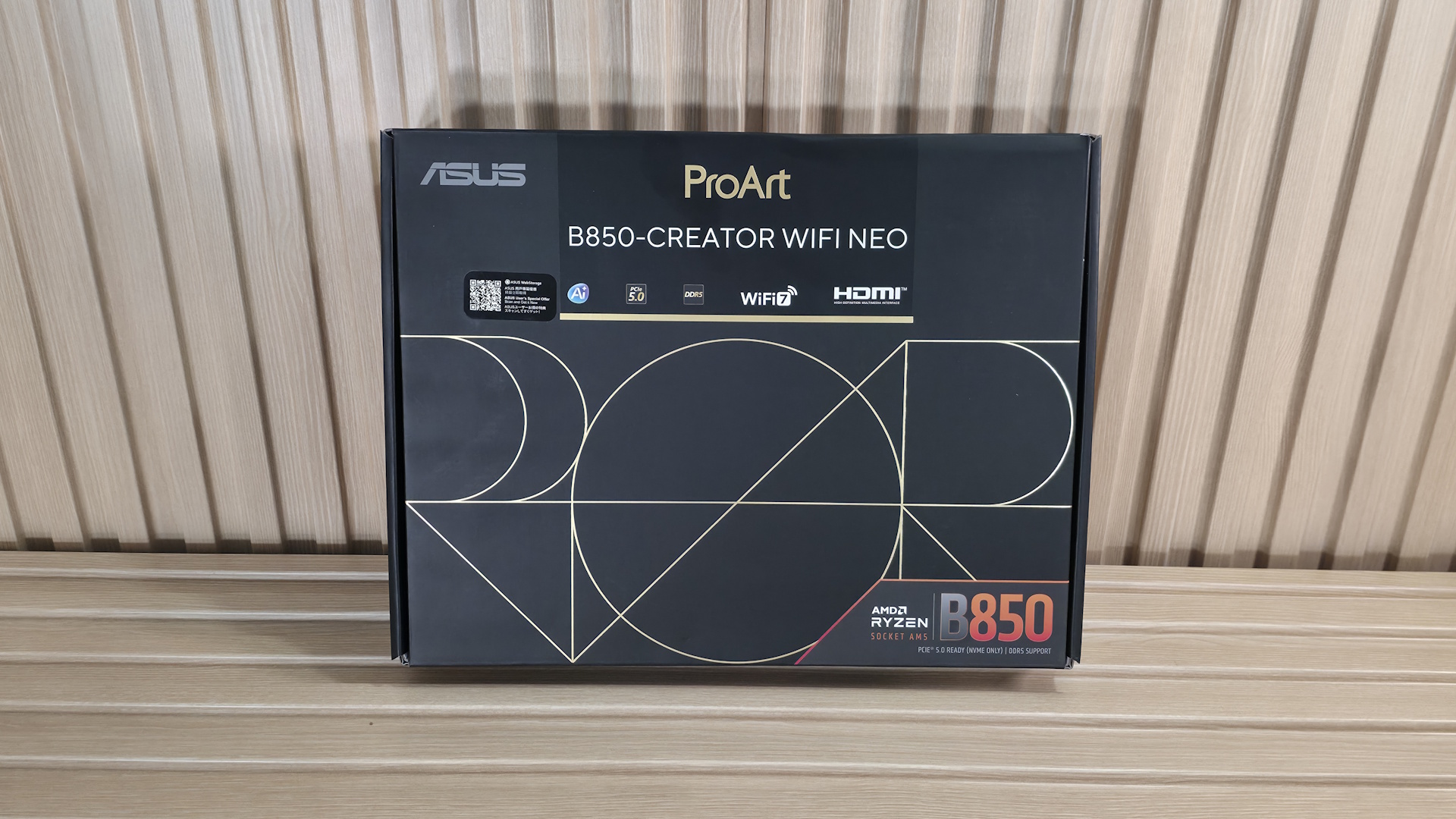
The B850-Creator Wifi Neo is decidedly a ProArt board. With its all-black, 8-layer server-grade PCB design, gold accents on the heatsinks spelling out Pro Art in some form (Pro on the chipset heatsinks and Art on the left VRM heatsink. The M.2 heatsinks cover the PCIe 5.0-capable sockets, but I wouldn't call them sufficient for extended use of hot-running 5.0 drives without throttling. Outside of that, there isn’t much bling, like RGB lighting. So if that’s a part of your vision, it would need to come from the case and fans through the onboard headers.
Stay On the Cutting Edge: Get the Tom's Hardware Newsletter
Get Tom's Hardware's best news and in-depth reviews, straight to your inbox.
Overall, I like the professional appearance. And what you see, a lot of motherboard showing, is typical for the price point. I just wish at least one of the PCIe 5.0 x4 sockets included a heavier heatsink.
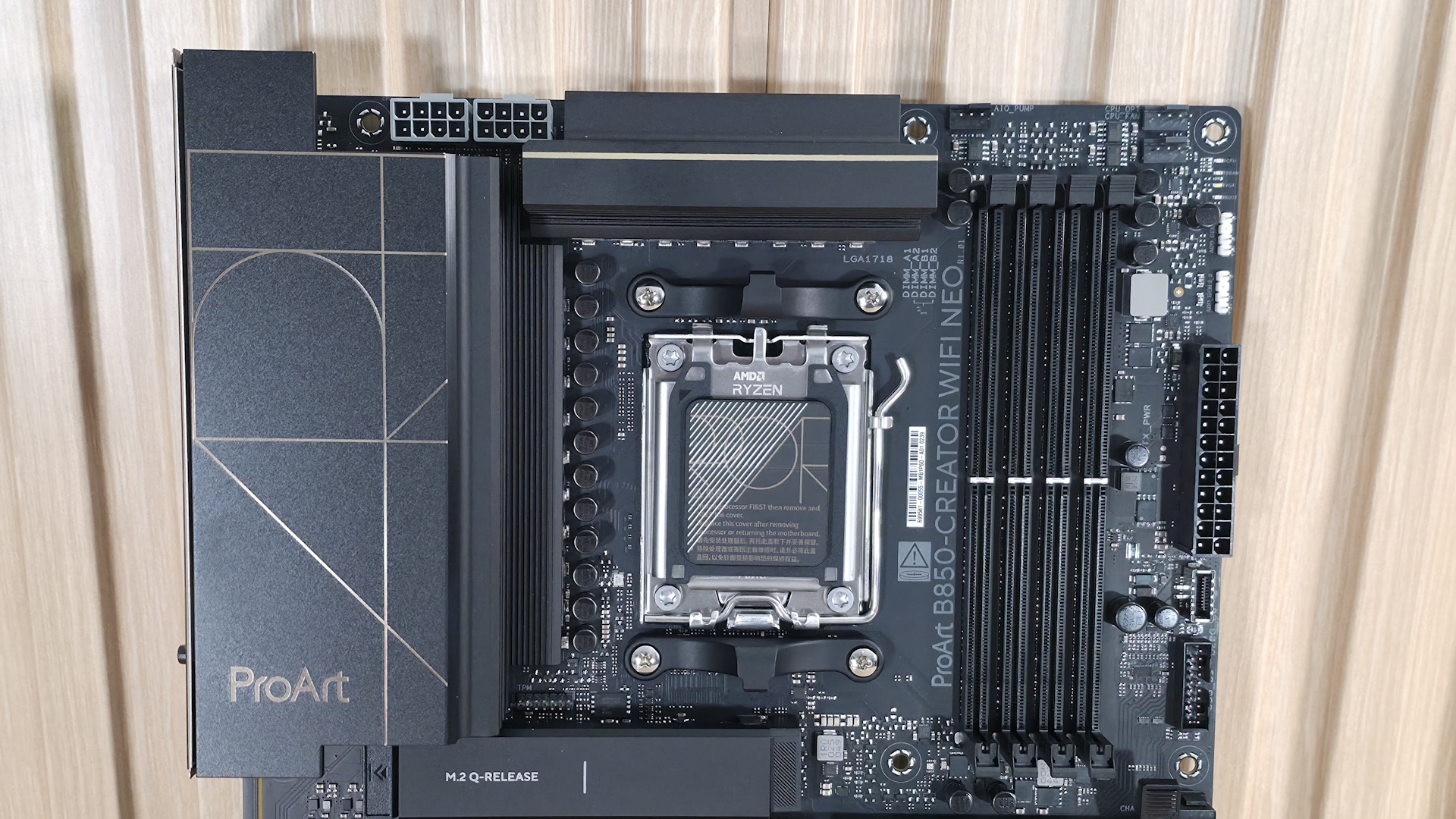
Starting with the top-left corner, we get a better look at the two 8-pin ProCool EPS connectors (one required) to feed the processor. Next, we get a better look at the gold-accented ProArt design on the matte-finish VRM heatsinks. Moving past the socket area, the next feature we encounter is the four DRAM slots, with the locking mechanism located only on the top. Asus lists support for DDR5-8400 with 9000-series processors and higher, and DDR5-8600 for 8000-series APUs. We didn’t have any issues running our DDR5-6000 and DDR5-7200 kits with the 9900X. But, as is typical with our test hardware, we needed to break out the APU for our DDR5-8000 kit to work. If you want to get the most out of your RAM, you can use Asus’ AEMP (Asus Enhanced Memory Profile) functionality, which detects the memory ICs in the kit and provides optimized frequency, timing, and voltage profiles that you can easily apply to increase performance.
Above the DRAM slots are the first three (of seven) 4-pin fan headers. Each header supports PWM and DC-controlled devices. Each header outputs up to 3A/36W, which is plenty of output for any pump-and-fan configuration. You can even run a custom loop off the headers without worrying about power. Control of any attached devices is handled via the BIOS or Fan Expert 4 in the Armory Crate software suite. Or you can use ProArt Creator Hub to monitor PC status, switch fan profiles, and adjust performance modes.
Continuing right and moving down the long edge, the first thing we run into is the 4-LED debug header, which lights up during the POST process. If something goes wrong during this critical time, one of the LEDs corresponding to the problem (CPU, DRAM, VGA, Boot) remains lit, indicating where the hiccup is. Moving down the same edge, we then see the first two (of three) 4-pin ARGB connectors. The ProArt Creator hub or Armory Crate controls each. Next, we see the 24-pin ATX connector for board power, a front-panel USB 3.2 Gen 2x2 (20 Gbps) connector that also supports 30W PD/QC4+ charging, and a 19-pin front-panel USB 3.2 Gen 1 (5 Gbps) header.
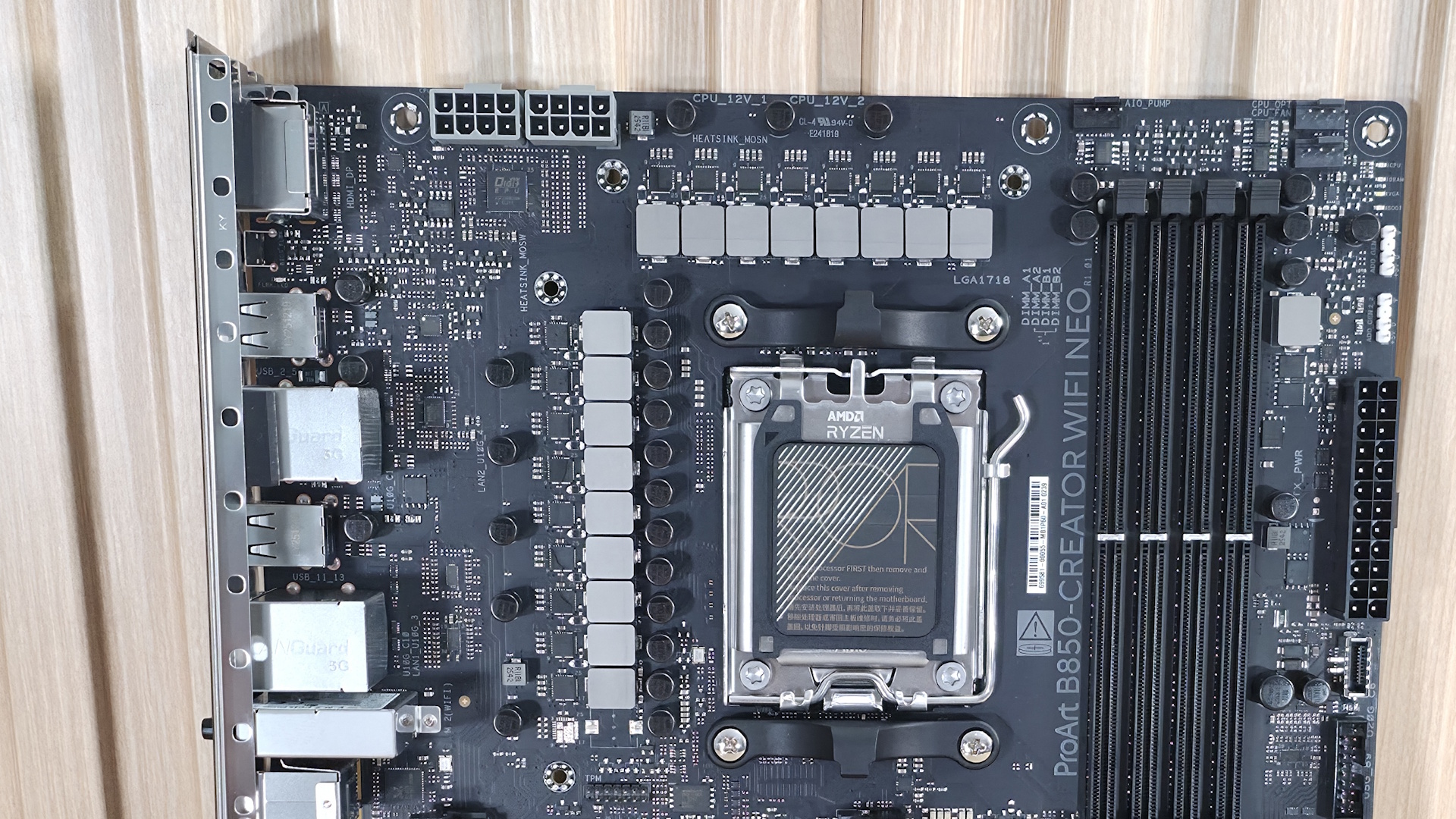
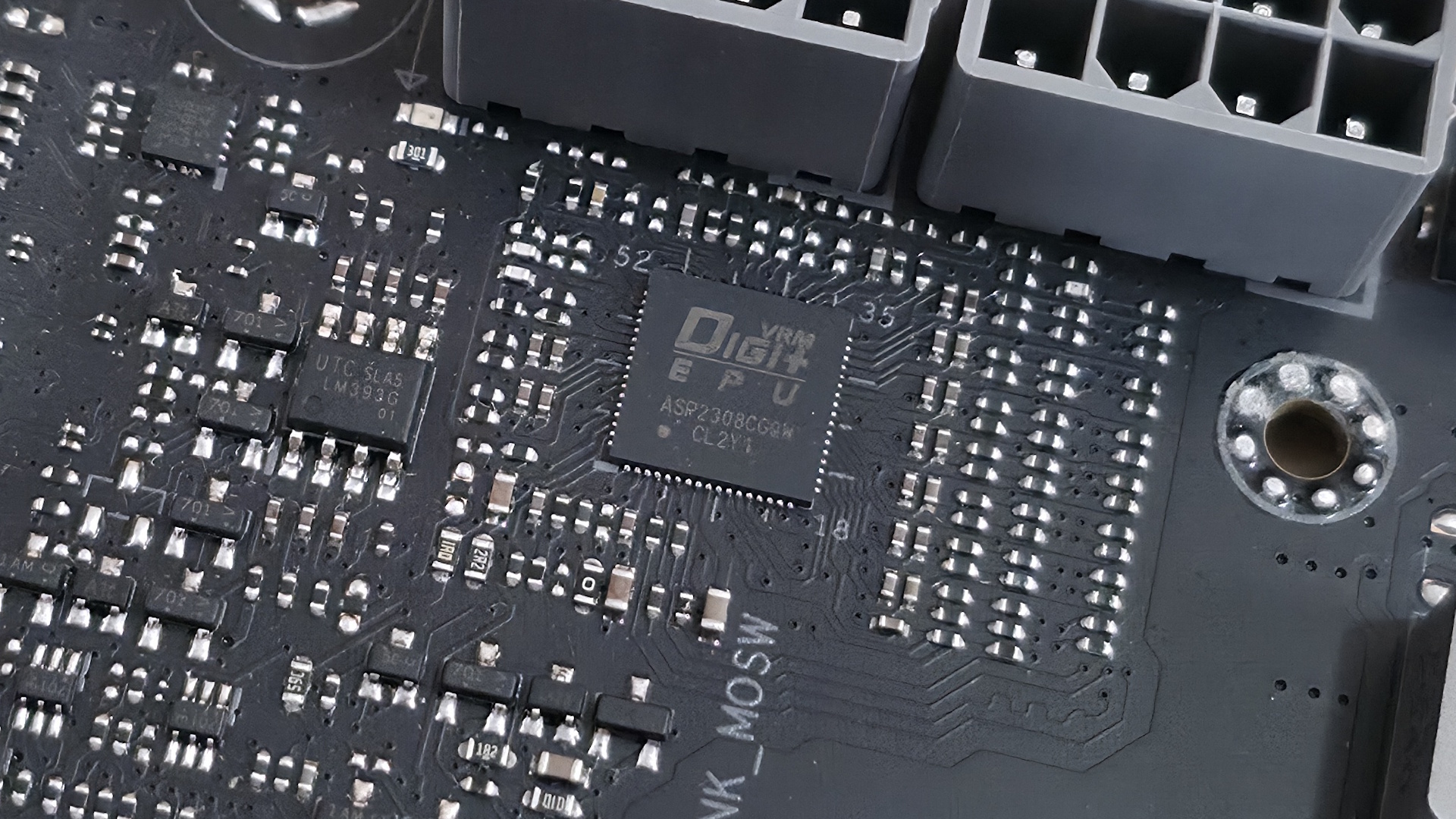
Power delivery on the B850-Creator Wifi Neo is plenty capable, sporting 17 phases, with 14 dedicated to Vcore. Power heads from the 8-pin EPS connectors and onto the Digi+ EPU (ASP2205) voltage regulator. From there, it moves to the 80A DrMOS MOSFETs. The 1,120 Amps available isn’t a ton, but it will handle any CPU you throw at it, including the Ryzen 9 9950X or the Ryzen 9 9950X3D2.
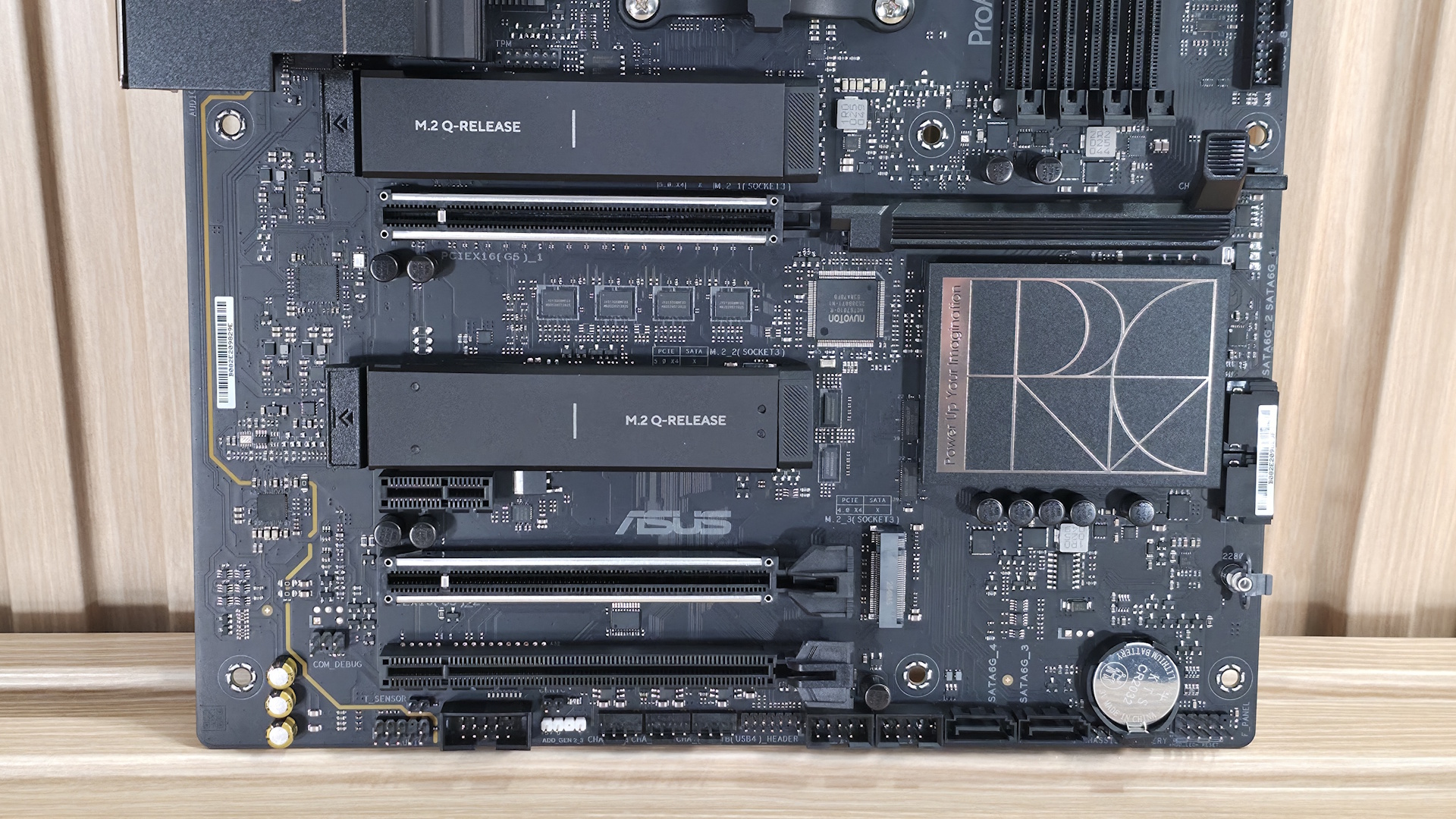
At the bottom of the board, on the left, are the last-gen flagship Realtek ALC1220P codec and a couple of dedicated audio capacitors. This audio solution is typical for the price point, and most users won’t have any issues with it.
Next are four PCIe slots in the middle of the board. The top full-length slot uses reinforcement, connects to the CPU, supports PCIe 5.0 x16 speeds, and uses the PCIe Slot Q-Release to simplify removing a PCIe card from the motherboard. The other reinforced full-length slot also connects via the CPU and supports PCIe 5.0 x8 speeds. If both slots are in use, they run at x8/x8. The bottom full-length slot (not reinforced) connects via the chipset and supports PCIe 4.0 x4 (but it shares lanes with M.2_3). The tiny x1 slot also connects through the chipset and runs up to PCIe 4.0 x1 speeds.
There are three M.2 sockets, with the top two (under heatsinks) connecting to the processor and supporting PCIe 5.0 x4 (128 Gbps) speeds. The last M.2 socket, M.2_3 on the right, connects through the chipset and runs up to PCIe 4.0 x4 (64 Gbps) speeds. This socket shares bandwidth with the PCIe_3 slot. If either one is populated, the other gets disabled. So keep that in mind if you need to use that slot, as it will take away an M.2 socket.
Along the right edge, we find another 4-pin fan header and two (of four) SATA ports. If you need to run RAID, the SATA ports and M.2 sockets support RAID0/1/5/10 modes.
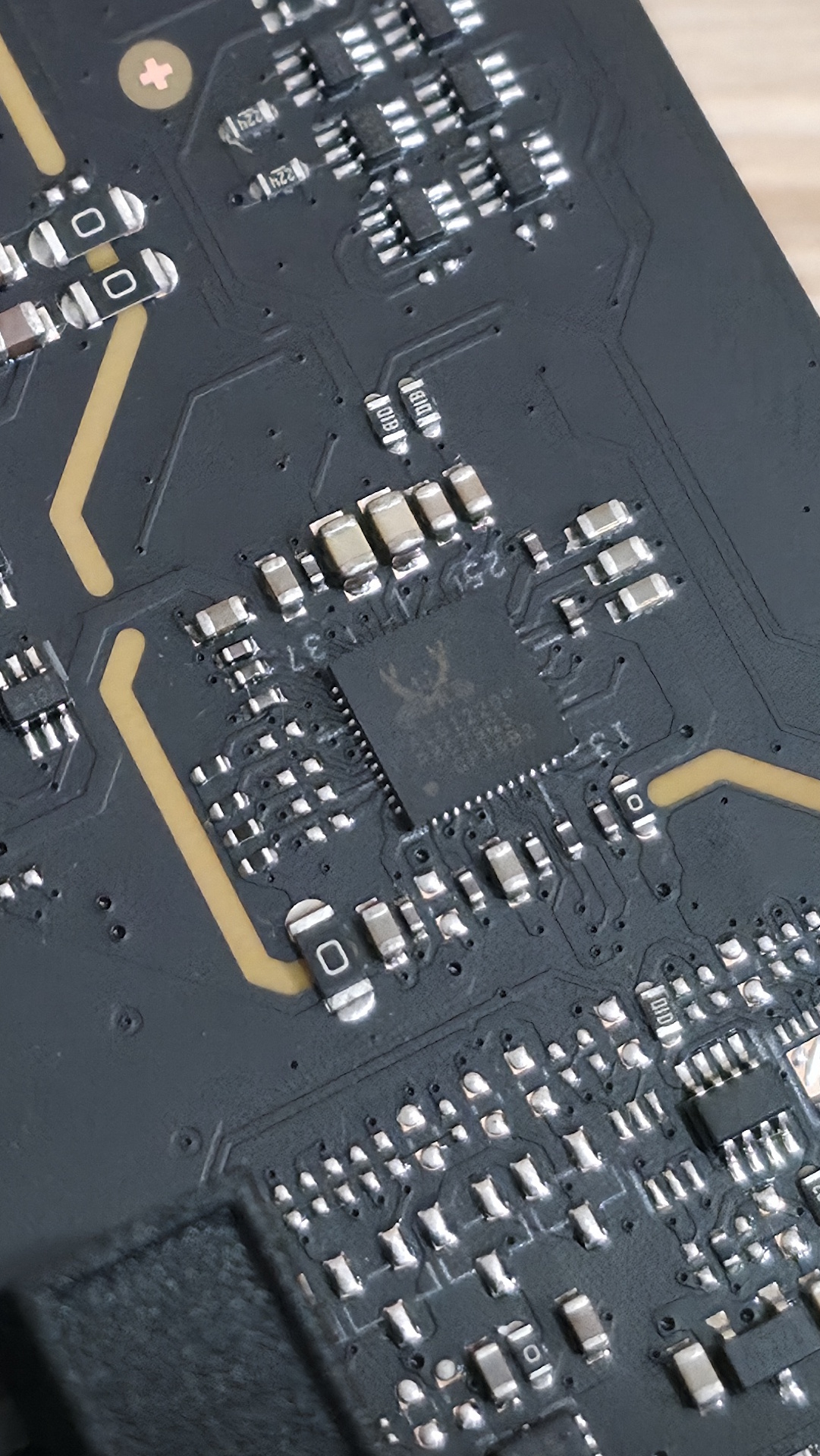
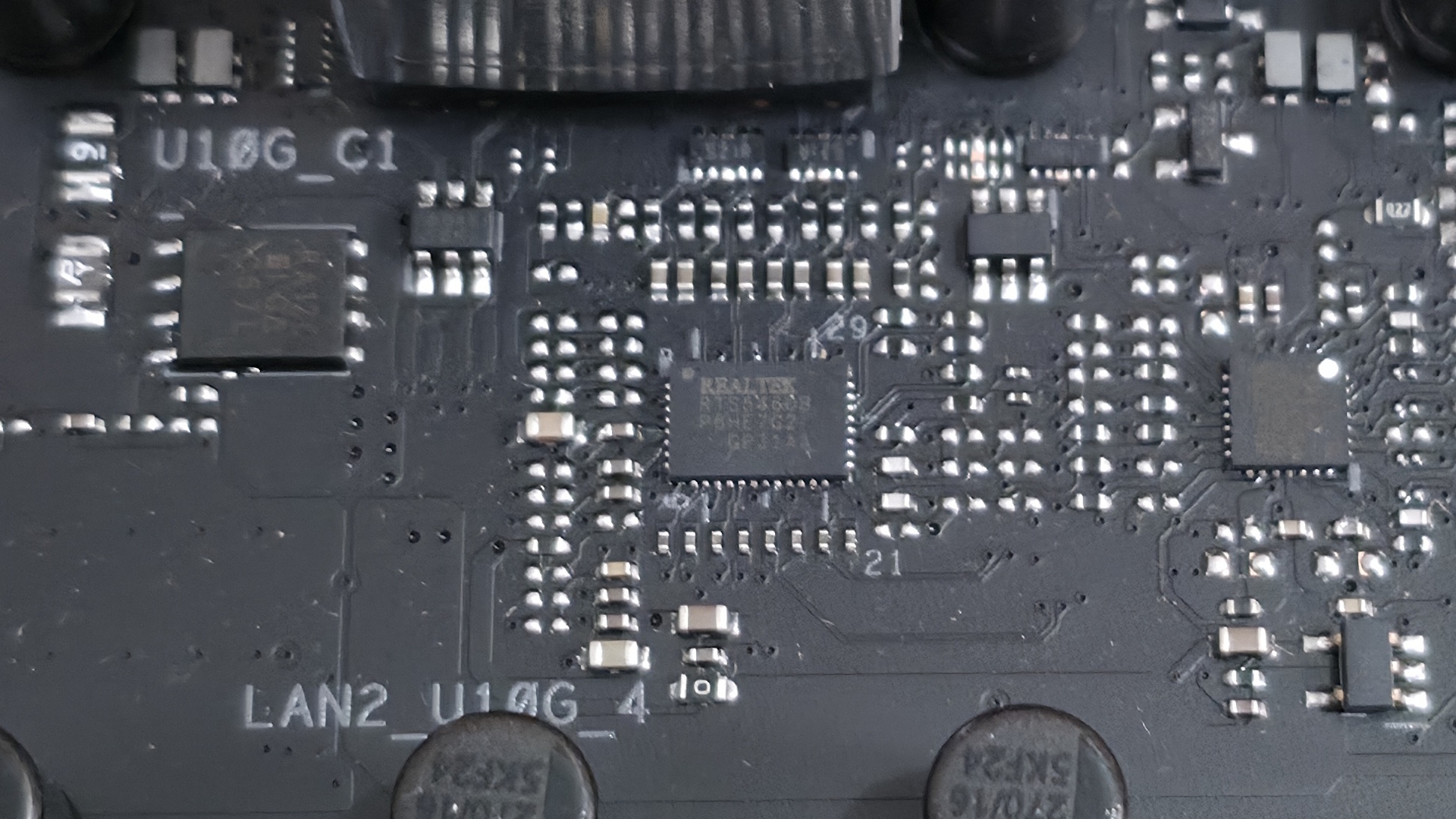
We also included images of several chips used on the board. Asus uses mainly Realtek (audio, networking), and it's own PWM ICs.
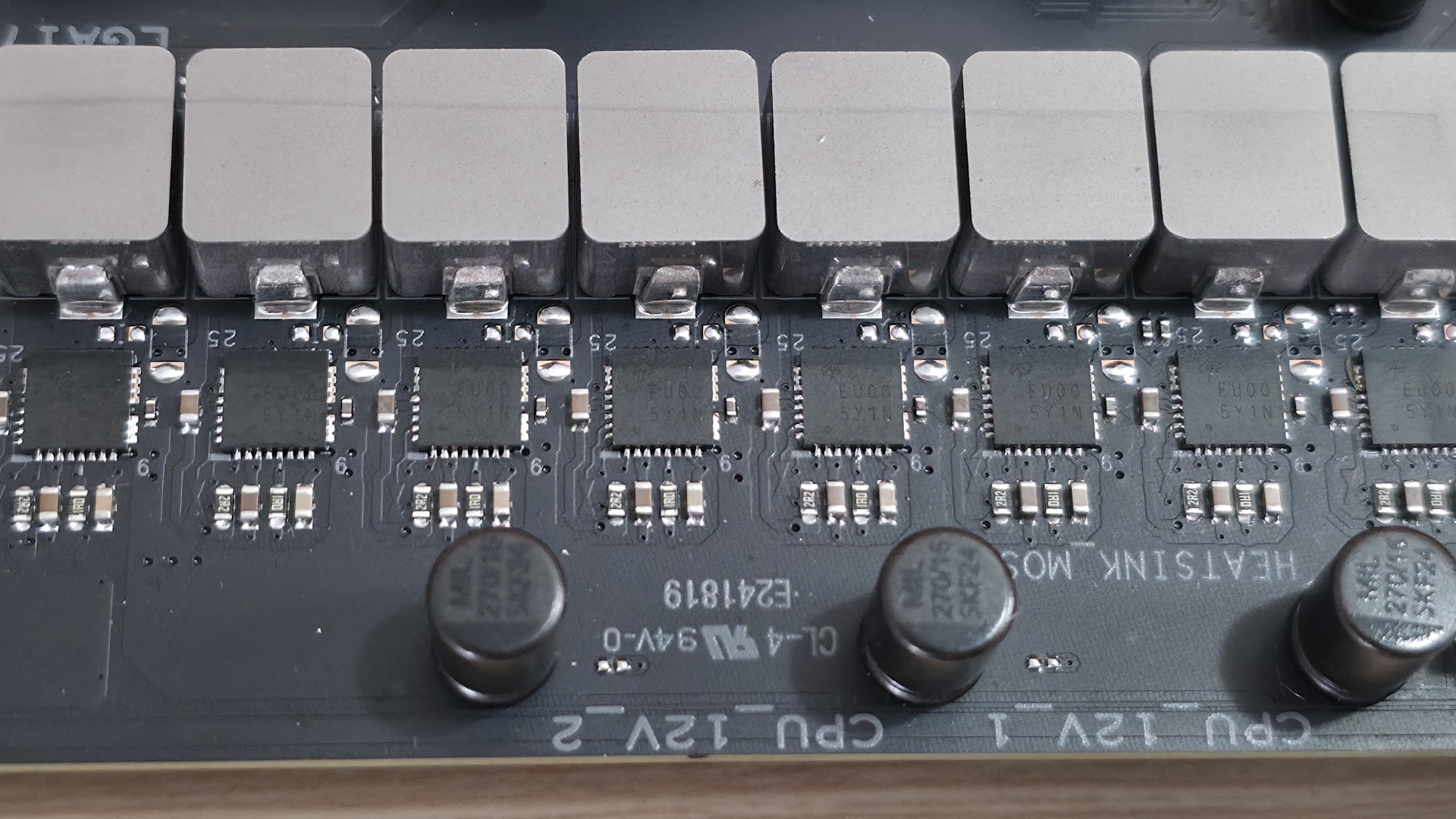
At the bottom are several headers, including front-panel audio and USB ports. A complete list of connectivity is listed below (from L to R):
- Front panel audio
- 2-pin thermal sensor header
- COM port
- 2-pin Clear CMOS
- 3-pin ARGB header
- (3) 4-pin fan headers
- TB/USB4 header
- (2) USB 2.0 headers
- (2) SATA ports
- Front panel
- Battery
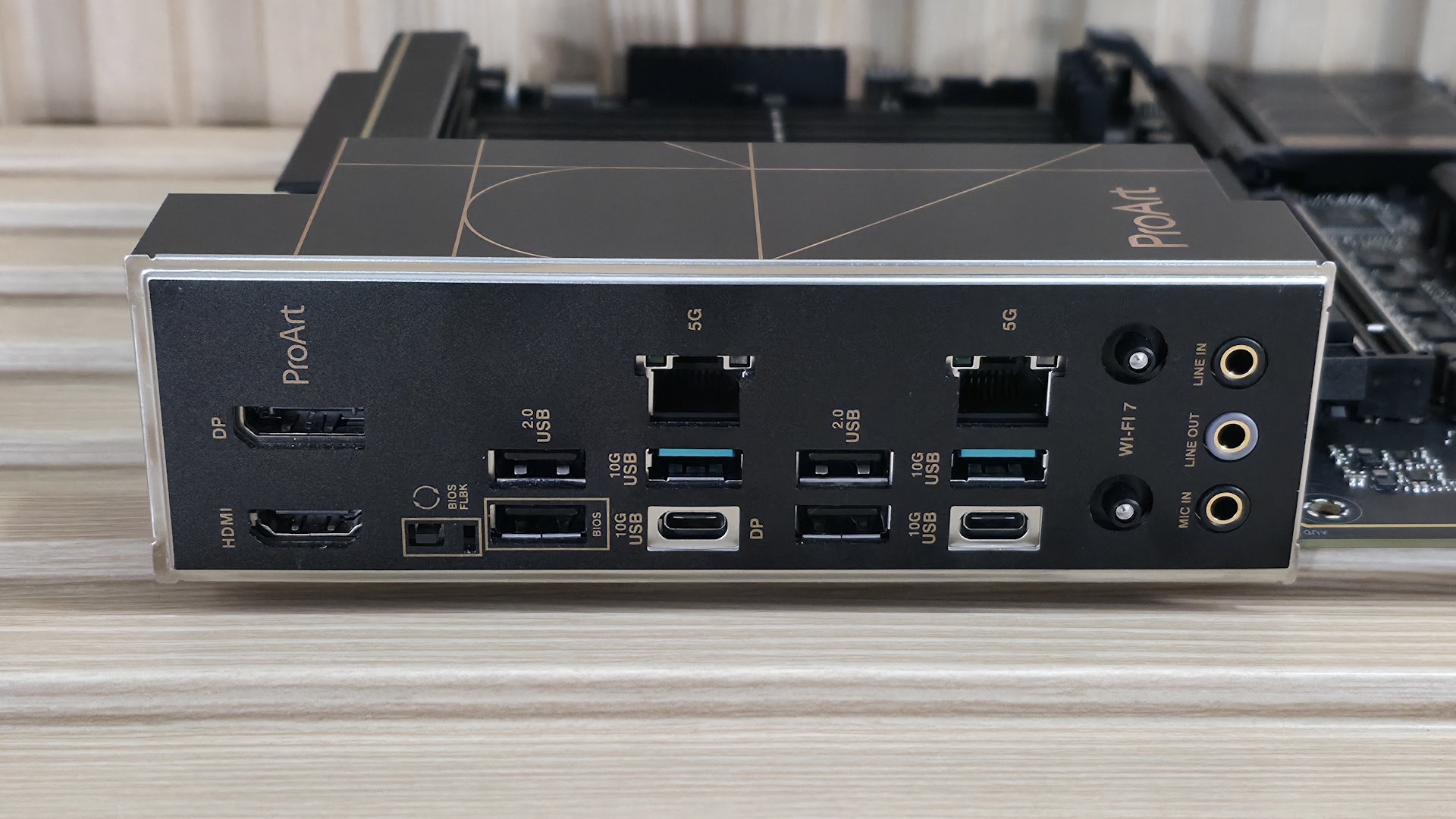
The rear I/O on the B850-Creator Neo has all the basics, but lacks native 40 Gbps USB ports, which could be a concern for creators whose files are on an external drive. Outside of that, it does come with two USB-C ports, both running at 10 Gbps (USB 3.2 Gen 1), and one supporting DP Alt Mode (for video). You get two 10 Gbps and four 480 Mbps Type-A ports for a total of six, which can be limiting for some users (including me). Additionally, there are DisplayPort and HDMI for video output, a BIOS Flashback button, dual 5 GbE ports, quick-connect Wi-Fi 7, and three 3.5mm audio jacks (no SPDIF).
Note: this board uses a ‘slower’ Wi-Fi 7 that’s limited to 2.9 Gbps. It’s still plenty fast, and faster than Wi-Fi 6, but it's worth mentioning in case you’re one of the few who actually need the fastest Wi-Fi around and have the hardware to use it.
MORE: All Motherboard Content

Joe Shields is a staff writer at Tom’s Hardware. He reviews motherboards and PC components.
What's Your Reaction?
 Like
0
Like
0
 Dislike
0
Dislike
0
 Love
0
Love
0
 Funny
0
Funny
0
 Wow
0
Wow
0
 Sad
0
Sad
0
 Angry
0
Angry
0








Comments (0)